> "
There is the argument that you can't automate GUIs."
Windows of the 2000-2010 era; when business tools were desktop programs and they would generally have a GUI, probably hooked into MMC so they could manage remote computers as well, have .exes which took at least some command line arguments, have a COM automation interface, and have tools which use fairly standard Win32 GUI controls which could be changed or scraped for data interactively with third party programs like Sys Exporter and had decent support for keyboard navigation with system-wide patterns like accelerators and tab ordering.
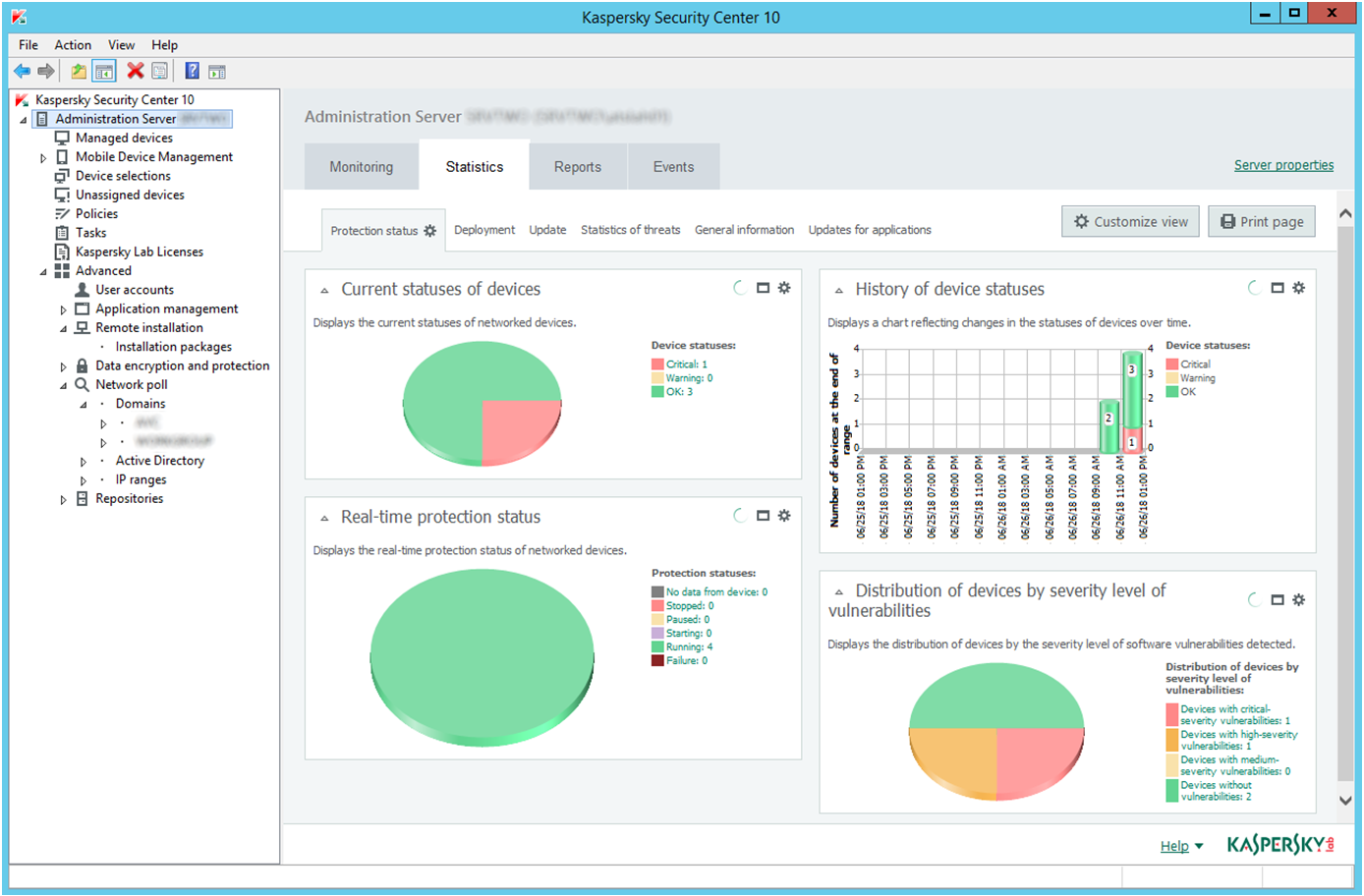
Take Kaspersky AntiVirus management console, it has:
- a GUI, a standard MMC style with a treeview on the left and a web page on the right[1], which is approximately "every gui management tool of the era".
- Various CLI tools that will do things like "check connection from client to server" and "force update"[2]. (Although rarely will Windows tools like this have command line options for everything).
- Documented automation interface using COM with examples for VBScript and JScript, but which can be used by any COM-supporting language (which is most of them on Windows - PowerShell, Python, C#, Dyalog APL, Java,...) [3] where the documentation is in a help file that installs locally with it. The ubiquity of COM automation in the Windows world of yesteryear is way under-discussed in the "can't script GUIs".
- Backed by a database, with documented stable views for you to query for reporting and integration, and the documentation is in a locally installed help file.[4]
By no means is this the end-all be-all of the computing world, but people who say "I only use a CLI" are missing such a huge part of the computing experience, and people on Linux where GUI tools appear to be completely isolated islands disconnected from each other and from everything else and second-rate afterthoughts, are as well. It used to be almost the default in Windows world for tools to take Active Directory / single-sign-on logins, to have granular AD backed permissions, to be automatable with COM, and so on. Ropey, unstable, proprietary, but far more amenable to poking-inside than people typically give it credit for. And it's going with the rise of "why invest when we could take profit instead, why build for the long term when I'll be changing jobs in 18 months, why build a desktop app when we could build a subscription service" models.
And then in the modern day it's SaaS web applications which are their own proprietary, isolated, disconnected systems, maybe with a limited REST API locked behind a premium tier or a rate limit and everything with a limited result set because they can't let you overload their servers, and desktop programs becoming some UWP app-store isolated container, or some Electron tower, also isolated, and/or cross-platform compatible and isolated from the underlying OS and its models of doing things.
If a non-technical person can't use it, a non-programmer, it has no value as a user tool. If you can't auto-deploy 1,000 servers at the other end of a headless network connection, it has no value for scripting. I'm sure there's a use-case falling by the wayside, technical people who could and would script GUI tools together - not for automation, for interactive use, for exploration.
The amount of times I've put |gvim - at the end of a pipeline to load the results into Vim, but then they get stuck there. Only to be saved as a file, or run through a new shell launched from Vim or copy-pasted out. There's no way that I know of to do `ls -l | gvim - | mv ./old` for example; you can do it if you know in advance what commands to run then you can use Vim in headless mode.
My point is there could be a missing, under-explored computing mode, part-CLI and part-GUI.
[1] https://www.av-comparatives.org/wp-content/uploads/2018/07/a...
[2] e.g. https://support.kaspersky.com/9292
[3] https://support.kaspersky.com/us/9291
[4] https://support.kaspersky.com/KSC/EventExport/en-US/140056.h...