Can anyone recommend training for offensive security and/or Kali Linux pentesting? I've been wanting to explore that branch for a long time, I'd really appreciate some great resources for an engineer with no pentesting experience.
No better place than the source: https://www.offensive-security.com/courses-and-certification...
Kali Linux 2020.3
91–100 of 102 posts
Re: Kali Linux 2020.3
#92Re: Kali Linux 2020.3
#93Can anyone recommend training for offensive security and/or Kali Linux pentesting? I've been wanting to explore that branch for a long time, I'd really appreciate some great resources for an engineer with no pentesting experience.
- "Black Hat Go" - https://nostarch.com/blackhatgo
- "Black Hat Python" - https://nostarch.com/blackhatpython
- "Web Security for Developers" - https://nostarch.com /websecurity
- "Cracking Codes with Python" - https://nostarch.com/crackingcodes
Highly recommend those NoStarch books. Of course, depends what you want to pentest, but this is good general information to get started.Re: Kali Linux 2020.3
#94Earlier quoted context omitted.
You definitely shouldn't use it as a daily. However, Offensive Security is trying to make it a smooth experience given that quite a bit of time is spent using it for penetration tests, CTFs, etc in addition to "competition" from ParrotOS. Most folks that I know would switch to it anyway so having it be the default makes it easier.
Can you elaborate why someone shouldn't use it as a daily driver? I have used Linux for a decade now and I just got a friend interested in it and his pick was Kali because he was interested in learning about security stuff. I took a quick look at it and saw that it was debian based and XFCE is my favourite desktop environment so I figured he'd be alright with it.
It also defaulted to running as a root user for everything, but they recently changed that.
Re: Kali Linux 2020.3
#95I think the move of Kali Linux from bash to zsh is sane. I sometimes have to use the default shell of Linux distribution, especially on servers, and my main pain points with bash are: - The history is editable by default. If I move to a previous history line and change it, the old line disappears. Hitting Ctrl-c will remove it from the history. - If I use simultaneous shells (screen, tmux, or several ssh connections)…
This may be an old fashioned way to do it, but I set aside a command by using ^A (or Home) and the entering : and space: $ : Command that has an error I can then cd to the right directory, or fix whatever other problem I had, then use up-arrow to get back to the command, remove the : and space and run it. The : (no op) command is fairly obscure and some of the other suggestions here are probably better.
Re: Kali Linux 2020.3
#96Earlier quoted context omitted.
Also MacOS switch to zsh was pretty recent (used to be bash). https://support.apple.com/en-us/HT208050 Must have been some confusion here.
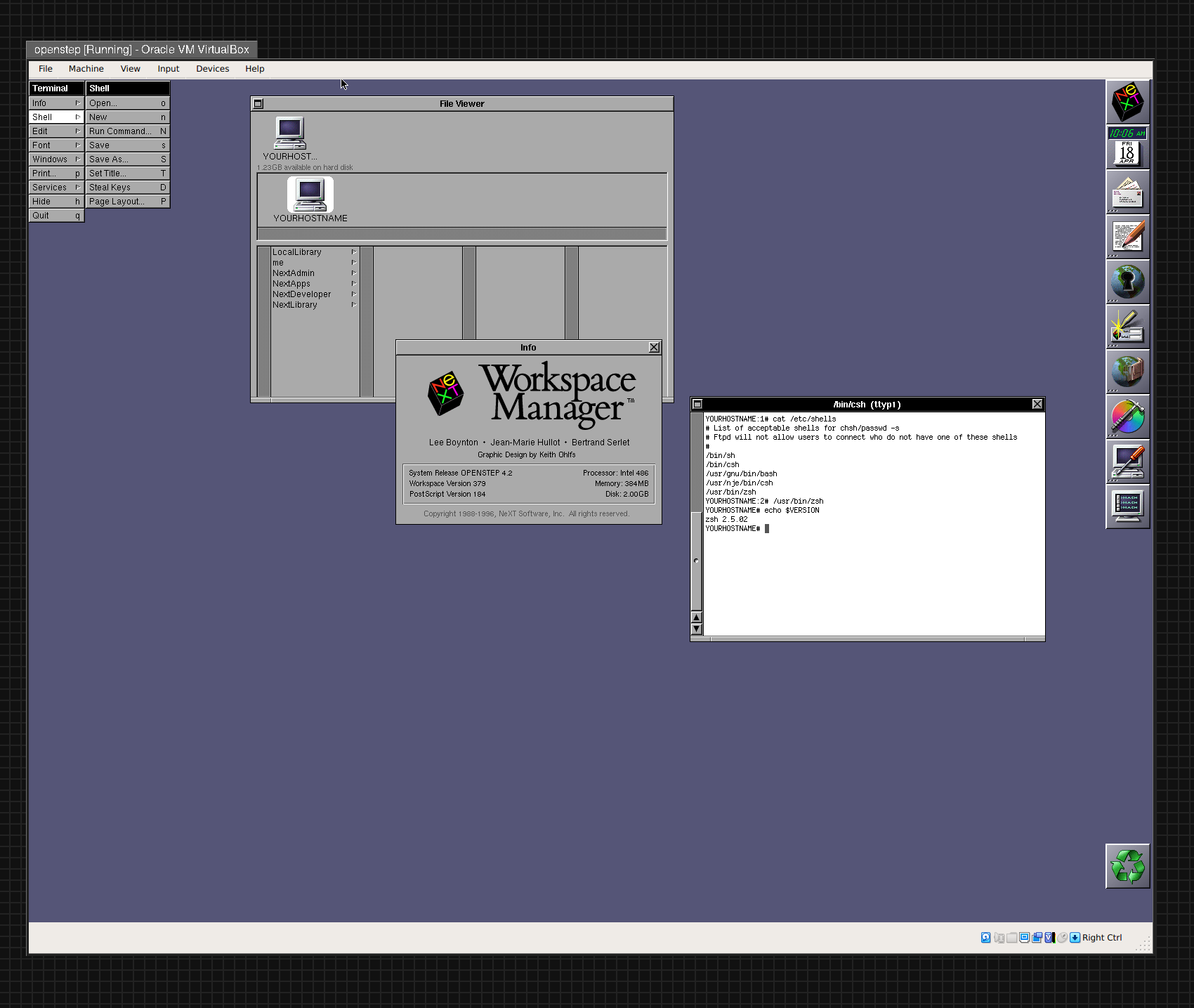
No there's no confusion. Maybe you thought I meant it was the default shell, I didn't. It's simply installed with everything else. The list is sh, csh, and zsh. The executable is on the machine. An operating system can have more than a single shell executable. Do you want me to post the binary? Screen shots? Maybe turn on an ssh hole? Perhaps send the man page? I can do all of this. You can log in remotely and run it…
Re: Kali Linux 2020.3
#97Earlier quoted context omitted.
No better place than the source: https://www.offensive-security.com/courses-and-certification...
I'm honestly quite skeptical. Unless I hear personal recommendations, I'd be very wary of spending 1k+ on a training in "pentesting"...
Bundled with this I also got several (i.e many) hours of recorded and narrated video to accompany the pdf.
The best part though is the lab network. During the course I had access to a huge number of virtual machines to scan and exploit. The courseware really encourages you to experiment and evolve. The exam, if you want to try it, is an all out practical pentest from start to finish and 24h to complete. A comprehensive report covering the entire pentest is mandatory.
All in all the OSCP was totally worth the $ IMHO.
I do however recommend that total beginners should start with the free resources and other great sites like overthewire. Get your feet REALLY wet before you pay the $ and lab days start ticking.
Re: Kali Linux 2020.3
#98Earlier quoted context omitted.
I am pretty sure the default shell was csh on OpenStep and thus most likely on NeXTSTEP as well.
Having watched a bunch of videos of people who bought NeXT computers recently, I can confirm that the shell they saw when running Terminal.app was csh. It would be a hell of a coincindence if all of them had happened to change from the default to csh.
Re: Kali Linux 2020.3
#99Earlier quoted context omitted.
> E.g. if I realise while typing that I'm not in the right directory, `git clone cd src `. With bash I’d just Ctrl+a and type “cd src ;” and then press ctrl+e and continue typing what I was typing. I got so used to doing it that way, that even after switching to zsh I still do it this way. The disadvantage of my way of doing it is if you typo the path. But I tab complete pretty much always, so in practice I don’t hav…
If you use && instead of ; then you won't have the typo problem.
Re: Kali Linux 2020.3
#100Earlier quoted context omitted.
Do you actually use zsh? C-o and M-q and M-a and M-h and all the others are really nice, and as far as I know bash has nothing similar (correct me if I'm wrong). You don't NEED any of these niceties but they're very nice.
The comment you are responding to talks about Bash.