Live data from Hacker News

Ask YC: Mac Text Editors

news.ycombinator.com

51–60 of 72 posts

Re: Ask YC: Mac Text Editors

#51
I am really surprised only 2 other people have mentioned Smultron. At least to me, it is by far a superior application to textmate, text wrangler, and bbedit. I have not used emacs and coda, but will be trying them when I get home.

I work in both windows and mac worlds. By far, textpad on windows is the #1 text editor I've ever used. Last year I started doing web development on macs and quickly got frustrated nothing was available that would do everything textpad does. I even tried running it in emulation but some wierdness didnt leave it as a functional option at the time.

I tried various text editors until I found smultron. Easily the best little text editor ive found for mac so far, and I can't recommend it enough.

Re: Ask YC: Mac Text Editors

#52

TextMate is my first choice. Also, SubEthaEdit is nice for collaborative editing.

SubEthaEdit is great for multiple people editing the same file. Not like Google-docs' "save and refresh", it's truly real-time collaboration from anywhere you have an internet connection.

Re: Ask YC: Mac Text Editors

#53
post #3

Install Emacs... It's free and every editor is trying to reinvent what this one already does.

And if you don't know Emacs yet, start with Aquamacs. It has "normal" Mac keybindings set in addition to the Emacs ones for most operations, and comes with many of the best Emacs packages already installed. Heck, even if you know Emacs well, give Aquamacs a try. All of the pre-installed packages can be a big time saver over downloading and installing each of them individually.

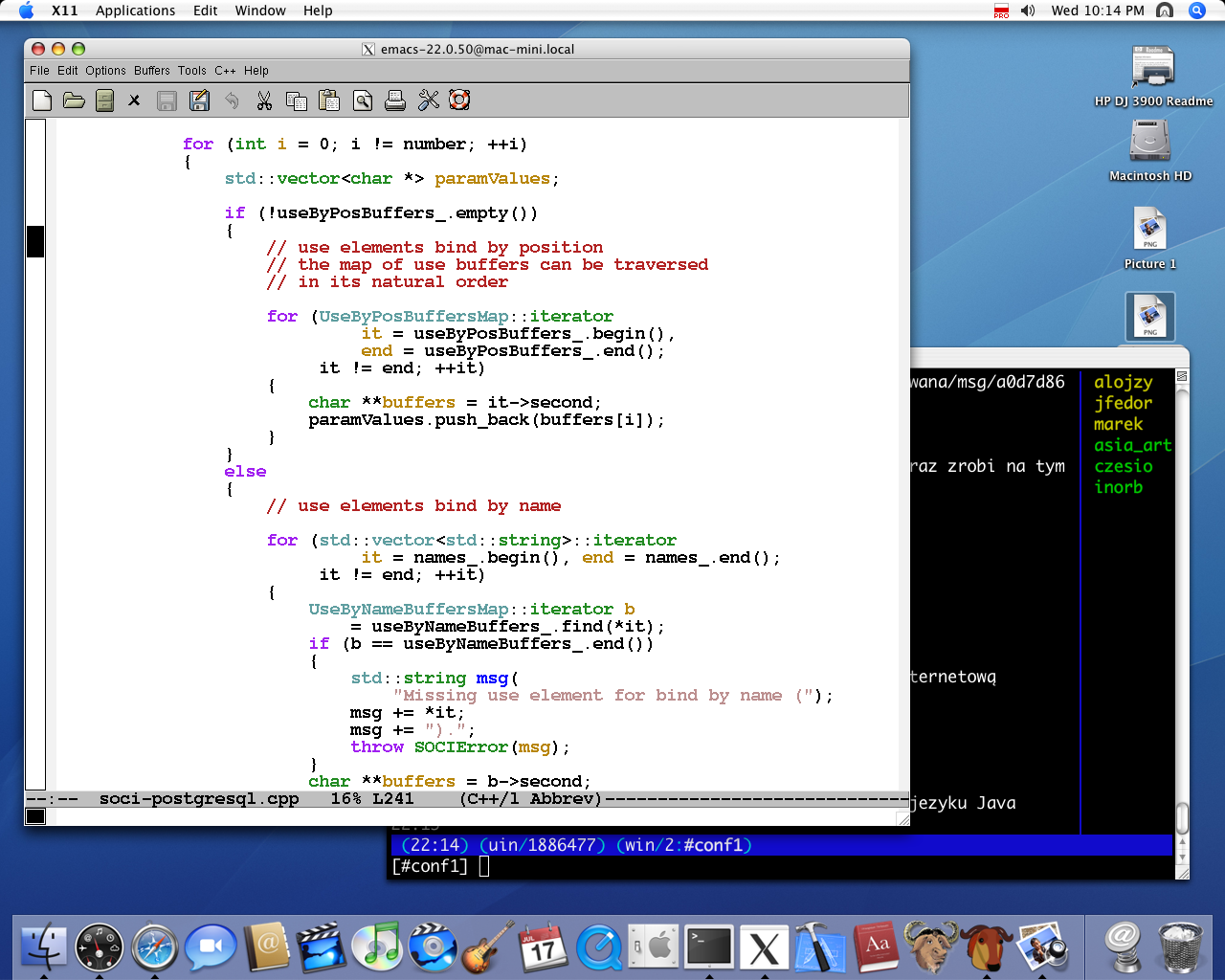
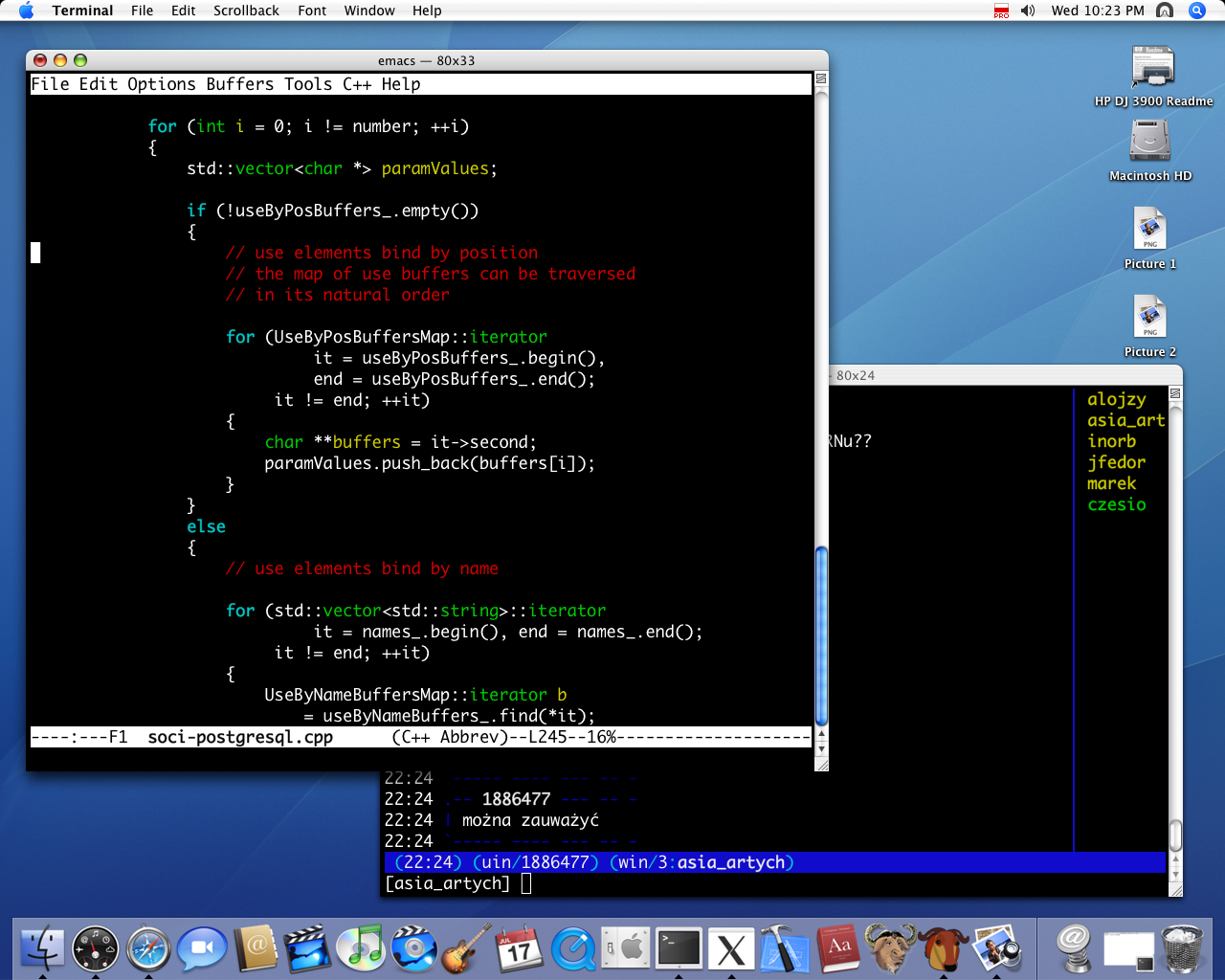
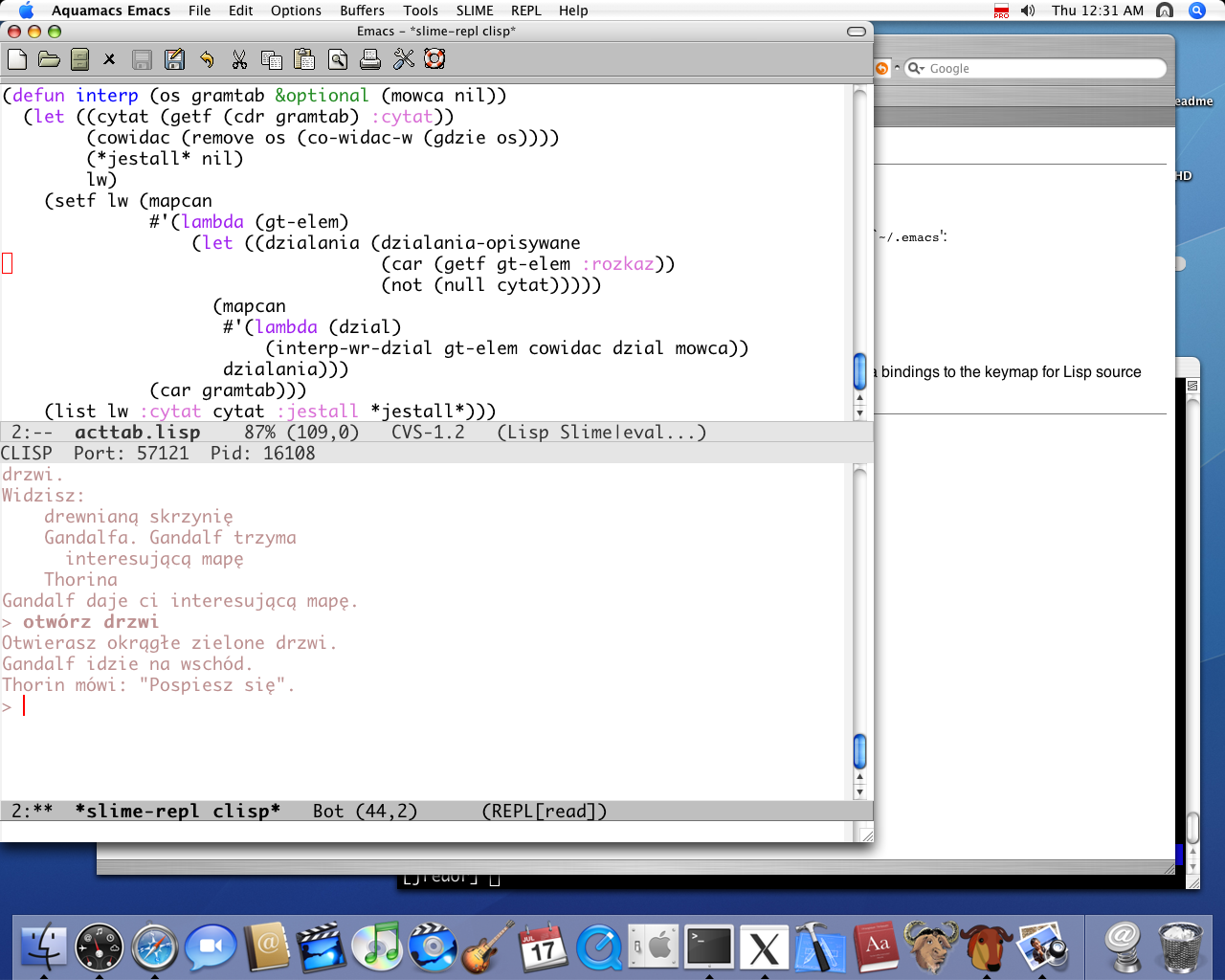
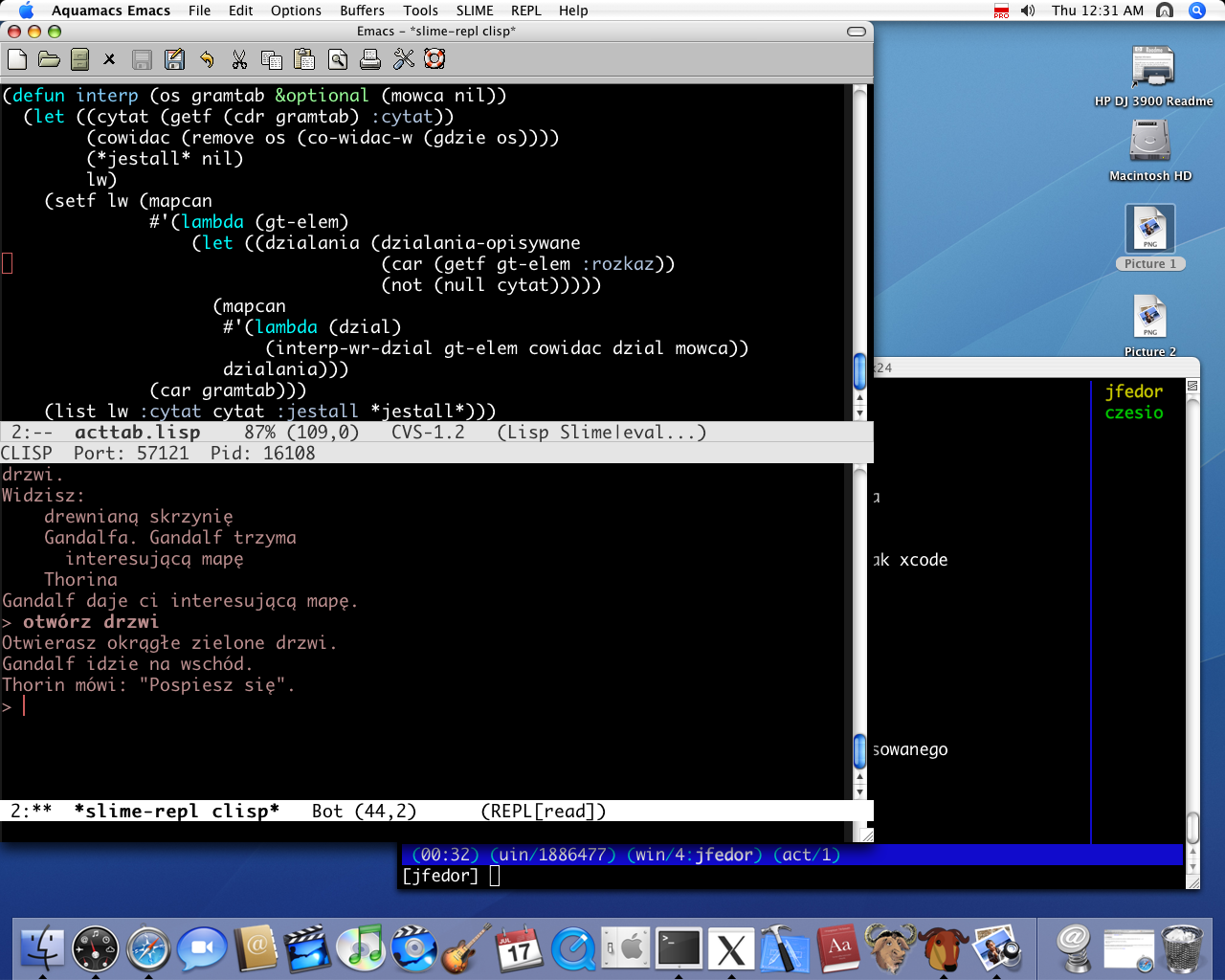
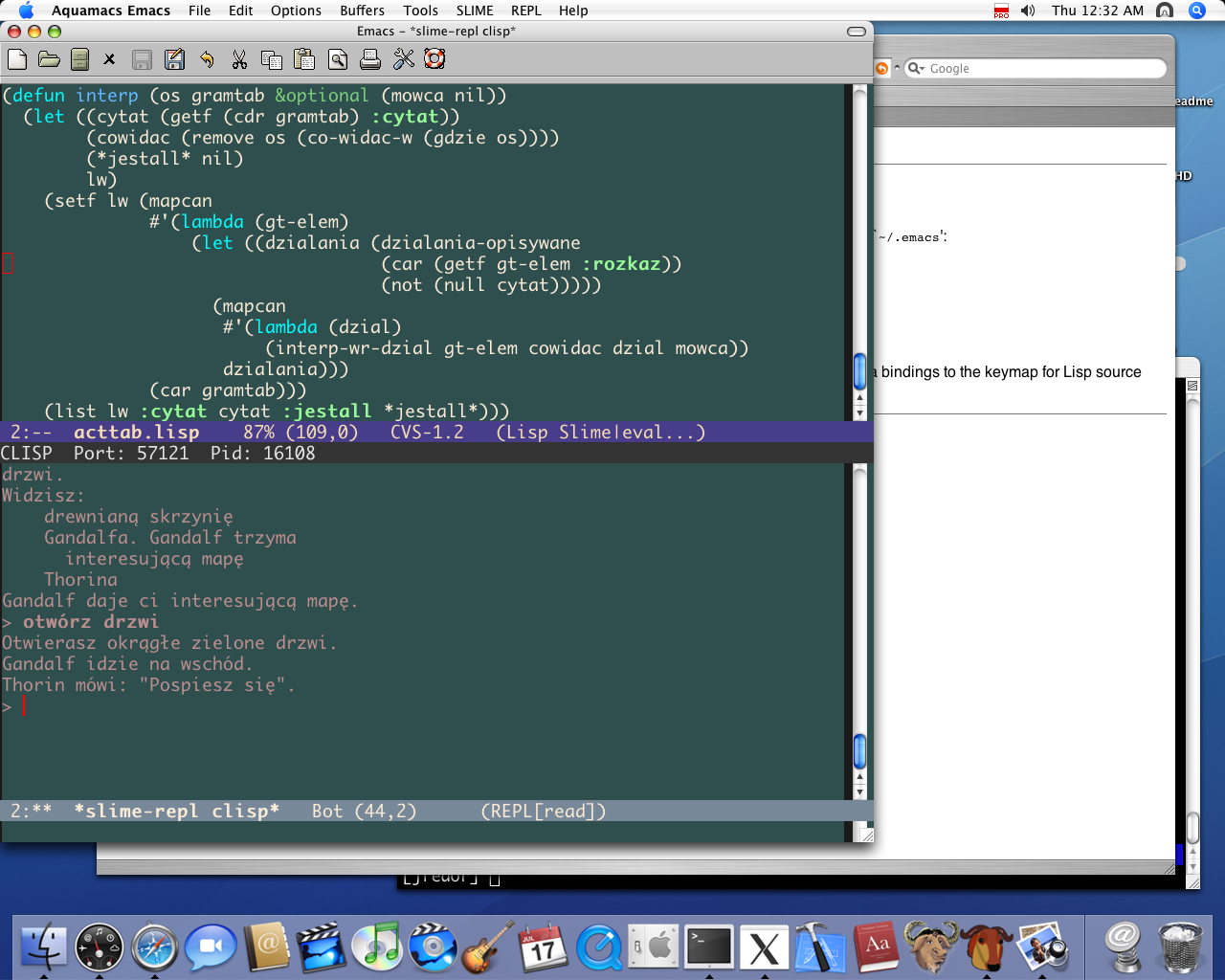
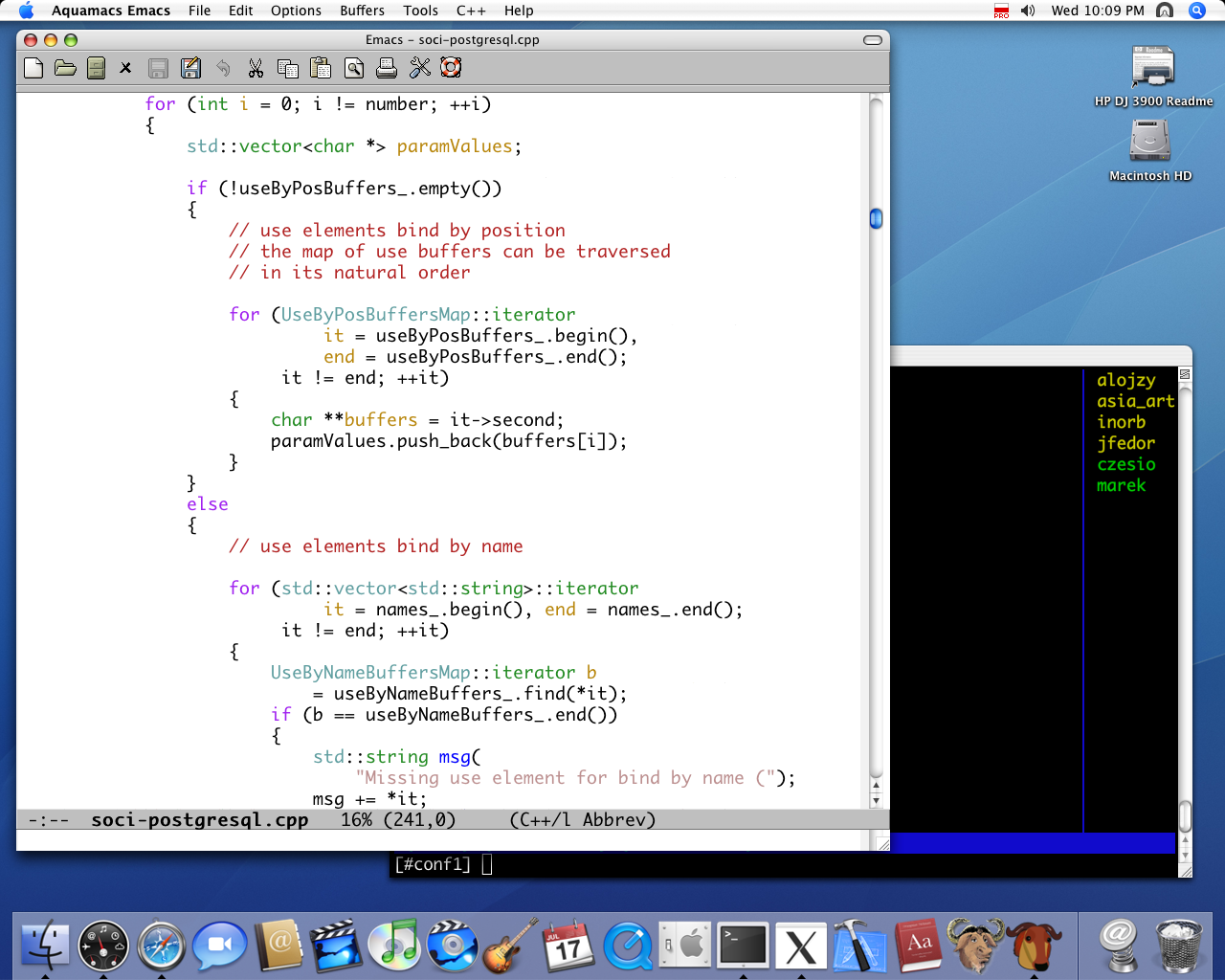
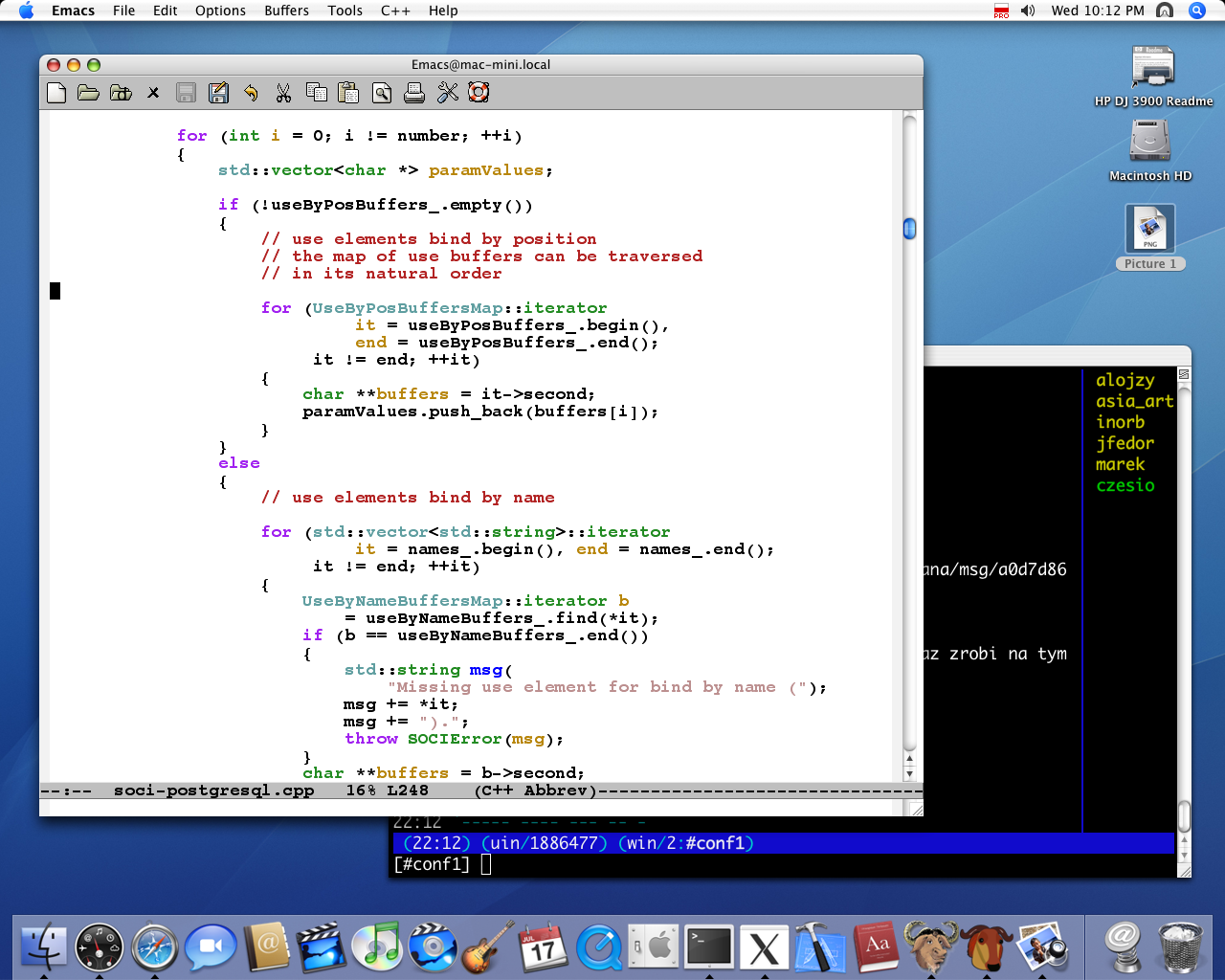
+1 for Aquamacs. Two years ago I tried several options, here are the screenshots if you care:

Aquamacs: http://www.mogiel.net/~pfedor/emacs/1.png Regular emacs, using mac's native UI with the pretties font I tried (and I tried quite a few): http://www.mogiel.net/~pfedor/emacs/2.png Regular emacs, using X, with the font I normally use on Linux: http://www.mogiel.net/~pfedor/emacs/3.png Emacs ran inside Apple terminal: http://www.mogiel.net/~pfedor/emacs/4.png

As you can see, (1) and (4) kicks (2) and (3)'s ass with respect to the looks of the font. (4) would be a good option, especially since it comes with the OS X, but you have to use ESC, key instead of meta+key (b/c of Apple terminal), which kind of sucks.

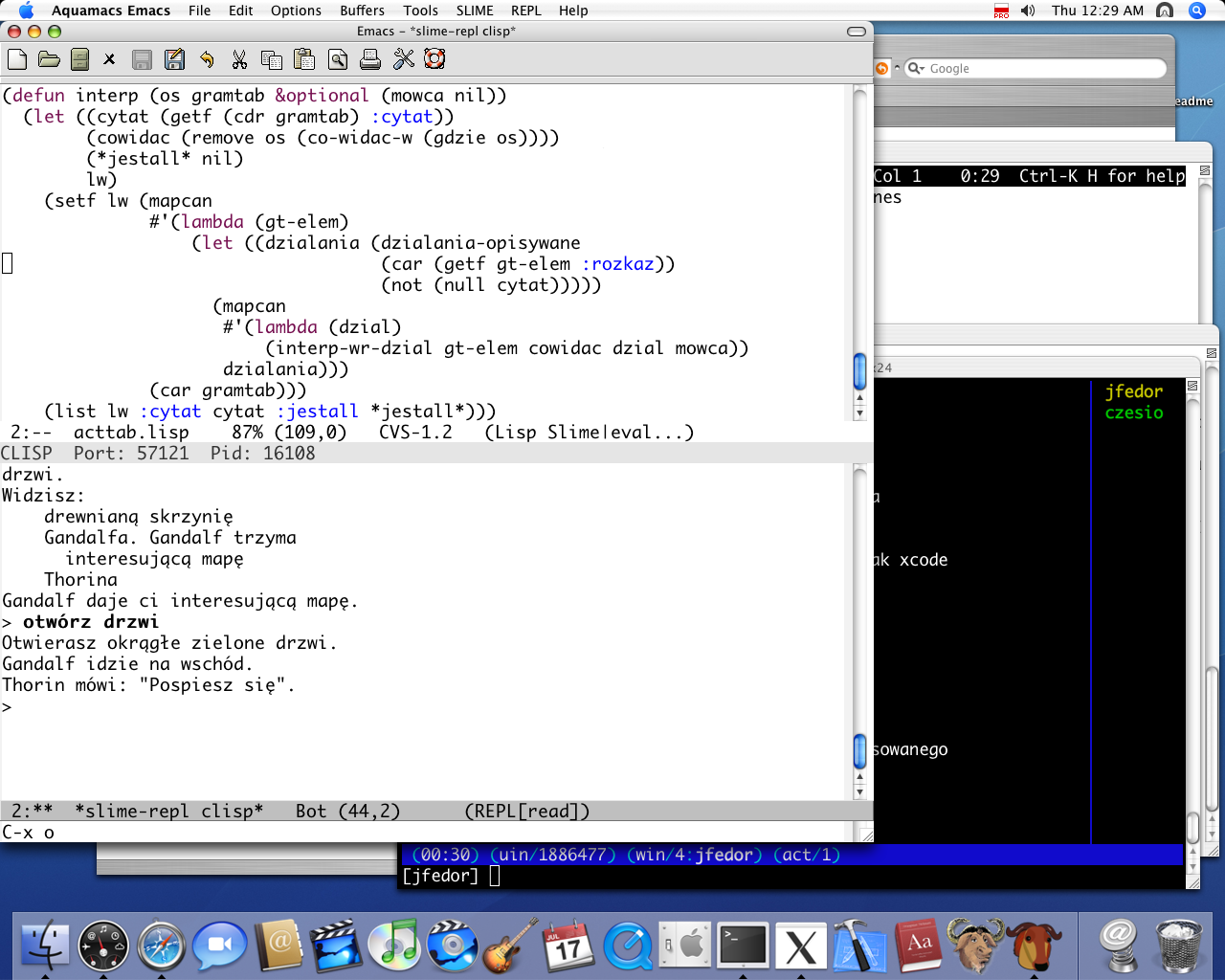
Plus, Aquamacs lets you set the color theme:

http://www.mogiel.net/~pfedor/emacs/default.png http://www.mogiel.net/~pfedor/emacs/black.png http://www.mogiel.net/~pfedor/emacs/classic.png http://www.mogiel.net/~pfedor/emacs/xcode.png

Aquamacs has some behaviors that I don't very much care for, like opening a new window every time you open a file, but it can be easily fixed in the .emacs file.

Re: Ask YC: Mac Text Editors

#54
Well, if you become the type where it really bothers you if you have bugs in yoru code, your needs won't be basic for long. I'm of 2 minds on this. I love Textmate, and Gray's Pragmatic book is superb. It just flows from my brain. My only complain is working the key combinations on a macbook keyboard (which i suppose is also true of emacs )

But I have to work on Linux and Windows boxes, too. So, either look into the various packages for remote editing in textmate, or, more simply, vim. You can also look at eclipse and jedit as cross-platform editors. I think it's really useful to get adept at 2 editors, thothere's a 15 minute transition each time you have to switch. The upside is that you periodically get the "I wonder how you do this in textmate/eclipse/emacs" lightbulb.

There's a couple others i've really liked, while i'm at it, Komodo and Wing IDE for python work, but they're kinda expensive.

Re: Ask YC: Mac Text Editors

#55
post #26

Earlier quoted context omitted.

What does Emacs or Vim have over TextMate? My friend was a hardcore Vim user but ended up switching to TextMate because it has enough keyboard shortcuts to make him happpy, but also has a nice bundle system that adds a lot of snippets.

I used TextMate for three months or so -- wanted to see what the fuss was about -- before gratefully switching back to emacs. TextMate is the only editor I've used since learning emacs that I would even consider using full-time. (Except for vim, of course. :) It's a great product, and if you're happy with it you should keep using it. I'm not at all sad that I bought it -- there are tasks, mostly involving close integ…

> TextMate the backward search is bound to Control-Shift-S, a key combo that's torture to type compared to Control-R, that I can't remember to save my life, and that AFAIK cannot be changed…

It can be changed absolutely trivially. See http://macromates.com/textmate/manual/key_bindings and also http://blog.macromates.com/2005/key-bindings-for-switchers/

> I've got my emacs rigged so that, when I type source code, I don't need to press Shift to get symbols out of the top row of keys instead of digits.

This is very easy to accomplish in TextMate.

> Plus, you get folks like Steve Yegge, working in his spare time to make your editor better. 10% of that guy's time is worth a fortune, and there's more where he came from! The problem with a closed-source editor is that there's only one or two people who can fix or improve the core code.

The vast majority of TextMate’s functionality is in open-source bundles, which you or anyone else can freely edit, and which hundreds of people are constantly working to improve.

Re: Ask YC: Mac Text Editors

#56
post #22

TextMate is my first choice. Also, SubEthaEdit is nice for collaborative editing.

What makes you choose TextMate over other editors?

TextMate is significantly easier to customize than other editors, and those customizations are extremely powerful and flexible.

Re: Ask YC: Mac Text Editors

#57
post #15

Cost is a lousy reason to choose something else over Textmate. It's high quality software, worth every penny. Having said that, I paid for Textmate and used it for a couple of months before chucking it in favor of emacs. I'd never used emacs before, though my first editor was TECO for those who remember. I started with Aquamacs emacs, which I found no more difficult to pick up than Textmate. Ultimately, I switched to…

this sounds a lot like what I did. I own a license to textmate, but lately i have been using Emacs a lot more. I love it. Textmate still has a special place in my heart, but right now Emacs just supports more of what I need, and it works with all my platforms.

> Emacs just supports more of what I need

What, specifically?

Re: Ask YC: Mac Text Editors

#58
post #17

The learning curve for Vim, Emacs is much higher than textmate. If you can afford to buy Textmate, then do so. It is well worth the money and will increase your productivity.

It is a bad sign that such comment got so many upvotes. Of course, it takes less time NOW to dig into TextMate, but VIm or Emacs changes your way of thinking. That's exactly why it makes sense to learn Lisp or C. Even if they're hardly usable in the current market, they make you a better programmer.

It is a bad sign that such a comment go so many upvotes.

> Of course, it takes less time NOW to dig into TextMate, but VIm or Emacs changes your way of thinking.

That you think TextMate won’t change your way of thinking shows that you have not used it in any serious way. Several aspects of the TextMate approach, particularly its declarative language grammars and the use of css-like selectors for assigning commands, syntax highlighting, etc., are fundamentally more flexible and powerful than the pitiful equivalents in Emacs or Vim.

TextMate’s low floor, no ceiling approach has enabled some complete newcomers to create amazingly useful tools for themselves, which would have been all-but-impossible for them to create in Emacs or Vim. It slowly sucks users in, teaching them first to make simple macros, then to use regular expressions, then to write their own code, in a gradual process.

It takes less time to dig into because the software is better designed, not because it is less “thought-changing”, or because the digging can’t go as deep.

Re: Ask YC: Mac Text Editors

#59
post #22

TextMate is my first choice. Also, SubEthaEdit is nice for collaborative editing.

What makes you choose TextMate over other editors?

It's simple and easy to use if you want it to be simple, but powerful if you need it to be powerful.

TextMate sort of embraces the Unix philosophy (like using filter programs), but in a native GUI application that just works really well with everything else on OS X (like seamlessly editing files on an SFTP server via Transmit, etc).

If I'm working on the command line and I want to edit a document I just type "mate filename". I can also get a file browser of a directory by typing "mate directoryname" or just "mate .", then open multiple files in tabs.

Syntax highlighting is excellent, and themeable. All the common languages are built in, and you can get bundles for nearly any other language. Bundles include a hell of a lot more than just syntax highlighting too.

You can set up shortcuts for snippets of code and templates, like typing "html" then could give you a standard skeleton of an HTML document, and other more powerful macros.

You can easily pipe any text through any command line program you want. Need to sort a list of stuff? Just filter it through "sort". Need the current date? Just run "date" and TextMate inserts the result. Or any other arbitrarily complex command.

Of course, emacs, vi, etc probably have many of these features, but lack the integration with OS X. And I simply don't have the time/patience to learn them.

Oh, and the only SubEthaEdit feature besides collaborative editing that I miss in TextMate is the ability to copy an XHTML representation of syntax highlighted code. Very handy for blog posts, etc. And the multiple regex implementations in find.
Re: Ask YC: Mac Text Editors

#60
Komodo edit is really good. I had a tough decision between TextMate or to use free alternative (komodo edit). Only problem with komodo is the anti aliasing that is on by default and cannot be turned off in the application. One option is to recompile whole komodo (including mozilla) and to disable AA, or do this in terminal:

defaults write com.activestate.Komodo AppleAntiAliasingThreshold 20

Post reply on HN