Live data from Hacker News

CotEditor – Text Editor for OS X

coteditor.com

131–140 of 198 posts

Re: CotEditor – Text Editor for OS X

#131
post #5

I'm pretty effective with vim, so much that other 'normal' editors like sublime & other modern gui editors make me feel a little crippled. That is a problem, because you need to be flexible about things in life. Has anyone succeeded in deliberately changing editors, even when not feeling like it's necessary? I'm especially curious how I could start using emacs, and actually get up to speed with it instead of using it…

You can be quickly productive with my mini manual: http://tuhdo.github.io/emacs-tutor.html. If you write C++, did you check my C/C++ guide: http://tuhdo.github.io/c-ide.html. A few demos:

- code navigation: jump to anywhere instantly. DEMO: http://tuhdo.github.io/static/c-ide/helm-gtags-jump-dwim.gif.
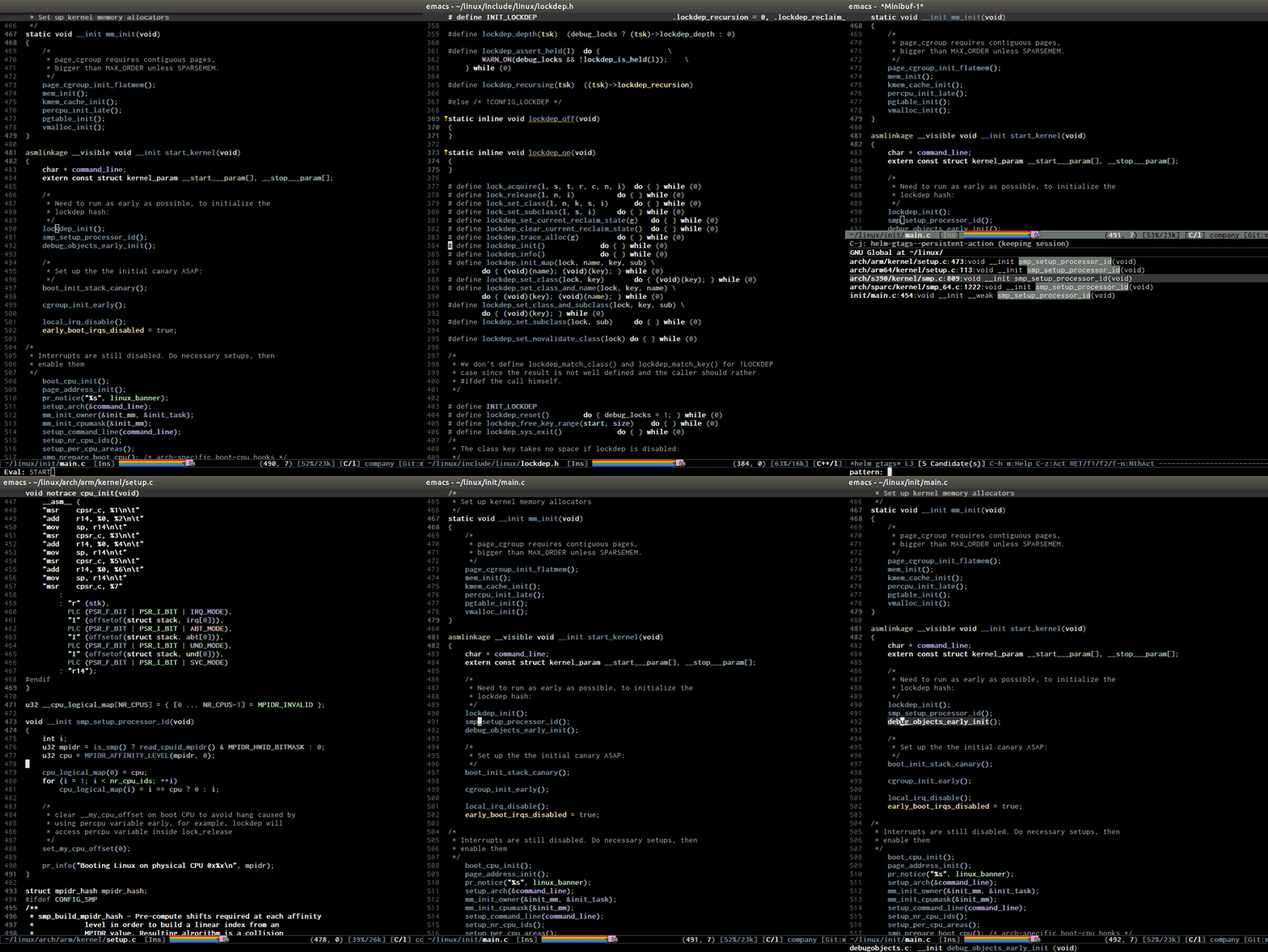
- code completion: context-sensitve completion. DEMO: http://tuhdo.github.io/static/c-ide/semantic-boost-demo.gif.
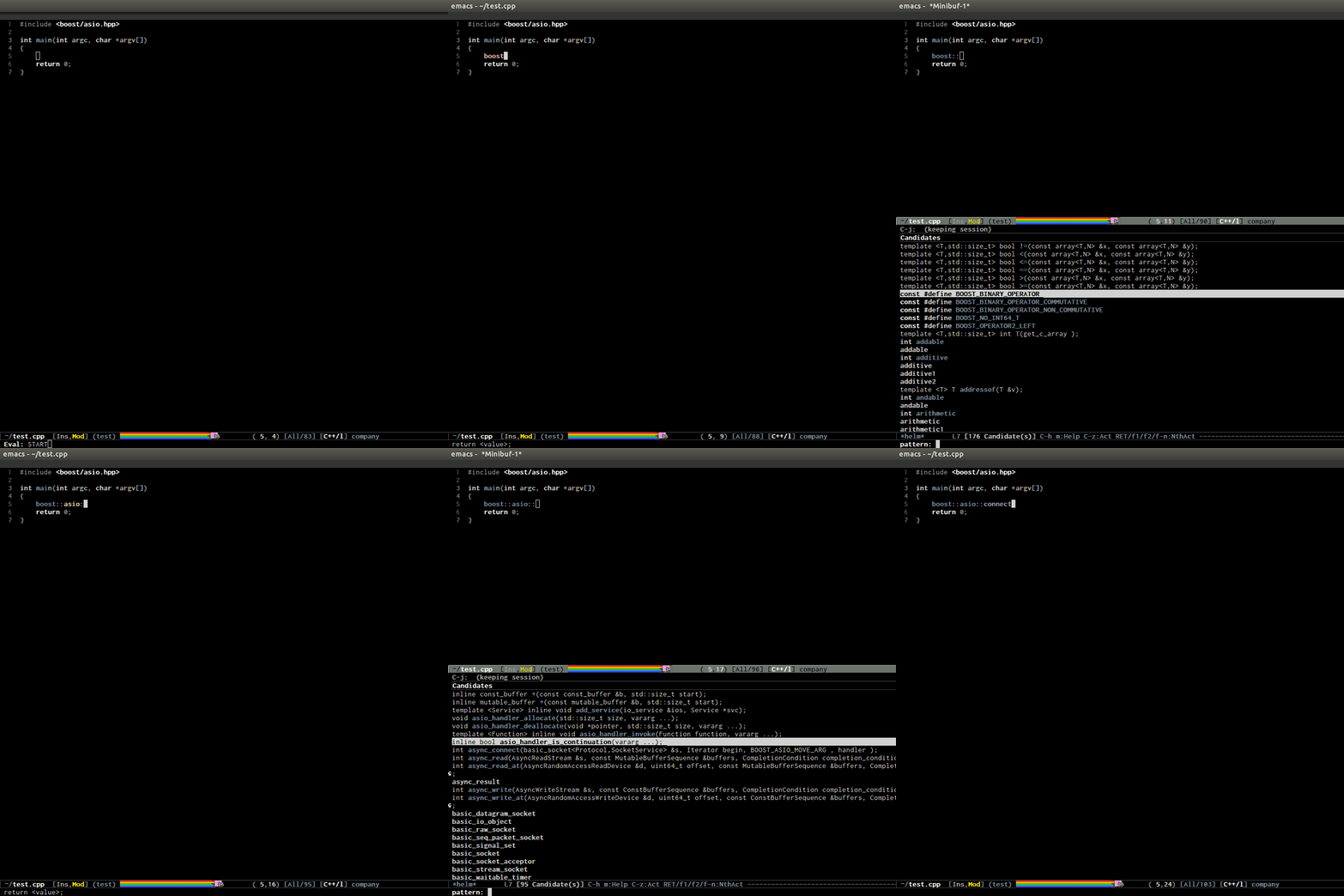
- code compilation: you can click on the error and it gets you to where you want; work with any build system, while other IDE only supports a specific build system, i.e. for Makefile project, you only get plain text error message. DEMO: http://tuhdo.github.io/static/c-ide/compilation-mode.gif.
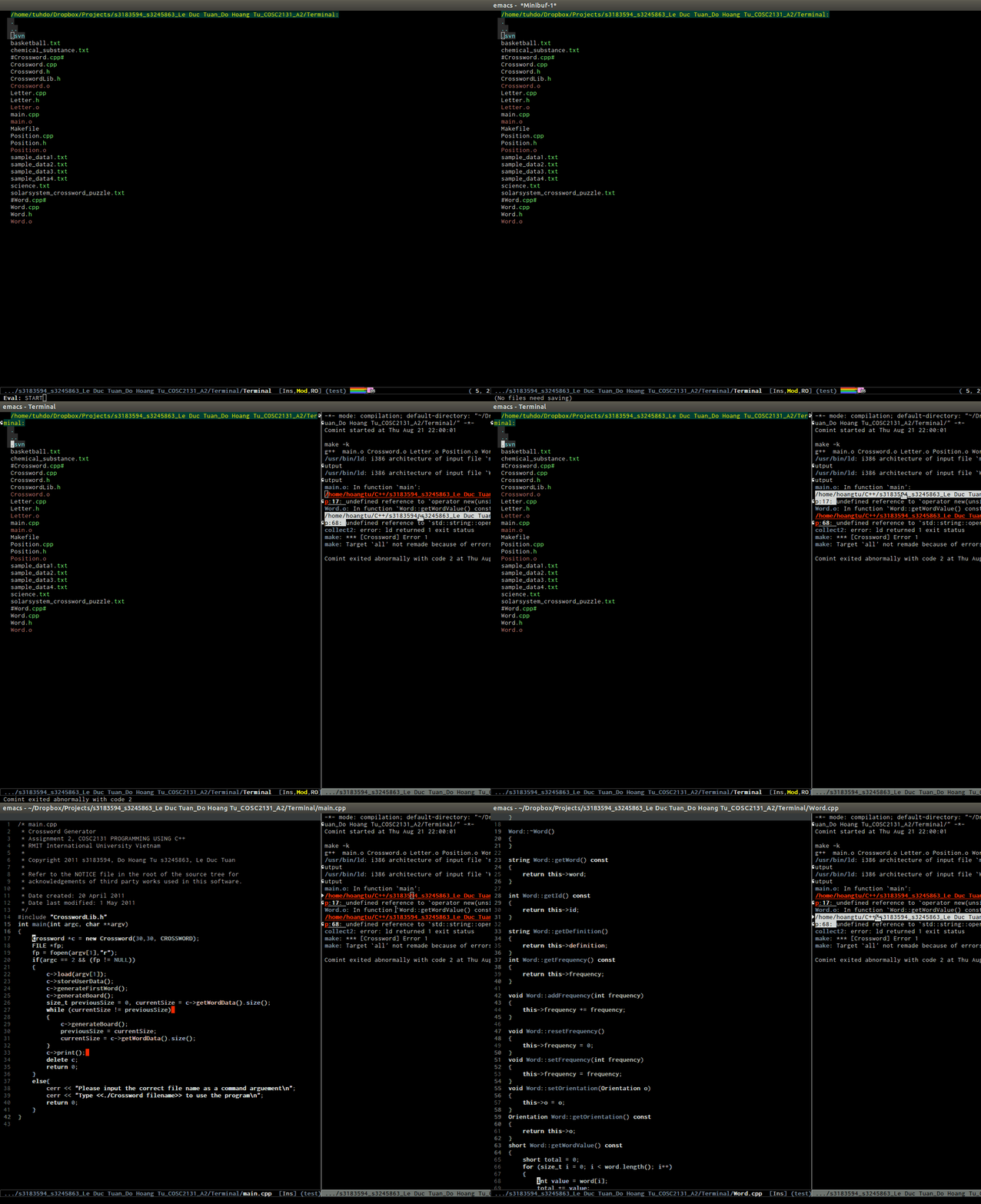
- code debugging: provides a frontend for GDB; DEMO: http://tuhdo.github.io/static/c-ide/gdb-many-windows.gif.
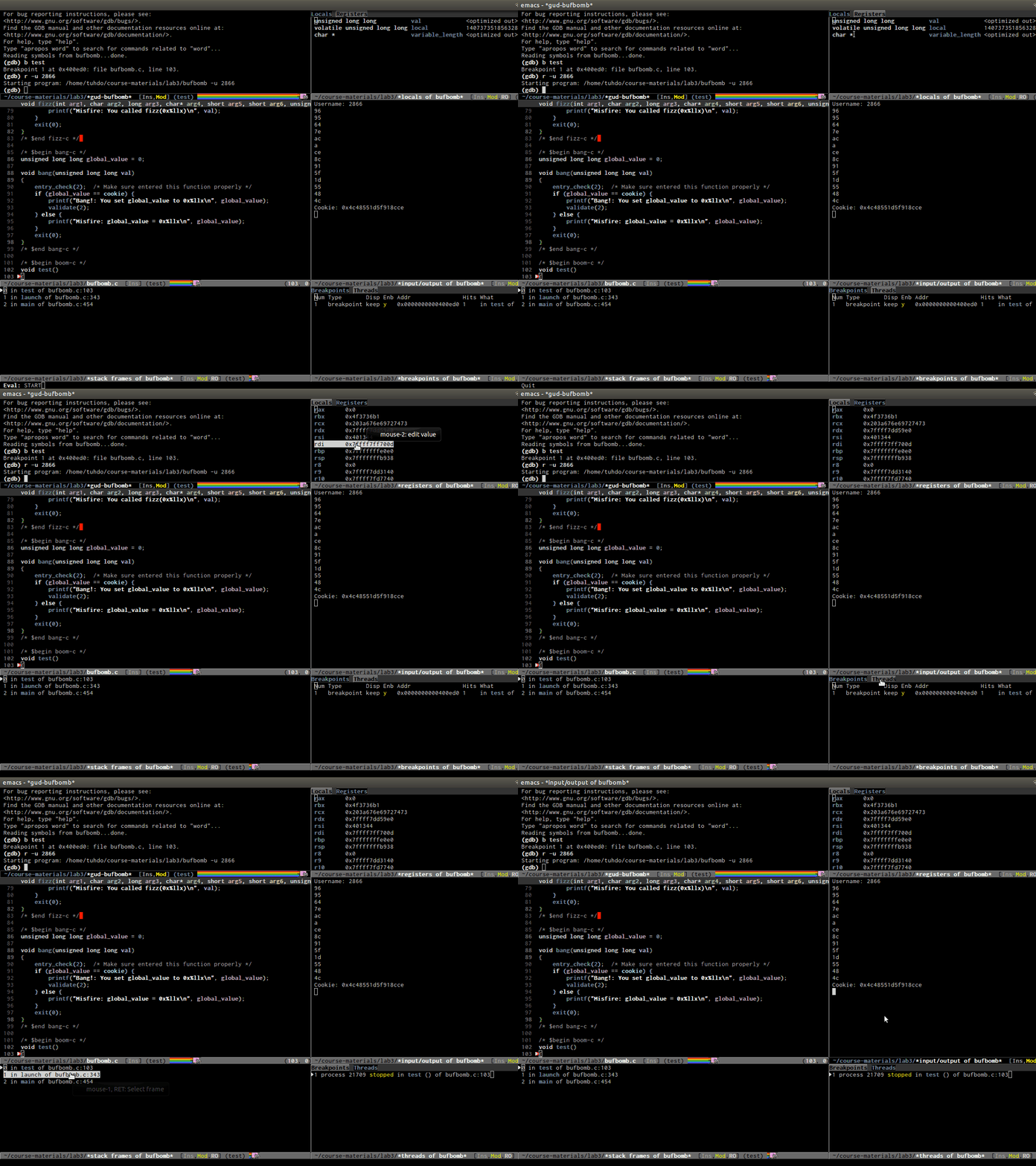
- Powerful automatic indentation: https://github.com/Bruce-Connor/aggressive-indent-mode. It does not only indent the current line, but the whole Semantic context around your cursor. Demos inside the homepage.

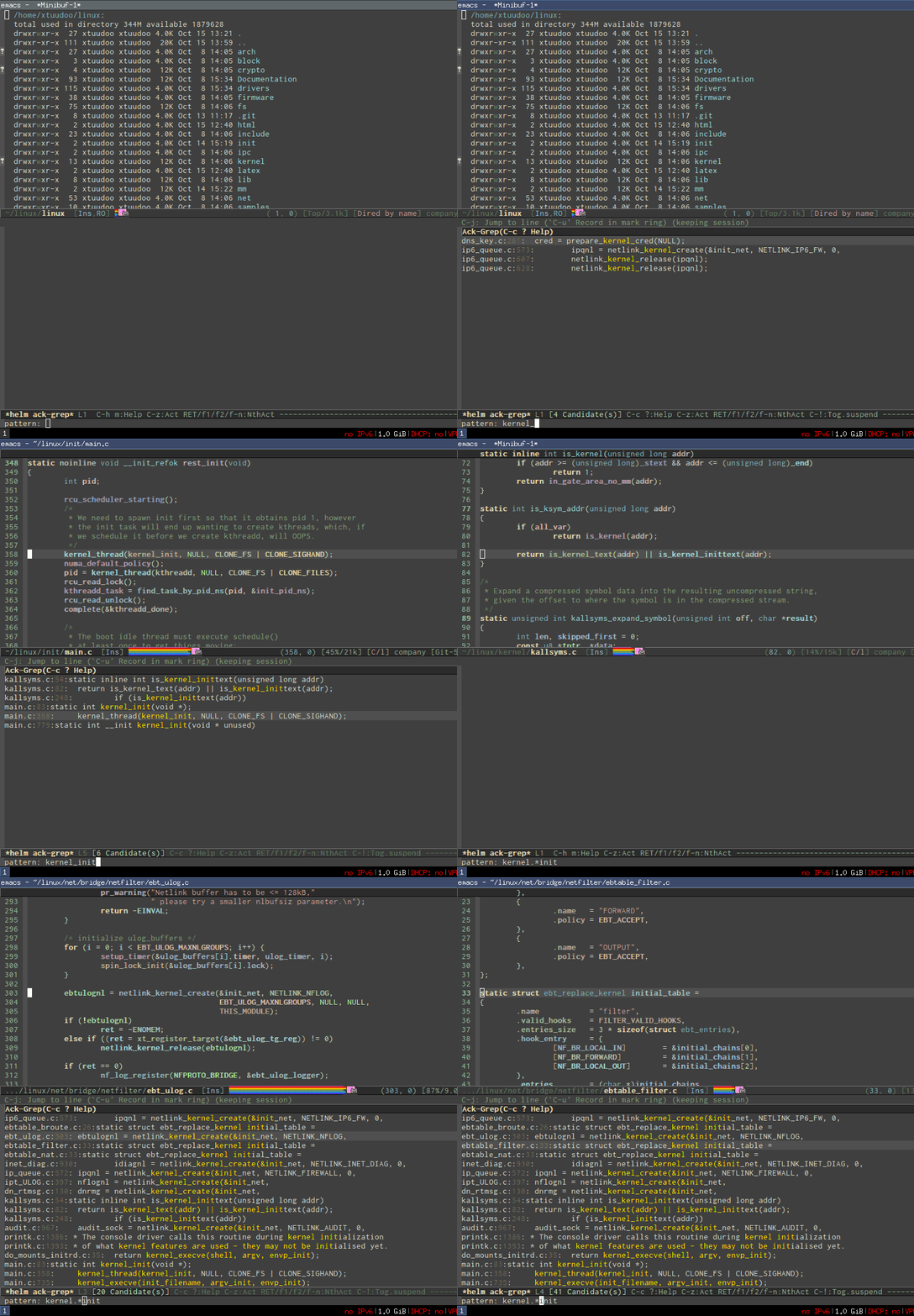
- Live grep: http://tuhdo.github.io/static/live_grep.gif.
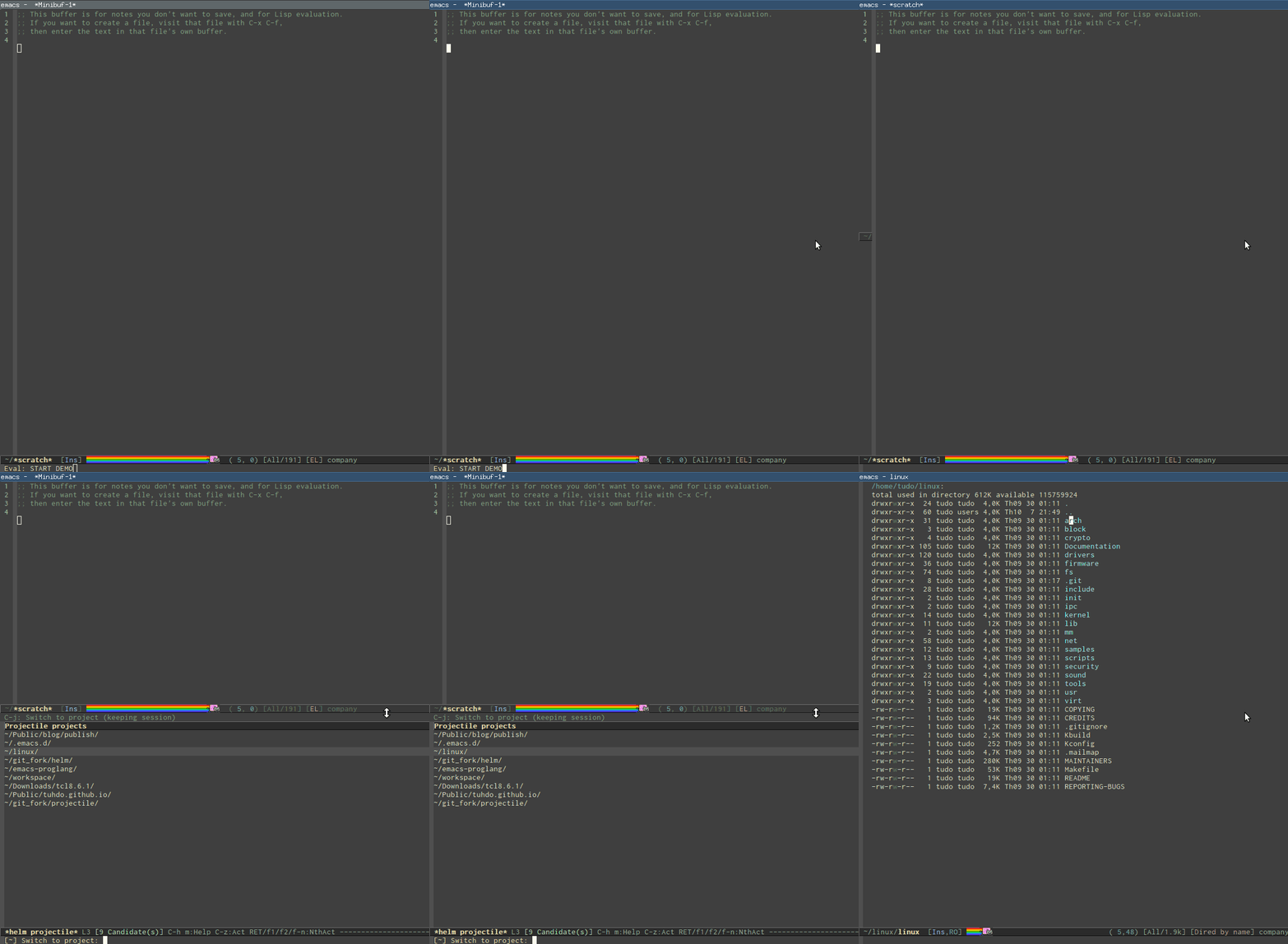
- Access to a list of project with a few key strokes: http://tuhdo.github.io/static/helm-projectile/helm-projectil...
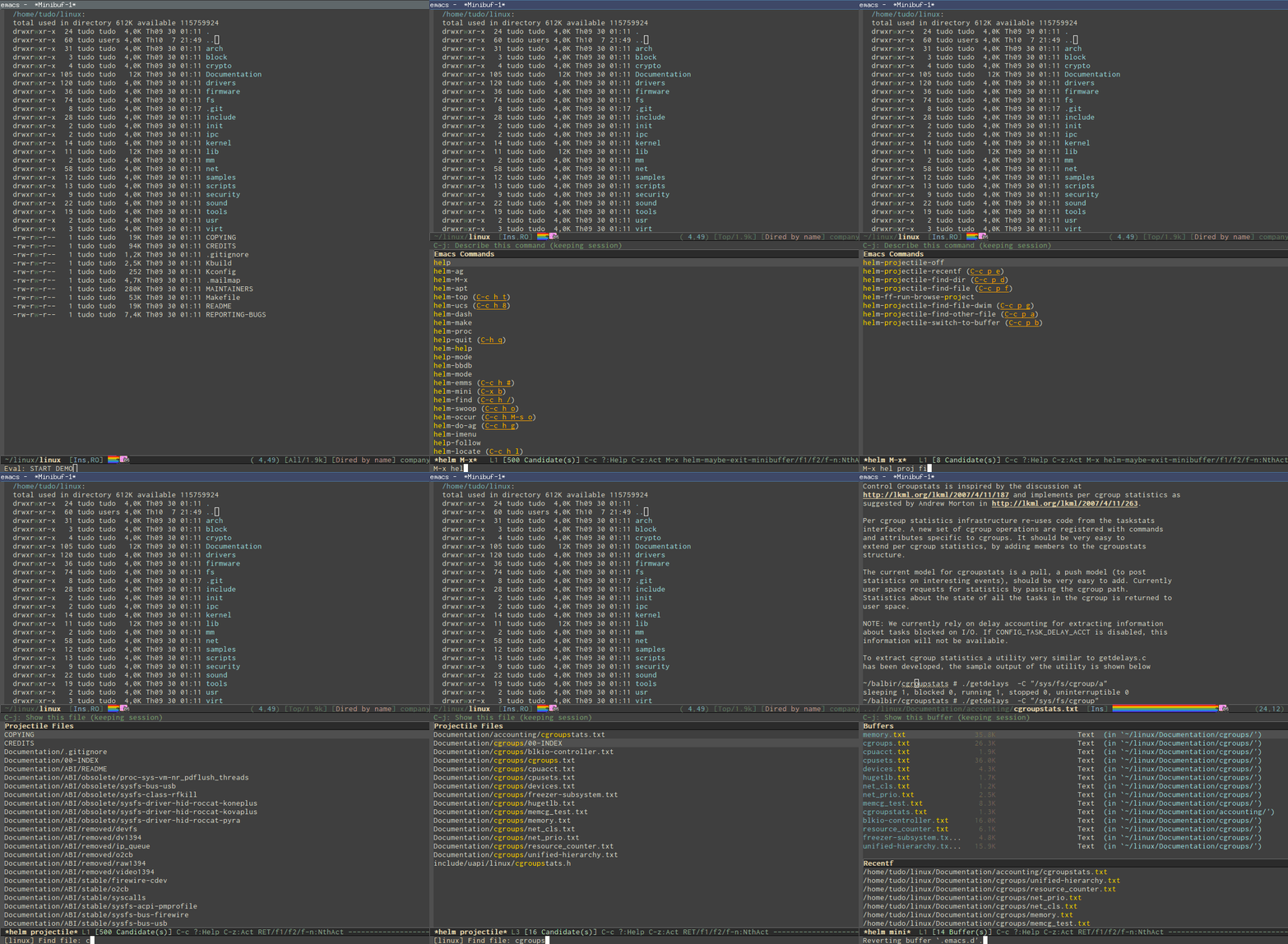
- Quickly access any file in your project, as large as Linux kernel, instantly, regardless of where you are in the project, and within a few keystrokes: http://tuhdo.github.io/static/helm-projectile/helm-projectil...
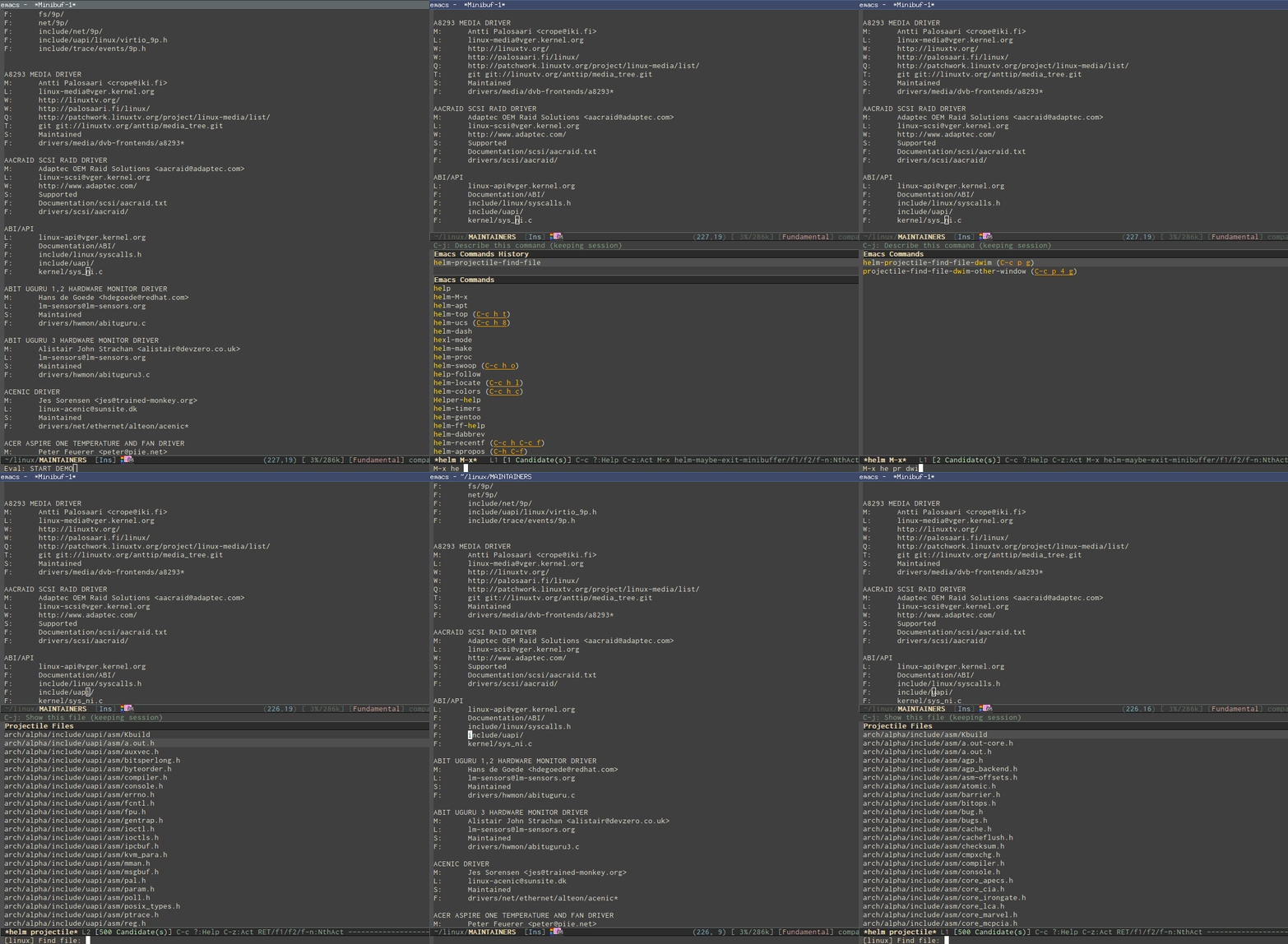
- Jump to any file depends on context, even if the file path is in a plain ASCII text file; even if there's only a filename without any path information, as long as it's in your project, Emacs can jump to it fine: http://tuhdo.github.io/static/helm-projectile/helm-projectil...
- Copy files from anywhere to anywhere: http://tuhdo.github.io/static/helm-projectile/helm-projectil...
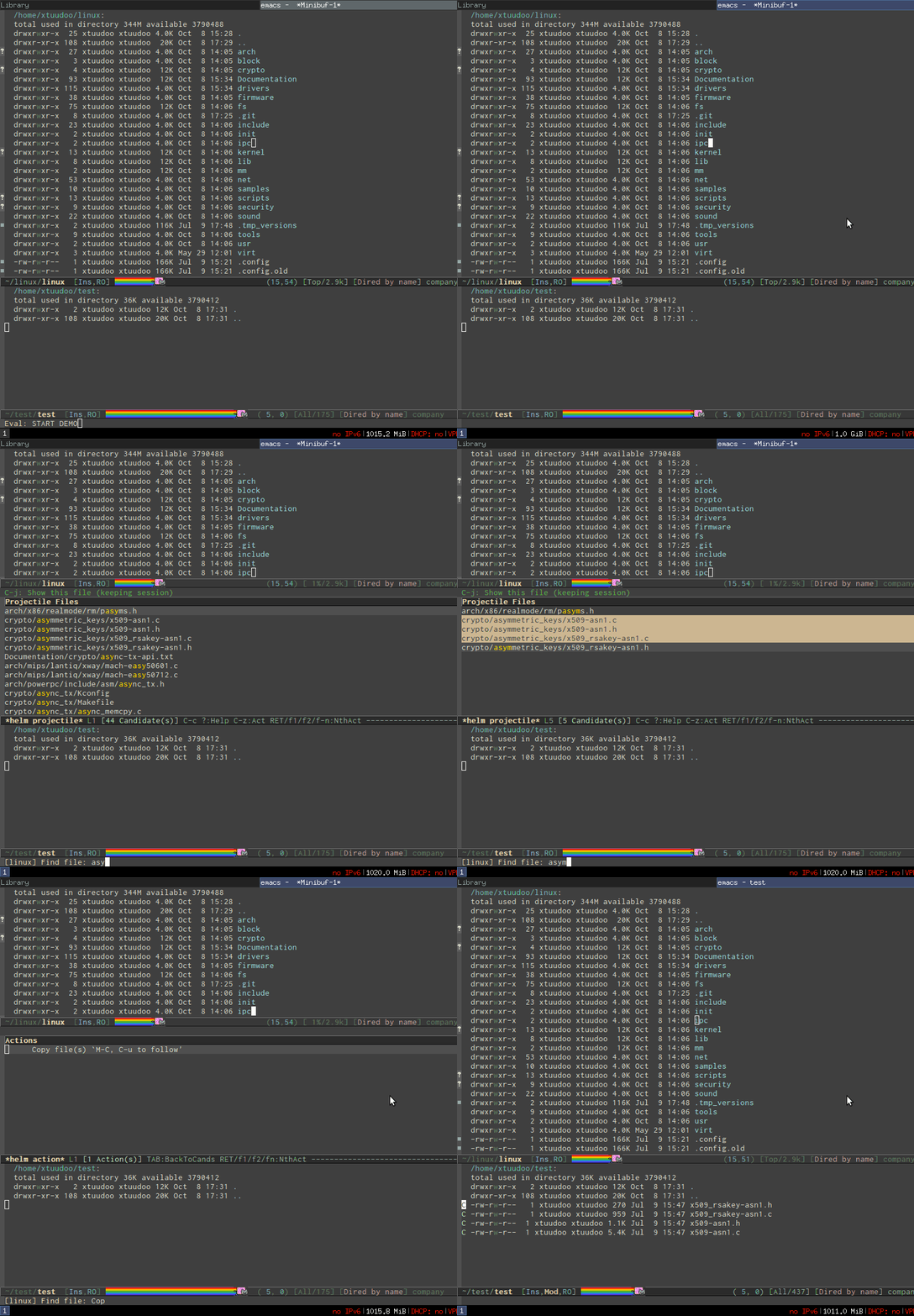
- Delete files anywhere; files are always at your finger tip to do whatever with them: http://tuhdo.github.io/static/helm-projectile/helm-projectil...
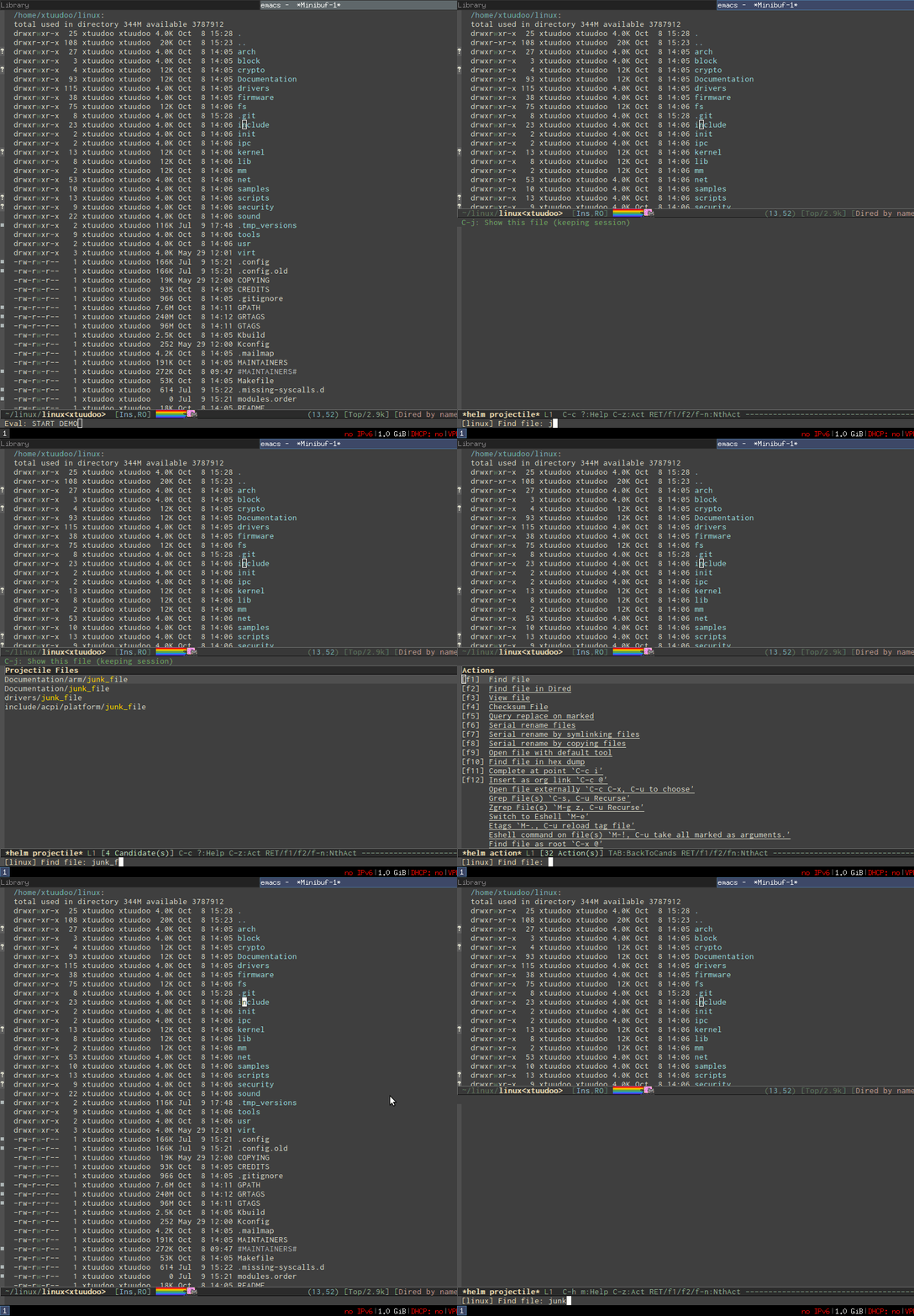
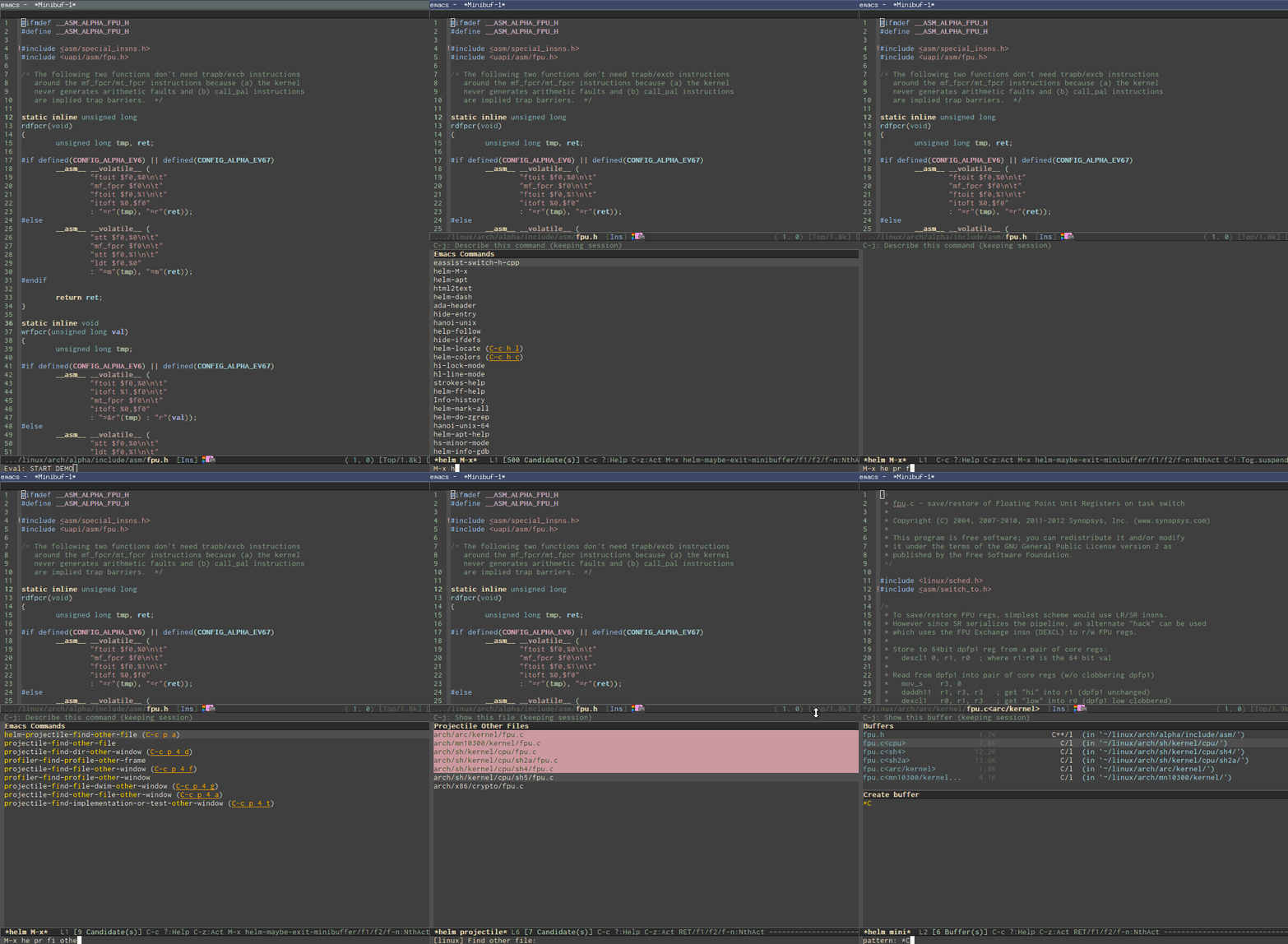
- Switch between other files with same names but different extensions: http://tuhdo.github.io/static/helm-projectile/helm-projectil... Work not only for C/C++ but other languages, and is customizable. You don't have to configure anything, like adding include paths. Everything is automatically done for you.
- Jump to tag definition, from its own parser or external parser like GNU Global: http://tuhdo.github.io/static/c-ide/helm-gtags-jump-dwim.gif

- Do you like outline tree?: http://tuhdo.github.io/static/c-ide/sr-speedbar.gif
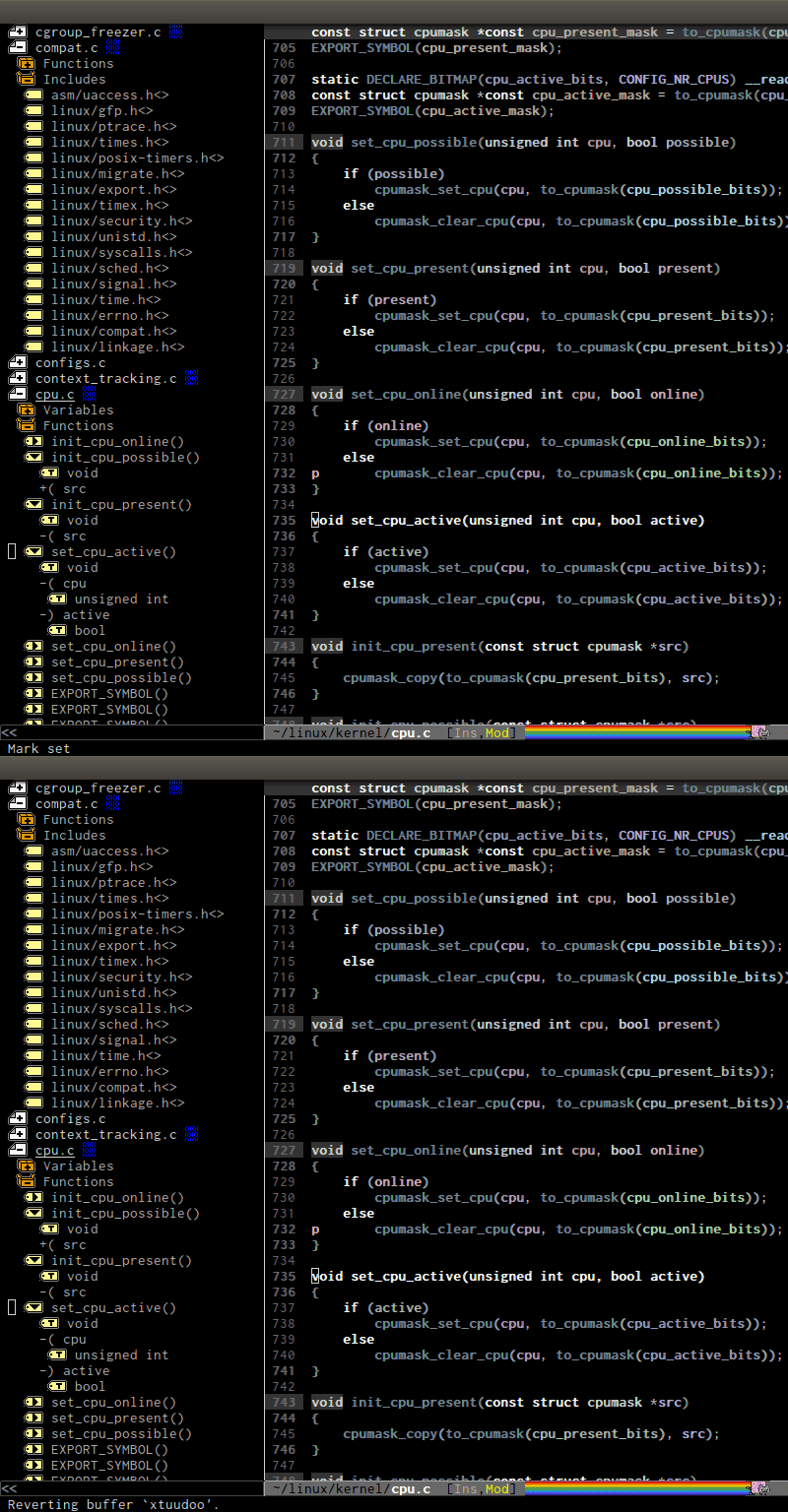
- Interactive outline tree: http://tuhdo.github.io/static/part3/helm-semantic-or-imenu.g...
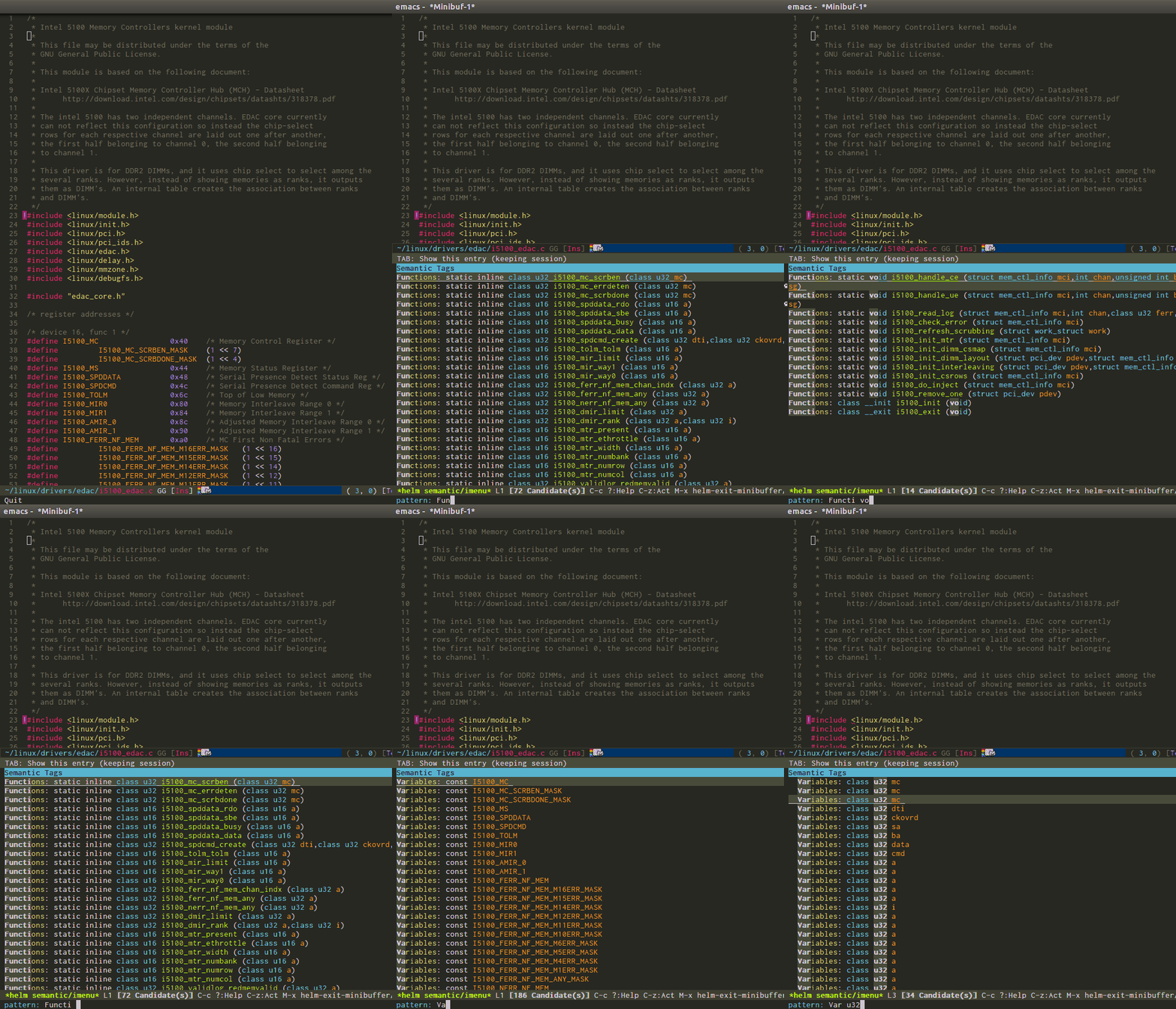
- References retrieved from its Emacs internal parser: http://tuhdo.github.io/static/c-ide/semantic-symref.gif
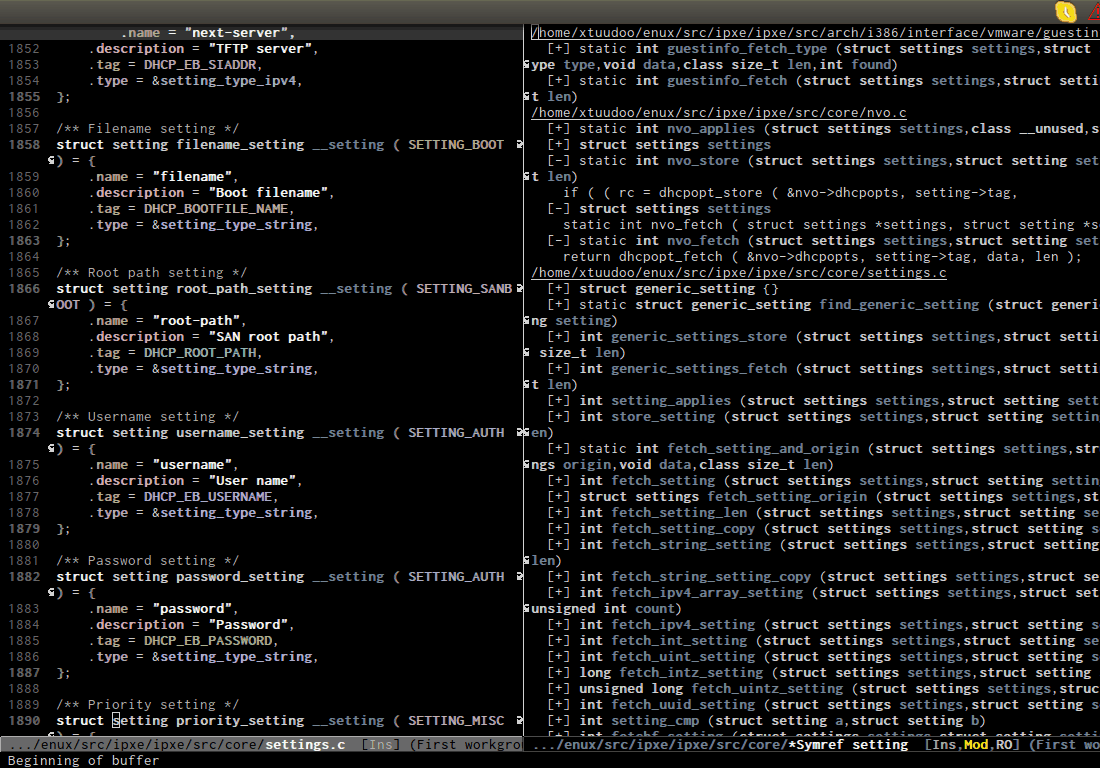
- Beautiful compile output: http://tuhdo.github.io/static/c-ide/compilation-compile.gif
- Frontend support for GDB: http://tuhdo.github.io/static/c-ide/gdb-many-windows.gif

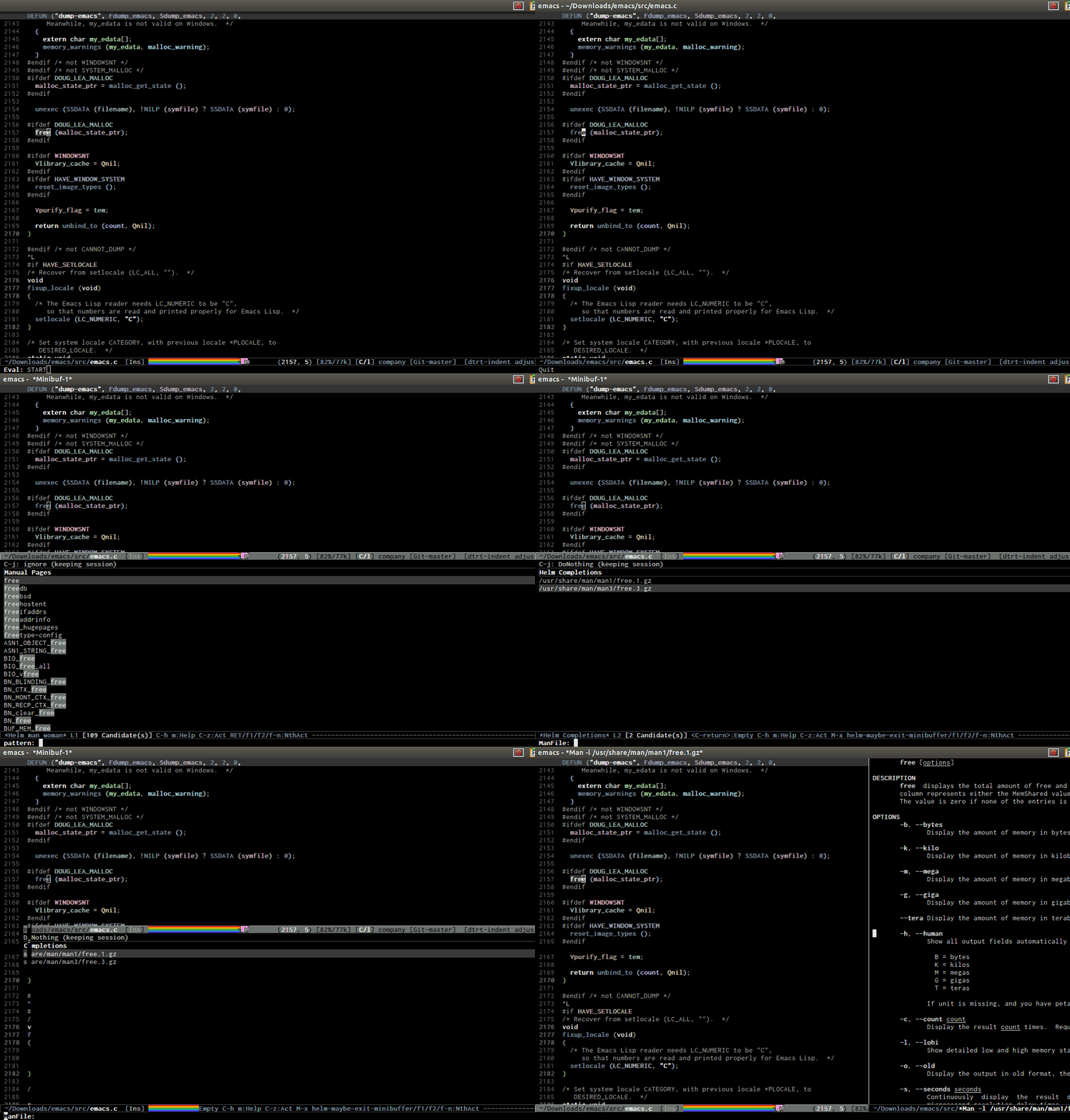
- Open man page for symbol at cursor: http://tuhdo.github.io/static/part3/helm-man-woman.gif
- Emacs open 39MB C file: http://tuhdo.github.io/static/performance.gif
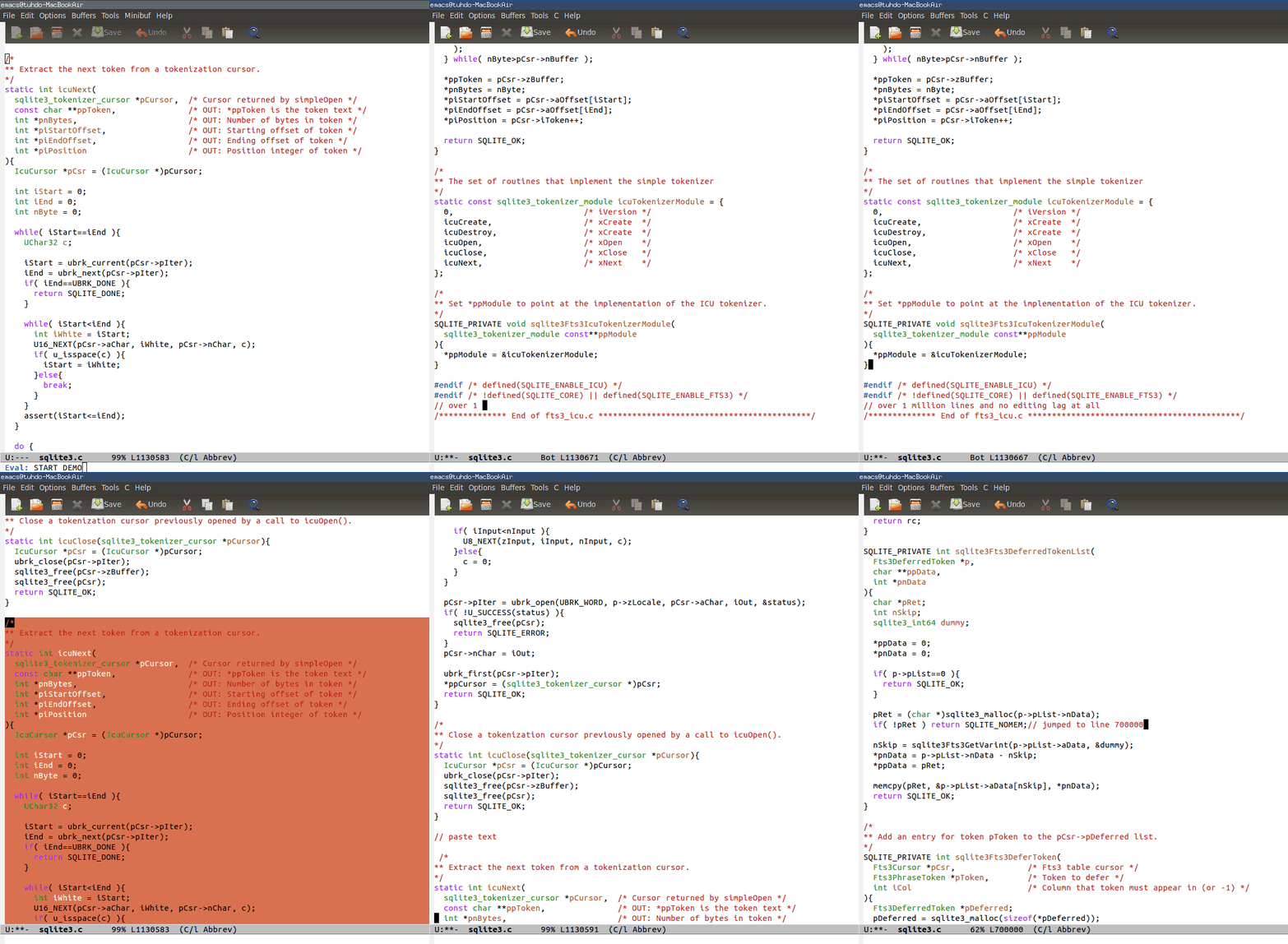
- Emac opens multi-gigabtye file: http://www.emacswiki.org/VLF

Re: CotEditor – Text Editor for OS X

#132

Looks beautiful and well-designed. Clearly a lot of effort has gone into it. I can't say I will try as I don't see enough selling points to peel me away from Sublime. I see some features that seem to address some pain points of Japanese users, so maybe that demographic will be more interested. Looking at the screenshots, I have to wonder why the developer chose to place the settings for line endings, encoding, and fi…

> I see some features that seem to address some pain points of Japanese users, so maybe that demographic will be more interested

Definitively. The three selling points are explicited as "OSX only", "Japanese friendly" and "open source".

Anyone who doesn't care about japanese text encoding is out of the targeted demographics (it still can be interesting in other contexts, but that might not be in the author's priorities). For anyone in the demographics however, it would be a solid replacement of Textedit or any other "casual" or prose oriented text editor.

Re: CotEditor – Text Editor for OS X

#134
post #89
post #5

I'm pretty effective with vim, so much that other 'normal' editors like sublime & other modern gui editors make me feel a little crippled. That is a problem, because you need to be flexible about things in life. Has anyone succeeded in deliberately changing editors, even when not feeling like it's necessary? I'm especially curious how I could start using emacs, and actually get up to speed with it instead of using it…

I didn't so much change editors as start using multiple editors. On OS X, I regularly use vim, TextMate, and BBEdit. I find that TextMate looks the best. I simply enjoy typing code into TextMate more than I do in vim or BBEdit. Thus, when I'm doing a stretch of writing new code, or straightforward modification of existing code, I'll probably do it in TextMate (although some days it just feels like it is a vim day or…

I use Text Wrangler for quick access by SFTP to my code (open server / edit / save). I don't like the SFTP window much, but it does the job. TW is also very good for processing text: sorting, removing duplicates, applying regex-es, filtering and vertical columns.

I tried using Sublime and I did get along well with it for a few projects, but when I am jumping around on various servers, I prefer Text Wrangler's shorter setup. Why doesn't Sublime manage SSH better?

Re: CotEditor – Text Editor for OS X

#135

Earlier quoted context omitted.

IntelliJ uses a totally custom widget toolkit that actually looks great. But yeah, NetBeans isn't especially easy on the eyes.

IntelliJ has very good IDEs. But their IDEs would be even better were they native OS X applications. For example, you can't use the Mac OS X services like "Look up in a dictionary" in IntelliJ.

For me, it's the open and save dialogs that bother me most. I quite like the editor, especially as compared to Eclipse, but for source editing, I'd rather use one the OS X editors like TextMate or BBEdit.

Re: CotEditor – Text Editor for OS X

#136

Looks beautiful and well-designed. Clearly a lot of effort has gone into it. I can't say I will try as I don't see enough selling points to peel me away from Sublime. I see some features that seem to address some pain points of Japanese users, so maybe that demographic will be more interested. Looking at the screenshots, I have to wonder why the developer chose to place the settings for line endings, encoding, and fi…

I know that my Japanese friend has been using CotEditor for a long time exactly because of its Japanese text handling.

Re: CotEditor – Text Editor for OS X

#137
post #123
post #107

Earlier quoted context omitted.

> The one thing I do not consistently use are modal keyboard-centric editors like vim and emacs. As a vim-er and not an Emacs-er, asking genuinely and not out of snark, surely Emacs is eminently non- modal (at least, not modal in the same way that vim is)?

Well technically Emacs is just a Lisp interpreter with some text editing facilities by default. With evil-mode it is just as modal as vim throughout.

> Well technically Emacs is just a Lisp interpreter with some text editing facilities by default. With evil-mode it is just as modal as vim throughout.

I don't mean to suggest that Emacs can't be made into a modal editor—saying "Emacs can't do that" is good only as a reverse-psychology tactic to convince someone to make Emacs do that—but rather that it is not "by its nature" such; that is, that someone is unlikely to choose Emacs, over vim say, because it can be made modal.

Re: CotEditor – Text Editor for OS X

#138
post #121

Earlier quoted context omitted.

Off-topic response: w.r.t. code completion plugins in Chocolat, the hard part is already done. With v3, the plugin API is now process-separated, and communication is over mach ports. Now that there's a stable, non-blocking and low-latency foundation for plugins, all I need to do is figure out a good API for it. My advice to aspiring text editor authors would be: do development on the slowest most outdated computer yo…

That is great to hear! I bought Chocolat (a purchase mainly instigated by the hilarious "the demo expired so it still works, but only with Comic Sans font" gimmick). And I even sent friends screenshots[1] raving about its completion UI. But... Chocolat didn't really stick for me, with the plethora of editors I already use. Even though it's good. I would definitely revisit it, if it got extensible completion. [1]: htt…

Is there an app that does have that autocomplete in the screen shot?

Re: CotEditor – Text Editor for OS X

#139
post #58

Earlier quoted context omitted.

RE: Has anyone succeeded in deliberately changing editors? I am currently learning Vim and using it with the NERDTree plugin as a fairly nice environment to write Ruby on Rails code in my spare time. It is also nice as I have a low power PC running ubuntu in a virtualbox. So Eclipse is a no-no anyway. At work I use Visual Studio but have a Vim open all the time for where the Vim advantages outweigh the visual studio…

You may find vsVim ( https://visualstudiogallery.msdn.microsoft.com/59ca71b3-a4a3... ) useful. I can't use Visual Studio without it.

Installing VsVim was thing that really helped me get comfortable with vim. I'd use it at home, but I write way more code in the ~40hrs/week I'm at work.

VsVim doesn't cover everything, so as you start to get more advanced in your vim usage you'll start to miss features (for me at the moment, it's only partial support for folding). But it really makes every day VS so much better.

Re: CotEditor – Text Editor for OS X

#140
Very nice editor. I like that Solarized is built in as a theme I also like the nice list of syntax highlighting.

One question: For a text-editor focused on programming, why doesn't it come with a monospace set as the default?

Post reply on HN