Live data from Hacker News

Stack Exchange for Emacs

github.com

21–30 of 53 posts

Re: Stack Exchange for Emacs

#21
post #6

I never fully "got" emacs even though it was the popular editor during university times and I occasionally use it for quick server admin stuff. Today I feel it has missed its boat with good looking and user friendly stuff available like Sublime Text, Atom, Eclipse and even cloud IDEs. I cant help but to laugh quietly to addons like this.

It's hard to explain when there are all these reasonably featureful programming editors and IDEs going around. The key realisation to have is that even today I spend a huge amount of time just editing text. Commenting on HN? Editing text. Emails? Editing text. Coding? Editing text.

Once you have that "everything is text" realisation, there are two ways to make the most of it. One is to have an editor that's easily called from other places (e.g., vim) and the other is to have an editor that can be integrated into everything (e.g., emacs).

I started using emacs over a decade ago, and it keeps growing and changing to best suit my workflow. And yes, that includes reading mail.
Re: Stack Exchange for Emacs

#22
post #13

Earlier quoted context omitted.

You are a fool.

You shouldn't blame him. The truth is that Emacs does a great job at hiding its potential from users. Editors like Atom are ultimately much less powerful but they make it easy to discover and use the features that they provide. When I started using Emacs (after a decade of Vim), it took me two years to make myself fully feel at home in Emacs. Part of the reason was that you can't really use Emacs to its fullest witho…

Emacs is an outstanding image-based IDE for Elisp, with extensive support for text editing. It's a dynamic environment where you can script your way out of any situation as you go, without restarting and recompilation and so on, which is probably its most powerful feature. No wonder you need to know how to script it to appreciate this power - but I don't think Emacs hides this feature from users. On the contrary, the second thing you see when running vanilla Emacs (after its logo and greeting) is a scratch buffer, so a feature directed at users who want to customize or extend Emacs.

Re: Stack Exchange for Emacs

#23

Earlier quoted context omitted.

You shouldn't blame him. The truth is that Emacs does a great job at hiding its potential from users. Editors like Atom are ultimately much less powerful but they make it easy to discover and use the features that they provide. When I started using Emacs (after a decade of Vim), it took me two years to make myself fully feel at home in Emacs. Part of the reason was that you can't really use Emacs to its fullest witho…

Emacs is an outstanding image-based IDE for Elisp, with extensive support for text editing. It's a dynamic environment where you can script your way out of any situation as you go , without restarting and recompilation and so on, which is probably its most powerful feature. No wonder you need to know how to script it to appreciate this power - but I don't think Emacs hides this feature from users. On the contrary, th…

The potential of Emacs comes from the huge number of excellent third-party extensions not from the ability to evaluate lisp code in the scratch buffer. Many of these extensions are not very visible. Did you know that there is a really powerful PDF viewer for Emacs that has extensive support for annotations? It took me a long time to find out about it although reading and annotating PDFs is an important part of my work, which is why I did a fair amount of research into the topic. For some reason, this PDF viewer doesn't have a proper web page or documentation. I had to read the code in order to find out what its capabilities are. I leave it as an exercise to you to find out which extension I'm talking about. Perhaps that makes clearer what I meant when I wrote that Emacs is hiding its potential.

Re: Stack Exchange for Emacs

#24
post #13

Earlier quoted context omitted.

You are a fool.

You shouldn't blame him. The truth is that Emacs does a great job at hiding its potential from users. Editors like Atom are ultimately much less powerful but they make it easy to discover and use the features that they provide. When I started using Emacs (after a decade of Vim), it took me two years to make myself fully feel at home in Emacs. Part of the reason was that you can't really use Emacs to its fullest witho…

I love Emacs. I would have never been tricked into learning Elisp without it. :P (Emacs is also an integrated learning environment for Emacs Lisp!)

Re: Stack Exchange for Emacs

#25
post #21
post #6

I never fully "got" emacs even though it was the popular editor during university times and I occasionally use it for quick server admin stuff. Today I feel it has missed its boat with good looking and user friendly stuff available like Sublime Text, Atom, Eclipse and even cloud IDEs. I cant help but to laugh quietly to addons like this.

It's hard to explain when there are all these reasonably featureful programming editors and IDEs going around. The key realisation to have is that even today I spend a huge amount of time just editing text. Commenting on HN? Editing text. Emails? Editing text. Coding? Editing text. Once you have that "everything is text" realisation, there are two ways to make the most of it. One is to have an editor that's easily ca…

>One is to have an editor that's easily called from other places Emacs is even better than vim at this, ironically. emacs --daemon makes it easy to call emacsclient anywhere I want without worrying about the file already being open - a common pain in vim, at least for me before I switched.

Re: Stack Exchange for Emacs

#26
post #7
post #6

I never fully "got" emacs even though it was the popular editor during university times and I occasionally use it for quick server admin stuff. Today I feel it has missed its boat with good looking and user friendly stuff available like Sublime Text, Atom, Eclipse and even cloud IDEs. I cant help but to laugh quietly to addons like this.

Can Sublime Text/Atom do all of this here: https://news.ycombinator.com/item?id=8639804 ? I want to jump to any file at any time regardless of where I am in the project instantly, can Sublime do it? And even if a project has 30-40k files, it must be fast and make me jump instantly. See the demos in this guide for details: http://tuhdo.github.io/helm-projectile.html Atom has a limit of 2MB text file which is worse tha…

> I want to jump to any file at any time regardless of where I am in the project instantly, can Sublime do it? And even if a project has 30-40k files, it must be fast and make me jump instantly

Yes, Sublime handles that smoothly. Do a linux tree clone, enter the directory, run "subl .", then ctrl+p (or cmd+p) and start typing whatever. It fuzzy-completes your typing and immediately displays your selection as a preview in the background as well.

Video here: https://www.dropbox.com/s/wjc9k8ocwiukq5t/sublime-linux.mov?...

(note the percentage in the footer, it was indexing in background the files for code completion and other stuff, since I had just cloned it, but the file jumping still works smoothly).

I skimmed through your other videos, and I didn't instantly see anything that I couldn't do with a recent editor as well.

Re: Stack Exchange for Emacs

#27
post #25
post #21

Earlier quoted context omitted.

It's hard to explain when there are all these reasonably featureful programming editors and IDEs going around. The key realisation to have is that even today I spend a huge amount of time just editing text. Commenting on HN? Editing text. Emails? Editing text. Coding? Editing text. Once you have that "everything is text" realisation, there are two ways to make the most of it. One is to have an editor that's easily ca…

>One is to have an editor that's easily called from other places Emacs is even better than vim at this, ironically. emacs --daemon makes it easy to call emacsclient anywhere I want without worrying about the file already being open - a common pain in vim, at least for me before I switched.

Yeah I use emacsclient as well, but I wanted to keep the description simple.

Re: Stack Exchange for Emacs

#28
post #7

Earlier quoted context omitted.

Can Sublime Text/Atom do all of this here: https://news.ycombinator.com/item?id=8639804 ? I want to jump to any file at any time regardless of where I am in the project instantly, can Sublime do it? And even if a project has 30-40k files, it must be fast and make me jump instantly. See the demos in this guide for details: http://tuhdo.github.io/helm-projectile.html Atom has a limit of 2MB text file which is worse tha…

> I want to jump to any file at any time regardless of where I am in the project instantly, can Sublime do it? And even if a project has 30-40k files, it must be fast and make me jump instantly Yes, Sublime handles that smoothly. Do a linux tree clone, enter the directory, run "subl .", then ctrl+p (or cmd+p) and start typing whatever. It fuzzy-completes your typing and immediately displays your selection as a previe…

Emacs also has that preview feature when you move the highlighter to a selection. However, I feel it annoying because screen keeps changing while I narrow to a file or a set of files, and luckily it is off by default.

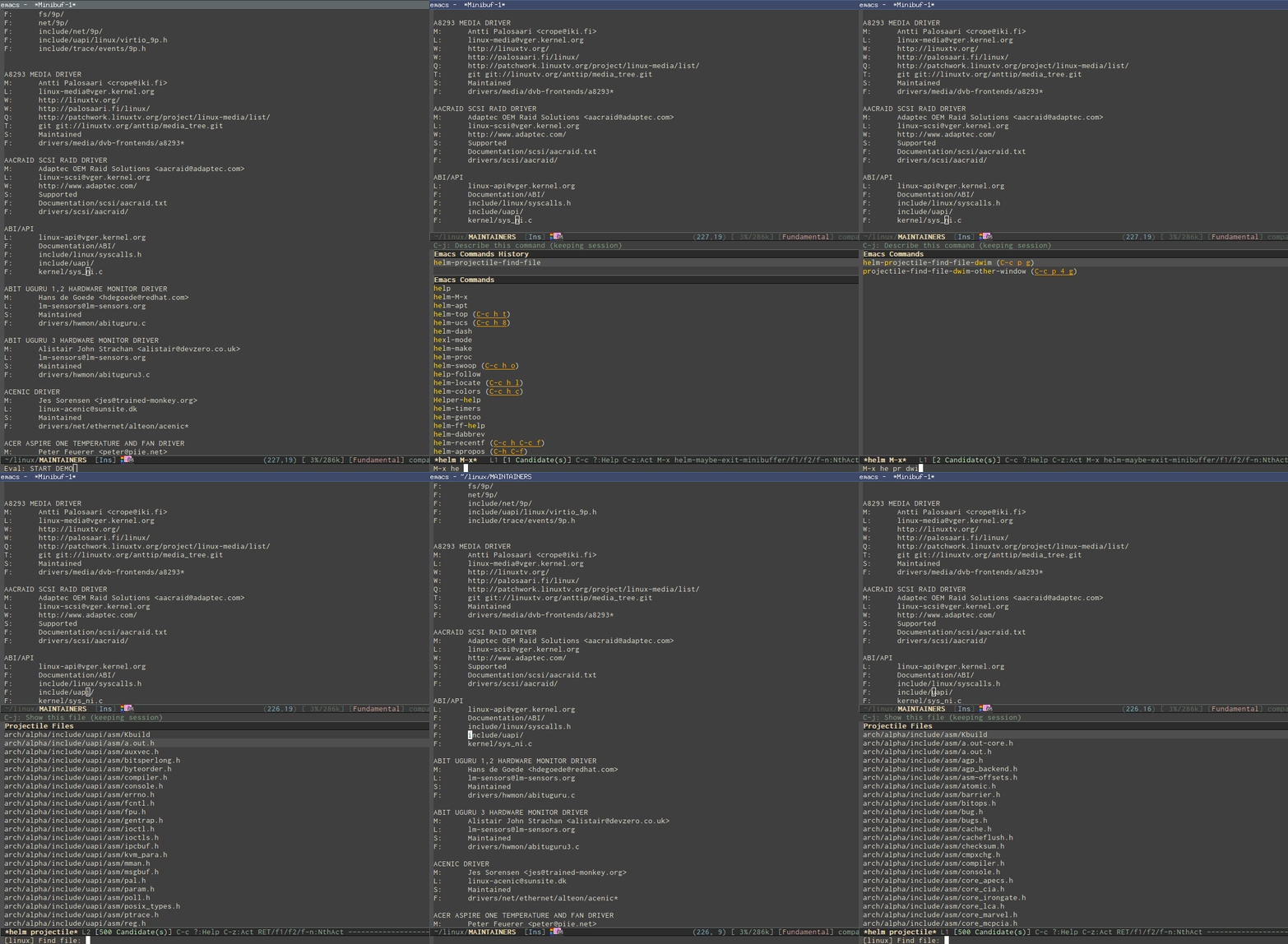
How about other thing? Like switch between source and header files without configuring anything? Or Jump to any file I see instantly, even without full filepath and you only have just a name and without typing the filename? http://tuhdo.github.io/static/helm-projectile/helm-projectil...

Can it do powerful automatic indentation: https://github.com/Bruce-Connor/aggressive-indent-mode. It does not only indent the current line, but the whole Semantic context around your cursor. Demos inside the homepage.

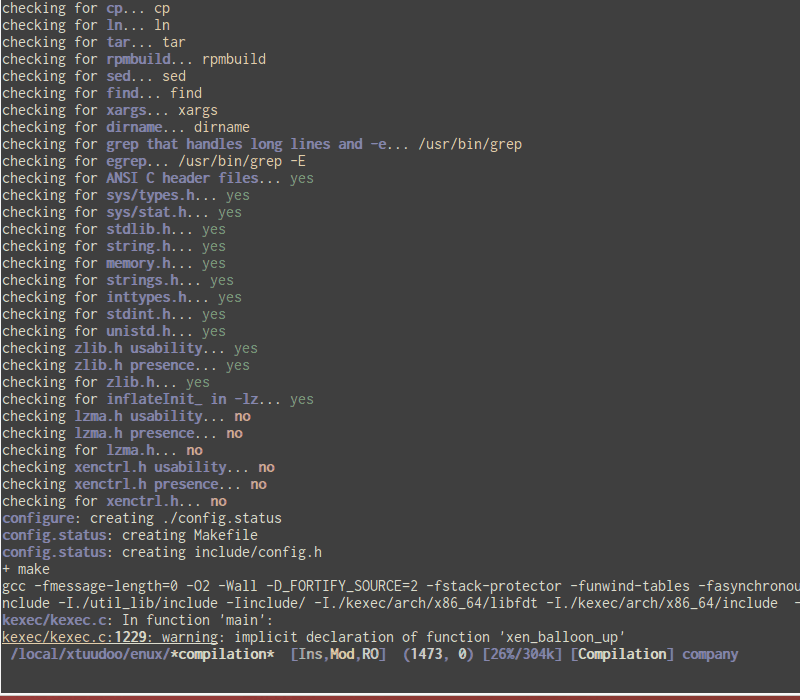
Beautiful compile output: http://tuhdo.github.io/static/c-ide/compilation-compile.gif

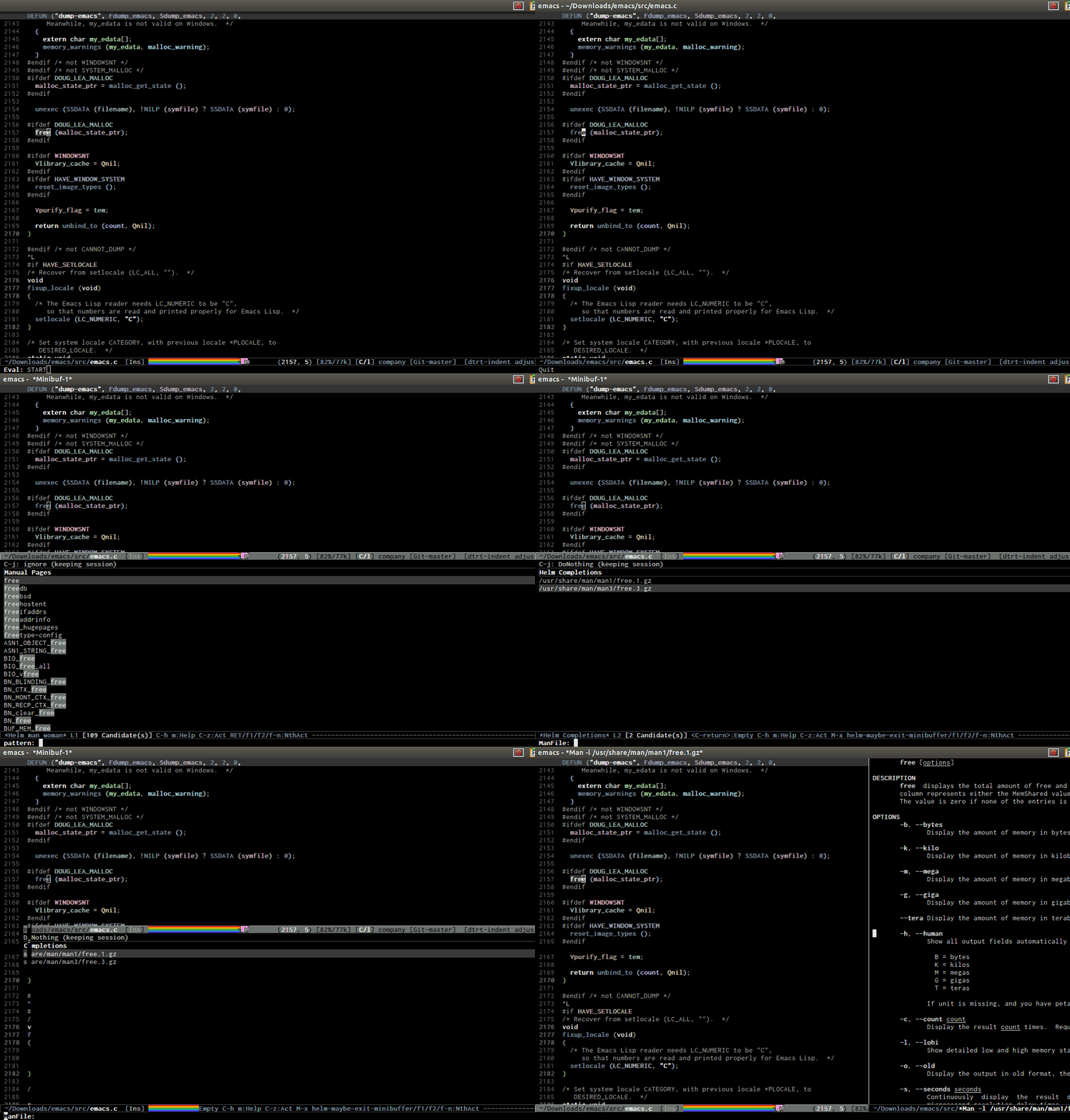
Open man page for symbol at cursor: http://tuhdo.github.io/static/part3/helm-man-woman.gif

Emacs can save any arbitrary window layout and restore it later. You can even have workspace in Emacs, each can store a set of window layouts (i.e. one for debugging, one for reading doc, one for just source code...), can be saved as a bookmark and later restore in future session. In Emacs, you can bookmark everything, even a git commit.

Re: Stack Exchange for Emacs

#29
post #7

Earlier quoted context omitted.

Can Sublime Text/Atom do all of this here: https://news.ycombinator.com/item?id=8639804 ? I want to jump to any file at any time regardless of where I am in the project instantly, can Sublime do it? And even if a project has 30-40k files, it must be fast and make me jump instantly. See the demos in this guide for details: http://tuhdo.github.io/helm-projectile.html Atom has a limit of 2MB text file which is worse tha…

> I want to jump to any file at any time regardless of where I am in the project instantly, can Sublime do it? And even if a project has 30-40k files, it must be fast and make me jump instantly Yes, Sublime handles that smoothly. Do a linux tree clone, enter the directory, run "subl .", then ctrl+p (or cmd+p) and start typing whatever. It fuzzy-completes your typing and immediately displays your selection as a previe…

[deleted]
Post reply on HN