Live data from Hacker News

Chromebox, now for simpler and better meetings

chrome.blogspot.com

81–90 of 161 posts

Re: Chromebox, now for simpler and better meetings

#81

I assure you that this is not a joke. The best 'self-contained' video conference machine I've used in the last year is: 1. $400 less up front than the Chromebox 2. Has an annual service fee $200 less than the Chromebox 3. Has a camera with awesome built in face detection (if one person is in the room it centers on their face, if three people are in it automatically expands to fit them all in, if you wander around the…

As usual, Google picks the Intel-solution over a cheaper solution for political reasons (just like with the original Chromebooks, original Google TV, etc), and ends up failing, because the price is not competitive in the market for that type of product that it is.

Re: Chromebox, now for simpler and better meetings

#82

So regular computers just can't cut the mustard at streaming video? I don't see the value in a custom hardware product for this and I can't quite justify the price tag. It's not often that Google creates a product where you say to yourself "Oh, I guess this just wasn't created for me" but I think this is one of those rare occasions. Disclaimer: I'm not a megacorp with millions to spend.

Every company I've ever worked at (save one) had projectors in conference rooms, but no permanent computer hooked up to it. The meeting organizer would have to set up a web conference in something, and then people would share their Desktop, and whoever the presenter at the moment was would plug in their laptop. And then the guy forgot his power cord, and can't project for the whole meeting. And then the other guy for…

Every once in a while, I delete one of my own comments because someone else said the same thing, but better. This is one of those times.

Re: Chromebox, now for simpler and better meetings

#83
post #76

I assure you that this is not a joke. The best 'self-contained' video conference machine I've used in the last year is: 1. $400 less up front than the Chromebox 2. Has an annual service fee $200 less than the Chromebox 3. Has a camera with awesome built in face detection (if one person is in the room it centers on their face, if three people are in it automatically expands to fit them all in, if you wander around the…

I don't think this addresses screen sharing, which is a big part of half of the conference calls I'm on.

It's just a way to access Skype, which has screen sharing.

Re: Chromebox, now for simpler and better meetings

#84

Serious question, given that this solution appears to be: 1) based around Google Hangouts, and 2) targeted at enterprise customers: Does using it require Google Plus?

Using Google Hangout video on my corporate Google Apps account requires G+, so I'm willing to bet top dollar that this does.

Re: Chromebox, now for simpler and better meetings

#85
post #38

As a remote worker, I could see getting something like this for our central office. I need an almost frictionless solution and this sounds pretty close "walk into the room, click the remote once and you’re instantly in the meeting." My coworkers aren't interested in walking into a conference room with their laptop and sending a hangout. It would be useful if it supported multiple cameras somehow - which might break t…

It really does have to be nearly frictionless and continue to work, though. My coworkers and I mostly do walk into a conference room with our laptops and set up a Skype or Google Hangout, because nobody knows how to work the $$ Polycom videoconferencing system unless a guy from IT is present to set it up. It's also relatively easy to pull in a remote collaborator on a Google Hangout (even if they've never used it before, it's like 5 minutes to install), while I don't know if the Polycom setup even works when dialing out to a third party who doesn't have their setup. Since nearly every call involves at least one off-site collaborator, that really reduces the utility of a closed-circuit "enterprise" VC system to us if it can only dial sites that also have the same hardware (not sure if this is true, but that's the only case where I've seen it work).

Re: Chromebox, now for simpler and better meetings

#86

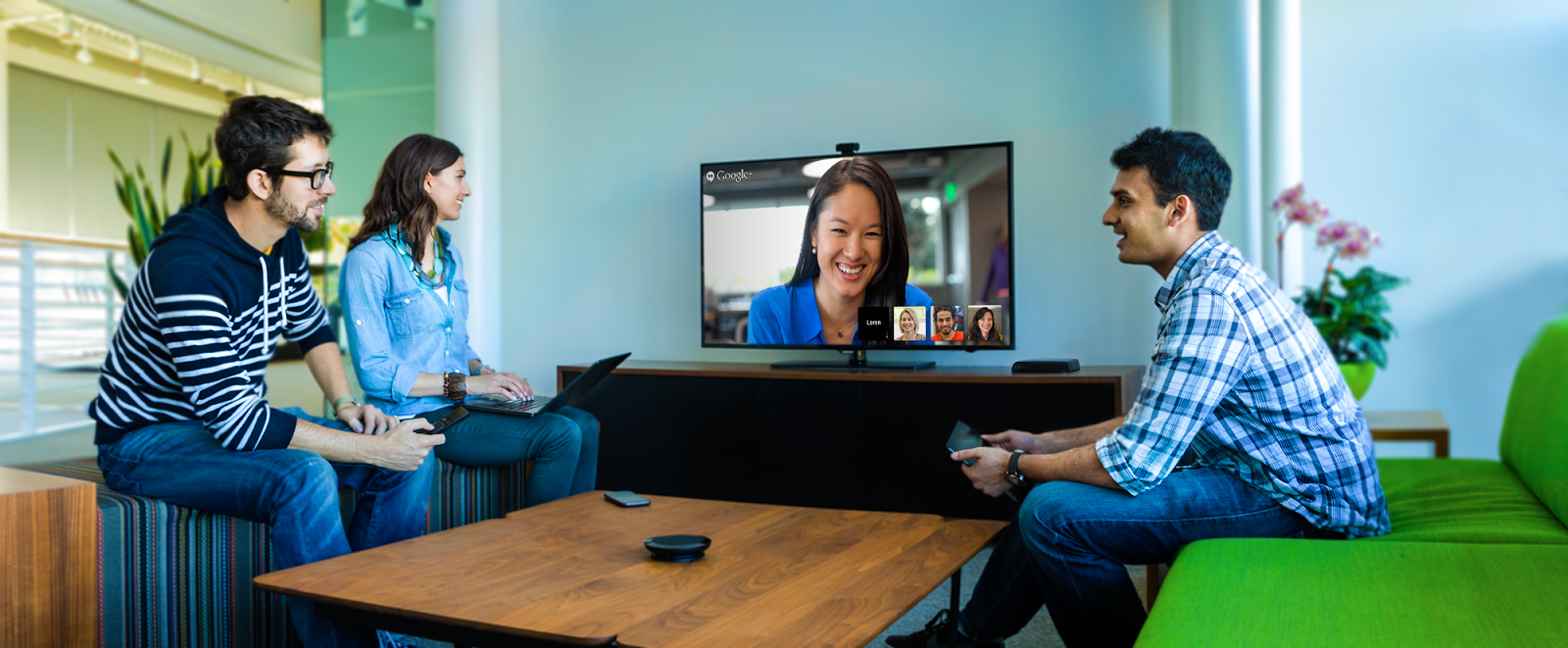
Anyone else notice that the remote for this thing is almost identical to the boxee box remote?

Also, the speaker looks pretty much like Jabra Speak 410. And the camera looks like a Logitech fullhd webcam without Logitech logos. Which are all admittedly excellent products for doing video meetings.

Re: Chromebox, now for simpler and better meetings

#88

I assure you that this is not a joke. The best 'self-contained' video conference machine I've used in the last year is: 1. $400 less up front than the Chromebox 2. Has an annual service fee $200 less than the Chromebox 3. Has a camera with awesome built in face detection (if one person is in the room it centers on their face, if three people are in it automatically expands to fit them all in, if you wander around the…

cuz an xboxone is perfectly acceptable on an expense report.

Re: Chromebox, now for simpler and better meetings

#90
I was wondering where is all the money was going. It's clearly the newly announced Asus Chromebox, which starts at $179[1]. I haven't seen the high end price, but according to the spec sheet[2], the only difference is the CPU. The price difference here is $820. I couldn't imagine the cost difference between a celeron and a mid-range i7 to be much more than $300. That same camera is $75 on amazon, and a similar looking speaker is $90, and I don't imagine a RF remote is more than $15. That gets us to about $600, and leaves $220 for the management and support fee.

So the hardware cost checks out, but the question is if their support and software is worth $250 a year. They don't do a good job explaining what goes into that though. Is the software a proprietary version of Chrome OS? Do you get to use priority servers instead of the normal hangout ones? Does that support fee cover all your chromeboxes, or is that per box? I feel a lot of the value proposition isn't being well explained. If it's amazing quality, and a great meeting experience, it can easily be worth it, but I'm not getting the sense of how the experience is better than if you bought the components yourself. A promo video demo would help.

[1]http://promos.asus.com/us/chrome-os/chromebox/

[2]http://www.asus.com/us/News/xjbJtLA1HEyUSUeo

[3]http://www.amazon.com/Logitech-Webcam-Widescreen-Calling-Rec...

[4]http://www.amazon.com/Jabra-SPEAK-510-Bluetooth-Softphone/dp...
Post reply on HN