Live data from Hacker News

PNG in Chrome shows a different image than in Safari or any desktop app

lr0.org

11–20 of 49 posts

Re: PNG in Chrome shows a different image than in Safari or any desktop app

#11
"Chrome was not wrong. it's doing proper color management by respecting the embedded ICC profile"

That's not how color management is meant to work. The color profile tells you how the data is saved. If you are displaying it using a different color profile, then it needs to be converted. Displaying P3 in sRGB is doing it wrong. How can you conclude Chrome "was not wrong"?

Re: PNG in Chrome shows a different image than in Safari or any desktop app

#12
post #6
post #3

Earlier quoted context omitted.

You can try. I'm on Safari Version 18.6 (20621.3.11.11.3) [Seqouia 15.6.1] on my Mac, unsure of the version in my iPhone and iPad, but all of them ignore the ICC profile.

Again, my suspicion is that you are actually seeing the ICC profile being applied correctly, and it is the pixel values in your image that are incorrect. A good test would be to run a single 100% sRGB red pixel through your image processing pipeline, and then inspecting the resulting PNG file in a hex editor to see what value is encoded. You can also visit this web page to actively test each web browser’s respect for…

Another good test page for the browser: https://www.color.org/version4html.xalter

Re: PNG in Chrome shows a different image than in Safari or any desktop app

#13
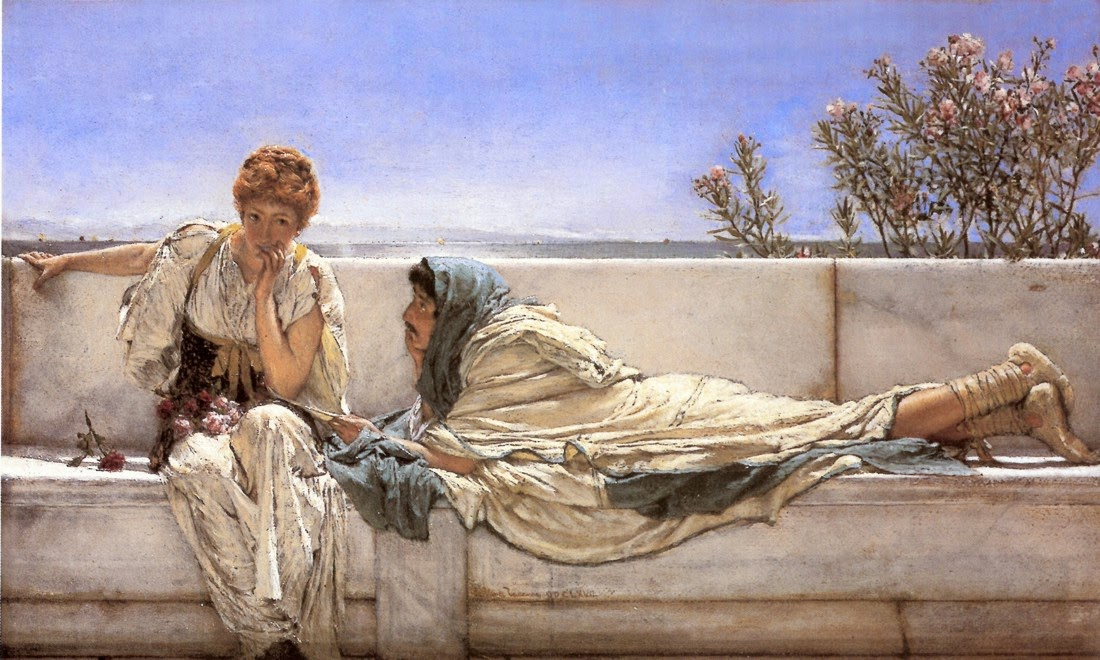
>If you are using Firefox or a Chromium browser (for me Google Chrome 143.0.7499.170), it's very likely that you are seeing a very foggy version of the painting, however, if you download the image and open it with your default image viewer (or open it in the Safari browser), you will see the image normally.

Why does the page 404 when opening the image? Bandwidth issue? Firefox issue? (Yes, the username is a joke - I don't work for Firefox I just use it and thought this would be a funny name)

they wayback machine doesn't have a copy of https://lr0.org/i/2025-12-27_18-21-51_screenshot.png or i was going to link to it in the post here usually, i'd try to balance a blunt reply like this with they wayback version

cheers!

Edit: https://web.archive.org/web/20251227181428if_/https://lr0.or...

Re: PNG in Chrome shows a different image than in Safari or any desktop app

#14
post #13

> If you are using Firefox or a Chromium browser (for me Google Chrome 143.0.7499.170), it's very likely that you are seeing a very foggy version of the painting, however, if you download the image and open it with your default image viewer (or open it in the Safari browser), you will see the image normally. Why does the page 404 when opening the image? Bandwidth issue? Firefox issue? (Yes, the username is a joke - I…

It was a typo in the url, should have pointed to https://lr0.org/blog/i/2025-12-27_18-21-51_screenshot.png instead. I fixed it, thanks!

Re: PNG in Chrome shows a different image than in Safari or any desktop app

#15
post #2

Given the Safari team has been the major driving force behind support for wide gamut in web browsers (for the very obvious reason that all Apple devices ship with wide-gamut displays), I am extremely suspicious of the author’s assertion that Safari is ignoring an embedded ICC profile while Chrome and Firefox are doing the right thing. I think it’s far more likely that whatever chain of open-source image modification…

I seem to recall Safari doing the right thing for JPEGs when I was experimenting with publishing red-cyan stereograms [1] where an sRGB (255,0,0) becomes something like (187, 16, 17) on a high gamut display because the sRGB is less saturated than the P3 red. It looks right for a normal photo but for the anaglyph that little bit of blue and green leaks through and makes ghosts. Emedding a P3 profile in JPEG solves the problem. You run into the same problem with print and I ended up addressing those by applying the color profile to the R and L images, doing the anaglyph blend, then attaching the native color profile of the printer -- it probably isn't quite right but the colors are always going to be off for an anaglyph anyway and if I go back to that project I'll design a color grade that pushes the scene away from pure-red and pure-cyan-spectrum colors.

What gets me is that the image he's publishing is not really a PNG kind of image.

[1] https://cybereality.com/rendepth-red-cyan-anaglyph-filter-op... is a write up that didn't go as deep as my research

Re: PNG in Chrome shows a different image than in Safari or any desktop app

#16
post #6

Earlier quoted context omitted.

Again, my suspicion is that you are actually seeing the ICC profile being applied correctly, and it is the pixel values in your image that are incorrect. A good test would be to run a single 100% sRGB red pixel through your image processing pipeline, and then inspecting the resulting PNG file in a hex editor to see what value is encoded. You can also visit this web page to actively test each web browser’s respect for…

Another good test page for the browser: https://www.color.org/version4html.xalter

Where, for reference, Safari shows an image that matches the first one listed—meaning, at least in theory, that it fully supports ICC profiles.

Re: PNG in Chrome shows a different image than in Safari or any desktop app

#17
post #2

Given the Safari team has been the major driving force behind support for wide gamut in web browsers (for the very obvious reason that all Apple devices ship with wide-gamut displays), I am extremely suspicious of the author’s assertion that Safari is ignoring an embedded ICC profile while Chrome and Firefox are doing the right thing. I think it’s far more likely that whatever chain of open-source image modification…

[deleted]

Re: PNG in Chrome shows a different image than in Safari or any desktop app

#18
post #14
post #13

> If you are using Firefox or a Chromium browser (for me Google Chrome 143.0.7499.170), it's very likely that you are seeing a very foggy version of the painting, however, if you download the image and open it with your default image viewer (or open it in the Safari browser), you will see the image normally. Why does the page 404 when opening the image? Bandwidth issue? Firefox issue? (Yes, the username is a joke - I…

It was a typo in the url, should have pointed to https://lr0.org/blog/i/2025-12-27_18-21-51_screenshot.png instead. I fixed it, thanks!

that was quick, i edited the wayback cache of the image in like i lamented i couldn't in the orginal, i'm such a pessimist :-)

https://web.archive.org/web/20251227181428if_/https://lr0.or...

Re: PNG in Chrome shows a different image than in Safari or any desktop app

#19
post #8
post #7

Earlier quoted context omitted.

This might be true but I would hope the web standard is defined enough that browsers can also fail in the same way. Regardless of which browser is the most "correct" here

"correct" in fail, in the same way across browsers? that's hilarious. I forget that throughout the history of the internet the one thing we've been able to depend on is different browsers behaving the same way

interoperability of web features has never been this good and it's only getting better

https://wpt.fyi/interop-2025

other than the Manifest v3 fiasco, we're probably living in the golden age of web interop

Re: PNG in Chrome shows a different image than in Safari or any desktop app

#20
post #6
post #3

Earlier quoted context omitted.

You can try. I'm on Safari Version 18.6 (20621.3.11.11.3) [Seqouia 15.6.1] on my Mac, unsure of the version in my iPhone and iPad, but all of them ignore the ICC profile.

Again, my suspicion is that you are actually seeing the ICC profile being applied correctly, and it is the pixel values in your image that are incorrect. A good test would be to run a single 100% sRGB red pixel through your image processing pipeline, and then inspecting the resulting PNG file in a hex editor to see what value is encoded. You can also visit this web page to actively test each web browser’s respect for…

To paraphrase Steve Jobs, "you're pixeling it wrong".
Post reply on HN