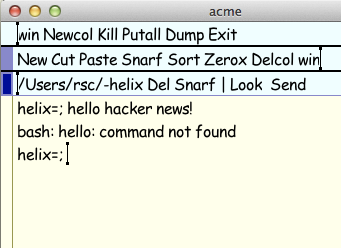
Very neat. It seems to me the really interesting bit here is the ability to add execution meaning to arbitrary bits of text. Can anyone who uses Acme comment on whether or not that is primarily what gives Acme its power? Is there something else key to it that isn't shown cleanly in the video? Interestingly, I also see Light Table as an "Integrating" Development Environment - something that utilizes all the amazing to…
It's definitely the ability to parse expressions like " : " and open files at the right position, it essentially makes it integrated with many many unix tools without actually having to write any integration code. The ease of piping the selection through an external program is a close second. However I do not use it. What's funny about acme is that it's a perfect metaphor for the entire plan9: it shows you how strivi…
A Tour of the Acme Editor
21–30 of 91 posts
Re: A Tour of the Acme Editor
#22Acme was also Dennis Ritchie's editor of choice, there is a picture of him and his working environment here: http://acme.cat-v.org Also wish Russ had shown acme in a full screen setup, one of the most awesome things about acme is how well it manages having tons of windows, and you don't get a real feeling for it without seeing it done in a real full screen large environment.
Re: A Tour of the Acme Editor
#23Re: A Tour of the Acme Editor
#24Acme focuses entirely on the idea of text as user interface Sounds a little like Oberon. I wonder how many people have used both.
If you read the acme[1] paper you will see Rob Pike explicitly acknowledges the influence of Oberon. This can be seen even more clearly in Acme's more direrect predecessor: help[2] [1]: http://doc.cat-v.org/plan_9/4th_edition/papers/acme/ [2]: http://doc.cat-v.org/plan_9/1st_edition/help/
Re: A Tour of the Acme Editor
#25Very neat. It seems to me the really interesting bit here is the ability to add execution meaning to arbitrary bits of text. Can anyone who uses Acme comment on whether or not that is primarily what gives Acme its power? Is there something else key to it that isn't shown cleanly in the video? Interestingly, I also see Light Table as an "Integrating" Development Environment - something that utilizes all the amazing to…
It's definitely the ability to parse expressions like " : " and open files at the right position, it essentially makes it integrated with many many unix tools without actually having to write any integration code. The ease of piping the selection through an external program is a close second. However I do not use it. What's funny about acme is that it's a perfect metaphor for the entire plan9: it shows you how strivi…
Re: A Tour of the Acme Editor
#26Can acme run without a graphics layer (e.g. X11) beyond VGA? Why does it need more than VGA text if it entirely text-based?
It would not be hard to make the underlying graphics code work on top of linuxfb. I think a patch for that might be floating around.
> Why does it need more than VGA text if it entirely text-based?
Did you really watch the video? You can see that while acme is entirely about editing text, the UI itself is graphical.
Re: A Tour of the Acme Editor
#27Acme was also Dennis Ritchie's editor of choice, there is a picture of him and his working environment here: http://acme.cat-v.org Also wish Russ had shown acme in a full screen setup, one of the most awesome things about acme is how well it manages having tons of windows, and you don't get a real feeling for it without seeing it done in a real full screen large environment.
Isn't it annoying to program without syntax highlight? Or is it just some false rumor I've heard that acme doesn't have that feature... it looks a lot like wmii. I have to try it though, emacs and vim really sucks, too bloated for my taste, I'm still not that hardcore that I use ed for programming so I'm searching for an simple, minimal and correct alternative to emacs and vim....
Re: A Tour of the Acme Editor
#28Can acme run without a graphics layer (e.g. X11) beyond VGA? Why does it need more than VGA text if it entirely text-based?
> Can acme run without a graphics layer (e.g. X11) beyond VGA? It would not be hard to make the underlying graphics code work on top of linuxfb. I think a patch for that might be floating around. > Why does it need more than VGA text if it entirely text-based? Did you really watch the video? You can see that while acme is entirely about editing text, the UI itself is graphical.
VGA text is everywhere. No need to switch to Linux (and patch it), switch to OSX, use hardware than runs Plan 9, or any other restrictions. No need to run X11.
It just works.
Re: A Tour of the Acme Editor
#29Acme was also Dennis Ritchie's editor of choice, there is a picture of him and his working environment here: http://acme.cat-v.org Also wish Russ had shown acme in a full screen setup, one of the most awesome things about acme is how well it manages having tons of windows, and you don't get a real feeling for it without seeing it done in a real full screen large environment.
Isn't it annoying to program without syntax highlight? Or is it just some false rumor I've heard that acme doesn't have that feature... it looks a lot like wmii. I have to try it though, emacs and vim really sucks, too bloated for my taste, I'm still not that hardcore that I use ed for programming so I'm searching for an simple, minimal and correct alternative to emacs and vim....
Just keep your code window small enough that it doesn't make your eyes glaze over.
Re: A Tour of the Acme Editor
#30I really tried to use it but the disrupted work flow caused by the necessity for pixel perfect mouse aiming was headache inducing.
How can this be? In the example he managed to click on things to run commands by just clicking on the word, instead of selecting the entire line perfectly.