Live data from Hacker News

Ask HN: What are good high-information density UIs (screenshots, apps, sites)?

news.ycombinator.com

51–60 of 392 posts

Re: Ask HN: What are good high-information density UIs (screenshots, apps, sites)?

#51
Ableton Live digital audio workstation, is a good example in my opinion. As with many professional tools, there is a steep learning curve, but once you get the hang of it, it becomes very productive. There are many nested collapsible sections, so you can choose to have an all-at-once view or focus on fewer elements.

Here is a blog post talking about the different ui elements http://nenadmilosevic.co/ableton-live-redesign/
Re: Ask HN: What are good high-information density UIs (screenshots, apps, sites)?

#52
post #21

I didn't see anyone mention the McMaster-Carr website [1]. It may not be the "densest" out there, but it's clean, functional, and nicely presents a lot of information at once. [1] https://www.mcmaster.com/

There is (was?) an absolutely fabulous answer on quora.com which detailed how this site came to be --- from memory: - initial ecommerce site was a mess (basically a page-by-page recreation of the catalog?) which saw minimal usage - the redesign, which focused on usability --- notably reduced cognitive load --- resulted in an immediate uptick in orders which grew markedly for a long while until it represented the vast…

I wonder how much additional traffic, links, seo benefit and general brand awareness this site has generated simply off doing things to this standard.

A fly wheel of benefits.

Re: Ask HN: What are good high-information density UIs (screenshots, apps, sites)?

#53
post #21

I didn't see anyone mention the McMaster-Carr website [1]. It may not be the "densest" out there, but it's clean, functional, and nicely presents a lot of information at once. [1] https://www.mcmaster.com/

of of course, RockAuto.com

one of the most unconventional websites ever for sure

Re: Ask HN: What are good high-information density UIs (screenshots, apps, sites)?

#54
post #31
post #17

Look for tracing/profiling/binary analysis UIs: - https://superuser.com/questions/1117466/using-windows-perfor... - https://github.com/wolfpld/tracy - https://github.com/WerWolv/ImHex 3D modeling / CAD software: - Blender/Rhino etc - Similar for audio you can search for 'DAWs' ( https://blog.landr.com/best-daw/ ) Many examples on https://x.com/usgraphics/media only some software. Not on the data side but can be usefu…

As someone who recently tried to use Blender for an extremely simple task... Blender's UI is absolutely terrible and should not be used as an example of anything except how to design an unintuitive UI.

I think intuitiveness and density are orthogonal properties (although often both desirable).

Regarding Blender specifically:

Do you have a background in 3D modeling?

I am genuinely curious.

I don't come from an digital art background and I bounced off Blenders UI several times but after doing a tutorial or two now I find I can use it for simple things. I have always wondered how much it was 3D modeling in general vs. Blender specifically.

In a similar case I have used both Inkscape and Illustrator as an amateur and, much as I love open source, there is no comparison. Illustrator was significantly easier to use and worked better.

Re: Ask HN: What are good high-information density UIs (screenshots, apps, sites)?

#56
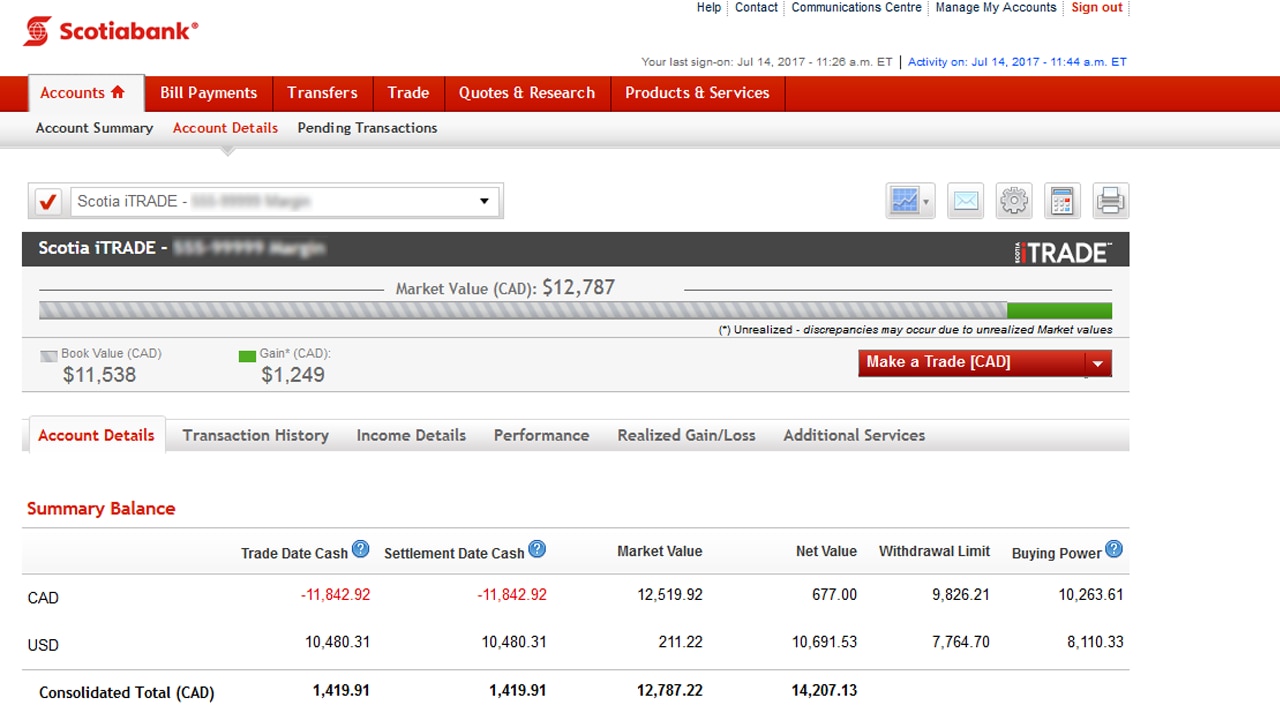
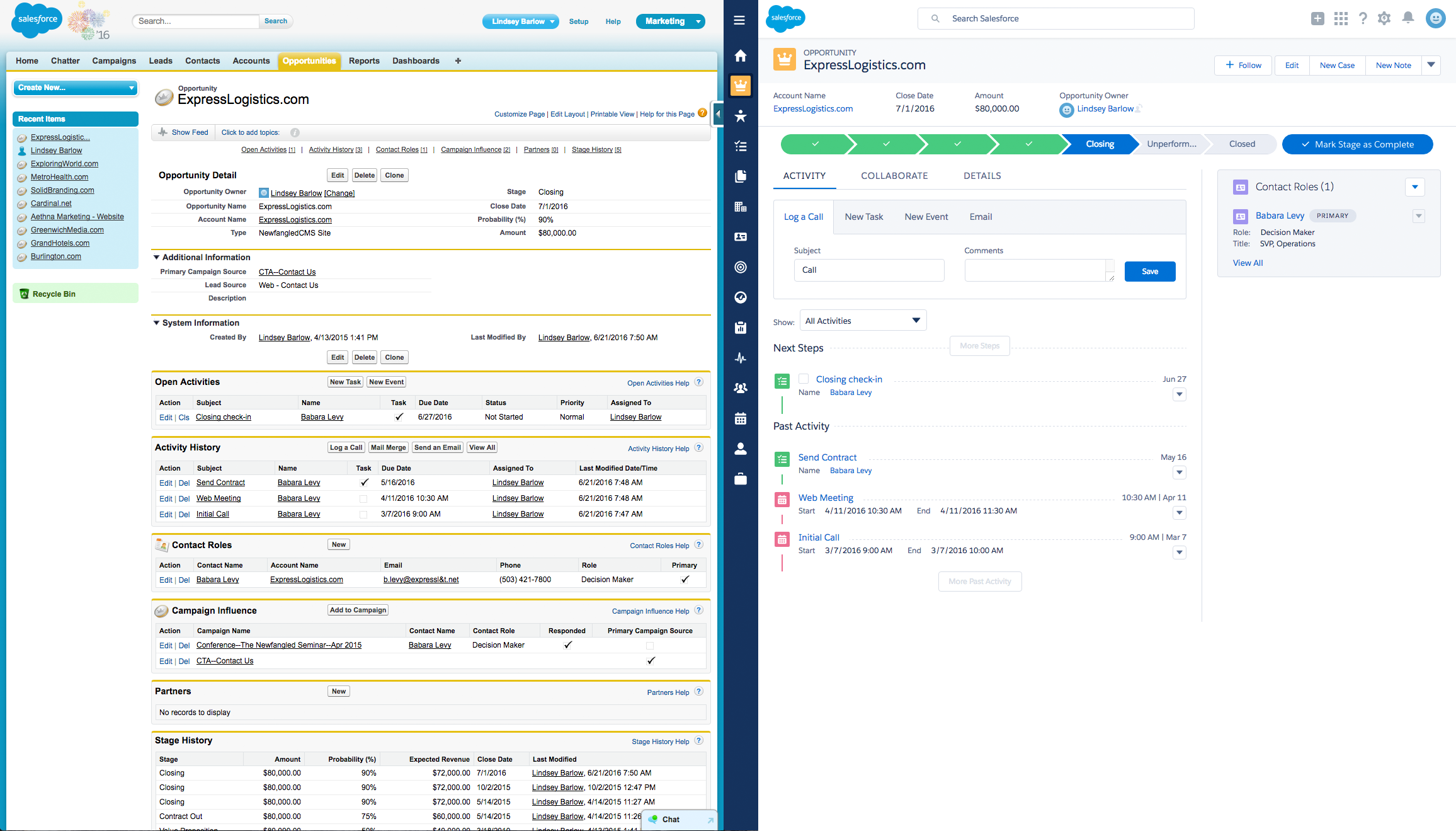
I'd say the OLD Bank of Nova Scotia page is a good example. There are a lot of details and almost everything is a hyperlink but it's quite easy to navigate once you've used it a few times. The new UI they are trying to publish is the opposite of that and being resisted by long term customers. Currently both are in use. I'm sorry but can't put a screenshot without risking leaks of my personal info. here are a couple of screenshots I found on public pages:

https://d33v4339jhl8k0.cloudfront.net/docs/assets/5be07d872c...

https://www.scotiaitrade.com/content/dam/slf/images/HowToAcc...

Re: Ask HN: What are good high-information density UIs (screenshots, apps, sites)?

#59
post #21

I didn't see anyone mention the McMaster-Carr website [1]. It may not be the "densest" out there, but it's clean, functional, and nicely presents a lot of information at once. [1] https://www.mcmaster.com/

This was absolutely amazing to navigate on mobile! Very fast. Instant response. Loved it.

Re: Ask HN: What are good high-information density UIs (screenshots, apps, sites)?

#60
post #31
post #17

Look for tracing/profiling/binary analysis UIs: - https://superuser.com/questions/1117466/using-windows-perfor... - https://github.com/wolfpld/tracy - https://github.com/WerWolv/ImHex 3D modeling / CAD software: - Blender/Rhino etc - Similar for audio you can search for 'DAWs' ( https://blog.landr.com/best-daw/ ) Many examples on https://x.com/usgraphics/media only some software. Not on the data side but can be usefu…

As someone who recently tried to use Blender for an extremely simple task... Blender's UI is absolutely terrible and should not be used as an example of anything except how to design an unintuitive UI.

Professional tools are often made for the efficiency of a professional user and are hard to grok at first glance. Other examples from the parent, like DAWs, suffer from this and Blender is no exception. By all accounts it used to be a lot worse.
Post reply on HN