My cofounder accidentally exposed a bunch of our API keys and we didn't know until we got a billing alert. I've wanted to use a secrets manager before and have asked a few friends what they use for advice, but I want to see what I may have missed.
Ask HN: What tools should I use to manage secrets from env files?
1–10 of 83 posts
Re: Ask HN: What tools should I use to manage secrets from env files?
#2Does your team already use a password manager? (If not, they probably should)
Some of them have secrets management built-in too, like:
Re: Ask HN: What tools should I use to manage secrets from env files?
#3This is an interesting alternative to password manager, esp. if you want to version control your secrets
https://github.com/getsops/sops
Re: Ask HN: What tools should I use to manage secrets from env files?
#4Does your team already use a password manager? (If not, they probably should) Some of them have secrets management built-in too, like: - https://1password.com/developers/secrets-management - https://bitwarden.com/products/secrets-manager/
I came here to mention the 1Password cli[1] which has a great DX for solving this problem since one can check in the reference to the Secret[2] and it will be resolved by anyone who has permissions to said Secret at the time of consumption
They also have a plugin system[3] that makes it work moderately seamlessly with various other CLI utilities which expect credentials in the environment, such as the `gh`[4] CLI and bazillions of others
1: https://developer.1password.com/docs/cli/
2: https://developer.1password.com/docs/cli/secret-reference-sy...
3: https://github.com/1Password/shell-plugins#-see-it-in-action
4: https://github.com/1Password/shell-plugins/tree/main/plugins...
Re: Ask HN: What tools should I use to manage secrets from env files?
#5This is an interesting alternative to password manager, esp. if you want to version control your secrets https://github.com/getsops/sops
Worth stating some options for newcomers:
- It let's you decrypt same file using multiple credentials/keys (every team member has its own)
- it can use cloud vaults for encryption/decryption - for instance, keep your keys in Azure Key Vault or similar, and let the team access that using their own setup of AZ cli and SSO login you use to interact with the cloud anyway
- it will be able to keep the encrypted file semantically correct, so you still can use linter checks on push to git, etc
Re: Ask HN: What tools should I use to manage secrets from env files?
#6Doppler is nice.
Re: Ask HN: What tools should I use to manage secrets from env files?
#7Doppler is nice.
Is it secure? I am asking as I do not know; the secrets can be viewed again; I would think pk with doppler never knowing would be a lot better?
Re: Ask HN: What tools should I use to manage secrets from env files?
#8This is an interesting alternative to password manager, esp. if you want to version control your secrets https://github.com/getsops/sops
[dead]
Re: Ask HN: What tools should I use to manage secrets from env files?
#9Does your team already use a password manager? (If not, they probably should) Some of them have secrets management built-in too, like: - https://1password.com/developers/secrets-management - https://bitwarden.com/products/secrets-manager/
I tried to get my head around the 1Password implementation of this, but as far as I could work out, every single secret is stored as an individual item in 1Password and the 1Password app makes no accommodations for the differences between a server secret and a login. We have maybe 100 projects, with multiple environments for each, and multiple secrets in each environment - managing this in 1Password looks like it would be an absolute nightmare.
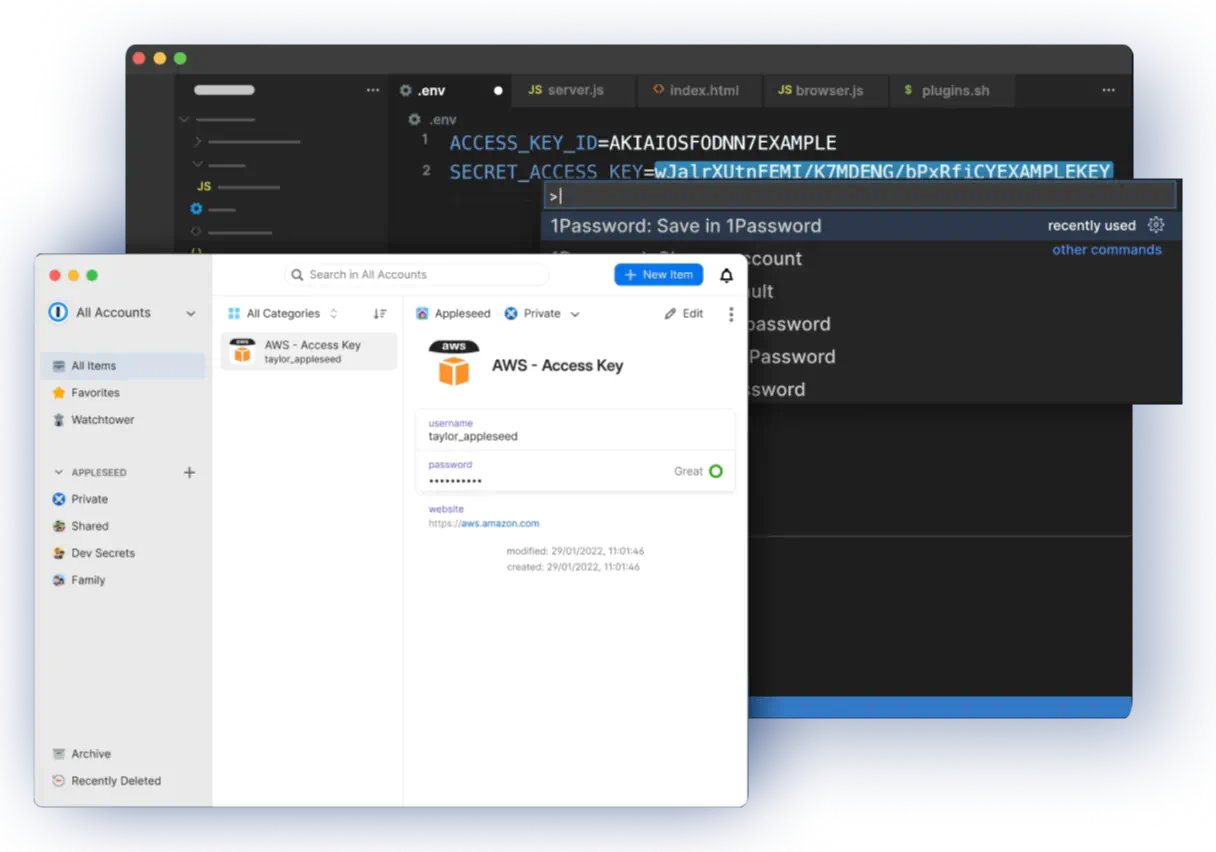
Edit: to expand on this a little, even the image [0] they show on their secrets management landing page is baffling. It's showing an entry in the 1Password app called `AWS - Access Key`, which for some reason has a username and password. Now if I need to inject that into the environment variables on my server, what's the name of the envvar, because `AWS - Access Key` isn't going to work. How do I separate staging variables from production variables? How do I know which project this is the AWS access key for?
[0] https://images.ctfassets.net/b71sid4v0oel/7zRNbDUY8dxGuKxUtV...
Re: Ask HN: What tools should I use to manage secrets from env files?
#10If you are in AWS you can use Secrets Manager or Parameter Store and encrypt via KMS with access to everything mediated by IAM.