Live data from Hacker News

Show HN: Wikipedia Browser a La Andy Matuschak's Evergreen Notes

steezeburger.com

41–50 of 51 posts

Re: Show HN: Wikipedia Browser a La Andy Matuschak's Evergreen Notes

#41
Thank you for making and sharing this!

Do you envision it predominantly being used on a mobile device?

I (personally) found it a bit "fiddly" to aim for the horizontal scrollbar with my mouse -- maybe I missed an easy-to-use mechanic here?

In any case, I love this exploration of alternative browsing interfaces. Kudos to you for building this prototype!
Re: Show HN: Wikipedia Browser a La Andy Matuschak's Evergreen Notes

#42
post #41

Thank you for making and sharing this! Do you envision it predominantly being used on a mobile device? I (personally) found it a bit "fiddly" to aim for the horizontal scrollbar with my mouse -- maybe I missed an easy-to-use mechanic here? In any case, I love this exploration of alternative browsing interfaces. Kudos to you for building this prototype!

It's desktop first right now. I haven't put much thought into mobile yet! As for horizontal scrolling, it works great with a laptop that has a gesture for horizontal scrolling. Some mice also have second scroll wheels that can be used for horizontal scrolling. In general, you can also hold shift while you scroll with the wheel and it will scroll horizontally. Eventually I would like to add customizable keyboard shortcuts to this app! It would be nice to navigate the whole thing with a keyboard.

And thank you for the thanks! :)

Re: Show HN: Wikipedia Browser a La Andy Matuschak's Evergreen Notes

#45
Wow! It's great to see an Andy Matuschak related post. I've been checking out his content over the last week, and it's really inspiring.

I've been theorizing a similar idea for browsing Wikipedia (or pdfs), except it's only two panels. One is the current page, and the other is a Obsidian-like node graph. As you click on links, words, terms, or phrases in the article, new nodes are created. These would be concepts you're unfamiliar with.

This would build out a tree of ignorance, with an implicitly generated knowledge dependency graph, which you could systematically study.

My goal is to be able to delve into highly advanced topics for which I have little background knowledge, building out a "syllabus" as I go.

Re: Show HN: Wikipedia Browser a La Andy Matuschak's Evergreen Notes

#47

I love this style of rabbit holing. I would love a way to view my code at work with this method. Does anyone know if such a thing exists?

There was a project like that on HN a few months ago, I wish I could remember the name.

Re: Show HN: Wikipedia Browser a La Andy Matuschak's Evergreen Notes

#48

Have you considered using Golden Layout [1] to implement infinite panels + tabs that can be dragged around? [1] https://golden-layout.com/

Golden layout's unfortunately somewhat abandoned.

I like the look of https://github.com/mathuo/dockview

Re: Show HN: Wikipedia Browser a La Andy Matuschak's Evergreen Notes

#49
post #6

This type of browser mode would be good for reading 2 or 3 articles at the same time, instead of switching from tab to tab.

You'd need a wide screen to make more than 3 articles pleasant, I think. The more you open, the more you'll want to rearrange or be able to increase/decrease or tile vertically.

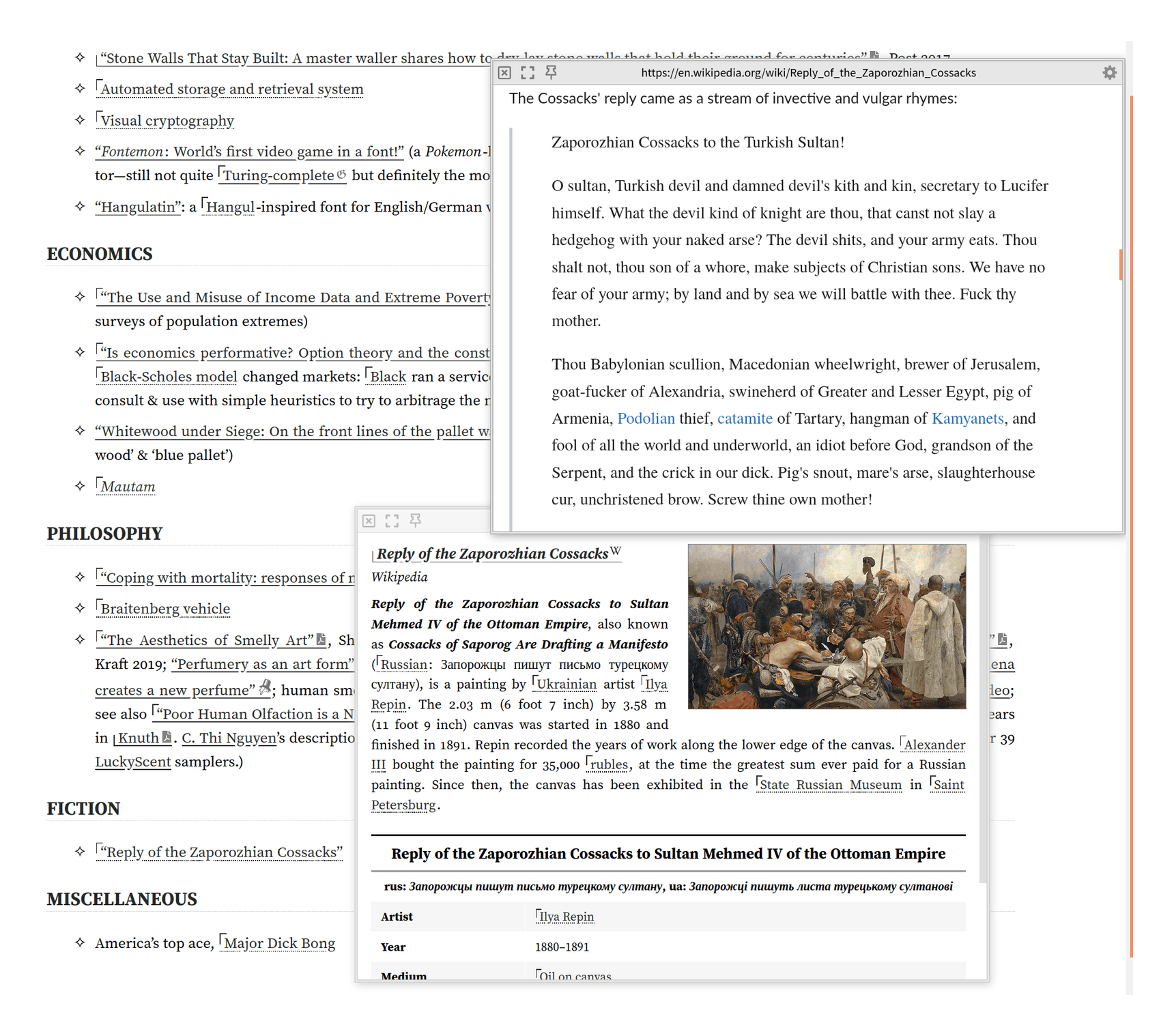
For example, on gwern.net, we have a very nice Wikipedia popup integration (which is in some ways better than OP - eg we follow redirects and handle dark-mode natively), and while most readers never notice it and will use it in the basic recursive popup mode like https://gwern.net/doc/design/2021-04-01-gwern-gwernnet-annot... , it doesn't do just recursive popups.

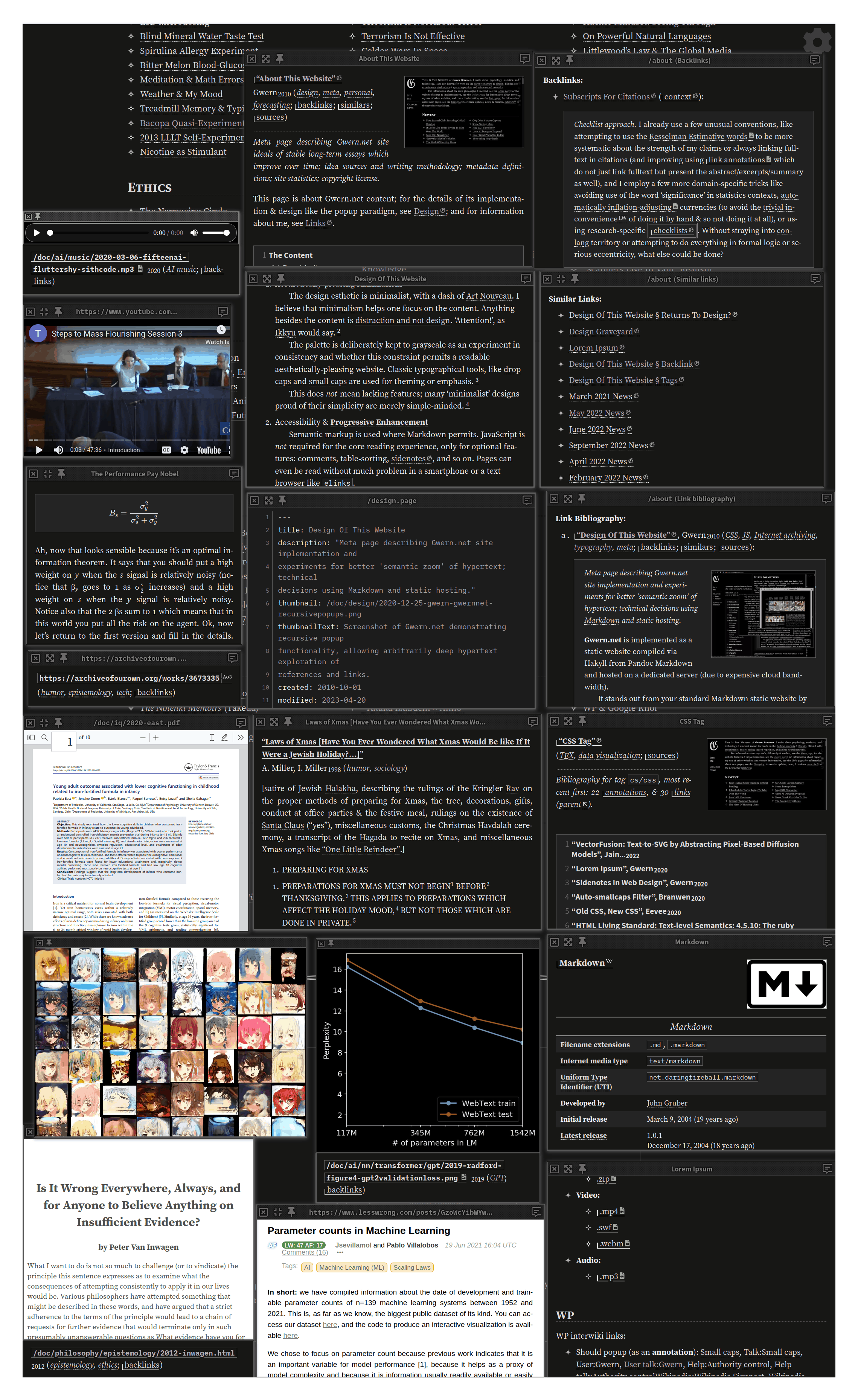
It's actually basically a full-blown tiling WM with keyboard shortcuts! You can have an arbitrary number, drag & resize, resize them to fullscreen or aligned to an axis, etc. So you can popup as many as you want to fit on your screen and rearrange them like in this demo screenshot: https://gwern.net/doc/cs/js/2023-09-14-gwern-gwernnet-popups...

Post reply on HN