Live data from Hacker News

Use a work journal

fev.al

251–260 of 305 posts

Re: Use a work journal

#251

The benefit of journaling is not just reentry, but that you begin to solidify the mental model into a concrete branching of possibilities that is tightly coupled to the specific problem. Your work becomes traversal and mutation of this tree. Several benefits accrue: you begin to see gaps in the tree, and can fill them in. You begin to have confidence in your mental model, recovering the time you used to spend going o…

The auto-tagging plugin for Logseq has helped me a lot get over the hump. Everything that I want to be connected just is.

Creating and maintaining the taxonomy is another thing but not too bad.
Re: Use a work journal

#252

Earlier quoted context omitted.

Usually, ths simplest solution is best and your approach exemplifies it: no need for a special application, simply open the text file and then go to work.

I have found, and advise teams I lead or work with, that the tool absolutely does not matter because it is the discipline to use the tool consistently that makes a difference. Now, having said that, shoving jira down peoples throats with all kinds of rules around tagging and whatever wears people out. So, yes, a text file, a google doc, linear or a few post-its on the wall.

This is generally true.

Logseq is one of the only tools I feel different about.

The per item line entry combined with a basic plugin to auto tag based on the words you type and existing tags, has been a game changer. I can simultaneously tag one line to multiple things without having to go the point of filing or adding them to each.

Re: Use a work journal

#253

Is there a benefit difference between digital journal and analog (pen) ? I’ve been having this internal debate. Any thoughts?

I've done analog for years and tried to do digital this year. I switched back to analog. With digital, I tended to just dump everything whereas with analog I reflected and edited for concision. The things I typed I forgot; writing things down I remembered. It's much the same as taking notes - the act of physically writing helps "set" the information.

I know a lot of people will say to do digital for ease of searching. I find that if I write it down, I'm much more likely to remember and not need to search in the first place. And digital I think it's easier to get lost in the ways to try and optimize the process with a file, format, editor, plugin, method, etc. With paper, I have some paper that I can write in whatever format I want at the time.

I use these every year for taking notes: https://www.leuchtturm1917.com/weekly-planner-and-notebook-2... . I've been using the A5, but will probably go up to the B5+ for next year. I've been using these for the past 7 years.

Re: Use a work journal

#254
“Writing helps you organize your thoughts more clearly”

I actually rely on email for this. I'm grateful to work with a project manager who does not mind me writing her 20 emails a day, some of which she does not actually need to read. But some of of it is relevant to her, and it helps me keep focused when I can then follow up and discuss things with her.

Re: Use a work journal

#255

It's surprising how many devs are trying to overoptimize for productivity with various fancy tools and techniques, when it actually comes down to simple basics. Here is what I rely on as a founder who does a lot of context switching: - a never-ending text file for todos and work journal [0] - calendar for planning (and blocking focus time) - website blocker - turned off notifications [0] https://news.ycombinator.com/…

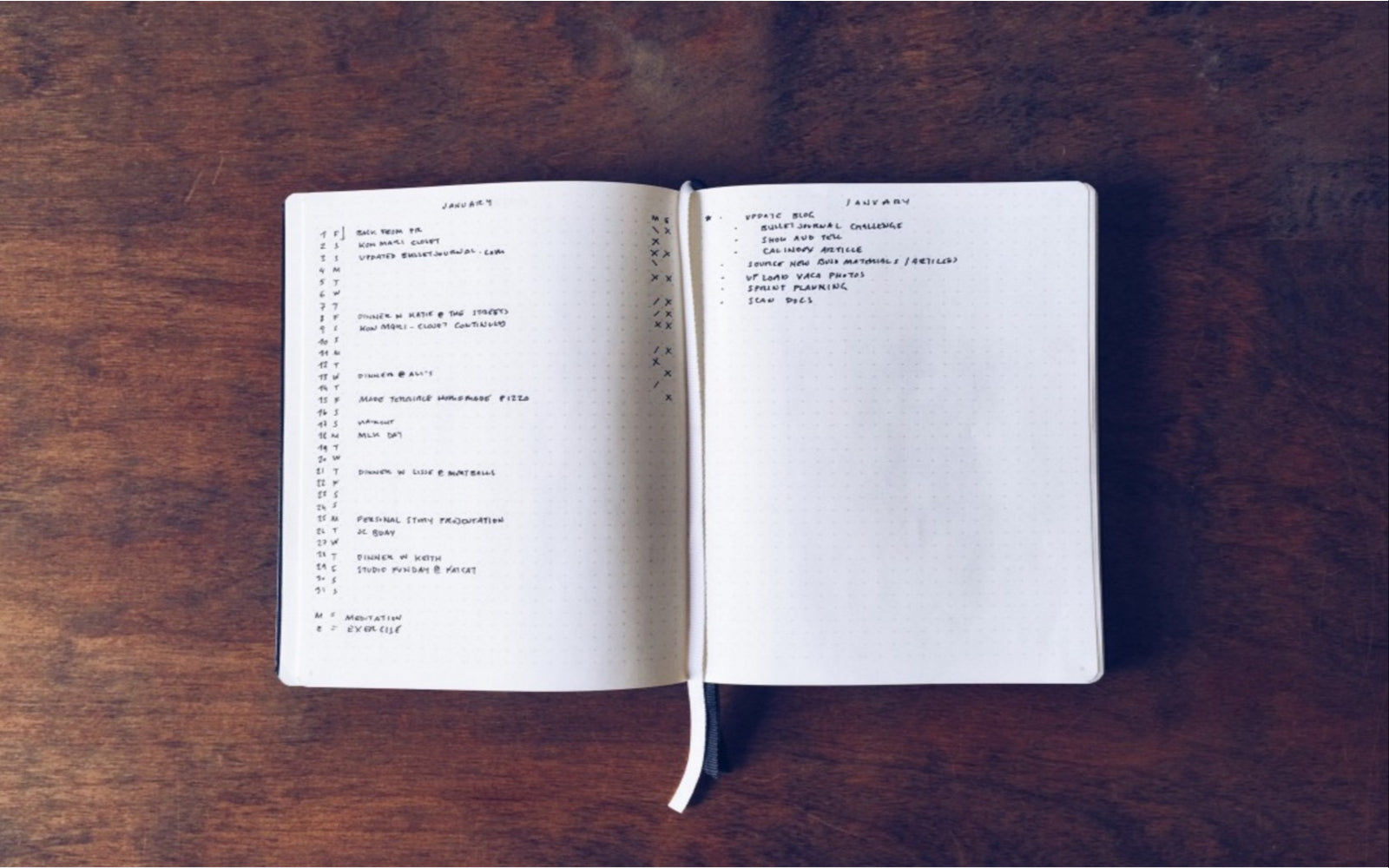
Do you manage monthly to-do lists? How do you integrate them with that approach if so? I mean the one that is used in a [bullet journal](https://bulletjournal.com/cdn/shop/articles/monthly-log-insp...) for example

Re: Use a work journal

#256

Earlier quoted context omitted.

It's low-tech, but I've been using notebooks (not too thick, stapled usually). I write a header for each day when I start and then a line or two as I work on tasks and I try to note each time I switch tasks. I keep the notebooks but rarely look at them once they are filled. Maybe once or twice as I switch to a new notebook and then once again when it comes to yearly review time. A couple of times I have rifled throug…

+1 for physical notes (: I use a lot of diagrams / sketches / arrows between things / etc, so doing it all in text on a computer is too cumbersome. Of course, with paper, looking up something from the past is a pain sometimes.

True for me too. The only advantages of digital notes (for me) have been searchability and shareability. One thing I keep occasionally going back to is Notion - for LaTeX support (I tend to use a lot of math. symbols) and now diagramming support using mermaid (since 2022, but I discovered that only a few months ago, and I find myself spending a little more time in Notion now).

Just fyi in case it helps : - )

Re: Use a work journal

#257

Earlier quoted context omitted.

A real notebook and pen are the perfect tools for this. Its the only one I know that works, long term. append only log works, but skimming through 2 months of logs for a specific thing is poor and slow but very useful. I don't do that often but when i do need it sometimes and especially fast, like on a call, with no lead time. Its a superpower. I now organize my notebook a with a few conventions that make it more use…

What type of notebook?

Does't matter. Pick the one right next to you and start

Re: Use a work journal

#258
I use the resettable rocket wave notebook for my work journal.

Aside from reinforcing ideas and helping figure things out on paper, it’s perfect to jump back into a task that’s been interrupted.

The other trick with it is to keep a running todo list from the back page in.

The moment a disruptive thought pops into my head that I need to revisit, I flip to the back, capture it, and flip back to where I was.

Re: Use a work journal

#259

Earlier quoted context omitted.

How do/would you use it over various systems? What's the best way to cloud sync this? One might have to use it on work machine with restrictions around installing apps.

I use org mode and sync with a git repository. Thoughtfully emacs and git are both approved.

Do you have any hooks setup to automatically commit/push if file changes are detected?

Re: Use a work journal

#260
post #99

What finally got this to stick for me was abandoning all notion of structure and organization (and formal concepts like “logging” and “journaling”) and optimizing fully for capture over retrieval, then relying on search tools and proximity for the latter. I have the OneNote icon in the notification area configured to create a new quick note and use it liberally. Occasionally I look through all the pages, especially t…

> abandoning all notion of structure and organization ... optimizing fully for capture over retrieval, then relying on search tools and proximity I did this too - obsidian's daily note feature is fantastic, and you can extract out pages from it if you want/need to dedicate a document for a specific thing. Since it's just markdown, search is quick - and being able to use regex if I need to is awesome. The graph view,…

I decided to use ChatGPT as my journal when they made it so they wouldn't be training on my data. Was talking to it all the time anyway, now I can pull the export whenever and just vectorize the whole thing... timestamps and all.
Post reply on HN