Live data from Hacker News

Customizing the Mac to behave like Xmonad

blog.liangzan.net

81–88 of 88 posts

Re: Customizing the Mac to behave like Xmonad

#81
post #62
post #50

Earlier quoted context omitted.

I've been watching Thinkpads very closely. I used to own X40 until it broke and before 600x (which never broke, but it's kind of old now). What model is preferable nowadays? There are not lots of shops to test them at least in Berlin. I want 13" and lightweight, but still powerful enough laptop. Lots of ram, i7 CPU and a SSD disk. The most important thing is an excellent keyboard and touchpad. I heard Lenovo is not u…

ThinkPad X1 Carbon (which is their answer to the MacBook Air - similar size to the 13", but 14" with more horizontal resolution), or the 12.5" X230, which is a bit heavier, but has 60WHr+ battery options and IPS display (both missing from the MacBook Air).

The guy doing this review was only able to get 3.5 - 4 hours out of the battery. http://www.nomobile.ru/reviews/162216.html Mediocre horizontal screen resolution for a 14" too
Re: Customizing the Mac to behave like Xmonad

#82

Earlier quoted context omitted.

have you tried Mendeley?

I hate Papers (specially on iPad), but I hate Mendeley even more... Both have terrible UIs (I don't mean eye candy, I'm talking about the usability).

I have been truly frustrated by the inability to find a real cross-platform bibliography & article storage tool. How hard can it be? Music tools have been doing this for a decade, plus.

Re: Customizing the Mac to behave like Xmonad

#83
post #43
post #3

I see you found SizeUp. That's also my application of choice. But it doesn't look like you did a lot of research into the available choices, or at least didn't bother listing them. Here's but a handful, for others who are interested: ShiftIt: https://github.com/fikovnik/ShiftIt TileWindows: http://www.carsten-mielke.com/tilewindows.html Mercury Mover: http://www.heliumfoot.com/mercurymover/ ... Or if you like mouse c…

I just recently discovered Spectacle and it's really awesome. It's open source and free, doesn't take up a lot of memory. http://spectacleapp.com/ https://github.com/eczarny/spectacle

Just downloaded this to try it and I like it so far. Thanks!

Re: Customizing the Mac to behave like Xmonad

#84
post #7

Is there anything like xmonad for Windows? Edit: found [some options on wikipedia][1], but maybe you have any other sugestions. [1]: http://en.wikipedia.org/wiki/Tiling_window_manager#3rd_party...

I've had good success with an open source tiling window manager for Windows called HashTWM [1]. I use it inside my Windows XP virtual machine to manage a bunch of hairy situations with multiple windows. I like that it actually does reposition new windows to fit inside the grid, and that I can easily adjust the middle "split" line so that my main window can become thinner or thicker.

Where it falls down is when you deal with modal dialogue windows, like the "Save File As..." window of Firefox, or the "Find and Replace" window of Excel. I haven't found a good way to overcome the issue of those modal windows being hidden, even with the "-i ConsoleWindowClass -i #32770" ignore options. It seems like Firefox, Excel, and Photoshop implement some non-standard ways of opening smaller windows. In these situations, I quit HashTWM, deal with the modal window, and then start HashTWM again (using quick keyboard shortcuts).

[1] https://github.com/ZaneA/HashTWM

Re: Customizing the Mac to behave like Xmonad

#85
post #3

I see you found SizeUp. That's also my application of choice. But it doesn't look like you did a lot of research into the available choices, or at least didn't bother listing them. Here's but a handful, for others who are interested: ShiftIt: https://github.com/fikovnik/ShiftIt TileWindows: http://www.carsten-mielke.com/tilewindows.html Mercury Mover: http://www.heliumfoot.com/mercurymover/ ... Or if you like mouse c…

ShiftIt is great because it's an open source version of many of the other app suggestions you list!

The public 1.5 versions on GitHub are missing one important feature: pushing the current window to a second monitor. This is available on the 1.6 branch. I couldn't get it to build with Xcode on OS X Lion, but the author has a very stable 1.6 binary available for download:

https://github.com/fikovnik/ShiftIt/issues/72#issuecomment-3...

Re: Customizing the Mac to behave like Xmonad

#86
post #77
post #62

Earlier quoted context omitted.

ThinkPad X1 Carbon (which is their answer to the MacBook Air - similar size to the 13", but 14" with more horizontal resolution), or the 12.5" X230, which is a bit heavier, but has 60WHr+ battery options and IPS display (both missing from the MacBook Air).

How is that keyboard and touchpad? Looks really nice, but it's available in Europe in a few weeks. I must test the keyboard before making my choice...

Haven't tried it yet, but it's a risky departure from the previous long-standing design (and it applies to all of their models being released this year - i.e. the previous 7-row layout is history). They seem to be taking the redesign seriously though - some more information on their blog: http://blog.lenovo.com/design/thinkpad-x1-designing-the-ulti...

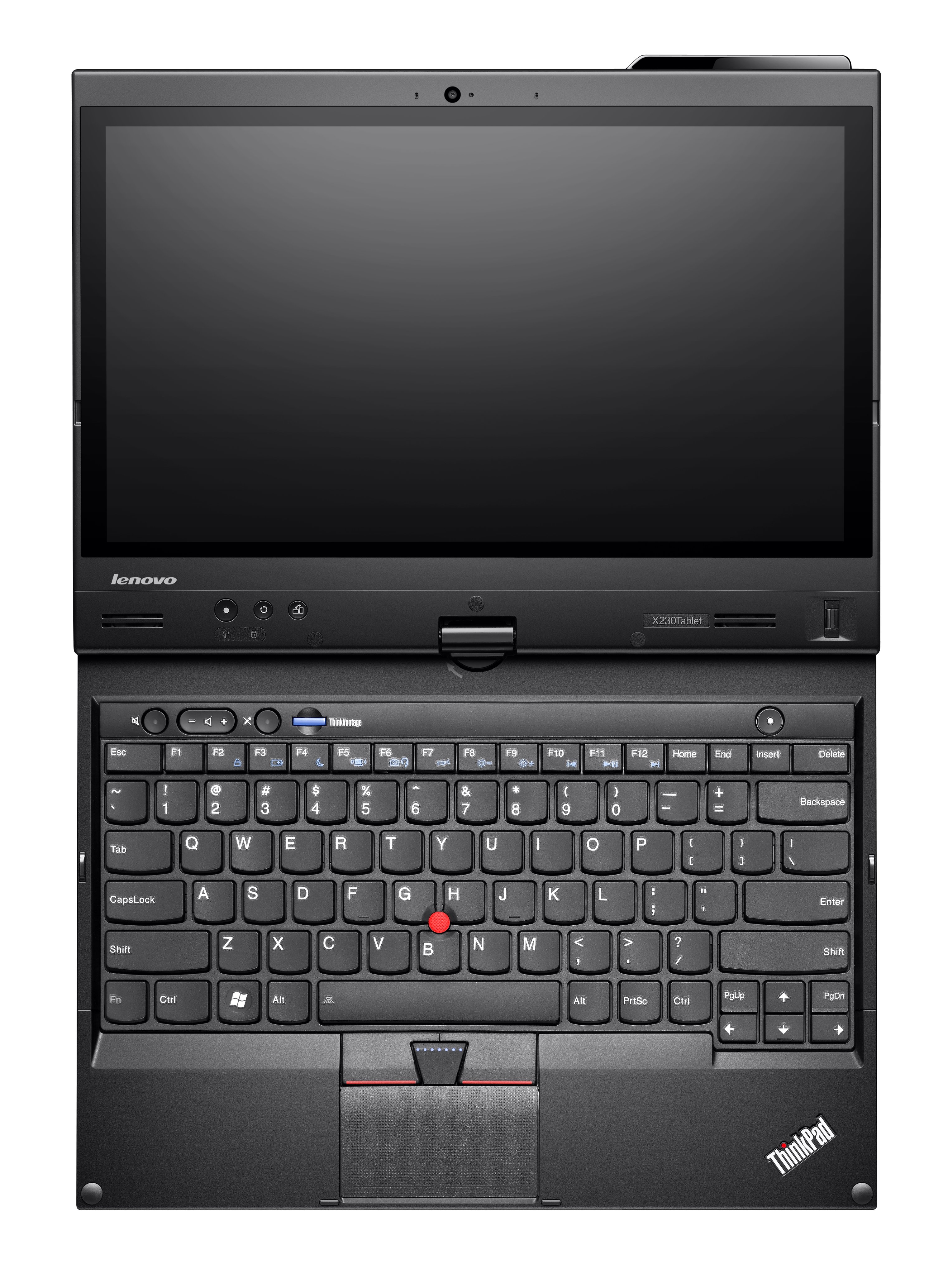
My worry is that they've moved the page/up down keys quite illogically down next to the arrow keys. It just doesn't map right mentally - moving pages up/down shouldn't have to involve clicking keys either side of the arrow keys:

http://allthingsd.com/files/2012/05/Lenovo_tablet_X230t_stan...

Not too happy about the home/end keys for similar reasons.

Making the keys more ergonomic is fine but it seems there really was no incentive for them to change the layout to a 6-row one other than arbitrary stylistic reasons.

That all said, it's probably still the best notebook keyboard on the market. I have a MacBook here and feel/tactility of the keys is superior on my old 2010 ThinkPad (if only just - they're both great keyboards) - on the new models, layout issues asides, it's supposed to be even better.

Re: Customizing the Mac to behave like Xmonad

#87
post #81
post #62

Earlier quoted context omitted.

ThinkPad X1 Carbon (which is their answer to the MacBook Air - similar size to the 13", but 14" with more horizontal resolution), or the 12.5" X230, which is a bit heavier, but has 60WHr+ battery options and IPS display (both missing from the MacBook Air).

The guy doing this review was only able to get 3.5 - 4 hours out of the battery. http://www.nomobile.ru/reviews/162216.html Mediocre horizontal screen resolution for a 14" too

1600x900 on 14" is mediocre? Bear in mind that it's exactly the same size/weight as the 13" MacBook Air but has larger display (thanks to a narrower bezel on the sides), higher resolution, and an arguably better keyboard. Shame about the battery life, though. Also, considering they're using a carbon fibre shell, they should have been able to get the weight down to considerably less than that of the Aluminium MacBook Air. Sony got that part right with their own carbon fibre VAIO Z (lighter and with better display than either), but it has worse ergonomics than either the ThinkPad or the Air.

No product out there at the moment that gets everything right. The MacBook Air probably comes closest, although the battery life and TN+ display could both be substantially improved.

Note that the ThinkPad X220/X230 has both a better, IPS, display and can run for 12+ hours using a 9-cell battery whilst still weighing less than a 13" MacBook Pro. However, it's heavier than the newer slimmer notebooks and has lower resolution:

http://blog.laptopmag.com/record-breaker-lenovo-thinkpad-x22...

Re: Customizing the Mac to behave like Xmonad

#88
post #50

Earlier quoted context omitted.

Thinkpad. Great build quality, Linux friendly.

I've been watching Thinkpads very closely. I used to own X40 until it broke and before 600x (which never broke, but it's kind of old now). What model is preferable nowadays? There are not lots of shops to test them at least in Berlin. I want 13" and lightweight, but still powerful enough laptop. Lots of ram, i7 CPU and a SSD disk. The most important thing is an excellent keyboard and touchpad. I heard Lenovo is not u…

I've had a love affair with the x200's for the last few years, x200, x220, and the x230. They are all very competent machines. I'm currently using a x200 with an SSD running linux as my primary machine.
Post reply on HN