My Fanless OpenBSD Desktop (2021)
1–10 of 155 posts
Re: My Fanless OpenBSD Desktop (2021)
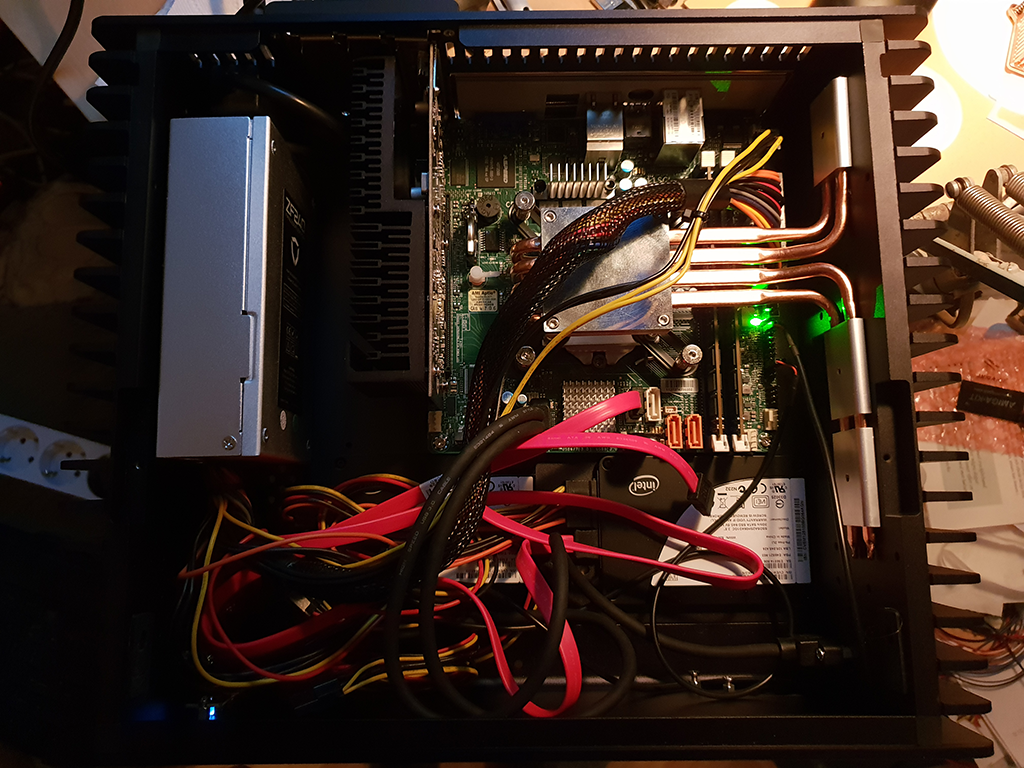
#2> The main bulk of the case is held up 2" off the surface by two large feet, which only leaves 2" between the motherboard and my table. This makes it a bit difficult to plug in certain cables like a DisplayPort cable with a large connector, but my desk has a grommet in the corner where the case sits so the majority of the cables can pass straight down through the desk.
You can buy right angle DP & HDMI cables that are perfect for this.
Re: My Fanless OpenBSD Desktop (2021)
#3I build a fanless (Linux) desktop with the mainboard from a Ryzen mini PC[0] and an after-market fanless case[1] designed for it.
Works like a charm. It's absolutely silent and the temperatures are actually better than with the stock Asus case.
[0] https://www.asus.com/displays-desktops/mini-pcs/pn-series/mi...
[1] https://www.akasa.com.tw/update.php?tpl=product/product.deta...
Re: My Fanless OpenBSD Desktop (2021)
#4I run a pretty-much-fanless Arch Linux desktop. It’s a Lenovo m920q I bought second hand, ex lease on eBay. Super simple, no fuss at all. Comes with remote KVM in the motherboard. (The security implications are totally probably fine)
It’s totally silent in normal use. (Go web dev mostly)
Occasionally the fans will start up to alert me to the fact that I’ve landed on some social scummy website that’s crammed with 20 banner ads on the one page and is probably trying to mine something in the background as well. I shut that browser tab and the noise goes away.
Re: My Fanless OpenBSD Desktop (2021)
#5I have almost the same setup, but with Linux/Fedora instead and the Ryzen 4750 without 'G' but a card.
I even made the same thermal images out of curiosity :)
Re: My Fanless OpenBSD Desktop (2021)
#6Streacom cases are great but the cube has an unwieldy shape to fit anywhere but on a desk. I opted for the flat version: http://move.rupy.se/file/xeon_1030.png
Re: My Fanless OpenBSD Desktop (2021)
#7Uncommon (?) monitor configuration. Never really thought to lay one down like that. Anyone do this and have opinions? I think I enjoy the space underneath for papers and pens too much, also it would be awkward with two screens - though perhaps a vertical stack would work well. I think some laptops come with "keyboard screens" (not touch bar) now.
Re: My Fanless OpenBSD Desktop (2021)
#8My first thought when reading the title was "Oh, I guess he must have an issue with his fan drivers".
Re: My Fanless OpenBSD Desktop (2021)
#9I have my PC setup to be fanless for the majority of tasks, except for gaming pretty much. With a massive CPU heatsink I can tune fan profiles to only turn on when nearing a maximum temperature. I run the equipment fairly hot, in other words. My fan curve is just one giant step, with hysteresis so they don't cycle on and off near that step temp.
I am likely trading some component lifetime for silence, but it's a trade I am willing to make.
Re: My Fanless OpenBSD Desktop (2021)
#10Uncommon (?) monitor configuration. Never really thought to lay one down like that. Anyone do this and have opinions? I think I enjoy the space underneath for papers and pens too much, also it would be awkward with two screens - though perhaps a vertical stack would work well. I think some laptops come with "keyboard screens" (not touch bar) now.
I imagine it's promoting fairly poor posture. I would end up with a migraine from the neck strain.