Live data from Hacker News

Brickit scans your pile of bricks and gives you ideas, with instructions

brickit.app

181–190 of 192 posts

Re: Brickit scans your pile of bricks and gives you ideas, with instructions

#181
post #47

I have already accepted the notion that we as a workforce and creativity input will become irrelevant for corporate overlords in the next decade. I have already moved to the mountains, stopped practicing UX/UI design, stopped digital drawing and painting, minimized smartphone usage and use internet only for work and casual browsing. Already archived a lot of media, movies, books and OSS software, just in case. Moved…

Merry Christmas from Chiron Beta Prime!
Re: Brickit scans your pile of bricks and gives you ideas, with instructions

#182
post #161

Earlier quoted context omitted.

These bricks are exactly the same as normal legos and of course they are compatible. I can't differentiate from real legos unless I check if they have the lego logo on them. So I'm not sure this is a problem with these bricks...

They are not the same. They are made of cheaper plastic with looser tolerances, leading to builds that bend or fall apart. And they don't have the tiny LEGO imprint they advertises the quality of the mold and tolerance. None of that should affect the performance of the app, though.

These is the kind Lego your grandma would buy you for Christmas and you'd have to smile and say thanks while knowing they're not compatible and then vigilantly ensuring they don't contaminate the master Lego set

Re: Brickit scans your pile of bricks and gives you ideas, with instructions

#183

Very cool. Now what I want is something that will scan a pile of rocks and tell me how to put them together to build a wall with minimal space between them. https://media.istockphoto.com/photos/stone-wall-texture-pict... Or better yet, tell my robot how to do it.

Very cool idea, but what I'd need way more often: Now what I want is something that will scan a pile of socks and tell me how to put them together to have a perfect match. https://media.istockphoto.com/photos/socks-pile-texture-pict... Or better yet, tell my robot how to do it.

Very cool idea, but what I'd need way more often:

Now what I want is something that will scan my life and tell me how to put it back together properly.

Or better yet, provide a robot to do it for me.

Re: Brickit scans your pile of bricks and gives you ideas, with instructions

#185

Earlier quoted context omitted.

Apple and Google both have all subscriptions in a single place that are easy to manage, this user just doesn't know how to access them. This is normal. My parents do not understand the iOS settings app at all, and it confuses them that they have to leave their app to manage their apps in a different app. I don't think Apple (or Google) got this right, there is definitely room for improvement for average user UX

Apple asks you if you want to keep or cancel your subscription when you uninstall an app that has an active sub. There’s also several entry points to the UI, including from the App Store and Settings. Ideally there’d be a deep link option for other apps to link into it, but I’d say Apple clearly has a better experience and makes it easier to cancel these subscriptions. https://ibb.co/JBz5Rgh

Based on the support that I provide to my iOS parents and grandparents, I think the Apple UX is unacceptably bad.

Fwiw, google has every feature you listed, so that's not "clearly better". Weird to call something "clearly better" when you don't even do a comparison, you just list features.

Re: Brickit scans your pile of bricks and gives you ideas, with instructions

#186
post #148

I just tested it on my kids lego clone bricks; there are like 800 of them but they are almost exclusively basic shapes (1x1, 1x2, 2x2, 2x3, 2x4 and 1x4) in red/black/blue/green/yellow/gray. This is a picture of the box: https://static-v3.e-jumbo.gr/uploads/resources/137879/201611... ; you'll see they are exactly like legos. The app identified 400 pieces (of the 800) and unfortunately the resulting ideas were not poss…

Wild to comment that someone’s app for identifying legos doesn’t identify not legos.

I've been using this app off and on for the past year with my seven year old. He likes it and is able to use it himself with our iPad Pro. It identifies the bricks pretty well but it's not perfect. We've been able to make a number of things but it does give you builds that you cannot make.

Re: Brickit scans your pile of bricks and gives you ideas, with instructions

#187

Earlier quoted context omitted.

Apple asks you if you want to keep or cancel your subscription when you uninstall an app that has an active sub. There’s also several entry points to the UI, including from the App Store and Settings. Ideally there’d be a deep link option for other apps to link into it, but I’d say Apple clearly has a better experience and makes it easier to cancel these subscriptions. https://ibb.co/JBz5Rgh

Based on the support that I provide to my iOS parents and grandparents, I think the Apple UX is unacceptably bad. Fwiw, google has every feature you listed, so that's not "clearly better". Weird to call something "clearly better" when you don't even do a comparison, you just list features.

I mean, it is “clearly better” in that it provides all that Google has, plus a prompt to cancel the subscription, something grandparent comment specifically complained about Google not having. That alone is a “clearly better” experience. It’s also a comment; what do you expect, an ASCII table giving you a play by play of every feature?

You are free to have your own anecdotal experiences but that doesn’t change that objectively, Apple has a slight leg up.

Re: Brickit scans your pile of bricks and gives you ideas, with instructions

#188
post #161

Earlier quoted context omitted.

These bricks are exactly the same as normal legos and of course they are compatible. I can't differentiate from real legos unless I check if they have the lego logo on them. So I'm not sure this is a problem with these bricks...

They are not the same. They are made of cheaper plastic with looser tolerances, leading to builds that bend or fall apart. And they don't have the tiny LEGO imprint they advertises the quality of the mold and tolerance. None of that should affect the performance of the app, though.

> None of that should affect the performance of the app, though.

So in every measure relevant to this context, they are exactly the same. Of course they're distinct.

Re: Brickit scans your pile of bricks and gives you ideas, with instructions

#189
post #56

I've been wishing there was an app where you could point your phone at a pile of scrap lumber and it would tell you things you could make with them. This is a step in that direction even if it's just for lego bricks right now.

I have a literal pile of bricks in my backyard. I thought this was going to be an app that I could scan them with and tell me how to build a pizza oven.

Use the bricks for your base

https://www.youtube.com/watch?v=BBEqsAqBsHc

Re: Brickit scans your pile of bricks and gives you ideas, with instructions

#190

I just tested it on my kids lego clone bricks; there are like 800 of them but they are almost exclusively basic shapes (1x1, 1x2, 2x2, 2x3, 2x4 and 1x4) in red/black/blue/green/yellow/gray. This is a picture of the box: https://static-v3.e-jumbo.gr/uploads/resources/137879/201611... ; you'll see they are exactly like legos. The app identified 400 pieces (of the 800) and unfortunately the resulting ideas were not poss…

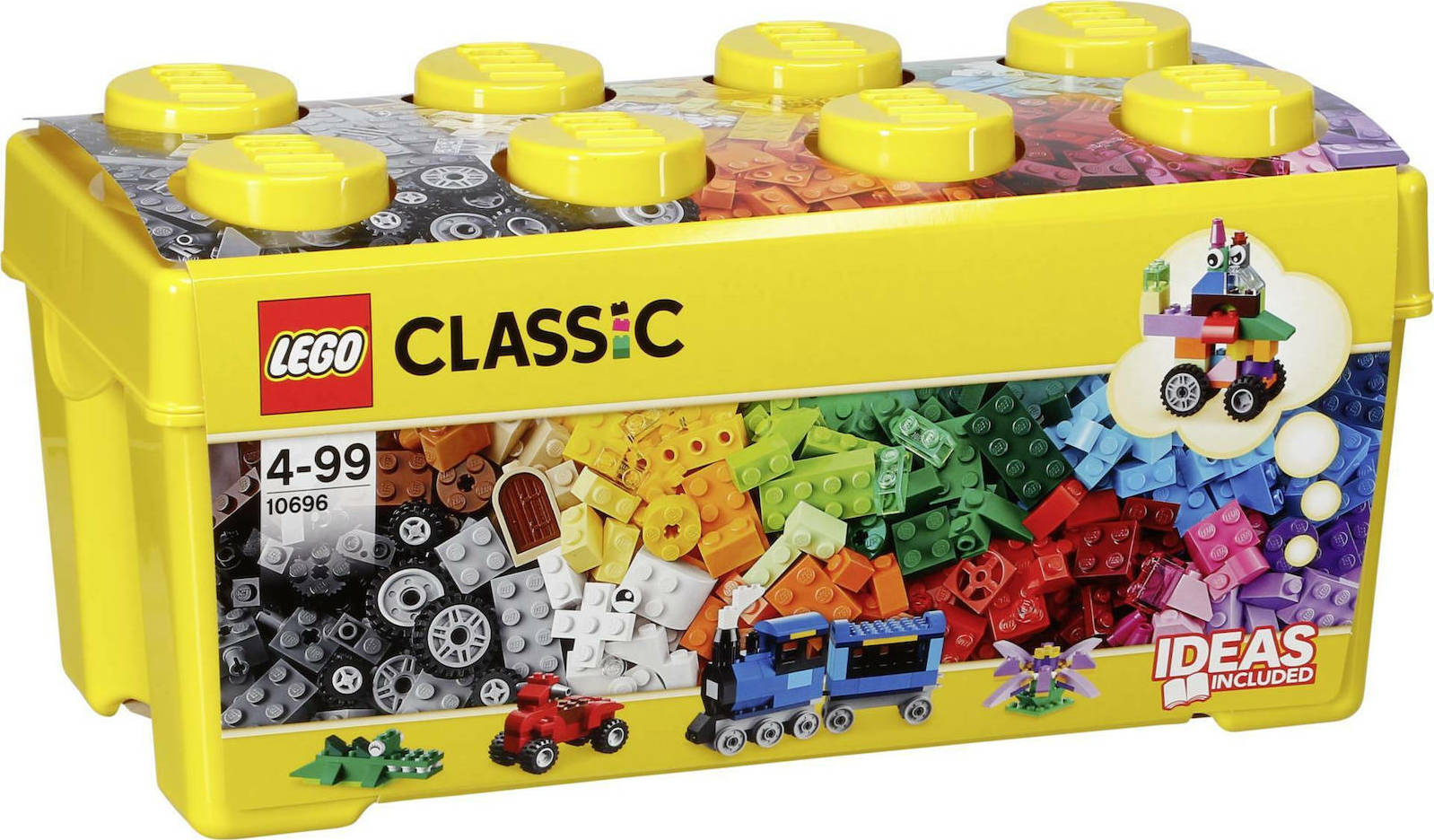
Ok, I tried today with my Lego Creative Box that contains ~ 500 original lego bricks (https://b.scdn.gr/images/sku_main_images/005974/5974521/2020...)... Well the results are more or less the same as with my lego clone box. Although it offered me more ideas (~100) I could only do a bunch of them and these with random colors (not the colors it proposed).

I think that the image detection algorith is not working that good; however there is a very simple solution to that: Allow me to enter the IDs of the sets I own (for example the one I mention is the 10696: https://www.lego.com/en-gr/themes/classic/building-instructi...). Get the bricks my sets have contains , for example, for my set https://brickset.com/inventories/10696-1.

Then it should be easy... No computer vision needed :)

Post reply on HN