If you are on a Mac you can do screen recording for free with a non-beta app that comes with the OS: QuickTime Player (assuming Dropbox will eventually charge for their product).
On windows: windows key + G. All operating systems come with one now, so I don't know who Dropbox is targeting here.
Dropbox Capture
31–40 of 74 posts
Re: Dropbox Capture
#32There are others as well: Loom, GetCloudApp, Gyazo and a few more.
I have actually built one myself [1] ScreenBud.com, which is not ready for Show HN yet, but we already have >15000 users of our Chrome extension [2].
I am quite curious to hear from others about what you are looking for in these products. As for me, my main use cases are:
1. In-browser screenshots with visual annotations (parts of emails, docs, or anything else that's not easy to share or pinpoint with a URL)
2. Design feedback
[1] I hope the selfish plug is OK!
[2] https://chrome.google.com/webstore/detail/screenbud-%C2%B7-c... -- (it works on Firefox as well, but the publishing process for Firefox is a bit more involved)Re: Dropbox Capture
#33> To get started, visit dropbox.com/capture on your Windows or macOS computer to download the app. So, no Linux client. Dropbox is one of the few companies which had a proper linux client for syncing files. It is a pity that they are now releasing products which do not have linux support.
Re: Dropbox Capture
#34If you are on a Mac you can do screen recording for free with a non-beta app that comes with the OS: QuickTime Player (assuming Dropbox will eventually charge for their product).
Re: Dropbox Capture
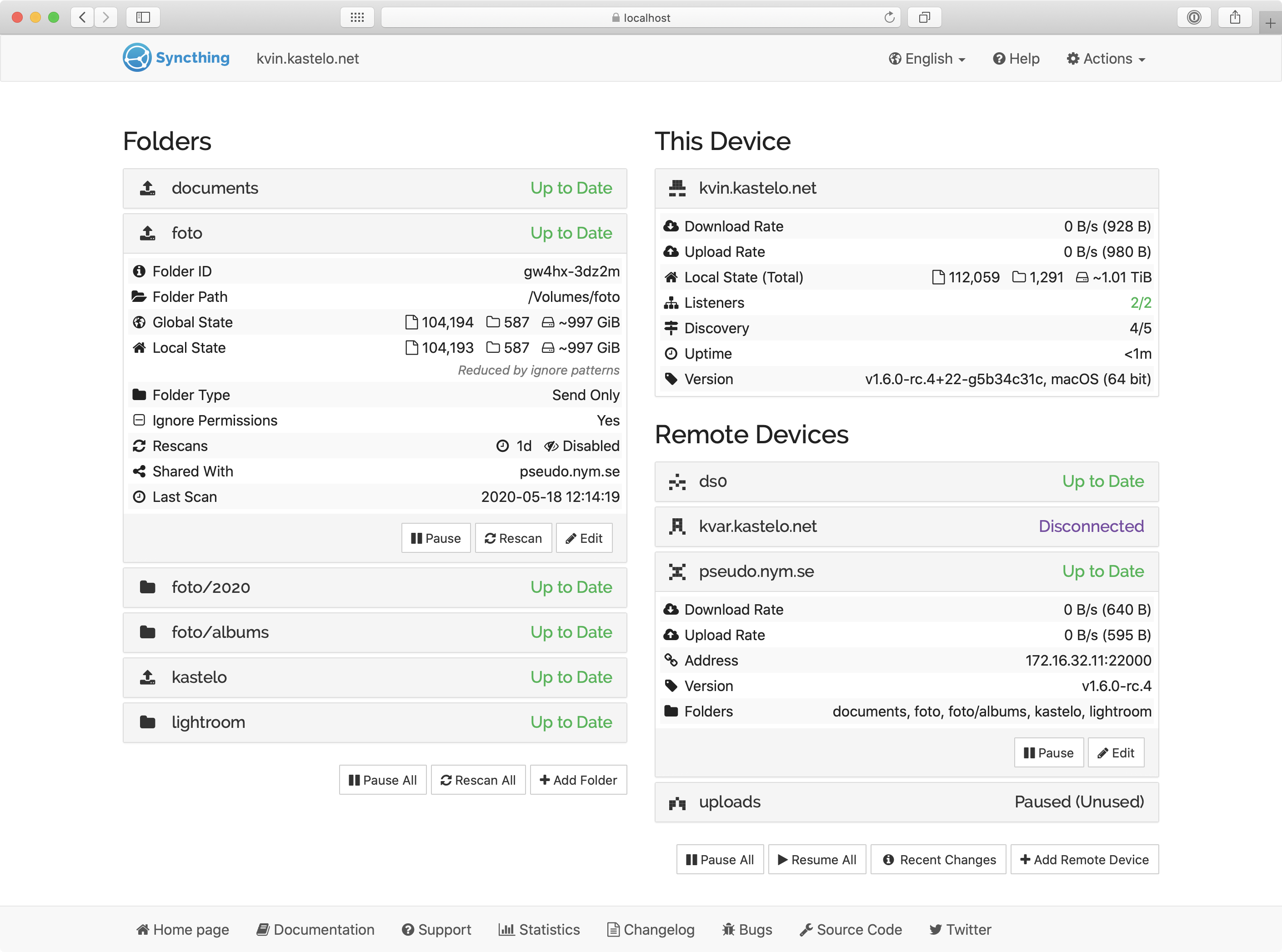
#35On Mac, be sure to install the cask version, which runs as an app: brew install --cask syncthing
A pretty good, basic blog post on how to set it up (but again, use the cask version instead): https://routley.io/posts/syncthing/
Re: Dropbox Capture
#36Dropbox has lost its way. This has been true for awhile. I remember when Dropbox was great; it did one thing extremely well. Now it does a bunch of things, none of them well. This may not end well.
I believe there’s a push in orgs (where most of the money is, no doubt) to streamline their tools, or at least reduce the number of vendors they receive invoices from. If Dropbox can have just one more essential tool in the mix they could keep their commodity service going too. Without it, it’s all too easy to replace with something from Google or Microsoft as one of them is in every org.
Re: Dropbox Capture
#37Adding Dropbox is just adding another layer of auth, sharing permissions, storage quotas, etc.... ugh
Re: Dropbox Capture
#38If you're tired of Dropbox's "be the kitchen sink" mission statement, I've been using SyncThing[1] and it seems like a great replacement for Dropbox. On Mac, be sure to install the cask version, which runs as an app: brew install --cask syncthing A pretty good, basic blog post on how to set it up (but again, use the cask version instead): https://routley.io/posts/syncthing/ 1. https://syncthing.net/
Re: Dropbox Capture
#39If you're tired of Dropbox's "be the kitchen sink" mission statement, I've been using SyncThing[1] and it seems like a great replacement for Dropbox. On Mac, be sure to install the cask version, which runs as an app: brew install --cask syncthing A pretty good, basic blog post on how to set it up (but again, use the cask version instead): https://routley.io/posts/syncthing/ 1. https://syncthing.net/
Re: Dropbox Capture
#40I love Dropbox! Except everything that has nothing to do with syncing my files. That's just bloat to me. So I gave them a chance on this, scrolled to trough the page, but for the life of me could not figure out what it is that they're selling here. Also, as the messag was unclear, my other thought was that this might be third-party thing, since the style of the page (especially the header fonts) seem so much differen…
Dropbox feels more and more like Evernote all the time. I don't know what is the purpose of this product. To get people to pay $10/month for their storage service?
I can get a family plan from Microsoft with 1 TB of storage for each of six people, plus their office apps, for $100/year. I can get 2 TB from Google or Apple for the same price as Dropbox, but they have lower price points too. Google and Apple storage are already on your device when you buy it. A Chromebook comes with Google Drive for 1 year for free.
Rather than accepting reality, Dropbox appears to be stuck in 2012 where people think of them when they think of cloud storage, and they think that slapping additional features on top will make up for their pricing.