Live data from Hacker News

The worst volume control UI in the world (2017)

uxdesign.cc

261–270 of 490 posts

Re: The worst volume control UI in the world (2017)

#261
post #48

Earlier quoted context omitted.

Teams is the reference for bad UI. Paste a code block. Select a word in the code block. Copy and you get the whole block copied not the selected word. I could write a page of the issues like this. Maybe it would not be so bad if you only used Teams but when you use slack at the same time it is like someone is wacking you in the back of the head every few minutes.

I think the success of Teams was a surprise to MS. It was ingenious to copy slack and push it on enterprise users though.

It's no surprise, that was classic MS strategy. Sell the thing everyone actually needs (Office, because they smothered the competition), but bundle it with something sticky which will also hoover up data about your workers - no need for the product to be any good, execs in charge of purchasing won't have to suffer with it for a fraction of the time employees spend. Oh also, I happen to have $200k of Azure credits here for you - no pressure but if you do start using Azure we'll make the bill for all this productivity software go away...

Re: The worst volume control UI in the world (2017)

#262

Earlier quoted context omitted.

Just in case an MS engineer is reading these Teams gripes… On Mac, Teams does not honor system-level Do not Disturb. So when I turn off notifications during a presentation at work and my friend sends me snarky comments about our boss…

Teams’ notifications on Mac are an ongoing debacle. Because they are Microsoft’s own implementation, rather than using the system API, not only do they not respect DND, they also helpfully get lost behind other notifications that come in from properly designed applications. According to the Microsoft admin updates I’m subscribed to, native notifications on Mac have been in a beta channel for months, with a full rollo…

[deleted]

Re: The worst volume control UI in the world (2017)

#263
At my school (where I studied design) there were these big screens that we used for presentations (I think it was LG?) that had an absolutely terrible gesture control below the lower bezel, the idea being that you would move your hand through the air below the tv to scroll through menu's, it didn't work at all, and the TV was almost impossible to control.

Re: The worst volume control UI in the world (2017)

#264

Car manufacturers are easily the winners here. If your car’s audio system doesn’t have a simple knob you can grab and twist, well, that just sucks.

Ford moved volume control to the touchscreen, but people wanted a knob. Solution? They stuck a knob to the touchscreen. Under the knob is an artificial "finger" that touches the screen. I haven't used it personally so all I can say is it's a hilarious solution. https://techcrunch.com/2020/12/02/im-obsessed-with-the-ford-...

That is so ingenious, it's hilarious. I can imagine the collective cringe of all designers.

Re: The worst volume control UI in the world (2017)

#265
post #111

The subreddit /r/Programmerhumor sometimes had a whole bunch of memes around volume controls, but there are often times other funny themes that can go on for weeks... - bad phone number inputs - how large node packages can get - software interview process - backend vs front end engineers And my favorite meme was when they parodied the Hawaii missile alarm back a few years ago: https://www.reddit.com/r/ProgrammerHumor…

There's an entire subreddit for bad UI: https://www.reddit.com/r/badUIbattles/top/?t=all

Shame that community isn't hosted somewhere with a better UI.

Re: The worst volume control UI in the world (2017)

#266
post #222

Earlier quoted context omitted.

As always, there's an XKCD[6] for that. Albeit for the phone, but same idea. Would be nice if the side buttons controlled ringer volume only when the phone is either locked or on the home screen. If I'm in an app of any sort, chances are the volume I want to adjust is the media, not the ringer! [6] https://xkcd.com/1884/

On iOS I’ve configured the buttons to always change media sound, not the ringer because of this.

[deleted]

Re: The worst volume control UI in the world (2017)

#267
I'm on the other end. I use a cheap midi device to do volume control via knobs and a slider. I've been trying to explore other modalities:

https://youtu.be/rdlAZfH9Uhk

I've been working with this idea for a while. Here's a year ago https://youtu.be/0Ot0j4R36b8

Sorry for the ramble below I'm kinda obsessed about this:

The basic theory is the current bottleneck for computing is input devices not being versatile and expressive enough. The computer is waiting for us these days. How can someone do interface "chunking" (https://en.m.wikipedia.org/wiki/Chunking_(psychology)) if they have something other than buttons at their disposal. Are their new UI paradigms to exploit?

The interfacing is thru python and is part of a larger music exploration project I've got terribly documented. That's kinda the "first application" just like office productivity was the first application of WIMP. It makes the goal of intuitively navigating multidimensional problems through geospatial and tactile interfacing less abstract.

The actual script is here https://github.com/kristopolous/music-explorer/blob/master/t...

I was exploring everything from browser tab controls to instrumenting software debuggers to window management with this thing so it's kinda a mess. There's a lot of code scattered in my various projects on this topic

The biggest UI fumble is the value repetition and tactility is great until the context of the control changes and then you get a discontinuous jump.

The "obvious" workaround of using relative values has the random walk problem. You need a disengagement mode to reset it from wandering off to one of the edges. That's a flow disrupting cognitive shift (https://en.m.wikipedia.org/wiki/Cognitive_shifting)

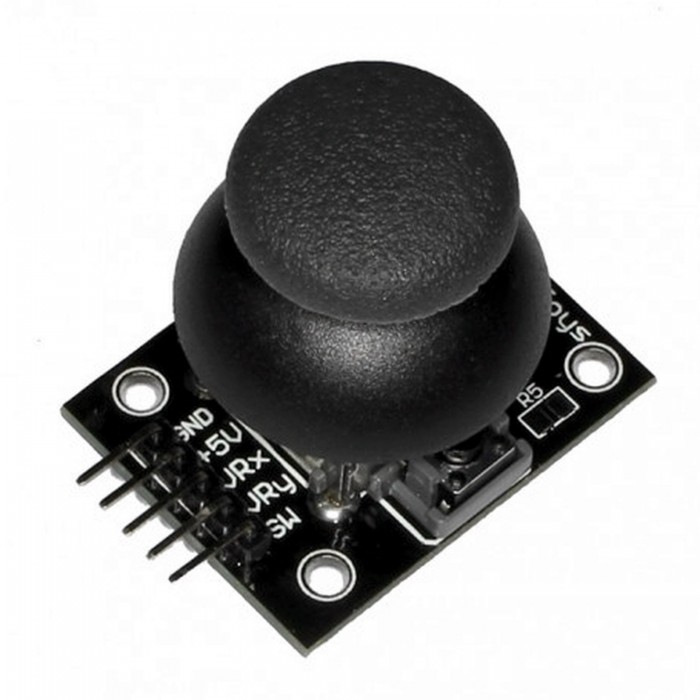
I tried using 2 cheap arduino joy controllers (example https://satkit.com/image/cache/catalog/products/arduino-joys...) and allocate one joy for mode and the other one for value (inspired from orbitouch https://c1.neweggimages.com/ProductImage/A446_13123722022688...) it works fine with logarithmic relative values. (Going to value 0 and max are common)

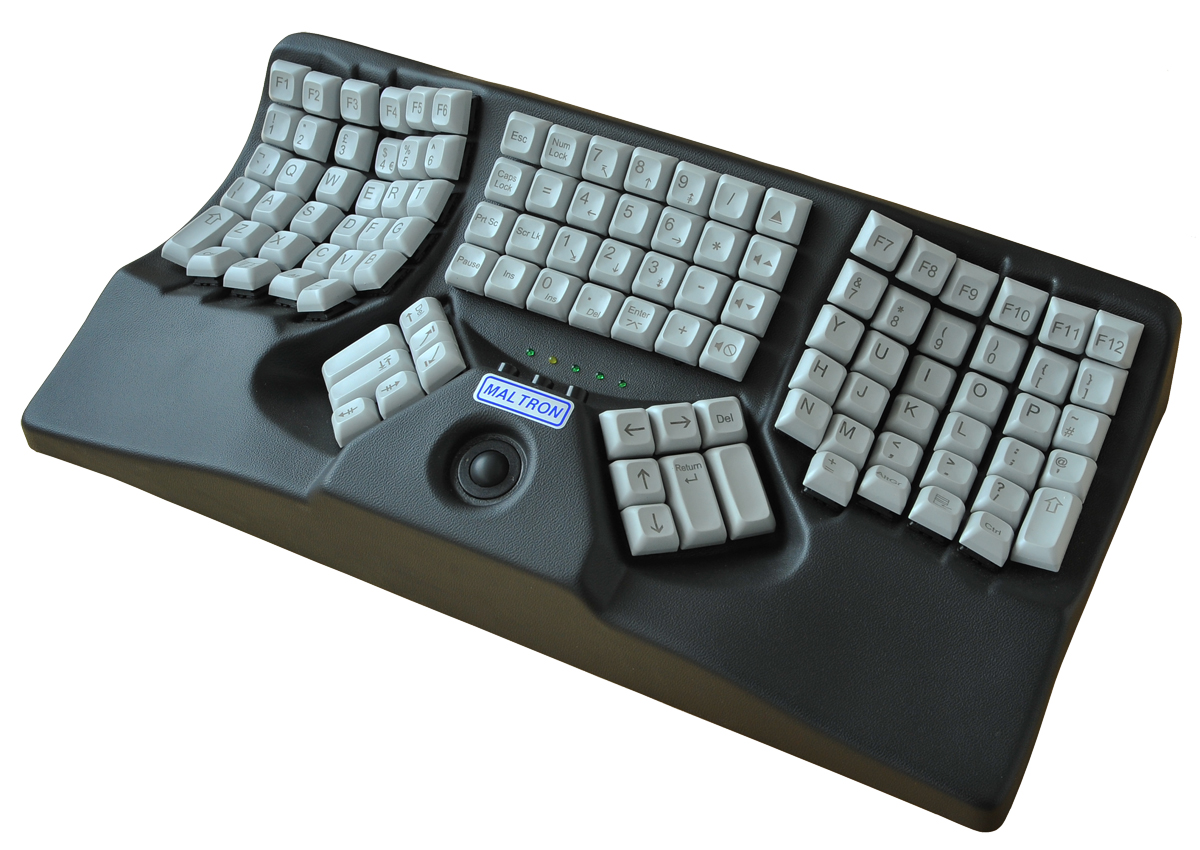
Also both these models are about giving the thumbs more jobs then just a single key, an idea I stole from Maltron (http://www.micwil.com/images/gallery/maltron_keyboards_dual_...). Sliding a control right next to a conventional keyboard base should be doable on the cheap and help get towards the goal. The joys were a better solution for this but then I'd have to "sell" something which I'm trying to avoid.

My earlier method involved a USB foot pedal which acted as a quasimode for control (example: https://www.geeky-gadgets.com/wp-content/uploads/2010/01/usb... ... it can be assigned to something like "Hyper" in Xorg parlance, see here https://github.com/kristopolous/tools/blob/master/bin/footpa...) and then my lua scriptable window manager captured the key strokes and delegated things accordingly (example: https://github.com/kristopolous/crappy-notion/blob/master/mo...). It's still just "buttons" at the end though and this whole project is about integrating sliders knobs and joys to general computing.

I just hope to get everything done satisfactorily with the midi, I don't have to manufacture anything and it's a far easier technical investment for casual people and the device in the video is only $40.

I don't want to "own" anything here. I want people to liberally iterate and innovate as much as possible. I'm certainly not the smartest person in the room.
Re: The worst volume control UI in the world (2017)

#268
post #55

Earlier quoted context omitted.

We had network issues the other day and a few minutes into the meeting we realised my audio stream was delayed by a whole minute. There was no indication on the Teams UI this was happening. I'd hear a question about a window I'd already closed on screen share, type a response, and they got it a minute after asking. As someone who uses Discord at home, Teams is pain.

LOL. I wonder where that data was physically sitting for a whole minute.

I don't really know how these things work but it was quite crisp while my outgoing was very choppy so I hung up the mic and resorted to typing. I was assuming a lot of packet loss and it was rebuilding a little behind the times, the network was very slow that day in general but the voices were clear.

Re: The worst volume control UI in the world (2017)

#269
post #48
post #36

I think the worst UI is simply the Teams one, because it presents as an app volume control but then simply controls the global device volume . Fuck off, you are not the only app running. But that comes second to the microphone gain control, which Teams similarly exerts unilateral control over - only this time through an automated algorithm that for some microphone types just ends up muting them entirely. It's wild, y…

Teams is the reference for bad UI. Paste a code block. Select a word in the code block. Copy and you get the whole block copied not the selected word. I could write a page of the issues like this. Maybe it would not be so bad if you only used Teams but when you use slack at the same time it is like someone is wacking you in the back of the head every few minutes.

My the most favorite one is when someone pastes link in a chat to MS Office document on Sharepoint/Onedrive. It is opened in Teams and when you close the document you might naively assume you will be back in the chat you came from but no, you end up on the main screen and you need to search for the chat window again.

Re: The worst volume control UI in the world (2017)

#270
post #36

I think the worst UI is simply the Teams one, because it presents as an app volume control but then simply controls the global device volume . Fuck off, you are not the only app running. But that comes second to the microphone gain control, which Teams similarly exerts unilateral control over - only this time through an automated algorithm that for some microphone types just ends up muting them entirely. It's wild, y…

Teams, Google Meet, Webex, Zoom -- on Chromium, they all hijack and increase your microphone volume without you knowing. It's infuriating. Just thinking about it pisses me off. You have to have the volume control open and have a live tug-of-war with the app while you're talking. Firefox, either intentionally or unintentionally, does not let Meet do this. I say Meet, because none of the others work on Firefox anyway.…

Skype has a checkbox to stop it from doing that, but then ignores the setting and does it anyway. Ruined a few podcast recordings for me.
Post reply on HN