Live data from Hacker News

A terminal-based workflow for research, writing, and programming

jacobzelko.com

21–30 of 125 posts

Re: A terminal-based workflow for research, writing, and programming

#21

There's a lot of really good stuff in here about quick access to things. I feel sad that we're all still doing this stuff in teletype emulators, though. Why can't we have this and nice GUIs, too?

I collected some experiments in that area here (and anyone should feel free to add more, including their own):

https://github.com/oilshell/oil/wiki/Interactive-Shell

Many of the articles have nice screenshots / animations to give you a feel for what it is.

I plan to turn https://www.oilshell.org/ into a library and I hope people will build GUIs around it. There are some UI possibilities that are difficult or impossible unless you have hooks to the shell other than stdin/stdout.
https://github.com/oilshell/oil/issues/738

Re: A terminal-based workflow for research, writing, and programming

#22
post #19

A good alternative to strictly terminal-based workflows are tiled window managers. The big gain is that you don't have to give up all those gui apps as they blend in next to the terminal apps quite well.

Tiled windows managers have issues though. Last time I tried i3wm for example, there was no default support for sleep, energy saving and hardware keyboard shortcuts and you had to take care of all of that instead of the usual GNOME/KDE to do it for you. The best option is to install tiled windows managers plugins within GNOME or KDE on Linux.

All are supported. You just need to edit the config file.

Adding keyboard shortcuts is easiest in window manager comparing to full desktop environment where the setting is hide behind the some Setting GUI.

Energy saving feature is basically setting P-state on Intel CPU, and does not work on AMD. You could do it manually by using kernel interface.

Re: A terminal-based workflow for research, writing, and programming

#23
post #18

why do you prefer writing in terminal based editor?

Personally, I'm in a terminal anyways doing other things. tmux really enables me to compose things together really powerfully.

Starting with Tmux was quite eye-opening to me for exactly this reason. The power of composable tools is hard to exaggerate.

Re: A terminal-based workflow for research, writing, and programming

#24
post #19

A good alternative to strictly terminal-based workflows are tiled window managers. The big gain is that you don't have to give up all those gui apps as they blend in next to the terminal apps quite well.

Tiled windows managers have issues though. Last time I tried i3wm for example, there was no default support for sleep, energy saving and hardware keyboard shortcuts and you had to take care of all of that instead of the usual GNOME/KDE to do it for you. The best option is to install tiled windows managers plugins within GNOME or KDE on Linux.

I found i3 to be the easiest WM for setting arbitrary keyboard shortcuts. The .config file makes it really convenient, and you can just set the key to run an arbitrary shell command.

Re: A terminal-based workflow for research, writing, and programming

#25
post #12

Very nice! I've tried to switch over to a terminal-based workflow but Qt Creator, VS Code, and Firefox for Atlassian products have been the main holdouts for me. I can't see myself moving away from Qt Creator, but I would kill for an ncurses app for editing Confluence pages and reviewing pull requests without 1200ms between every. single. click. At the very least this article has given me the itch to dust off the old…

Re: Confluence. I was at the same point about a year ago and wrote a small python script that posts pages that I write locally in vim to Confluence:

https://github.com/SabbathHex/confluence_poster

The downside is that due to Atlassian limitation and phasing out of wiki markup it's not possible to retrieve articles from Confluence. This script is not suitable for collaborative editing of the same page.

Script is quite ugly, but gets the job done.

Re: A terminal-based workflow for research, writing, and programming

#26
post #19

A good alternative to strictly terminal-based workflows are tiled window managers. The big gain is that you don't have to give up all those gui apps as they blend in next to the terminal apps quite well.

Tiled windows managers have issues though. Last time I tried i3wm for example, there was no default support for sleep, energy saving and hardware keyboard shortcuts and you had to take care of all of that instead of the usual GNOME/KDE to do it for you. The best option is to install tiled windows managers plugins within GNOME or KDE on Linux.

i3 is one of those things that supports everything, you just have to configure it. If you want i3 with sane defaults and a pretty style out of the box, you should try i3-regolith[1]

[1]https://regolith-linux.org/

Re: A terminal-based workflow for research, writing, and programming

#27
post #19

A good alternative to strictly terminal-based workflows are tiled window managers. The big gain is that you don't have to give up all those gui apps as they blend in next to the terminal apps quite well.

Tiled windows managers have issues though. Last time I tried i3wm for example, there was no default support for sleep, energy saving and hardware keyboard shortcuts and you had to take care of all of that instead of the usual GNOME/KDE to do it for you. The best option is to install tiled windows managers plugins within GNOME or KDE on Linux.

Regolith has at least some of that. I'm using it on Ubuntu. https://regolith-linux.org/

Re: A terminal-based workflow for research, writing, and programming

#28
post #7

There's a lot of really good stuff in here about quick access to things. I feel sad that we're all still doing this stuff in teletype emulators, though. Why can't we have this and nice GUIs, too?

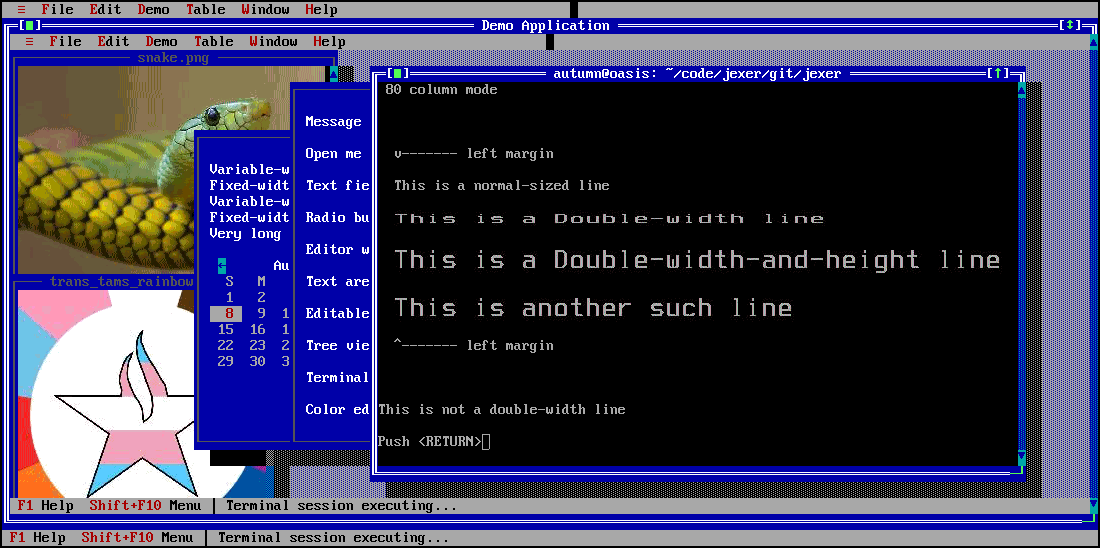
I, on the other hand, feel sad that we don't have better terminals, but still rely on ancient teletype protocols, escape codes, and arcana. I'd very much like an advanced, still cli/terminal, interface option.

https://jexer.sourceforge.io/screenshots/jexer_sixel_in_sixe...

Re: A terminal-based workflow for research, writing, and programming

#29

Having a terminal-based workflow is a lifesaver in the era of work from home. When using a terminal based workflow I cannot tell the difference between working locally and working on a machine I have SSH'ed into located at my office (10ms round trip ping). Even when I VPN into work, ssh into a box at work, then ssh to a jumpbox in AWS, and then ssh from the jumpbox to an EC2 server the experience is still flawless.

I was thinking about this today - that is: a terminal (“minimal”) setup may well have prepared those of us who practice it - for remote work (great news if a pandemic strikes!)

I wondered though, if there’s no way to objectively “score” the advantage of, say, terminal-minimalism vs. GUI-maximalism, what might some discussions of t-min vs GUI-max be? What, if anything, does t-min really cut us out of while we’re preparing for the rare case of “Ok, imagine you’re stuck on a spacecraft with only a character terminal and a 300baud modem - what will you do then with your Windows RDP-available machine back on earth?” Am genuinely interested to hear people’s ideas of the calculus here.

Re: A terminal-based workflow for research, writing, and programming

#30
post #12

Very nice! I've tried to switch over to a terminal-based workflow but Qt Creator, VS Code, and Firefox for Atlassian products have been the main holdouts for me. I can't see myself moving away from Qt Creator, but I would kill for an ncurses app for editing Confluence pages and reviewing pull requests without 1200ms between every. single. click. At the very least this article has given me the itch to dust off the old…

Re: Confluence. I was at the same point about a year ago and wrote a small python script that posts pages that I write locally in vim to Confluence: https://github.com/SabbathHex/confluence_poster The downside is that due to Atlassian limitation and phasing out of wiki markup it's not possible to retrieve articles from Confluence. This script is not suitable for collaborative editing of the same page. Script is quite…

I wrote a Python script to post Markdown files to Confluence but ran into similar problems with retrieving and editing existing documents.
Post reply on HN