Live data from Hacker News

Show HN: Lite – A small, fast text editor

github.com

41–50 of 276 posts

Re: Show HN: Lite – A small, fast text editor

#41

It feels snappier then sublime! Is there any limitation in the plugin system?

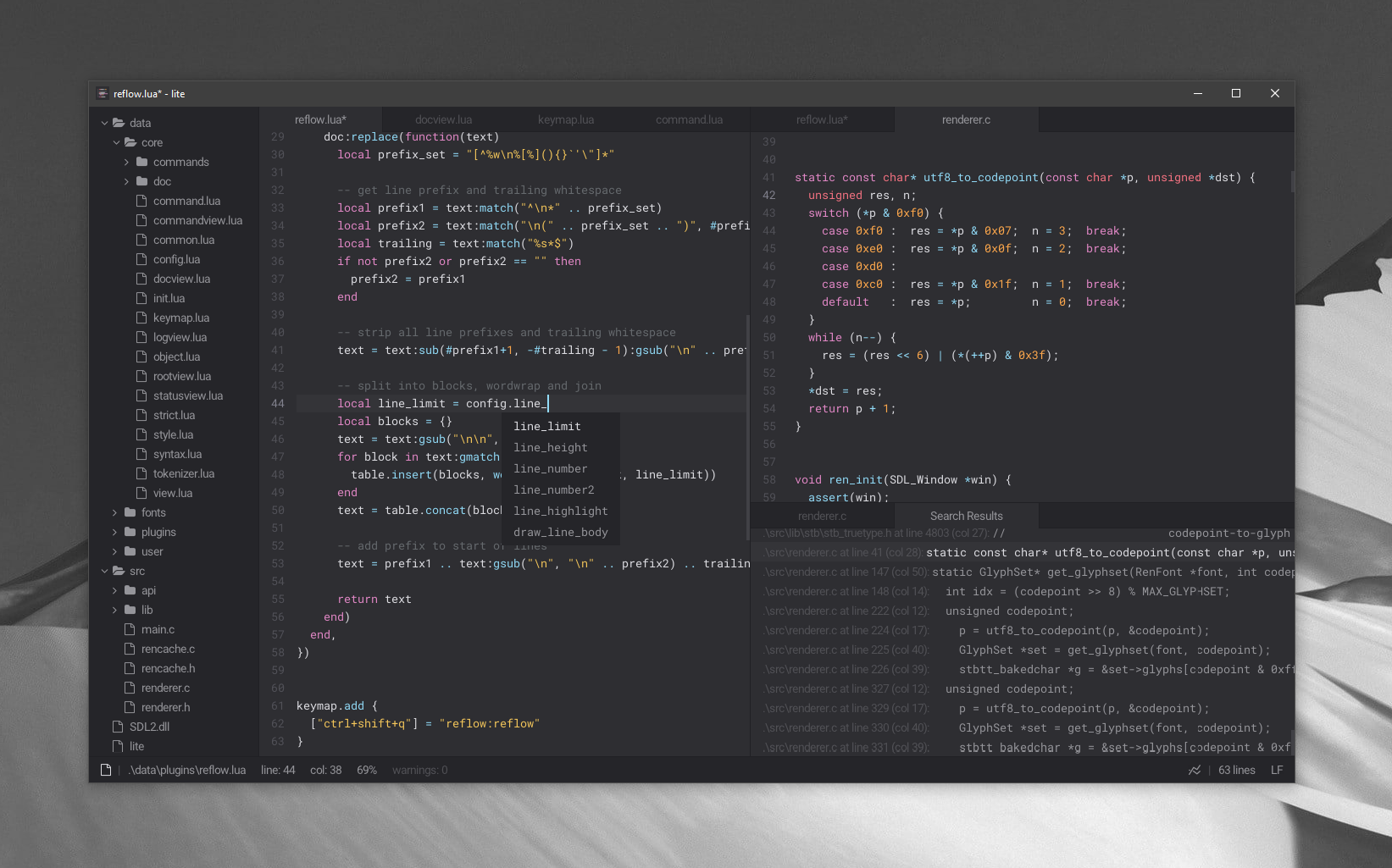
As the editor is written mostly in Lua, with C taking care of the lower level parts, plugins can typically customise anything limited to what is exposed by Lua and the C API. Beyond adding custom commands, plugins can also do things like patch straight in the DocView's line-drawing function to draw additional content:

https://user-images.githubusercontent.com/3920290/80743752-7...

Or create their own custom "views":

https://user-images.githubusercontent.com/3920290/81343656-4...

The treeview at the left of the screen is implemented as a normal plugin, and like any other plugin can be removed from lite by simply deleteing the `treeview.lua` file.
Re: Show HN: Lite – A small, fast text editor

#42
post #35

So there's no GUI toolkit? Everything is drawn with Simple DirectMedia Layer?

Not even that: SDL just provides a pixel buffer, the application draws everything itself per-pixel. Lite uses a technique I refer to as "cached software rendering" which allows the application code to be written as if it's doing a fullscreen-redrawn when it wants to update, the renderer cache (rencache.c) then works out which regions actually need to be redrawn at the end of the frame and redraws only those. You can…

FWIW this is basically "dirty rectangles" which was a very common technique for avoiding full screen updates in games back when the hardware wasn't fast enough to do that.

Re: Show HN: Lite – A small, fast text editor

#43

Earlier quoted context omitted.

What would you say are top open source editors one would consider, and by what criteria should one benchmark the comparison? While subjective criteria are perhaps most important (usability, integration with favorite programming language, extensibility), for technical quality perhaps there can be some meaningful numerical benchmarks. For example, the lag and memory use when opening a many-GB text file and editing the…

how are "usability, integration with favorite programming language, extensibility" subjective? these all seem like very objective features.

Usability is only objective if you use the word in a dictionary sense: "it is possible to use this editor". It is very much subjective in its usual use: how easily it can be used by a certain user to do certain things. Say, to me a text editor without Vim key bindings is not usable. To someone else, Ctrl-C / Ctrl-V bindings may be preferable. 'Usable code editor' and 'usable screenplay editor' are completely different categories, even though both are text editors.

Different approaches to extensibility can exist, all of them good in certain areas. Both Emacs and VS Code are extensible; which approach is better? You'll find different opinions.

You'll need, as a minimum, to specify a language to move "integration with favorite programming language" towards objectivity.

Re: Show HN: Lite – A small, fast text editor

#44
post #4

If you are interested in small Lua-based text editors, I advise you to take a look at Textadept: https://foicica.com/textadept/ . Specifically as to minimalism: "Relentlessly optimized for speed and minimalism over the years, the editor consists of less than 2000 lines of C code and less than 4000 lines of Lua code." I believe this is a limit that the editor's author self-imposed and keeps to it with an impressive st…

You might also be interested in kilo: https://github.com/antirez/kilo

Re: Show HN: Lite – A small, fast text editor

#45
post #35

So there's no GUI toolkit? Everything is drawn with Simple DirectMedia Layer?

Not even that: SDL just provides a pixel buffer, the application draws everything itself per-pixel. Lite uses a technique I refer to as "cached software rendering" which allows the application code to be written as if it's doing a fullscreen-redrawn when it wants to update, the renderer cache (rencache.c) then works out which regions actually need to be redrawn at the end of the frame and redraws only those. You can…

Sounds like curses.

Re: Show HN: Lite – A small, fast text editor

#46
post #14

Looks nice. But upon starting it up I lost all windows decorations (KDE), had to restart my session and lost the things I was working on in my terminals. How can launching an app cripples the whole desktop ? (not that this have anything to do with the app to me, it's a plasma thing) First thing I look for was support for vim keybinding, could neovim be used as the backend editor ?

Sound to me that your DE sucks if an app can bring it down.

No comment is made worse by adding a concrete, actionable suggestion!

You should add one to your comment.

Re: Show HN: Lite – A small, fast text editor

#47
post #35

Earlier quoted context omitted.

Not even that: SDL just provides a pixel buffer, the application draws everything itself per-pixel. Lite uses a technique I refer to as "cached software rendering" which allows the application code to be written as if it's doing a fullscreen-redrawn when it wants to update, the renderer cache (rencache.c) then works out which regions actually need to be redrawn at the end of the frame and redraws only those. You can…

FWIW this is basically "dirty rectangles" which was a very common technique for avoiding full screen updates in games back when the hardware wasn't fast enough to do that.

You're equating the final stage of this approach to the entire approach. The point of this technique is that you get the benefits you typically would from dirty rectangles without the burden of the bookkeeping you would traditionally have. Using this technique your application "redraws" everything as if it's drawing it fresh each frame and the renderer cache takes care of determining what's actually changed.

Typically with dirty rectangles you would have to manage this state in the application code, for example, determining that line X was edited then updating the region for that line, or determining that view Y moved and updating a dirty rectangle based upon it's previous and current positions.

Re: Show HN: Lite – A small, fast text editor

#48
post #6

Earlier quoted context omitted.

Probably adding it to the dock works?

it creates a 348K "Mach-O 64-bit executable x86_64", but I'm not sure how I would add that to the dock. I tried to drag it there with finder, but it would not take it.

You need an App Bundle. This is normally handled by Xcode or your building script, but it's possible to do it manually.

To make App bundles you have to create the following directory structure:

    Lite.app
    \- Content
        \- MacOS
           \- Lite (that's the executable file)
Here's a script that automates all that: [1]

To add an icon you need a plist and a icns file [2].

I know it looks cumbersome, but it pays off when you need to bundle multiple files with your app.

-

[1] https://gist.github.com/mathiasbynens/674099

[2] https://stackoverflow.com/questions/1596945/building-osx-app...

Re: Show HN: Lite – A small, fast text editor

#49
post #18

Since there are a lot of text editors, I'd like to see more detail on the motivations for yet another one. How does this compare to the current top-five open source editors?

The resident memory was 10MB in my windows machine when I ran this. A strong reason for me to use this would be in a low powered device. I want to write markdown in a tiny editor like this. I want to run multiple projects side by side and this is good for that. If I'm a beginner trying do dev on a machine lower than 4G of RAM. So many more examples come to my mind. I'm pretty sure there are more

Also the immediate UI library from the same author is very good and the examples are amazing.

1. https://github.com/rxi/microui

2. https://floooh.github.io/sokol-html5/index.html

Re: Show HN: Lite – A small, fast text editor

#50
Looking at the screenshot in full size [1], it looks really cool but the text is visibly blurry (look at the = signs for example). Text rendering is hard, and especially for a text editor it's a good idea to just use the current platform's text rendering instead of rolling your own. Of course SDL "rolls its own" because it focuses on being exactly the same on every platform.

SDL seems to offer font hinting which would somewhat solve the immediate problem, but I'm not sure it's being used properly here. With that said, text rendering is optimized for the current device's DPI, so maybe I'm just reading too much into a screenshot taken at a different DPI.

[1] https://user-images.githubusercontent.com/3920290/81471642-6...

Post reply on HN