Live data from Hacker News

Clear Your Terminal in Style

adammusciano.com

71–80 of 133 posts

Re: Clear Your Terminal in Style

#71
post #58

> [ $[$RANDOM % 10] = 0 ] && do_this || do_that > This gives roughly a 1 in 10 chance of do_this running, and a 9 in 10 chance of do_that running. `do_that` having a 9 in 10 chance depends on `do_this` having a 0 chance of returning a falsy status.

Afaik this is common syntax for if/else based only on the the initial condition; I can't remember where it's documented but I think it requires the do_this part to be a single expression. However, bash pitfalls recommends against using && and || except for very basic logic.
Re: Clear Your Terminal in Style

#72
post #17

I’d just settle for macOS’ Terminal.app’s ⌘-K, that resets the terminal, and clears all the screen including scroll back window. Something so basic I have it in muscle memory but I haven’t found the equivalent in Linux terminals.

KDE's Konsole has it at CTRL+ALT+K by default.

The command "tput clear" should work everywhere though. And frankly, while obviously more work than a keyboard shortcut, it's not that much of an effort.

Re: Clear Your Terminal in Style

#73
post #55
post #50

Earlier quoted context omitted.

Is ctrl+c handled; by the terminal emulator? ctrl+l allows to clear when the prompt is non-empty, maybe parent poster meant that

I'm not 100% sure how ctrl+c (and ctrl+z) are handled but I do know they're edge cases because they're managed by the kernel and are not re-definable.

The terminal can optionally catch some characters and convert them to signals. By default, ^C sends SIGINT, ^\ sends SIGQUIT, and ^Z sends SIGTSTP. Programs can disable that for their own purposes (stty -isig) and you can rebind them to other characters if you want (stty intr, stty quit, stty susp) but I don't know why anyone would these days.

Re: Clear Your Terminal in Style

#74
post #22
post #17

I’d just settle for macOS’ Terminal.app’s ⌘-K, that resets the terminal, and clears all the screen including scroll back window. Something so basic I have it in muscle memory but I haven’t found the equivalent in Linux terminals.

A lot of people swear by stuff like iTerm2, but I'm almost a little ashamed to admit that even though I have iTerm configured to my taste, I often still reach for macOS' native terminal. It's not gloriously beautiful or anything (basic Zsh with powerline for the shell), but it just seems to work great without the frills. Little shortcuts that think of stuff like this without any configuration (iTerms is impressively…

> A lot of people swear by stuff like iTerm2

Actually, I've been using Terminal for years. I usually try to use default apps as much as possible (Safari, Mail, Notes, Terminal) to reduce configuration overhead. I switched to iTerm2 a few days ago after reading an article on HN... not sure if it worth the change, but haven't tried anything fancy yet. What would be the killer feature of iTerm2?

Re: Clear Your Terminal in Style

#76
post #22

Earlier quoted context omitted.

A lot of people swear by stuff like iTerm2, but I'm almost a little ashamed to admit that even though I have iTerm configured to my taste, I often still reach for macOS' native terminal. It's not gloriously beautiful or anything (basic Zsh with powerline for the shell), but it just seems to work great without the frills. Little shortcuts that think of stuff like this without any configuration (iTerms is impressively…

> A lot of people swear by stuff like iTerm2 Actually, I've been using Terminal for years. I usually try to use default apps as much as possible (Safari, Mail, Notes, Terminal) to reduce configuration overhead. I switched to iTerm2 a few days ago after reading an article on HN... not sure if it worth the change, but haven't tried anything fancy yet. What would be the killer feature of iTerm2?

For me it is its integration with tmux, and therefore being able to use the command line in a remote computer as if you were using it locally.

Re: Clear Your Terminal in Style

#77
post #17

I’d just settle for macOS’ Terminal.app’s ⌘-K, that resets the terminal, and clears all the screen including scroll back window. Something so basic I have it in muscle memory but I haven’t found the equivalent in Linux terminals.

printf "\033c"? I don't know if it resets, but it does clear the scroll buffer. I use it before compiling (printf "\033c"; make) so that I don't have to search for the first error or warning, I can just scroll all the way up.

Re: Clear Your Terminal in Style

#78
post #71
post #58

> [ $[$RANDOM % 10] = 0 ] && do_this || do_that > This gives roughly a 1 in 10 chance of do_this running, and a 9 in 10 chance of do_that running. `do_that` having a 9 in 10 chance depends on `do_this` having a 0 chance of returning a falsy status.

Afaik this is common syntax for if/else based only on the the initial condition; I can't remember where it's documented but I think it requires the do_this part to be a single expression. However, bash pitfalls recommends against using && and || except for very basic logic.

> Afaik this is common syntax for if/else based only on the the initial condition

You're right that it's common, but you're wrong saying that it's based only on the initial condition:

  $ true && cat nonexistent.txt || echo "shouldn't have run"
  cat: nonexistent.txt: No such file or directory
  should't have run
> I can't remember where it's documented but I think it requires the do_this part to be a single expression

It's not documented like you said because it's a hack. &&/|| aren't meant to simulate if/else. These aren't expressions either. And they aren't really limited either:

  $ true && { echo "true condition ran"; cat nonexistent.txt; } || echo "false condition ran"
  true condition ran
  cat: nonexistent.txt: No such file or directory
  false condition ran
> However, bash pitfalls recommends against using && and || except for very basic logic.

The fact that people end up thinking that it's an ok substitute for if/else syntax is the reason why it's recommended against.

Re: Clear Your Terminal in Style

#79
post #65

Earlier quoted context omitted.

I am currently using Fedora 31 Cinnamon which uses GNOME Terminal and the shortcut to reset and clear screen/scrollback is CTRL+L. I am not sure if this shortcut is standard on GNOME Terminal or not, but it's present in this flavor. EDIT: On my windows machine I think it is ALT+F8 in Git Bash. May be similar in other terminal emulators.

CTRL-l is a standard "clear the screen" keystroke, and should work in all terminals, but it does not necessarily clear the scrollback buffer. Since "scrollback" is something implemented by the emulator itself, you'll have to look up how to do it there. I use konsole, and it's CTRL-SHIFT-k there by default, I believe. I just ran gnome-terminal, and I see in Edit -> Preferences -> Terminal -> Reset and Clear that you c…

The reset command should clear the scrollback buffer. On older terminals where you'd get a garbled screen if you accidentally cat a binary file, it will give you your ASCII back.

Re: Clear Your Terminal in Style

#80

I've just used alias c=clear in my .bashrc and never looked back. Not even Ctrl+L feels as convenient as c+Enter

I have mapped capslock to ctrl (esc if used without modifiers) which made ctrl+L extremely comfortable for me.

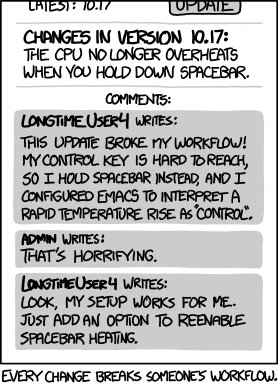
im reminded of this: https://imgs.xkcd.com/comics/workflow.png
Post reply on HN