Live data from Hacker News

Dropbox ignore file or folder in beta

help.dropbox.com

51–60 of 143 posts

Re: Dropbox ignore file or folder in beta

#51

OK, this is probably a very dumb question, but I'm trying tio understand the usecase. I put things that I want to sync with Dropbox in /Dropbox and take out things that I don't want to sync. Why would I want to leave things in /Dropbox that I don't want on Dropbox?

If you're a Node/JavaScript developer, you might want to keep code in Dropbox, but putting node_modules in there will tank it.

Does it not suggest that node_modules in the source directory isn't a good idea to begin with?

Re: Dropbox ignore file or folder in beta

#52
post #49

The most requested feature, to allow a file or folder to be ignored by Dropbox sync without using selective sync is finally in beta. The community requested a .dropboxignore file but they chose another solution which I’m sure is reasonable for making the feature more user friendly to non-devs. This will be immensely helpful for node_modules or build target directories.

> but they chose another solution which I’m sure is reasonable for making the feature more user friendly to non-devs. But this begs the question: why would the "ignore file/folder" feature itself be useful to non-devs?

More people can use it, including non-devs.

Seems like a win on their side.

Re: Dropbox ignore file or folder in beta

#53
post #21

Interesting. It's the first time for me to see a use of file attributes in Linux. What are the common use cases of file attributes? Also, I just notice that every files in Dropbox folder has com.dropbox.attributes key with unreadable binary value. Does anyone have an idea about this field?

its dropbox id for each file - useful when you move files around, dropbox client can check the ids with the data on server and decide whether to upload the file or not...

That is a clever approach to track files. Thanks for info.

Re: Dropbox ignore file or folder in beta

#54
post #9

Earlier quoted context omitted.

Who needs a VCS when you could just use Dropbox?

Even better, Dropbox as your VCS and database! https://www.reddit.com/r/sysadmin/comments/eaphr8/a_dropbox_...

That story makes me want to become a goat farmer every time I read it, but, Dropbox must have intended that usage if they had a publicly available API, right?

Re: Dropbox ignore file or folder in beta

#55
post #7

Earlier quoted context omitted.

I can imagine a world where a arbitrary directory is filled with gitignore, dropboxignore, googledriveignore, backblazeignore, s3ignore, rsynciginore, dotignore, ipfsignore . . . Goddamn, stop the world I want to get off

That's probably a clue something needs to be done at the OS level regarding FS integration with cloud syncing systems and permissions.

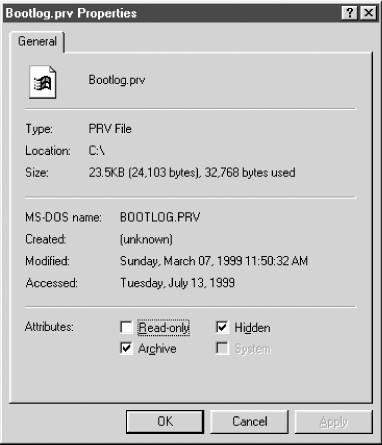
Windows (and some other OSs) have/had an "archive bit" ¹. It used to be visible in the file properties, next to the read-only and hidden attributes, and was labelled "Archive" ²

¹ https://en.wikipedia.org/wiki/Archive_bit

² https://www.samba.org/samba/docs/using_samba/figs/sam2_0801....

Re: Dropbox ignore file or folder in beta

#56

The most requested feature, to allow a file or folder to be ignored by Dropbox sync without using selective sync is finally in beta. The community requested a .dropboxignore file but they chose another solution which I’m sure is reasonable for making the feature more user friendly to non-devs. This will be immensely helpful for node_modules or build target directories.

I can imagine a world where a arbitrary directory is filled with gitignore, dropboxignore, googledriveignore, backblazeignore, s3ignore, rsynciginore, dotignore, ipfsignore . . . Goddamn, stop the world I want to get off

I think the problem here is poor tooling that contaminates your working directory.

If you look at something like Bazel, all the build artifacts end up in ~/.cache (or similar). Thus there are no artifacts to gitignore. OCI container builds ("docker images") are done by simply adding artifacts controlled by a build rule into the image (rather than starting a vm/container, copying a working directory into the container, and running random shell commands).

To summarize, I think the problem is that node puts packages in your working directory instead of some other location, causing you to have to ignore them. It is reasonable to check in your dependencies, in which case node's strategy is fine. But you can compare this to something like go, which puts all modules in $GOPATH/pkg/mod and if you want to check in your modules, you run "go mod vendor" and it creates a vendor/ directory in your working directory to check in. All of these ignore files exist to work around other packages; it's not git or docker or dropbox's fault that some tool you use contaminates your working directory. Plenty of designs exist for those types of tools that don't.

Re: Dropbox ignore file or folder in beta

#57

Genuine question, why do people here use Dropbox or box when Google drive is far superior?

The Dropbox client is just vastly more reliable.

I never had any sync issues with it and it is still the only one which supports both Delta sync and LAN sync and their automatic "Smart Sync" still works better than what Google offers without the need to awkwardly mount it as external/network storage.

The Backup and Sync client from Google is unreliable and imo just broken: It moves old versions of edited files into the local recycle bin and once it never recognized a file deletion I made on an other computer. Only some days later after manually restarting the client, it noticed that file deletion.

Google Drive File Stream has severe performance issues: I have an unlimited G Suite account and use it mainly for Arq Backup. While ~5 TiB data is not THAT much, Arq does create thousands of small files in its destination folder. For the initial sync the GDFS client took over a week while using more than 60 GiB RAM! Afterwards its memory usage settles down but this was just for enumerating the remote files without any anything marked as 'available offline'. On my MacBook Air with less RAM this initial sync never finishes without GDFS crashing first.

While I still use the official Dropbox client, I replaced all other sync clients with Mountain Duck. It doesn't show any deal-breaker bugs and its resource usage is also manageable.
Re: Dropbox ignore file or folder in beta

#58
post #48

Earlier quoted context omitted.

Genuine answer: because it is not superior, certainly not “far superior” and it’s a Google “I’ll probably kill you tomorrow.” product made by a company whose ethics I no longer trust (Google).

I first thought you meant Google "I'll probably kill your account tomorrow." I constantly hear about people breaking ToS on one of many Google services and having them all instantly disabled, no warning (usually losing mail email account).

There is that problem too! Using Google as a backup solution, even in a "belt and suspenders" scenario, is too dangerous.

Re: Dropbox ignore file or folder in beta

#59
post #51

Earlier quoted context omitted.

If you're a Node/JavaScript developer, you might want to keep code in Dropbox, but putting node_modules in there will tank it.

Does it not suggest that node_modules in the source directory isn't a good idea to begin with?

The project directory would contain everything needed for that project including node_modules (which is generated from the package.json)

Every nodejs project is structured this way... node_modules is always sitting next to your src...

Re: Dropbox ignore file or folder in beta

#60
Will an ignored file be ignored for all devices or just my device?

That is, what if I have a file/directory in my dropbox on one device and then another device "ignores" it? would it be ignored everywhere or just in my device?

Either way seems like a recipe for a lot of problems. No wonder it took so long to get to it (and it's still in Beta).

Post reply on HN