Live data from Hacker News

The 40% Keyboard

tbf-rnd.life

201–210 of 334 posts

Re: The 40% Keyboard

#201
post #190
post #163

Earlier quoted context omitted.

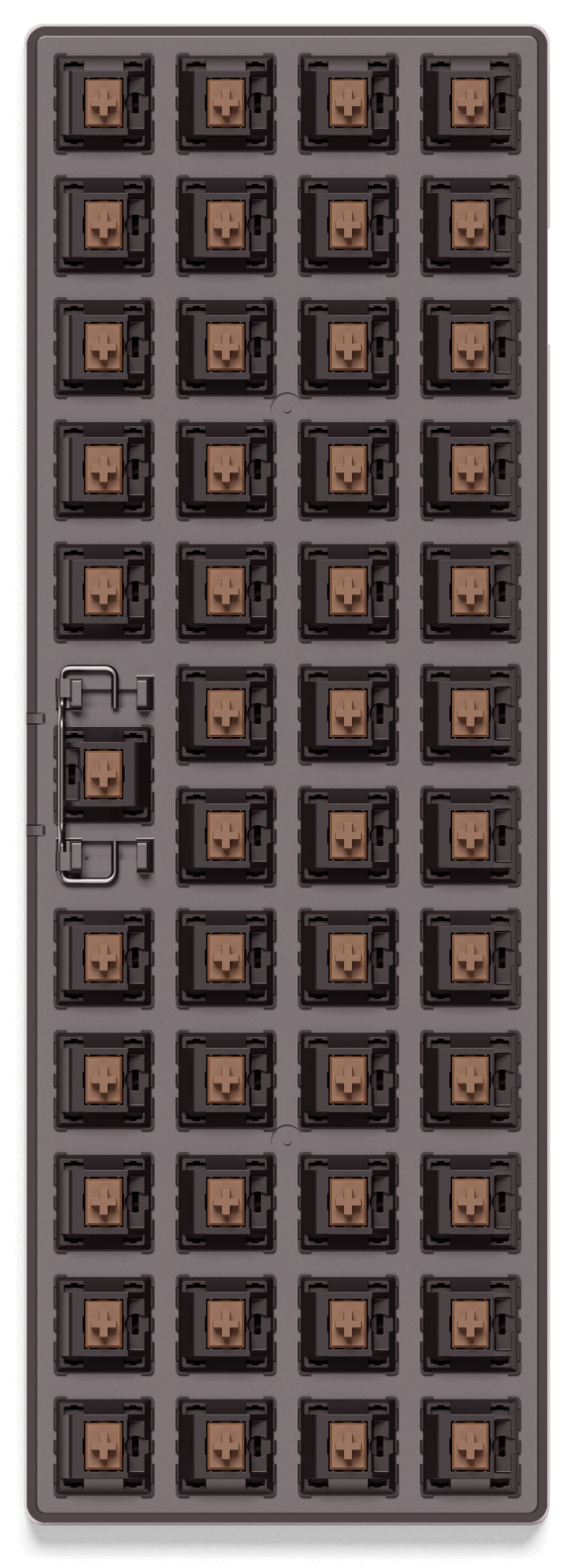
I'd like a planck with smaller keys / tighter key spacing (85% to 90% of standard) and two keys in place of one big space bar. Maybe splittable at the center, still with possibility to stick the halves together for transport. Also blank, low profile caps would be nice..

Planck's with two keys instead of the longer space are pretty common. The PCB gives you both options.

Oh. Thanks for letting me know.

I already orederd a pair of planck ezs, I'm gonna send them a mail and ask if they could give me a pair of keys there.

EDIT: nevermind, looking at their photos, it looks like they'd have to tweak things a bit more: https://cdn.shopify.com/s/files/1/1152/3264/t/25/assets/neat...
Re: The 40% Keyboard

#202

2 years ago I bought this vertex core 40% keyboard: https://mechanicalkeyboards.com/shop/index.php?l=product_det... Unfortunately, I type in dvorak layout and the keyboard I purchased did not work out. I have to press 3 keys to type the letter 'z' because of the strange meta layers. I switched to dvorak because I had minor wrist pains and I hoped that switching to dvorak would help. The pain went away (maybe a coinci…

The answer is custom layouts.

Here's my layout for the Mitosis split ergo keyboard designed for dvorak if you want inspiration.

https://github.com/qmk/qmk_firmware/blob/master/keyboards/mi...

I have mouse keys, a number layer that's on the home row, actual arrow keys, and no contortions needed for any of the alpha keys, all on a tiny 46-key layout.

Re: The 40% Keyboard

#203

2 years ago I bought this vertex core 40% keyboard: https://mechanicalkeyboards.com/shop/index.php?l=product_det... Unfortunately, I type in dvorak layout and the keyboard I purchased did not work out. I have to press 3 keys to type the letter 'z' because of the strange meta layers. I switched to dvorak because I had minor wrist pains and I hoped that switching to dvorak would help. The pain went away (maybe a coinci…

One of the main draws for me to build a somewhat custom keyboard is that you can program it yourself. That way you can modify the layout so it suits dvorak layouts.

There is a drop-in PCB for the Vortex Core called the Atom47[0] that supports QMK[1]:

[0] https://github.com/qmk/qmk_firmware/tree/master/keyboards/ma... [1] https://qmk.fm/

Re: The 40% Keyboard

#204
post #100

Is anybody trying to combine the mouse input with the keys themselves? Ie embedding a nib? I’m thinking like a light touch on a home row key being interpreted as a mouse click. Have the nib input only register if the key is either depressed or not, depending on implementation.

TEX Yoda[0] mechanical and Thinkpad Compact USB Keyboard[1] scissor switch might interest you.

[0] https://mechanicalkeyboards.com/shop/index.php?l=product_det... [1] https://www.lenovo.com/gb/en/accessories-and-monitors/keyboa...

Re: The 40% Keyboard

#205
post #7

Call me cynical, but I think a lot of the small style keyboards I see around the office are more of a fashion trend than anything. I remember when the insistence was on number pads, and how dare they be removed from our laptops and desktop keyboards. Fast forward a few years and I was made fun of at a programming job for preferring a full keyboard with a number pads. I guess programmers are too cool to enter in dolla…

> Call me cynical, but I think a lot of the small style keyboards I see around the office are more of a fashion trend than anything.

There's legitimate preference at play in terms of 40 vs 60 vs 100, choice of switch, etc, but a lot of the fanaticism itself is indeed fashion.

If there's ever a doubt, just check out all the keyboard photoshoots that get upvoted to the top of /r/mechanicalkeyboards

Re: The 40% Keyboard

#206
post #100

Is anybody trying to combine the mouse input with the keys themselves? Ie embedding a nib? I’m thinking like a light touch on a home row key being interpreted as a mouse click. Have the nib input only register if the key is either depressed or not, depending on implementation.

If you have enough thumb keys then on a custom board you can put mouse keys on a layer with QMK.

Re: The 40% Keyboard

#207
post #7

Call me cynical, but I think a lot of the small style keyboards I see around the office are more of a fashion trend than anything. I remember when the insistence was on number pads, and how dare they be removed from our laptops and desktop keyboards. Fast forward a few years and I was made fun of at a programming job for preferring a full keyboard with a number pads. I guess programmers are too cool to enter in dolla…

Don't forget that we're not too far from our ancestors collecting shiny seashells and pearls. Most of humans decisions aren't made following pure reason and rational thinking. Fancy cars / sneakers / coffee machines / pocket knives / &c, people are collecting/buying all kind of "nice" things for the sake of it. Some people I know spend more on shoes than I spend on rent.

Re: The 40% Keyboard

#208
post #34

I've built a Planck (40% ortho) and I can say for sure that I personally don't find the short finger travel between keys to be worth having to hit two keys to type a number, for example. Instead of moving one finger an extra row to type a number, I now have to move two fingers.

On my 40% ergo board I use the home row as a number row on a layer, with a thumb key activating it.

That way, instead of having to move one or two fingers, I can move none.

Re: The 40% Keyboard

#209
post #143

Earlier quoted context omitted.

But the best mouses are tailored for one hand, like the MX Master. I used to switch mouses when I used generic mice, but I'm never going back to those.

The G903 is perfectly ambidextrous, but even something like an old G9X works great as well in my left hand. I have a Kensington Slimblade as well at home, works great to mix things up.

Oh wow I didn't know about the G903 (not sure how I missed that for almost 3 years), I think I should try it. Although my wrist does like the slight slant of the MX Master. I used to switch between hands 10+ years ago, but gave it up once I got better mice that didn't need me switching - but I had never found one that was ambidextrous.

Re: The 40% Keyboard

#210
post #139
post #128

Earlier quoted context omitted.

Yeah definitely somewhere where people should be allow a personal preference. What does that numpad offer that is not already on the rest of the keyboard? I think if you are comfortable touch typing numbers then there's not much advantage to having a number pad. (I've worked from laptops (without numpad) connected to an external monitor for about 15 years now so I may be missing something potentially useful here.)

> What does that numpad offer that is not already on the rest of the keyboard Navigation using one hand, allowing even different body positions. Those who don’t use it have to do Ctrl-this Shift-that. I press singe keys with a single hand allowing me to have less of constant strain in both hands than if they were always at effectively same position. Like some other posters here I believe “always everything in same po…

That's an interesting take on it. Thanks for sharing.

I mostly live in a terminal all day and most of that time is in Vim. So I have the whole keyboard to use as shortcuts for movement but I do have to use two hands. Like you I'm more geared up for navigating code.

For me small, light movements committed to muscle memory have been the key to me getting round RSI a couple of years ago. I also use the Colemak layout so there's no real point to looking at the keyboard for me.

Post reply on HN