I find this kinds of keyboards very interesting, but doing CAD work seems like a pain.
The biggest problem I find with all of this is that most of my software has locked down (or crappy systems for changing) shortcuts, so it would be painfully hard to set up one of this.
Call me cynical, but I think a lot of the small style keyboards I see around the office are more of a fashion trend than anything. I remember when the insistence was on number pads, and how dare they be removed from our laptops and desktop keyboards. Fast forward a few years and I was made fun of at a programming job for preferring a full keyboard with a number pads. I guess programmers are too cool to enter in dolla…
Numpads are a real annoyance on laptops. Due to the numpad the the main keyboard and the touchpad are not centered to the screen, which is totally awkward. It would be great if laptop makers would offer an option without a touchpad. Apple is doing it the right way.
Your mouse is closer so you don't have to move your hand as far. Not if you use a mouse left-handed ;) But more seriously, I grew up being trained to touch type in the classical way complete with ten-key exercises. I strongly prefer having a full numpad and I actually prefer the extra distance to the right for mouse usage. I've found over the years that the more I move my hands, the less likely I am to have discomfor…
God damn you cheating lefties! You cant have cake and eat it too! I really wish for keyboard options with numpad on the left. I am using numpad rarely but its handy to have when in need.
Not hard to learn to use the mouse with your non-dominant hand. It's just a couple of days of practice. And then switch between your left and you right every other day. Don't even have to flip the buttons, just learn to use the index for secondary and middle for primary clicks.
Call me cynical, but I think a lot of the small style keyboards I see around the office are more of a fashion trend than anything. I remember when the insistence was on number pads, and how dare they be removed from our laptops and desktop keyboards. Fast forward a few years and I was made fun of at a programming job for preferring a full keyboard with a number pads. I guess programmers are too cool to enter in dolla…
Personally I prefer the numpad-less keyboards, I don't use number entry that much and the reduced space between keyboard and mouse (I'm not a keyboard / vim wizard) helps with comfort / RSI prevention. I use an Apple wireless keyboard.
That said, I would like something a bit more ergonomic or tactile, maybe, but all mechanical keyboards are at least 4x as tall as this one is - the flatness really helps prevent RSI in my case. I guess a wrist support would already go a long way, I prefer to keep my wrists on the table.
Call me cynical, but I think a lot of the small style keyboards I see around the office are more of a fashion trend than anything. I remember when the insistence was on number pads, and how dare they be removed from our laptops and desktop keyboards. Fast forward a few years and I was made fun of at a programming job for preferring a full keyboard with a number pads. I guess programmers are too cool to enter in dolla…
Personally I prefer the numpad-less keyboards, I don't use number entry that much and the reduced space between keyboard and mouse (I'm not a keyboard / vim wizard) helps with comfort / RSI prevention. I use an Apple wireless keyboard. That said, I would like something a bit more ergonomic or tactile, maybe, but all mechanical keyboards are at least 4x as tall as this one is - the flatness really helps prevent RSI in…
I have a num pad separate to my keyboard so I can move it around.
It also saves macros to keys, so I can hit a key and deploy my project. Also, cut, copy and paste are now one key press - take that RSI! Basically, anything that is uncomfortable for my hands to do, I macro and put on a key.
One day in the future I hope to turn up at 9am, click one key and my days work will play out as a sequence of macros as I drink cups of tea and earn the big bucks.
Not sold on the RSI benefits. See, I bought a Planck, thinking that the ortholinear layout would make sense. But it didn't work really. Maybe I'm just accustomed to the staggered layout, but it just felt too cramped. Besides, I don't think that less movement automatically leads to less strain. In fact it felt like my fingers didn't get to stretch enough, and my wrists were too close for comfort. All in all, the mouse still seems to be the biggest issue for me, especially the micro movements, so I adjust the mouse to have more travel. But in the end the most comfortable experience is a laptop with a decent touchpad, no need to reach for the mouse and the wrists don't move much or at all.
It’s not about travel time, but shoulder movement. I moved to left hand mouse partly for this reason.
But why is less movement automatically considered better? Screen work is sedentary enough even without movement-minimized input placement. The downsides of repetition are best battled by increasing variation.
Static arm rotated outwards. Dynamic movement would be great but the arm tends to get stuck out there for some time. Might apply more to photoshoppers and less to vim users though.
Not sold on the RSI benefits. See, I bought a Planck, thinking that the ortholinear layout would make sense. But it didn't work really. Maybe I'm just accustomed to the staggered layout, but it just felt too cramped. Besides, I don't think that less movement automatically leads to less strain. In fact it felt like my fingers didn't get to stretch enough, and my wrists were too close for comfort. All in all, the mouse…
Careful with the trackpads. My experience with them is my hand is very tense using them and all that tension traveled up my arm into my shoulder and gave me horrible pain. I've since alleviated it by regular intervals switching between trackball and traditional mice.
Not sold on the RSI benefits. See, I bought a Planck, thinking that the ortholinear layout would make sense. But it didn't work really. Maybe I'm just accustomed to the staggered layout, but it just felt too cramped. Besides, I don't think that less movement automatically leads to less strain. In fact it felt like my fingers didn't get to stretch enough, and my wrists were too close for comfort. All in all, the mouse…
Interesting as I always hated touchpads even after having tried several models of different quality. I'm very happy with my vertical mouse on the other hand. It only performs slightly worse than a normal mouse on very small precision movements but it's much more comfortable and still retains the speed of a mouse vs touchpad.
People like to talk a lot about KB ergonomics, reducing carpal syndrome and there is a reason for it, but I don't understand why almost nobody does the one thing that contributes the most for improvement - inverted KB stand. This thing on the bottom - https://imgur.com/a/yne4lPR . People fiddle with layouts, key travel, key shape, switches etc. but that doesn't really matter if your wrists are crooked. If your wrists…
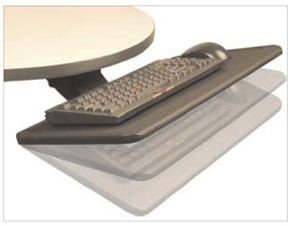
I have a "negative
tilt" keyboard tray on my desk.