Any of the hundreds of capabilities that are made easy and obvious, cause other capabilities to become more obscure and harder to enable and even know about.
iPhones are hard to use
41–50 of 652 posts
Re: iPhones are hard to use
#42Re: iPhones are hard to use
#43Ok, I need to say it. This article just has iPhone in the title to get more views. This is a problem with not just all smartphones but all rapidly evolving technology products. Do you think you could hand an android phone to one of those example cases and have them do any better with it? Also half of the time I am in an apple store I am helped by someone who needs to use the accessibility features to check me out/in.…
This article has iPhone in the title because it talks specifically and exclusively about iPhones.
Of course there's always a lot of improve with UI and UX on all devices, but this article focuses on iPhones.
Re: iPhones are hard to use
#44Ok, I need to say it. This article just has iPhone in the title to get more views. This is a problem with not just all smartphones but all rapidly evolving technology products. Do you think you could hand an android phone to one of those example cases and have them do any better with it? Also half of the time I am in an apple store I am helped by someone who needs to use the accessibility features to check me out/in.…
Just because all companies handle the problem space really badly, doesn't mean we should excuse it. Apple products, as far as I can remember, do not come with any sort of manual describing the nifty little shortcuts that they have. Even as someone who did IT support and handled a lot of iPhone troubleshooting constantly, I got blindsided by lots of small things, like when they switched the force reboot from power+hom…
They could easily include one but instead they encourage people to come to the Apple Stores and discuss the problem with a Genius. This in turn encourages people to look at at new products and get premium 1-1 support that you don't get from other vendors.
Re: iPhones are hard to use
#45And now dumber than ever. At least on my iPhone 6s with the latest update. Now you have to go through 2 screens to send a photo to someone in imessage, whereas before the most recent photos were easily accessible. And on facetime you have to pull up a menu [that covers the entire screen] to flip the camera around, and if you accidentally hit it a couple times theres no way to know which way your camera is facing with…
Re: iPhones are hard to use
#46My biggest difficulty is moving the edit cursor when trying to edit text. It takes too many tries to get it exactly where I want. I wish they'd add cursor keys...
Re: iPhones are hard to use
#47I couldn’t get this to work.
>Show a magnified absolute-centred duplicate of nearly anything onscreen you cannot actually manipulate, like whatever is in the title bar. (Try pressing and holding on the battery icon.)
Neither this one.
Do I need some obscure accessibility setting for these?
Re: iPhones are hard to use
#48And now dumber than ever. At least on my iPhone 6s with the latest update. Now you have to go through 2 screens to send a photo to someone in imessage, whereas before the most recent photos were easily accessible. And on facetime you have to pull up a menu [that covers the entire screen] to flip the camera around, and if you accidentally hit it a couple times theres no way to know which way your camera is facing with…
Re: iPhones are hard to use
#49My biggest difficulty is moving the edit cursor when trying to edit text. It takes too many tries to get it exactly where I want. I wish they'd add cursor keys...
Re: iPhones are hard to use
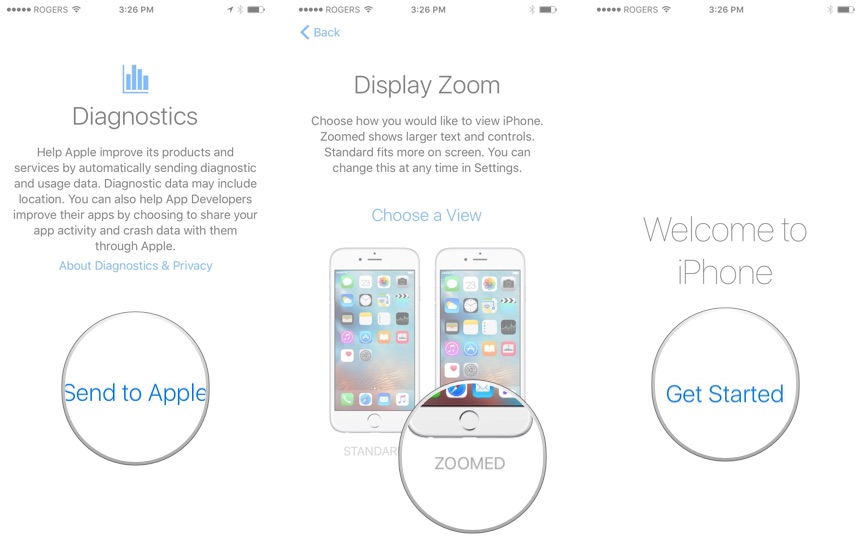
#50iPhones literally do have an unskippable screen during setup that prompts you to choose a text size
https://www.imore.com/sites/imore.com/files/styles/xlarge/pu...