Live data from Hacker News

Gallery of programming UIs

docs.google.com

101–110 of 124 posts

Re: Gallery of programming UIs

#101

Expected to see TUI (Terminal UI) IDEs here (the likes of DBase/Foxbase/Foxpro/etc). Disappointed, because they were hugely used "programmer interfaces" for a long time and influenced GUIs when they came up. Heck, a lot of retail TUIs still run on them (and some of them are in process of being changed to "web apps" bypassing desktop apps). They were yesterday's full stack (design a database, build forms, run CLI comm…

Indeed. Visual Basic for DOS was a mind-blowig discovery for me as a retro-loving kid that was coding VB6 for Windows while playing mostly DOS games. I wish something alike (though based on a modern language like Python) existed today letting us create modern cross-platform TUI apps visually...

Oohhhh rabbit hole.
Re: Gallery of programming UIs

#103
post #93

I miss WYSIWYG UI design IDE's. One can waste sooo much time fiddling with browser UI's to get it to work right on different browser brands/versions/sizes. It's a time sink that must cost the world billions. Can't we have a WYSIWYG browser standard instead of client-side-auto-flow crap? Most internal work-related projects don't need "responsive" (resizing) anyhow; and the server could re-calc widget sizes & spacing i…

How would that work? The developer would have to generate and approve a rendering for every permutation of width, height, and pixel density?

That may have worked back when everyone was using an 800x600 CRT, but it sounds unfeasible today with so many devices and orientations to consider.

Re: Gallery of programming UIs

#104
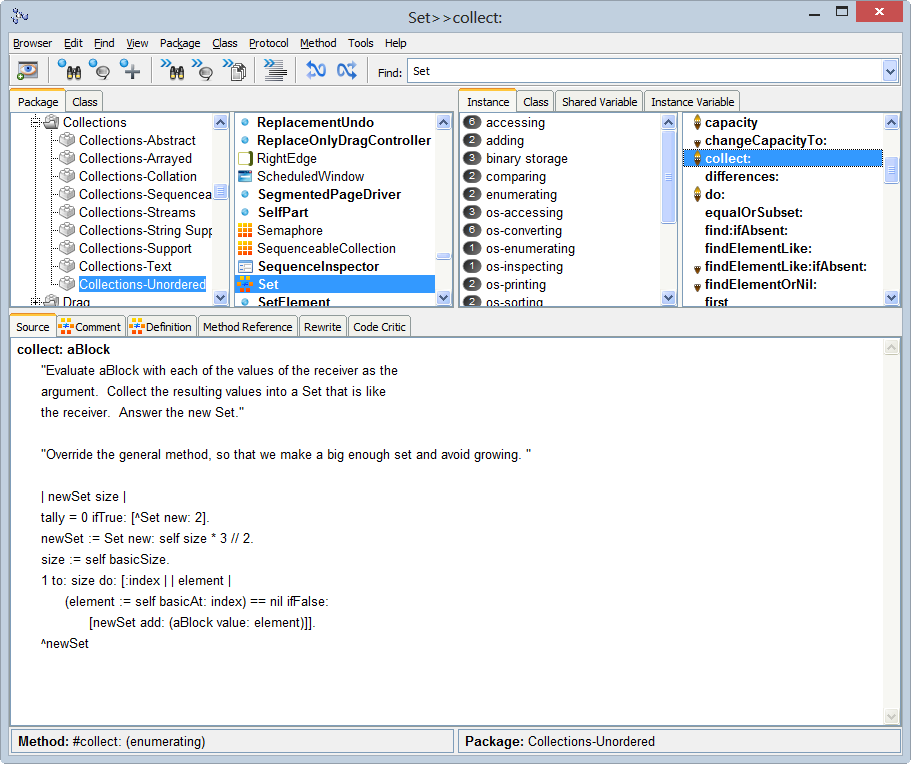
Interesting how some UIs appear to be limited either to education, end-user programming, or professional software development, and others (e.g. Smalltalk) strive to be universal and work as an integral part of the OS's user interface.

Re: Gallery of programming UIs

#105

It's interesting how you see the same idea pop up in different forms over the years. Two they missed: Lazarus (based on Delphi) and Qt. I've dabbled with Lazarus, people who use it a lot tell me it's great. I use Qt professionally and it's the most enjoyable way of building GUI applications that I've found.

Yes, Lazarus is decent. Others they missed from the client-server GUI tools are PowerBuilder and Gupta Technologies' SQLWindows (one of the first GUI development tools for Microsoft Windows):

https://en.wikipedia.org/wiki/Gupta_Technologies

I didn't like PowerBuilder myself. But Delphi and Visual Basic were more easy to understand and still powerful. Did some work in both.

Re: Gallery of programming UIs

#107
post #63

Expected to see TUI (Terminal UI) IDEs here (the likes of DBase/Foxbase/Foxpro/etc). Disappointed, because they were hugely used "programmer interfaces" for a long time and influenced GUIs when they came up. Heck, a lot of retail TUIs still run on them (and some of them are in process of being changed to "web apps" bypassing desktop apps). They were yesterday's full stack (design a database, build forms, run CLI comm…

*> TUI (Terminal UI) IDEs here (the likes of DBase/Foxbase/Foxpro/etc). Don't forget the classic DOS IDEs, such as QBasic or Turbo Pascal / Turbo C. The latter were based on a very nice framework named "Turbo Vision".

And, later, Borland C++. I still have fond memories of that blue-green screen.

Re: Gallery of programming UIs

#108

Expected to see TUI (Terminal UI) IDEs here (the likes of DBase/Foxbase/Foxpro/etc). Disappointed, because they were hugely used "programmer interfaces" for a long time and influenced GUIs when they came up. Heck, a lot of retail TUIs still run on them (and some of them are in process of being changed to "web apps" bypassing desktop apps). They were yesterday's full stack (design a database, build forms, run CLI comm…

Is there a conceptual difference between GUI and TUI? Same UI elements, only represented by different technical means. CLI is different, but CLI does not have to be text-only.

Re: Gallery of programming UIs

#109
post #103
post #93

I miss WYSIWYG UI design IDE's. One can waste sooo much time fiddling with browser UI's to get it to work right on different browser brands/versions/sizes. It's a time sink that must cost the world billions. Can't we have a WYSIWYG browser standard instead of client-side-auto-flow crap? Most internal work-related projects don't need "responsive" (resizing) anyhow; and the server could re-calc widget sizes & spacing i…

How would that work? The developer would have to generate and approve a rendering for every permutation of width, height, and pixel density? That may have worked back when everyone was using an 800x600 CRT, but it sounds unfeasible today with so many devices and orientations to consider.

You have to do such testing now with JS/DOM-based resizing. The only real difference is that it's done on the server side, which simplifies things because you have only 1 rendering engine instead of say 50 client versions. And, often 2 sizes are usually fine, and 3 if you have a big audience. And it can increase the general resolution (magnification) to fill the current screen. JavaScript resizers, such as bootstrap often do similar now: you reach a threshold before they reshuffle, and in between the thresholds, they just multiply width by a constant factor to fill the screen. And bootstrap is buggy and inconsistent.

Re: Gallery of programming UIs

#110
post #108

Expected to see TUI (Terminal UI) IDEs here (the likes of DBase/Foxbase/Foxpro/etc). Disappointed, because they were hugely used "programmer interfaces" for a long time and influenced GUIs when they came up. Heck, a lot of retail TUIs still run on them (and some of them are in process of being changed to "web apps" bypassing desktop apps). They were yesterday's full stack (design a database, build forms, run CLI comm…

Is there a conceptual difference between GUI and TUI? Same UI elements, only represented by different technical means. CLI is different, but CLI does not have to be text-only.

TUIs are pretty much driven by keyboard input. GUI's are mostly mouse oriented. That's a big difference.

I have seen people use terminal data entry applications (mostly using the NumPad part of keyboard) with such speed/accuracy, no one using a GUI/Mouse will be able to match.

Post reply on HN