Live data from Hacker News

KeePassXC 2.3.0 released

keepassxc.org

91–100 of 105 posts

Re: KeePassXC 2.3.0 released

#91
post #55

Earlier quoted context omitted.

The linked article is very light on details to be called a comparison. Let me try to make it a little bit more detailed. ==================== Bitwarden: - Is essentially a service (with FLOSS client software and FLOSS server code). - Quite polished browser integration (to the extent browsers allow it). - Third party server holding the encrypted data. Proprietary (in a "completely unique, not compatible with anything…

I don't see anything wrong, but will add: Bitwarden has a desktop app(electron .. sigh but is cross-platform) and has integrations with all the major browsers (Safari, Firefox, Chrome, IE) Bitwarden also has Mobile support (iOS, Android & UWP). KeepassXC only does Chrome(and family) and Firefox I believe. Running your own bitwarden server is not difficult, and there are 3 implementations that I know about: The origin…

KeepassXC supports KDBX4 so any client that can read KDBX4 can be used alongside it. KeepassXC is also definitely a desktop app, it can do autotyping and similar things.

There is Android and iOS support via keepass2android and .

You can safely put your KDBX file on dropbox/gdrive/nextcloud/ipfs.

Re: KeePassXC 2.3.0 released

#92
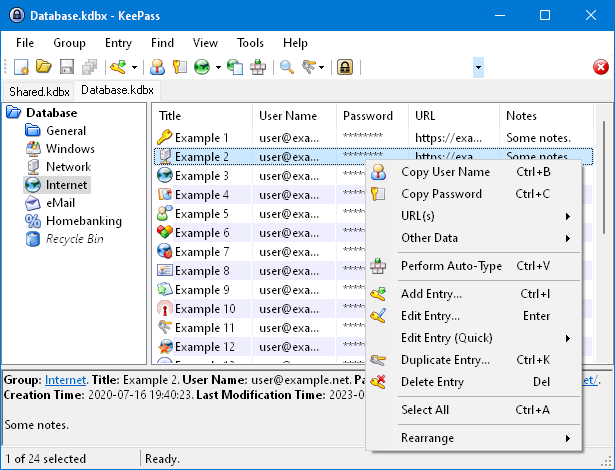
I really wanted to switch to using KeePassXC instead of the original one, as it's definitely a better user experience for the most part when you're flipping between OSes (Windows 10 and various Linux distros in my case). But my workflow requires I keep my kdbx in a git repo in order to sync between work and home, and I cannot get used to the missing "Synchronise with File" feature, which the original Keepass has, but KeePassXC omits.

Re: KeePassXC 2.3.0 released

#93

Earlier quoted context omitted.

Also macPass is compatible with Keepass database 1.0, unlike KeepassXC.

Are you sure? The screenshot at the link URL has a button that suggests at least importing from Keepass 1 is supported.

I'm definitely using my Keepass v1 database with MacKeepass.

Re: KeePassXC 2.3.0 released

#94

Earlier quoted context omitted.

Also macPass is compatible with Keepass database 1.0, unlike KeepassXC.

You can import v1.0 DBs into the new app.

Yes but then it becomes a v2 database which is no longer compatible with keepass 1 on Windows.

Re: KeePassXC 2.3.0 released

#95
post #82

The thing that keeps me in 1Password is its Team Vault support. Nothing works quite so well for maintaining a shared password vault. If I didn't need that, I'd drop 1Password for KeePass in a heartbeat.

Why not just make a keypass db for your shared passwords, put it on dropbox and share it with your team?

Or put it in git even, if you want better traceability.

Re: KeePassXC 2.3.0 released

#96
I'd prefer if a password would be generated by default, when you create a new entry. That's the way KeePass works and it encourages to use strong generated passwords (instead of user created passwords).

Another thing I'd like to have is a details view for each key in the list view (https://keepassxc.org/images/screenshots/linux/screen_002.pn...). Something like the bottom panel here: https://keepass.info/screenshots/keepass_2x/main_big.png (but please more beautiful). I have a scenario where I need an additional authentifiction factor besides that password that I store in KeePassXC, too.

Re: KeePassXC 2.3.0 released

#97
post #91
post #55

Earlier quoted context omitted.

I don't see anything wrong, but will add: Bitwarden has a desktop app(electron .. sigh but is cross-platform) and has integrations with all the major browsers (Safari, Firefox, Chrome, IE) Bitwarden also has Mobile support (iOS, Android & UWP). KeepassXC only does Chrome(and family) and Firefox I believe. Running your own bitwarden server is not difficult, and there are 3 implementations that I know about: The origin…

KeepassXC supports KDBX4 so any client that can read KDBX4 can be used alongside it. KeepassXC is also definitely a desktop app, it can do autotyping and similar things. There is Android and iOS support via keepass2android and . You can safely put your KDBX file on dropbox/gdrive/nextcloud/ipfs.
Yes, I wasn't trying to say KeepassXC can't in some way also do most of these things. But the experience is very different.

Bitwarden is basically identical across all the platforms. KeepassXC is not, since it's totally different apps for mobile, etc.

Re: KeePassXC 2.3.0 released

#98
post #96

I'd prefer if a password would be generated by default, when you create a new entry. That's the way KeePass works and it encourages to use strong generated passwords (instead of user created passwords). Another thing I'd like to have is a details view for each key in the list view ( https://keepassxc.org/images/screenshots/linux/screen_002.pn... ). Something like the bottom panel here: https://keepass.info/screenshot…

Actually, there is a details view. Check the settings if it's disabled.

Re: KeePassXC 2.3.0 released

#99
post #33

is it stable again? Last version was constantly crashing when modifying a new passwort entry again. This is something which is unacceptable for a password manager IMHO.

Did you file an issue over that behavior?

the bug is still there. 2.3 can still crash after creating a new entry and reedit the password. I will try to reproduce the error with a new kdbx and report the bug.

Re: KeePassXC 2.3.0 released

#100

I highly recommend https://keeweb.info/ if you're looking for an attractive, easy to use, cross-platform and Open Source solution. I've been using it on Windows and MacOS for years without any major issues. It's by far the best looking front-end for keepass databases I've seen.

I love KeeWeb, especially when used together with Nextcloud. I can access my passwords in a buch of different ways, all synced and all secure (the kdbx has a password and a file key). 1. In KeeWeb from inside Nextcloud (there's an app) 2. In external KeeWeb over WebDAV (great when using it as a PWA) 3. In KeePass proper using desktop file sync 4. In a KeePass-compatible app from the Nextcloud app All of these sound janky, but they work better that any other free software self-hosted cloud password manager.
Post reply on HN