Live data from Hacker News

Firefox Quantum

daniel.haxx.se

171–180 of 206 posts

Re: Firefox Quantum

#171

Firefox has definitely been getting better over the past year or two. I've always used Firefox, since Chrome doesn't have the ability to scroll through tabs, they just get smaller and smaller on the tab bar. I've never understood why the feature hasn't been added, it seems pretty minor. Firefox also lazy loads existing tabs on startup. Anyway, for a while, around 2011-2012, Firefox had terrible memory and stability i…

>Firefox is the most extensible Not after quantum.

I think it still is, aside of older versions of itself.

Re: Firefox Quantum

#172
post #58
post #46

Earlier quoted context omitted.

Maximized browsers on wide screen monitors aren't very usable though, you end up with loads of pointless whitespace. The browser works best with a roughly square viewport on 1080p, or tending towards portrait on 1440p.

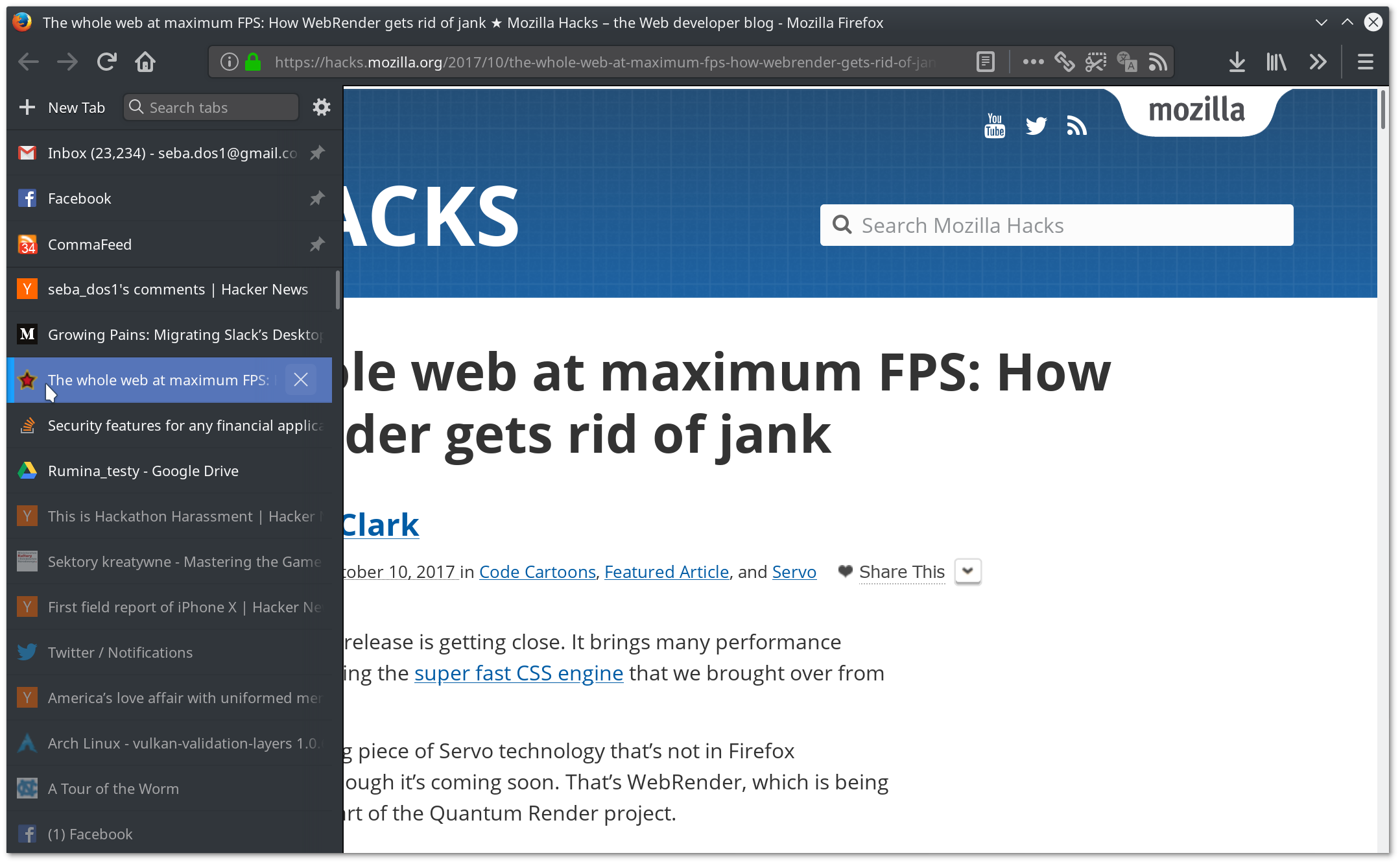
Good reason to use Firefox then, and its ability to have side tabs: https://imgur.com/a/L9plD

Oh, absolutely. It seemed that I would have to say goodbye to Tab Center with 57 and was very unhappy with it, but thankfully it turned out that I was able to make it even better than before. userChrome.css rocks :)

https://dosowisko.net/Screenshot_20171030_203716.png https://dosowisko.net/Screenshot_20171030_203804.png

Re: Firefox Quantum

#173
I started using it about a month ago, because I was getting annoyed with some bugs on Safari [1]. That was on El Capitan, as my Mac was old enough to not support Sierra. I have since gotten a new Mac and am on High Sierra. Firefox has been working well enough that I have not checked to see if those Safari bugs are gone.

There are only two things I've found that annoy me on an ongoing basis with Quantum, and two things I wish they handled better.

• The English spelling dictionary that comes with it is terrible. You can add a better spell check dictionary from the add-ons page, and that helps. Even with that there are weird gaps, though. Consider these words: millisecond, microsecond, nanosecond, picosecond, femtosecond, attosecond. It knows them except for picosecond and attosecond. It seems odd to me to have femtosecond but not picosecond.

Chrome knows them all except attosecond. Safari knows them all.

Although it does not know picosecond, it DOES know picoseconds. Huh?

• I miss the "look up" command on the right-click menus from Chrome and Safari to look up a word in the MacOS dictionary and present the results in a pop-up. I can use the system keyboard shortcut cmd-option-d to open a selected word in Dictionary, but I like the pop-up better. I've got an add-on that adds a lookup to the right-click menu, but that just opens a web-based dictionary in a separate tab.

The two things I wished they handled better were certificates and containers/profiles.

• Safari and Chrome use Apple's keychain for certificates. If I want to add a non-standard certificate authority's root certificate, or trust a self-signed certificate, all I have to do is import it via Keychain Access and set the trust level and it then works in Safari and Chrome (and Mail and Messages...). Firefox uses its own certificate management, requiring that I add everything to it separately.

• Using more than one profile is awkward compared to Chrome. If all you care about is keeping cookies separate [2], Firefox container tabs look like a good alternative, but I also want to keep bookmarks, caches, and history separate, which seems to be beyond what container tabs can handle.

[1] There were two that were particularly annoying. (1) When returning to a page via the back button (or corresponding gesture) it would sometimes freeze for a few seconds after it displayed the page. (2) Occasionally it would get in a state where during a back gesture it would freeze in the middle of the animation of the previous page sliding in. I never saw it recover from that.

[2] Keeping cookies separate is probably good enough for a large fraction of the things that would drive people to multiple profiles. It suffices for things like checking a work account from home or a home account from work on a service where you have accounts for both home and work.

Re: Firefox Quantum

#174

Earlier quoted context omitted.

I assumed Quantum was in Nightly (58) isn't it ?

> Nightly (58) It depends on when you ran nightly; Quantum is the name for 57+. Sounds like you were using it.

That was my understanding too. And as other reported that maybe it was use case dependant, loading imgur front page is harsh, no need for video, webgl or anything too fancy. And of course it's much less the case if at all under chrome.

I wish I had tools and knowledge to analyse the perf/stack locally, really.

Re: Firefox Quantum

#175
post #56

Earlier quoted context omitted.

It practically has, although they're still working on an API to hide the tab bar - until then, you'll have to hide it by editing a local CSS file.

There's also this annoying and useless header bar that's added to the top of the tab tree as well.

...which you can also remove with userContent.css file.

Re: Firefox Quantum

#176
post #43

... and almost all my extensions will cease to work. 16 legacy, 4 ready for 57. a few of them i use very often: automatic save folder, save file to, video downloadhelper, downthemall!, search by image for google, image zoom, copy links

Set extensions.legacy.enabled to true and enjoy. Do not know how long that will work though, but all mine seem to be working.

That setting will not work in the final release.

See https://wiki.mozilla.org/Add-ons/Firefox57#Compat._Table

Re: Firefox Quantum

#177

sigh I just spend an hour trying to figure out why my emscripten code no longer works. Browsing hacker-news and seeing this post about Firefox. Remembering my Firefox developer edition earlier today mentioned some update on start (FF 58.01b now). And yeah, for some reason it broke some emscripten code (edit: seems now it rather broke WebGL canvas).

Do you have a link to a test page that demonstrates the bug? If so, I can file a bug in Bugzilla and identify the code change that caused the regression.

Re: Firefox Quantum

#178
post #162

Maybe these are silly things to complain about with fellow techies, but the things that prevent me from switching to Firefox: The menu bars are enormous even on a compact theme. Bigger than on Chrome. I only have so much vertical space to spare. When opening a new window, the address bar isn't the first thing to receive focus, unlike on Chrome. With Chrome, I just bang out WINKEY + C + H + R + ENTER + part of query +…

> When opening a new window, the address bar isn't the first thing to receive focus, unlike on Chrome. With Chrome, I just bang out WINKEY + C + H + R + ENTER + part of query + ENTER and I'm pretty much there This works for me with firefox 58/windows 10

[deleted]

Re: Firefox Quantum

#179

Maybe these are silly things to complain about with fellow techies, but the things that prevent me from switching to Firefox: The menu bars are enormous even on a compact theme. Bigger than on Chrome. I only have so much vertical space to spare. When opening a new window, the address bar isn't the first thing to receive focus, unlike on Chrome. With Chrome, I just bang out WINKEY + C + H + R + ENTER + part of query +…

> When opening a new window, the address bar isn't the first thing to receive focus, unlike on Chrome.

Do you have a non-default home page? I can reproduce the problem with Firefox 58 on Windows 10 in my regular user profile but not a brand new profile. My regular user profile had a non-default home page URL.

I'm not sure what the focus behavior should be in that case. If you set your home page to a website, would you still want the address bar to have focus?

Re: Firefox Quantum

#180
I was a long time Firefox user (since 2005) and I switched to Chrome 6 months back, because I have a 32 GB laptop and the first thing I noticed was my browser was FAST! But giving openness a thought, the thing that prevents me from going back to Firefox is "Dark Reader" extension[1]. It is just fantastic on Chrome.

It would be interesting to see if Firefox gains it's lost trust from the Addon developers like Downthemall.

Also Firefox's default black theme doesn't even come close to FT DeepDark addon[2].

[1] https://github.com/alexanderby/darkreader

[2] https://addons.mozilla.org/en-US/firefox/addon/ft-deepdark/

Post reply on HN