The documentation site, including the rendering of the page, the accordion menu on the left, and the diagram renderings look a bit buggy and jumbled to me. Would be awesome to use a better solution for documentation. The accordion navigation keeps closing before I can click, clicks don't work etc.
Mermaid: Generate Diagrams and Flowcharts with Markdown Like Syntax
31–40 of 55 posts
Re: Mermaid: Generate Diagrams and Flowcharts with Markdown Like Syntax
#32I love the simplicity of tools like mermaid.
For complex drawings, especially graphs, I think one missing piece (in tikz and others) is to distinguish the structure vs the positioning/coloring, more or less like html and css do.
Often time a complex graph in auto generated (structure) plus manually adjusted to make it nicer (pos & colors), and it would be great to have these two pieces clearly separated for iterating faster.
Re: Mermaid: Generate Diagrams and Flowcharts with Markdown Like Syntax
#33Here's another similar one: https://code2flow.com/app
Re: Mermaid: Generate Diagrams and Flowcharts with Markdown Like Syntax
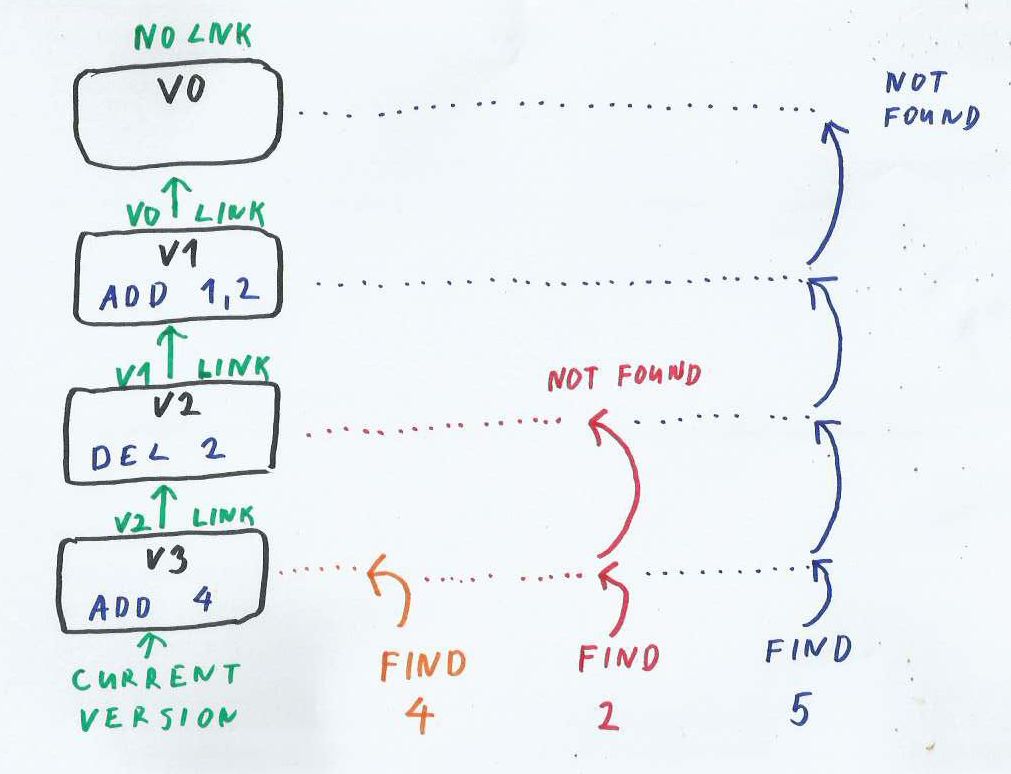
#34I had problem with diagrams for my blog. Graphviz and similar tools did not really worked for me.
Best solution for me was to take pencils and scanner:
Re: Mermaid: Generate Diagrams and Flowcharts with Markdown Like Syntax
#35I was quite excited by this - I normally use mscgen (http://www.mcternan.me.uk/mscgen/).
Unfortunately, I can't find a way to break text strings onto multiple lines in ladder diagrams. Does anyone know how?
One of the examples shows
tags within a Note. The
is stripped out and the text is wrapped onto multiple lines within the note box, but the wrapping is completely independent of the
tags.
...and this doesn't work for text on ladder diagram arrows. I find this very useful to add additional information, e.g. "POST /echo" above the arrow and the POST body below the arrow.
Re: Mermaid: Generate Diagrams and Flowcharts with Markdown Like Syntax
#36There are a few atom plugins that support this.
I'm using Markdown Preview Enhanced now: https://atom.io/packages/markdown-preview-enhanced
with which you can embed mermaid sketches into normal markdown documents. This is perfect for most use cases where you want a simple diagram inside a text document.
Also atom-mermaid: https://atom.io/packages/atom-mermaid which is for authoring mermaid documents.
Re: Mermaid: Generate Diagrams and Flowcharts with Markdown Like Syntax
#37Word of advice: name your .js file after its versioning (or use ?v=x.y.z in the src), because some updates break older code. I had to go through all the versions at one point to make my old code work again, because I'd used a remote CDN or something at one point. Excellent tool otherwise, haven't seen anything better so far.
I disagree: version management of that source is not the job of the JS file but the CDN and/or package manager (npm, jspm, what have you). If the CDN you had been using did not provide a way to version the JS you retrieve from it, I would suggest you look for a better CDN. I can't say that I've even seen a CDN without versioning support; the closest I've seen is that some READMEs for GitHub packages will suggest the…
Your confusing CDN with something else.
A CDN doesn't do versioning support, it serves files and respect the caching headers it was given.
Re: Mermaid: Generate Diagrams and Flowcharts with Markdown Like Syntax
#38I had problem with diagrams for my blog. Graphviz and similar tools did not really worked for me. Best solution for me was to take pencils and scanner: http://www.mapdb.org/blog/lsm_store_and_updates/ http://www.mapdb.org/images/blog/lsm-find.jpeg
I really like hand drawn graphs in articles like these, but couldn't say whether it's because they're drawn by hand, or whether computer generated graphs are often much harder to get "right".
Re: Mermaid: Generate Diagrams and Flowcharts with Markdown Like Syntax
#39I had problem with diagrams for my blog. Graphviz and similar tools did not really worked for me. Best solution for me was to take pencils and scanner: http://www.mapdb.org/blog/lsm_store_and_updates/ http://www.mapdb.org/images/blog/lsm-find.jpeg
I really like hand drawn graphs in articles like these, but couldn't say whether it's because they're drawn by hand, or whether computer generated graphs are often much harder to get "right".
Thanks, I found it very difficult to express my ideas in computer generated chart.
Re: Mermaid: Generate Diagrams and Flowcharts with Markdown Like Syntax
#40Earlier quoted context omitted.
I disagree: version management of that source is not the job of the JS file but the CDN and/or package manager (npm, jspm, what have you). If the CDN you had been using did not provide a way to version the JS you retrieve from it, I would suggest you look for a better CDN. I can't say that I've even seen a CDN without versioning support; the closest I've seen is that some READMEs for GitHub packages will suggest the…
Your confusing CDN with something else. A CDN doesn't do versioning support, it serves files and respect the caching headers it was given.
Sure it's not often considered a part of the definition of a CDN, but version management very much is the duty of a good CDN (even just as a part of cache management to know when to clear/refresh caches).
A CDN built for public usage (ie, that you do not run yourself DIY style, and isn't a corporate internal CDN they don't expect outsiders to reuse) that is built to serve JS (and often CSS, too) will through necessity provide some versioning mechanism. As I said, if you find a CDN that is serving JS files and doesn't have some sort of versioning mechanism or policy in place then you find a better CDN. I think at this point good versions strategies is a requirement for a good CDN.
Take MaxCDN as a good example since it is one of the most common CDNs at this point for JS/CSS (Bootstrap, Font Awesome, Twemoji, ...): all of their URLs have version numbers in their path structure (/bootstrap/3.3.7/...).
RawGit is probably the next most common I see, thanks to it making it very easy for anyone to CDN access a GitHub repo. As I mentioned before: RawGit uses git branches and tags in its folder structure for version management. If you are using a RawGit URL with /master/ in the URL you should switch to a version tag pronto (and that's not RawGit's fault, it's yours for giving it a floating version requirement).