Live data from Hacker News

Fork: Fast and Friendly Git Client for Mac

git-fork.com

51–60 of 109 posts

Re: Fork: Fast and Friendly Git Client for Mac

#51
post #9

The only thing that jumps out at me is the visual of the git tree diagram on the left - other than that why not just use the command line? Am I missing something?

When you use a git GUI some console actions can be made easier:

- I can stage/unstage/reset my changes line-by-line

- I can observe the whole repository structure as it was at the moment of commit

- Gui client automatically keeps my submodules in the valid state so I don't need to check their state after each checkout

- I can quickly review the whole repo history (sometimes it can be useful when I am involved in a new project)

- I can see clearly the commits which are going to be pushed
Re: Fork: Fast and Friendly Git Client for Mac

#52
I can't even test the functionality because it won't let me pass the first screen because I don't have config user.email set in my gitconfig.

http://imgur.com/a/T4s4o

I have a pre-commit hook that is installed on all new repo's I create/clone that warns me, and then I set an email address PER REPO. This way I can work on both $WORK and open source projects on the same machine while having different email addresses per repository.

The assumption that a user needs to have user.email set globally breaks my entire work-flow.

Re: Fork: Fast and Friendly Git Client for Mac

#53

What's an argument for switching from Sourcetree? I recently tried Git's own Mac client and was running back to Sourcetree within a few minutes...

Do you really need one? Sourcetree is awful. Slow. Bloated. It even fails to dim non-available UI elements all over the place. Doesn't know how to use checkbox widgets correctly. I love the 5-6 seconds of waiting for its UI to gradually, slooowly, update itself after you do virtually any operation, no matter how simple.

I guess I haven't had any UI issues with it as far as asset popping, although going through their "big update" and the related auth problems left it pretty much unusable for a full week.

Re: Fork: Fast and Friendly Git Client for Mac

#54

Earlier quoted context omitted.

Anyone know is there are advantages of Fork over SourceTree?

I already got that question today. So, I'll just repost my answer: here are some differences from the top of the head: * Fork has tabbed interface * For each commit you can see not only changes, but also the whole repository as it was at the moment of commit * Diff viewer shows exact difference between two pieces of code. For example, here are both SourceTree and Fork showing the same commit: https://dl.dropboxuserco…

SourceTree has a tabbed interface as well now. The diff viewer might be interesting if it's really good but I think that to require an external viewer where the company focused on that as a product. On Mac most of the good options are paid though, might help you.

Re: Fork: Fast and Friendly Git Client for Mac

#55
post #9

The only thing that jumps out at me is the visual of the git tree diagram on the left - other than that why not just use the command line? Am I missing something?

Because when you're doing anything outside of git commit am- "whatever" it's nice to be able to see the complete implications of your actions, what files have been modified, what lines in those files have changed, etc.,

Re: Fork: Fast and Friendly Git Client for Mac

#56

I can't even test the functionality because it won't let me pass the first screen because I don't have config user.email set in my gitconfig. http://imgur.com/a/T4s4o I have a pre-commit hook that is installed on all new repo's I create/clone that warns me, and then I set an email address PER REPO. This way I can work on both $WORK and open source projects on the same machine while having different email addresses pe…

Hi. Didn't even think about such a requirement. In next version I'll make credentials optional (with a warning though).

Re: Fork: Fast and Friendly Git Client for Mac

#57
post #44
post #9

The only thing that jumps out at me is the visual of the git tree diagram on the left - other than that why not just use the command line? Am I missing something?

Not sure why this is downvoted, I'm also interested to know how popular these sort of tools are compared to command line git and what the main advantages are.

I'm curious as well...I've tried using the Git integration within MSVS ,and it was a ~very~ unpleasant experience. I suppose in some instances it may be nice to visually see changes, but I've always preferred the command line for git.

Re: Fork: Fast and Friendly Git Client for Mac

#58

Earlier quoted context omitted.

All of the Mac Git clients pretty much look the same, though.

I sort of wondered about that thinking maybe there's only one logical way to design a git GUI on osx, but then even within this thread people brought up a few other examples that look totally different: http://gitup.co/ http://gitboxapp.com/ But I do agree there are lots of very similar UIs for various git GUIs. And I'm sure SourceTree borrowed lots of their layout from others as well.

https://www.gitkraken.com/ is also different.

Re: Fork: Fast and Friendly Git Client for Mac

#60

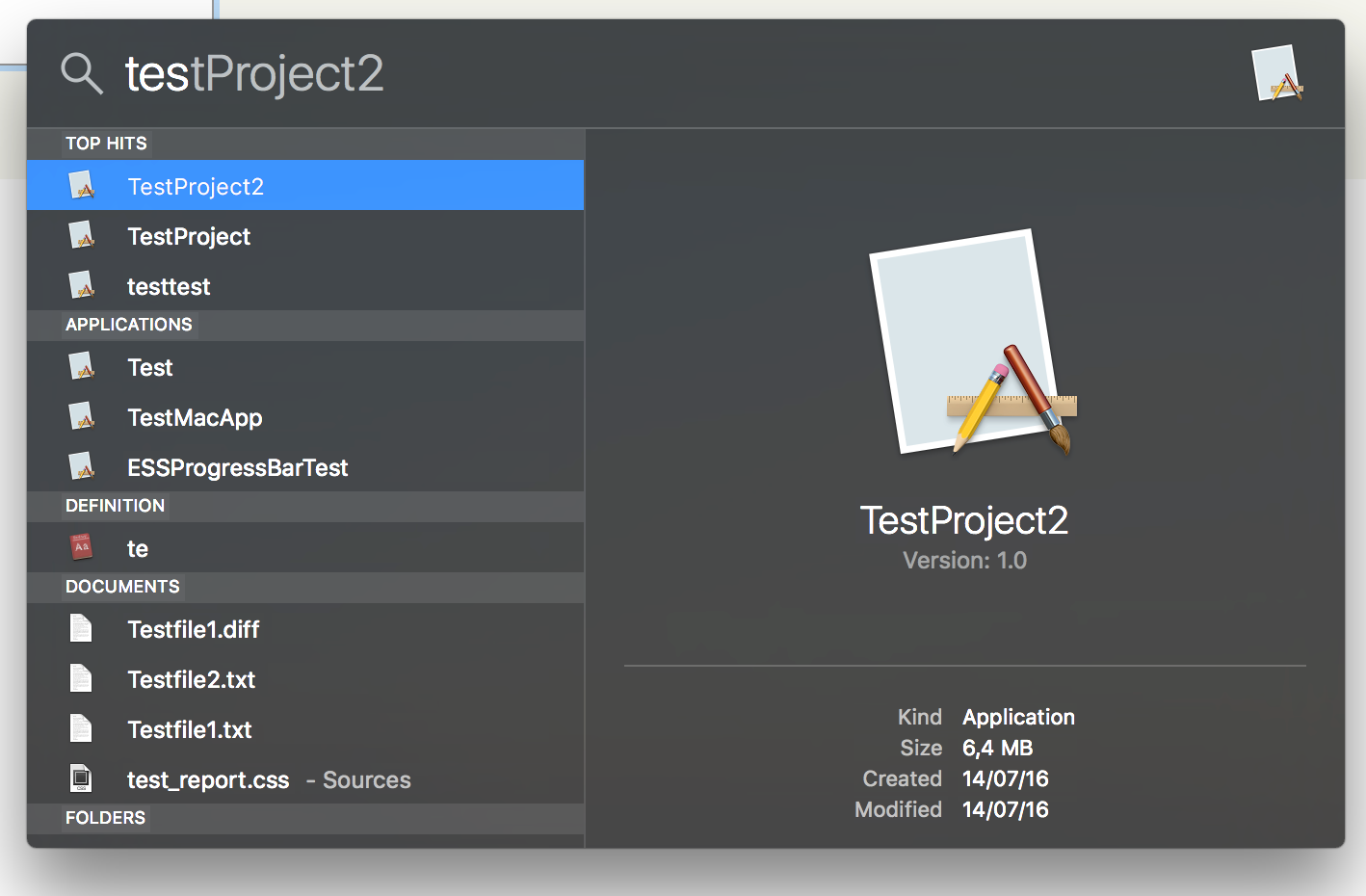
I suggest not using the magnifying glass icon for the repo favorites. It is confusing especially because you have a search field already on the right hand side. Might I suggest a star icon or a list icon for the list of repos?

I use the magnifying glass icon for the "Open quickly" window.

It's supposed to be something like Spotlight search in OS X (https://dl.dropboxusercontent.com/s/vopjz0e9tp1k1ul/2016-08-...).

Post reply on HN