Live data from Hacker News

How Apple Is Giving Design a Bad Name

fastcompany.com

81–90 of 97 posts

Re: How Apple Is Giving Design a Bad Name

#81
post #60

Earlier quoted context omitted.

Floppy drives had a mechanical eject push-button and there was no unix-style "mount" afaik.

I don't know which floppy drives you used, but the ones I did had no push-button. It was software only. I skimmed through the models in Wikipedia and couldn't see any with manual ejects. https://upload.wikimedia.org/wikipedia/commons/d/df/Macintos... https://upload.wikimedia.org/wikipedia/commons/c/c9/Macintos... https://upload.wikimedia.org/wikipedia/commons/b/b3/Macintos... https://upload.wikimedia.org/wikipedia/co…

I don't think he was thinking about Mac.

https://upload.wikimedia.org/wikipedia/commons/1/1b/Floppy_D...
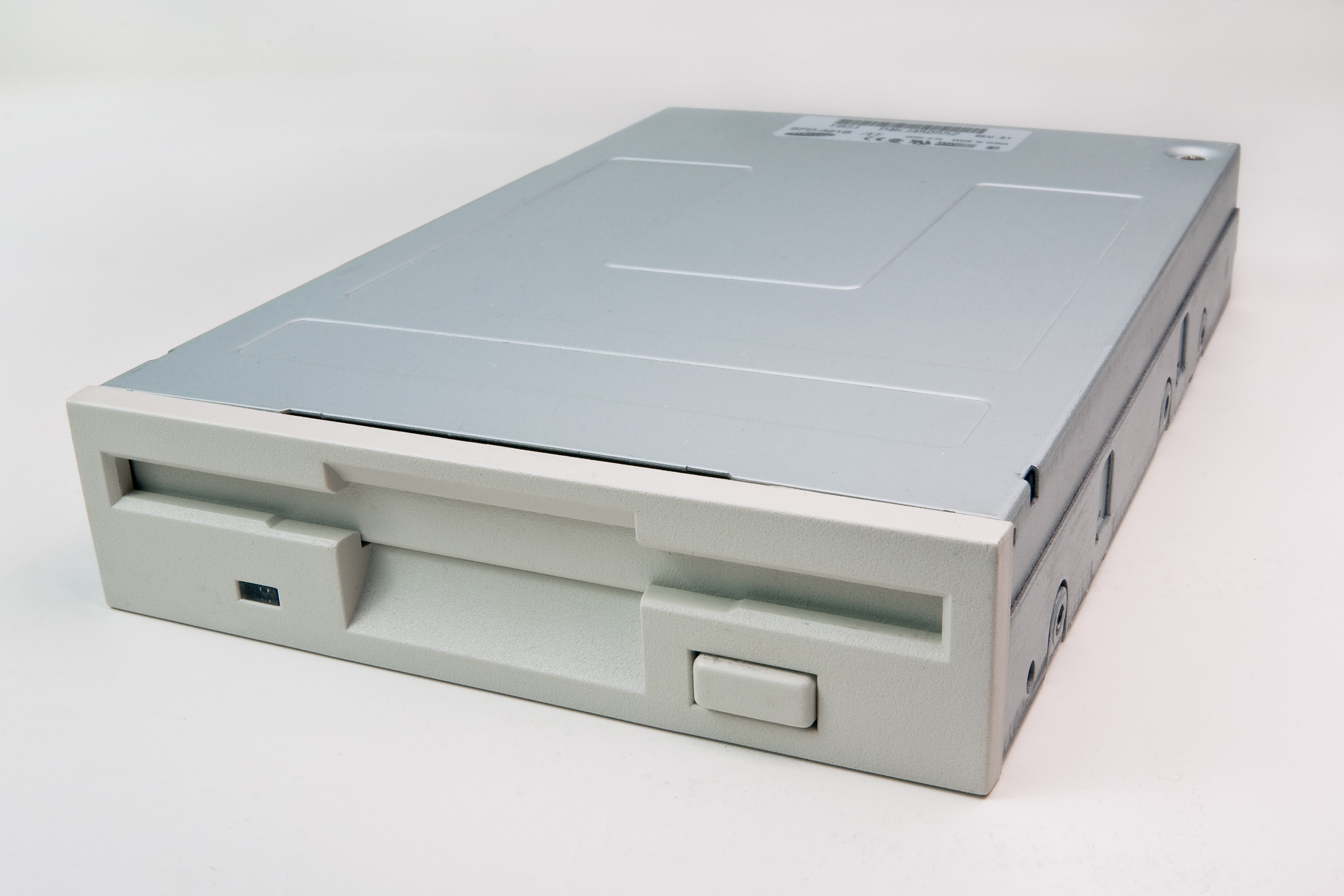
Re: How Apple Is Giving Design a Bad Name

#82
post #63
post #60

Earlier quoted context omitted.

Floppy drives had a mechanical eject push-button and there was no unix-style "mount" afaik.

On unix at least (linux and aix) there was mount / umount of a floppy, which should always be done before removing it from the slot. Linux couldn't force you though, but it was good practice.

Depends, you could mount it with the sync option. This would make all writes happen right away. Not recommended on FAT formated flash devices btw, as it will cause massive amounts of writes to the table.

Re: How Apple Is Giving Design a Bad Name

#83
post #37
post #27

Am I the only one who has always thought of the Apple UI to have always been form over function/usability by a long shot? I remember the first time I used an iMac: I spent about half an hour trying to figure out how to eject a CD. A context menu might not look very elegant but it's insanely useful and powerful and very easy to get the hang of. In the end I had to be told/taught that the way to eject the CD on a mac w…

That Apple was ever good at design was probably the relative side effect of other software and hardware developers being abysmally bad at it (probably due to monopolistic inefficiencies). And now that the competition is heating up and challenging Apple on the design front, the flaws that earlier would have been swept under the carpet by ardent fans, including me, are becoming difficult to disregard.

Nah, Jobs didn't know much about hardware or software but he was a stickler for appearance.

Re: How Apple Is Giving Design a Bad Name

#84
post #70
post #56

Earlier quoted context omitted.

>The reason the Finder did not have copy-paste for years, and why it doesn't have cut till this day is that it is hard to implement. A proper cut would immediately delete the file from the file system, and a later paste would paste the file with the contents it had when the file was cut or copied (Excel is also notoriously bad at this; cut a range, close the file, and try pasting) Huh? That's the strangest reasoning…

I know that, but that is inconsistent and that inconsistency _is_ the reason the Finder resisted implementing it for years, and why it doesn't have cut-paste to this day, but does have move. It is hard to find things from decades ago on the web, but see https://www.quora.com/Why-does-Apple-not-provide-a-cut-funct... (2011). The answer from Eduo-Gutiérrez IMO points to the same. The Apple Human Interface guidelines al…

"I know that, but that is inconsistent and that inconsistency _is_ the reason the Finder resisted implementing it for years"

Inconsistent with what exactly?

Re: How Apple Is Giving Design a Bad Name

#85
post #61

My pet peeve: when I try to click a button and just before I touch the screen it changes, so I hit completely another button (on Androod - but it is the same everywhere). So instead of cancelling a call I place another one, to a different person. No I didn't intend to call my mother in law! The solution is so simple it hurts: if a clickable area has been shown less than X ms before the touch / click, ignore the event…

Can you give a more concrete example? I'm on Android, and I've never experienced that. Your suggestion would only work for very undeterministic parts of the UI, though. Good UIs are predictable, and sophisticated users "know" where to click and don't need to read buttons, so they're very fast. Enforcing some delay will make the system seem "laggy". So now you have to make a distinction between "predictable parts of t…

Frankly the only place i have seen that on any platform is with web browsers. In particular sites that reformat to make room for ads after the main content has fully loaded.

Re: How Apple Is Giving Design a Bad Name

#86
post #29

Earlier quoted context omitted.

The positioning of the FAB or "Floating Action Button" on top of the content, makes sense when you think about it but in practice I find it frustrating: - Because the way I hold the phone, most of the time my thumb is covering it and I don't see it. - Because it is supposed to be the "main" action, it makes all other actions move around. Example: on Google Photos, the FAB is search. on Gmail the FAB is "create" and s…

Most the material ergonomy is laughable, lots of nice ideas and work but I'm about 32x more productive with a BadaOS interface.

Yeah i miss the Holo stuff. At least there buttons etc seemed to automatically find a finger friendly size.

Again and again i have seen apps go Material, only to have buttons etc become so small i have to tap 2-3+ times to hit them. And i do not have anything close to large fingers.

Frankly i am left with the impression that with Material Google abandoned their adaptive UI frameworks and went with "pixel counting". Thus Material interfaces only seem to work properly on 10" and 5" screens.

Re: How Apple Is Giving Design a Bad Name

#87
post #70

Earlier quoted context omitted.

I know that, but that is inconsistent and that inconsistency _is_ the reason the Finder resisted implementing it for years, and why it doesn't have cut-paste to this day, but does have move. It is hard to find things from decades ago on the web, but see https://www.quora.com/Why-does-Apple-not-provide-a-cut-funct... (2011). The answer from Eduo-Gutiérrez IMO points to the same. The Apple Human Interface guidelines al…

"I know that, but that is inconsistent and that inconsistency _is_ the reason the Finder resisted implementing it for years" Inconsistent with what exactly?

1) A cut without a paste deletes stuff, except in file explorers and in ?some/most/all? cut actions in Excel.

2) A copy or cut puts stuff in the clipboard. It stays there until you copy or paste again, except in Excel, where entering new data between copy and paste clears the clipboard.

Re: How Apple Is Giving Design a Bad Name

#88

Earlier quoted context omitted.

Most the material ergonomy is laughable, lots of nice ideas and work but I'm about 32x more productive with a BadaOS interface.

Yeah i miss the Holo stuff. At least there buttons etc seemed to automatically find a finger friendly size. Again and again i have seen apps go Material, only to have buttons etc become so small i have to tap 2-3+ times to hit them. And i do not have anything close to large fingers. Frankly i am left with the impression that with Material Google abandoned their adaptive UI frameworks and went with "pixel counting". T…

Material often places action item in very bad places, floating over content, far from where you were touching... like a mouse compared to a keyboard home row, aka non-ergonomic.

It was amazing as a design idea, having all the pieces analog, independent yet coupled when needed, it felt like the proper way to build things, but I'm starting to think that this is a classic wrong variable focus, this doesn't matter for the kind of interaction it's used for.

Re: How Apple Is Giving Design a Bad Name

#89
post #61

My pet peeve: when I try to click a button and just before I touch the screen it changes, so I hit completely another button (on Androod - but it is the same everywhere). So instead of cancelling a call I place another one, to a different person. No I didn't intend to call my mother in law! The solution is so simple it hurts: if a clickable area has been shown less than X ms before the touch / click, ignore the event…

I hate a different version of this: keyboard focus stealing on OS X by windows that pop up in front of something you were typing into.

The worst one is at login when I'm typing the password for my encrypted second drive and other apps that are starting up pop up in front, including ones that rely on that drive to be unlocked. If ever a dialog needed to be more modal, it's that one.

Re: How Apple Is Giving Design a Bad Name

#90
post #61

My pet peeve: when I try to click a button and just before I touch the screen it changes, so I hit completely another button (on Androod - but it is the same everywhere). So instead of cancelling a call I place another one, to a different person. No I didn't intend to call my mother in law! The solution is so simple it hurts: if a clickable area has been shown less than X ms before the touch / click, ignore the event…

Can you give a more concrete example? I'm on Android, and I've never experienced that. Your suggestion would only work for very undeterministic parts of the UI, though. Good UIs are predictable, and sophisticated users "know" where to click and don't need to read buttons, so they're very fast. Enforcing some delay will make the system seem "laggy". So now you have to make a distinction between "predictable parts of t…

I place a call and a callee is busy. I want to click "end call" button, but just a bit before that app figures out it can stop the call, so it switches back to main screen. The touch on the same spot now means something entirely else - so a new call is placed and I try to stop it in a fit of panic.

It happened at least 3 times in last two months.

Update: I am not suggesting adding a delay, that wouldn't help with anything.

Post reply on HN