How to Design Mobile Apps for One-Hand Usage
smashingmagazine.com
How to Design Mobile Apps for One-Hand Usage
1–10 of 76 posts
Re: How to Design Mobile Apps for One-Hand Usage
#2Very interesting. I was thinking if implementing a fly-out might be a good idea and reading this really helped to decide.
Re: How to Design Mobile Apps for One-Hand Usage
#3This article was definitely not about what I thought it would be.
Re: How to Design Mobile Apps for One-Hand Usage
#4This article was definitely not about what I thought it would be.
The name of the website smashingmagazine doesn't help lol
Re: How to Design Mobile Apps for One-Hand Usage
#5I still don't understand how Apple does noet update their guidelines. Navigation and the top bar are sch a pain to use.
Reachability helps, but it's just bandaid around bad decisions
Re: How to Design Mobile Apps for One-Hand Usage
#6I very recently started using a phone which is too large to be used with one hand. Not because I wanted to, but because my old phone was aging, I needed a new one and nowadays there aren't any recent and decent phones anymore which are small enough to allow one-handed usage.
And so far it's been mostly annoying. Sure, the larger display is great, but the lost ability to operate the phone with single handed is a real bummer.
I wonder why the smartphone manufacturers don't at least offer a single device small enough to allow one-hand usage. There just has to be a market for that, given how many people complain about large phones.
Re: How to Design Mobile Apps for One-Hand Usage
#7I very recently started using a phone which is too large to be used with one hand. Not because I wanted to, but because my old phone was aging, I needed a new one and nowadays there aren't any recent and decent phones anymore which are small enough to allow one-handed usage. And so far it's been mostly annoying. Sure, the larger display is great, but the lost ability to operate the phone with single handed is a real…
My previous phone - Asus Zenfone - featured the one-hand mode, where you scale whole viewport down and move it on the screen as you see fit. See this image:
https://www.technokick.com/wp-content/uploads/2015/05/DSCN79...
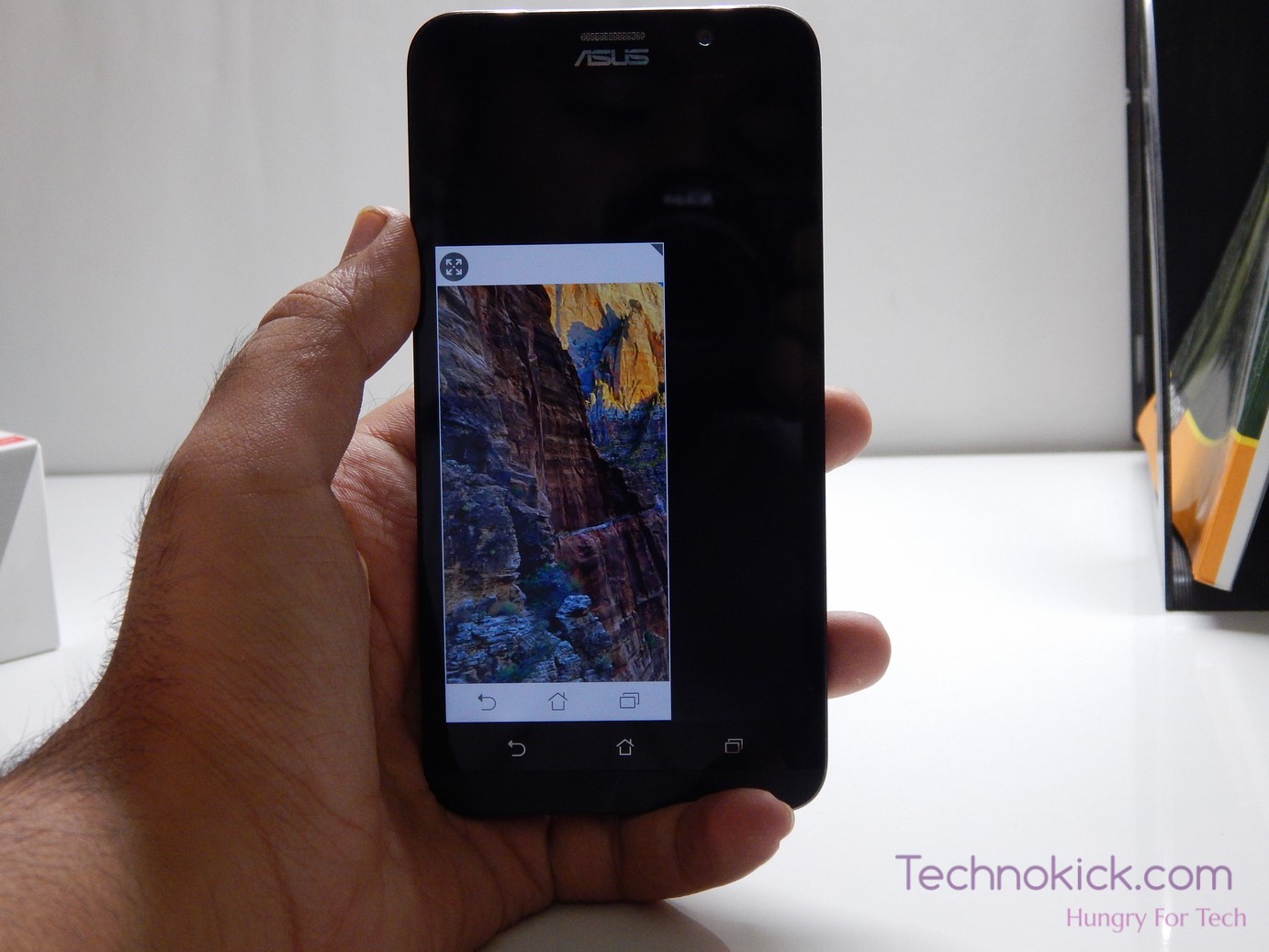
Maybe not beautiful but it was practical in some cases.
More vendors should ship things like this. But the companies value fake visual niceness over usability so I'm not holding my breath.
Re: How to Design Mobile Apps for One-Hand Usage
#8Years ago I made an attempt at a UI that wouldn't even require repositioning the phone in your hand: the buttons are literally under your thumb (if you forgive my shameless self-plug):
https://apps.apple.com/us/app/futurecalc-futuristic-calculat...
Re: How to Design Mobile Apps for One-Hand Usage
#9I still don't understand how Apple does noet update their guidelines. Navigation and the top bar are sch a pain to use. Reachability helps, but it's just bandaid around bad decisions
Also, reachability suffered a big blow in usability when they got rid of the home button - swiping down on the bottom of the screen is very awkward and prone to clicking something unintentionally.
Re: How to Design Mobile Apps for One-Hand Usage
#10I still don't understand how Apple does noet update their guidelines. Navigation and the top bar are sch a pain to use. Reachability helps, but it's just bandaid around bad decisions
Also, reachability suffered a big blow in usability when they got rid of the home button - swiping down on the bottom of the screen is very awkward and prone to clicking something unintentionally.
I was dependent on reachability with a 6S. Recently upgraded after that phone became unusable and I'm suffering the same problem as you.
I have about a 20% hit rate with reachability now. So if anyone has any tips please do share them.