Interestingly, deleting the vim executable won't exit, because Unix has the "funny" habit of keeping a file handle alive as long as it's referenced by a process.
Really cool way to mess with some noobs.
How to Exit Vim
91–100 of 409 posts
Re: How to Exit Vim
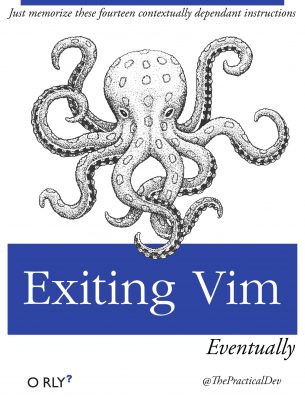
#92Atleast this ones a bit amusing. Speaking of amusing, this book on the vim website - https://www.vim.org/images/exiting_vim.jpg
Re: How to Exit Vim
#93Earlier quoted context omitted.
I know some basic commands and know it well enough to edit git commit messages and interactive rebase (`ddkP` is probably the most advanced command I know). But I've never thought "I prefer this over my regular editor this is amazing". I just don't get the satisfaction. And of course I'd have to dive deep into the ecosystem in order to get the same benefits that my main editor provides out of the box, like idk, cmd+c…
> And of course I'd have to dive deep into the ecosystem in order to get the same benefits that my main editor provides out of the box, To me, vim shines as a modal editor , not an IDE. I use it for two purpose: 1. quick editing configuration files, or single file scripts 2. an editing mode in an IDE (mostly VSCode) The main benefit of vim is to save you from using the mouse or the touch pad. I touch type, my indexes…
My hypothesis is that vim style work (without moving a wrist even a bit) is the reason people get carpel tunnel. I anecdotally see far fewer (none?) People who don't do vim/emacs getting these injuries. Makes sense as well right? Just like "take a walk and don't sit in the same place" but for your fingers
Re: How to Exit Vim
#94Oh dear. What are the chances this will eventually rank fairly highly on search engines - this is going to ruin the soul of the unsuspecting people who end up thinking that this is not satirical advice.
If you don't see it's a joke, Vim is not for you. Stick with Notepad or Google Docs. Obviously, it's not aimed at you :-;
To clarify, if someone gets stuck in 'vim' when debugging an issue and searches the web for "how to exit vim" and ends up on the document linked in the OP ... your advice is "stick with Notepad"?
Re: How to Exit Vim
#95In the opposing vein, as an Emacs user the best configuration I ever made was to rebind C-x C-c to execute-extended-command instead of kill-emacs. It was way too easy to (even accidentally!) kill emacs with a sweep of a finger. And I probably use a few hundred execute-extended-command calls for each kill-emacs (which I now have to type manually as 'C-x C-c kill-emacs' - no problemo).
A similar optimisation was with tmux to bind the prefix to C-z. It's in a handy location next to ctrl and I very rarely use suspend anyway (which is still available as easily as C-z z). Stretching your fingers between ctrl and b (the default prefix key) merely made me wonder who the heck thought of something like this?
As for vi, I made a point of learning to use it enough to do useful work editing config files and small texts. Every once in a while another application brought up 'vi' for some reason (maybe I lost VISUAL or EDITOR while sudoing or the app was looking for another variable) and I could never exit the damn thing.
So instead of just learning :q and figuring out how to make the particular program or script relaunch another editor I thought it's the path of least resistance to just edit with vi directly. It has been an incredibly handy skill: I never use vi for anything larger but these days I actually do 'vi /etc/fstab' myself instead of calling for emacsclient.
However, I've been toying around with the idea of eventually writing a minimal 'vi' clone that you cannot exit. I'm sure there's pent-up demand just waiting for one!
Re: How to Exit Vim
#96I can't wait for this article to be on top of Google's search results for 'how to exit vim' = D
Re: How to Exit Vim
#97I have the feeling something is missing on that list, but I can't put my finger on it ...
BRS, that old classic Big Red Switch, kills all known operating systems and proc's, dead in their tracks.
Me, It's usually :wq, or sometimes :q! or more than likely ZZ - which can be done with shift zz or if you truly want to do it with just one finger, capslock then zz.
Re: How to Exit Vim
#98Oh dear. What are the chances this will eventually rank fairly highly on search engines - this is going to ruin the soul of the unsuspecting people who end up thinking that this is not satirical advice.
Better they ruin their own soul than inflict upon others is the way to look at that.
But then, what type of people don't RTFM besides the whole generation that treat google as their manual and when the internets down, so is there `knowledge` /s.
Re: How to Exit Vim
#99As an Emacs user I just realized to my horror that I know the command(s) to exit vim but not the one(s) to exit Emacs. I can only tell you it begins with C-x. (Of course, my left hand knows.)
Sometimes your right brain doesn't have to know what your left hand is doing.
Re: How to Exit Vim
#100The only vi command I know is :q! (That and the Rogue navigation keys.)
If my ageing memory serves, it was the other way around: Rogue imitated vi for navigation keys.
Don't both originate from the fact that (some) early keyboards had the arrow keys on HJKL?