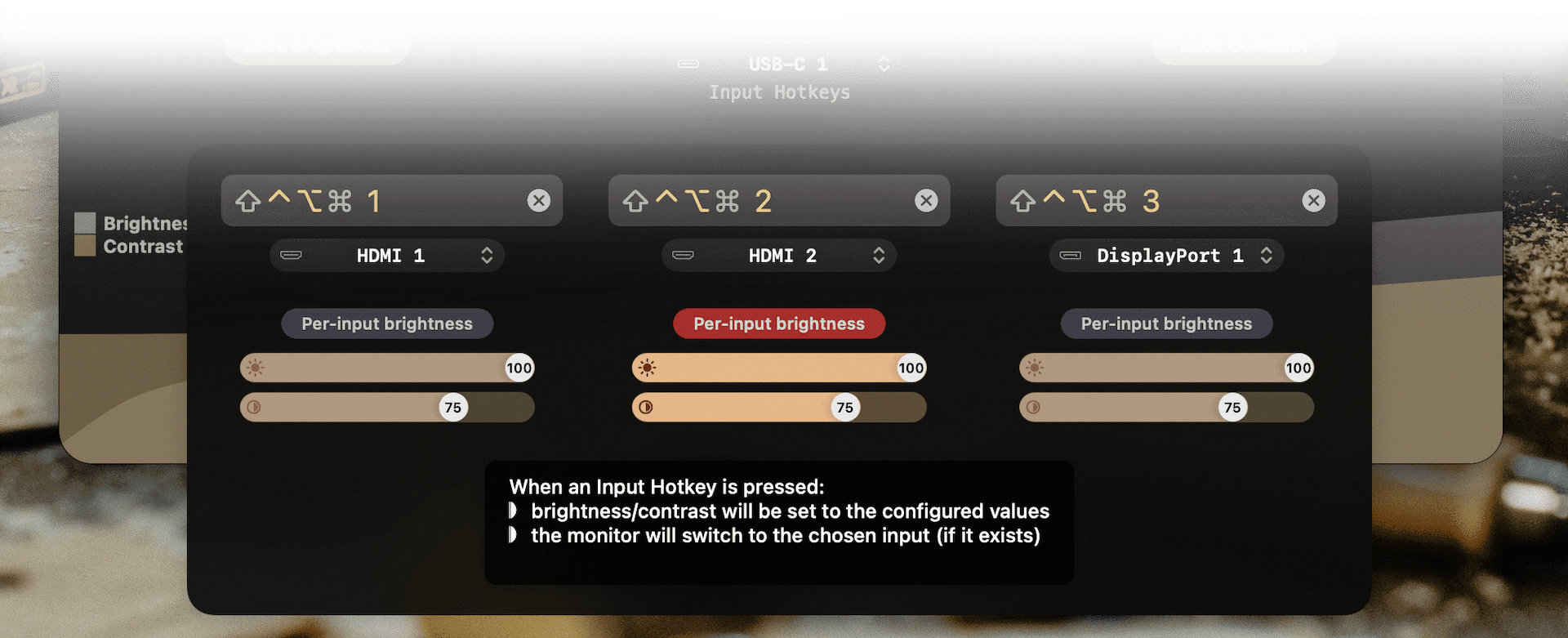
Also the functionality is completely free, the Pro license isn’t needed if you only switch inputs and occasionally adjust brightness or volume.
This might be a more comfortable solution if your monitor allows input switching through DDC.
81–90 of 155 posts
Also the functionality is completely free, the Pro license isn’t needed if you only switch inputs and occasionally adjust brightness or volume.
This might be a more comfortable solution if your monitor allows input switching through DDC.
PSA: Many 4K Dell monitors (like my Dell UltraSharp U3219Q ) have a built-in KVM switch and they support full DDC commands for switching the input as well (over HDMI, DP and USBC). I can control them from Mac and Linux with hot keys that trigger the appropriate ddc commands.
Whoah. How do I obtain these ddc commands on macOS?
PSA: Many 4K Dell monitors (like my Dell UltraSharp U3219Q ) have a built-in KVM switch and they support full DDC commands for switching the input as well (over HDMI, DP and USBC). I can control them from Mac and Linux with hot keys that trigger the appropriate ddc commands.
However, they're currently unobtanium. I've been wanting one to solve my working from home problem to allow me switch computers with the same setup.
PSA: Many 4K Dell monitors (like my Dell UltraSharp U3219Q ) have a built-in KVM switch and they support full DDC commands for switching the input as well (over HDMI, DP and USBC). I can control them from Mac and Linux with hot keys that trigger the appropriate ddc commands.
It would definitely help having a figure or diagram showing how things are meant to be wired up.
#!/bin/bash
src="pc"
while true; do
lsusb -d 04d9:a0d1 >/dev/null # Keyboard connected?
ret=$?
if [ $ret -eq 0 -a "$src" != "pc" ]; then
src="pc"
ddcutil --noverify setvcp 60 0x0f # Switch monitor input to DP
elif [ $ret -eq 1 -a "$src" = "pc" ]; then
src="laptop"
ddcutil --noverify setvcp 60 0x11 # Switch monitor input to HDMI
fi
sleep 1
doneI bought a fantastic curved Samsung monitor and it supports reading from the port that tells you the current input but not setting it. It also has the worst possible input switcher that cycles until it finds a valid input. I wish it were easier to hack on monitor firmware. I'd love to improve it.
It's quite infuriating when you have a display that changes input if it's not receiving and a source that switches off unless it's told the display is showing. You end up having to play a timing game to get both devices on at the same time before one of them turns off or changes.
I cannot guarantee that. At. All.
PSA: Many 4K Dell monitors (like my Dell UltraSharp U3219Q ) have a built-in KVM switch and they support full DDC commands for switching the input as well (over HDMI, DP and USBC). I can control them from Mac and Linux with hot keys that trigger the appropriate ddc commands.
However, they're currently unobtanium. I've been wanting one to solve my working from home problem to allow me switch computers with the same setup.