Live data from Hacker News

On Desktop GUI Minimalism

mycophobia.org

71–80 of 92 posts

Re: On Desktop GUI Minimalism

#71

> I even briefly used a tiling window manager before very quickly returning to the floating ones; the appeal of such utterly inflexible window management I will simply never understand. The author mentions this design in passing but I think it is contextually important to understand why people might like this at all so I'll share what I appreciate about tiling window managers: The appeal, for me, is the inflexibility…

On my Mac I use a combination of floating windows (I use Spectacle to snap them around), Cmd+Tab to scroll through open applications, and Spotlight search to open new applications. Hands never leave the keyboard to find/open the window I want and it feels very comfortable to me.

The main drawback is that I absolutely never see my desktop background, but that’s about it.

Re: On Desktop GUI Minimalism

#72
post #66

> I even briefly used a tiling window manager before very quickly returning to the floating ones; the appeal of such utterly inflexible window management I will simply never understand. The author mentions this design in passing but I think it is contextually important to understand why people might like this at all so I'll share what I appreciate about tiling window managers: The appeal, for me, is the inflexibility…

Tiling is not great, but I believe is better than floating window managers. Yet neither are good enough in 2023. In floating systems, partially covered windows are useless and usually avoided: either you want to see everything, or you minimize the window. The few times one tries to actually keep a partially covered window (i.e. show only the last few lines of a terminal visible), the UX is terrible because as soon as…

I remember using some X11 windowmanager way back with desktop resolution higher then the the monitor. If you put the cursor on an edge it would scroll over.

It was surprisingly nice but in retrospect a bit too mouse heavy.

I've since gone over to tiling. Sway in particular.

Re: On Desktop GUI Minimalism

#73
> I have an infinite number of separate workspaces, each arranged in their own way. I like being able to see and have at-hand everything at once on one screen, which is an illusion best maintained, for me, by a single desktop. Even more than one monitor is more of an "immersion-breaker" than I care to mentally deal with.

I feel exactly the same way but solve it by having an fvwm2 configuration that makes my workspace 3x3 (currently) of the physical screen size and I can scroll the viewport around that to taste.

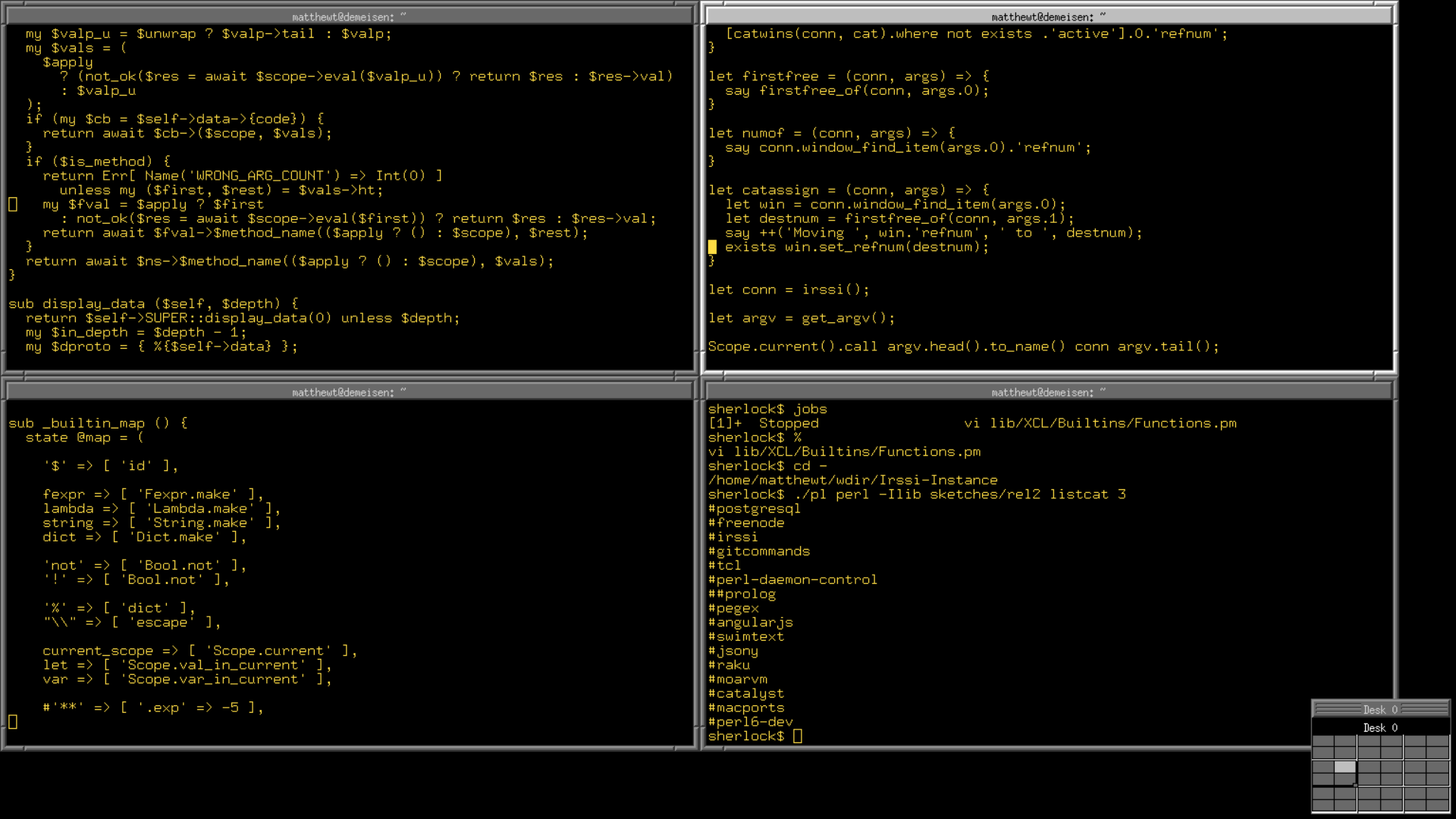
See https://trout.me.uk/X11/fvwm2rc for my configuration if curious (for a more actual-GUI-ish workflow you'd want to configure more of its features, I generally just have lots of xterms and maybe a firefox - see https://trout.me.uk/screenshot4.png)

Re: On Desktop GUI Minimalism

#74
post #66

Earlier quoted context omitted.

Tiling is not great, but I believe is better than floating window managers. Yet neither are good enough in 2023. In floating systems, partially covered windows are useless and usually avoided: either you want to see everything, or you minimize the window. The few times one tries to actually keep a partially covered window (i.e. show only the last few lines of a terminal visible), the UX is terrible because as soon as…

I remember using some X11 windowmanager way back with desktop resolution higher then the the monitor. If you put the cursor on an edge it would scroll over. It was surprisingly nice but in retrospect a bit too mouse heavy. I've since gone over to tiling. Sway in particular.

My fvwm2 setup is like that (the config line "DeskTopSize 3x3" does the trick) plus keybindings to jump the cursor a half or a whole screen so I don't usually need to touch the mouse while navigating around (focus follows mouse is essential to this).

Re: On Desktop GUI Minimalism

#75
post #66

> I even briefly used a tiling window manager before very quickly returning to the floating ones; the appeal of such utterly inflexible window management I will simply never understand. The author mentions this design in passing but I think it is contextually important to understand why people might like this at all so I'll share what I appreciate about tiling window managers: The appeal, for me, is the inflexibility…

Tiling is not great, but I believe is better than floating window managers. Yet neither are good enough in 2023. In floating systems, partially covered windows are useless and usually avoided: either you want to see everything, or you minimize the window. The few times one tries to actually keep a partially covered window (i.e. show only the last few lines of a terminal visible), the UX is terrible because as soon as…

> The few times one tries to actually keep a partially covered window (i.e. show only the last few lines of a terminal visible), the UX is terrible because as soon as you switch focus the visibility of the entire stack of windows changes

"pop window to front on focus" is a choice - in fvwm2 by default it doesn't happen, you need to click the window decoration to bring one to the front and can focus it just fine without doing so.

I use focus follows mouse as well so all I have to do is put the cursor over wherever I currently want to type into, but while I personally think the combination of the two is more than the sum of its parts, 'windows stay put Z-order wise' is great on its own too.

> Scrollable tiling managers, however, would be the bee's knees: windows are laid out on an infinitely scrollable horizontal layout, which would also easily replicate the common side-by-side layout "power users" often rely on.

I have a small script called xclus (https://trout.me.uk/X11/xclus) that fires up my xterms pre-tiled and scroll around them - including sometimes borrowing the left hand pair of the screen's worth to the right to end up having six dedicated to a task rather than four. Looks a like https://trout.me.uk/screenshot4.png in practice, look at the pager at the bottom to see the pre-tiled ones that I can scroll across to.

Re: On Desktop GUI Minimalism

#76
post #44
post #27

Two years ago, I transitioned to a minimalist tiling window manager (WM) despite my initial reservations about them. This change was prompted by my desire to experiment with high-end hardware and a 4K multi-monitor setup in a tiled environment. Surprisingly, the switch turned out to be a game-changer, boosting my productivity significantly, with around 90% of my tasks now occurring in the terminal. Traditional critic…

> boosting my productivity significantly With all due respect, I can never take these self-made claims at face value. You definitely feel that you are more productive, but that may or may not be the actual case and it is easy to lie to ourselves.

When I pair with other developers the difference is obvious. Being able to work efficiently in a complex environment is a skill that not many have unfortunately.

Re: On Desktop GUI Minimalism

#77

Earlier quoted context omitted.

That's true of virtually every comment making a claim on HN. Unless you've done a scientific experiment and collected data, you want know for sure. In any case I'll add another anecdote for someone that has nearly the identical setup to the GP and will say it also significantly increased my productivity. Don't really care if anyone believes me.

> it also significantly increased my productivity But how? What were you doing that involved window placement or positioning that "makes you more productive"? I just don't see how these activities, in the context of doing day-to-day work, could shave off more than a few minutes a day. "Significantly" implies to me some double-digit percentage increase in the ability to accomplish tasks, and I just can't see how a win…

Mainly the cognitively load and time spent launching apps, finding the window for an already launched app, cleaning up and laying out windows, and moving the mouse around to control the windows. It's just one keystroke to my most use apps now. I'm 100% sure I'm faster now.

Think of a cluttered workbench in a garage versus a clean and organized one. I don't need a scientific study to tell me which one is more efficient.

Re: On Desktop GUI Minimalism

#78

Earlier quoted context omitted.

That's true of virtually every comment making a claim on HN. Unless you've done a scientific experiment and collected data, you want know for sure. In any case I'll add another anecdote for someone that has nearly the identical setup to the GP and will say it also significantly increased my productivity. Don't really care if anyone believes me.

> it also significantly increased my productivity But how? What were you doing that involved window placement or positioning that "makes you more productive"? I just don't see how these activities, in the context of doing day-to-day work, could shave off more than a few minutes a day. "Significantly" implies to me some double-digit percentage increase in the ability to accomplish tasks, and I just can't see how a win…

I have a Mac and a Linux box for work. I have been using my Macbook for some AI work I'm doing, but my workflow has been a mess. I had 4 desktops going, 2 projects opened w/debugging, many browser tabs opened to various docs, MS Teams, Outlook, etc. I don't even run Apple music anymore because it makes my laptop too hot.

On my mac the desktops constantly change position for unknown reasons. Managing windows is a huge pain on each desktop because it's very easy to obscure them... there is also a ton of wasted space with so much gui noise. CMD tabbing through apps is tedious and inflexible.

I posted some screenshots of my Linux setup in a different comment. My Linux workflow is night and day. All of my projects are streamlined on their own workspace, I can jump between tasks with no mental effort, everything is at my fingertips, I make less mistakes (working in the wrong terminal or editor), everything is done with vi bindings, etc. I have custom shortcuts set for things I need and I have multiple browsers that I can overlay on any workspace if I need to.

I can't quantify my productivity increase, but I know it's there. I also know I'm much happier when I'm working now because I'm much more organized and focused. I'm also not dealing with a Laptop (Macbook) that sounds like a rocket about to take off. My Linux box operates under 1% CPU load all the time. My point is not to say my setup is better (I'm not an evangelist on these things), but that I found a huge productivity boost for my needs with a minimal setup. I was very skeptical when I started out and it was a combination of being out of my comfort zone and being incredulous to a radically different way of using a computer.
Re: On Desktop GUI Minimalism

#79

Earlier quoted context omitted.

That's true of virtually every comment making a claim on HN. Unless you've done a scientific experiment and collected data, you want know for sure. In any case I'll add another anecdote for someone that has nearly the identical setup to the GP and will say it also significantly increased my productivity. Don't really care if anyone believes me.

> it also significantly increased my productivity But how? What were you doing that involved window placement or positioning that "makes you more productive"? I just don't see how these activities, in the context of doing day-to-day work, could shave off more than a few minutes a day. "Significantly" implies to me some double-digit percentage increase in the ability to accomplish tasks, and I just can't see how a win…

There is a trap when talking about productivity, that everything can be reduced to time. But quality of work is a factor of productivity too.

What is rarely taken into account is that offloading mental energy can lead to better solutions.

For example, I make two paintings. Both take me ten hours, but for the second one I was sitting in a more comfortable chair, in a calm room, and the resulting painting is significantly better.

Less friction might not manifest as a big numerical statistic that you can look at and nod your head in approval, but it might do wonder for the internal levels of stress one feels in interacting with devices. And ultimately, that's what matters most.

Re: On Desktop GUI Minimalism

#80

Earlier quoted context omitted.

> it also significantly increased my productivity But how? What were you doing that involved window placement or positioning that "makes you more productive"? I just don't see how these activities, in the context of doing day-to-day work, could shave off more than a few minutes a day. "Significantly" implies to me some double-digit percentage increase in the ability to accomplish tasks, and I just can't see how a win…

Mainly the cognitively load and time spent launching apps, finding the window for an already launched app, cleaning up and laying out windows, and moving the mouse around to control the windows. It's just one keystroke to my most use apps now. I'm 100% sure I'm faster now. Think of a cluttered workbench in a garage versus a clean and organized one. I don't need a scientific study to tell me which one is more efficien…

The bench analogy is a great one, I will use that in the future.
Post reply on HN