Earlier quoted context omitted.
What I don't understand is why Apple cannot simply make this a toggle option in settings somewhere. No, it has to work one way and one way only...
Isn't that how Apple operates with everything in every instance?
Apple Removes Flag Icons in Monterey 12.4
71–80 of 108 posts
Re: Apple Removes Flag Icons in Monterey 12.4
#72Did Apple merely change the language selection UI, or did they also remove flags from their emoji font? OP only mentions the former, but many replies seem to be referencing the latter.
Re: Apple Removes Flag Icons in Monterey 12.4
#73Re: Apple Removes Flag Icons in Monterey 12.4
#74Flags are not languages: http://www.flagsarenotlanguages.com/blog/why-flags-do-not-re... Arguably it makes a little more sense for keyboard layouts, but even then. Edit: also with alternative layouts. Is Dvorak English? If you want you can create your own keyboard layout with Ukulele https://software.sil.org/ukelele/ (or edit an existing one) and change the icon to any image.
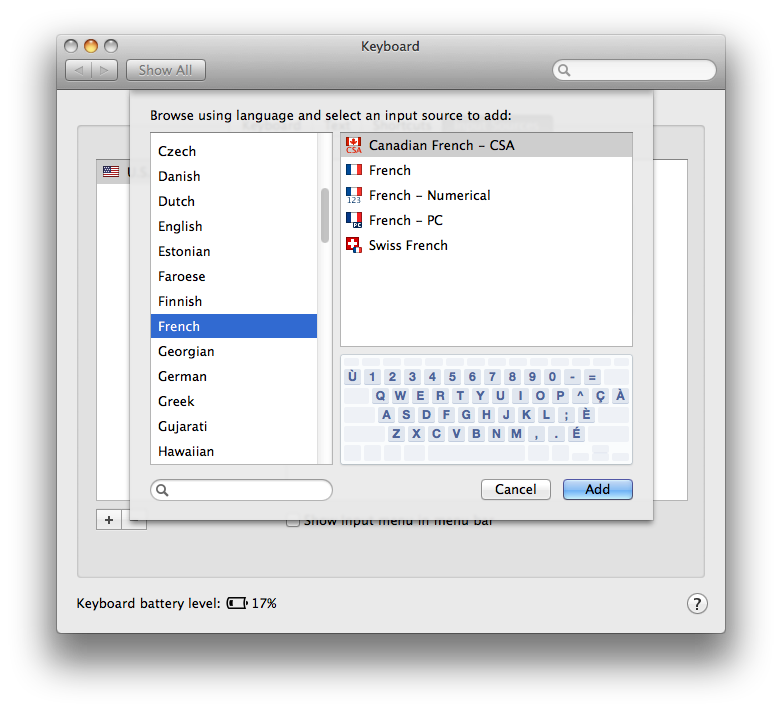
Two-letter icons also don’t help with alternative layouts. Flags are useful for e.g. US English vs. UK English, but are bad when a country has more than one official/widely-used language (e.g. Canada) or when multiple countries share the same keyboard language and layout.
https://i.postimg.cc/SsT0Tsgs/Screen-Shot-2022-05-26-at-11-4...
Re: Apple Removes Flag Icons in Monterey 12.4
#75Re: Apple Removes Flag Icons in Monterey 12.4
#76This is ultimately a good move, and matches trends and emerging best practices on the web and elsewhere. Some countries have more than one language. Some languages have more than one country. And the political implications of all of this all mixed in.
It solves some issues and creates others. Icons are more helpful than words in the menu bar, particularly as it gets more monochrome. And the complete confusion between buttons that look like text, links, actual buttons, and weird typography we find on the web is not exactly a good model to emulate. I really would not call that “best practices”, as they are responsible for a significant worsening of the UX on all mainstream platforms.
Re: Apple Removes Flag Icons in Monterey 12.4
#77Earlier quoted context omitted.
Quoted post unavailable.
> You know countries are just made up right? So are flags, programming languages, natural languages, genders, political parties, ideologies, religions, racial categories, and about a million other things people care deeply about. Dismissing human constructs as "made up" and therefore irrelevant betrays a complete lack of understanding about how human beings operate.
Re: Apple Removes Flag Icons in Monterey 12.4
#78Earlier quoted context omitted.
Flags are powerful symbols for many people, some of which probably proudly displayed their respective one in the menu bar as a matter of virtue.
Sure - and I suppose the argument for removal is someone that needs to use "UK English" but doesn't want to see a UK flag in their menu bar ... but then why not make it a toggle? Or I wonder if this has to do with the Taiwan flag or lack thereof.
AFAIK there never was a Taiwanese flag there, and the different input methods for Chinese have non-flag icons (same for Japanese).
Re: Apple Removes Flag Icons in Monterey 12.4
#79I would say that I am a true international user with 3 layouts. I just use the control-space keyboard shortcut, I get a big popup in the middle of the screen showing the currently selected keyboard map.
I've been using this shortcut[0] to switch between input layouts. Before realizing that I could set a shortcut for it, I used this utility[1] + Alfred for it. This is still quite useful if you want to switch to a specific keyboard layout.
Re: Apple Removes Flag Icons in Monterey 12.4
#80Earlier quoted context omitted.
It makes it much easier to tell which layout is active.
Specifically that it's in colour? Sure, if you have two layouts with very similar flags I suppose.
Now the keyboard icon is lost in menu bar and it's hard to tell languages apart.