Of course when this possibility was raised 25 days ago on HN [1] there was a swarm of apologists who figured the superior Apple services needed no firewall interception (and just 2 days ago we learned that hell yes, they do!) and that this was all by design and impervious to abuse by other apps. Turns out, no, macOS is still written by the same old skeleton crew at Apple and they still introduce trivial problems in m…
Bypassing Firewalls in macOS Big Sur
71–80 of 251 posts
Re: Bypassing Firewalls in macOS Big Sur
#72This reminds me of the old saying that it's impossible to work within an infected system to clean it --- and now that corporations have been "infecting" systems with such telemetry/spyware by default, that's even more true. I believe Win10 was the first to do something like this --- it ignores the hosts files and firewall for certain hardcoded domain names and IPs.
If you want to block something use a firewall.
Re: Bypassing Firewalls in macOS Big Sur
#73Earlier quoted context omitted.
I didn't follow up on the Reuters news piece from January titled "Exclusive: Apple dropped plan for encrypting backups after FBI complained - sources". Has it been confirmed? If yes, then your assertion is most probably correct. https://www.reuters.com/article/us-apple-fbi-icloud-exclusiv...
That Reuter's piece is original reporting that Apple never responded to, so I would say that it's all but confirmed that they did in fact do this at the FBI's request.
(I hate the term “all but”. I find it often hard to tell what people actually want to say when using it.)
Re: Bypassing Firewalls in macOS Big Sur
#74This seems so negligent it's difficult for me to believe this was a mistake. Perhaps it could be argued that Apple doesn't want applications blocking the network traffic of trusted applications because there is limited upside to doing so and doing so may restrict core functionality such as system updates, etc. But surely the most reasonable explanation here is that Apple wants a back door to guarantee they can monito…
I mean, it is the result of deliberate architecture and design changes to security and networking on macOS.
Re: Bypassing Firewalls in macOS Big Sur
#75Earlier quoted context omitted.
No, that is not the most reasonable expectation. Fails both Occam's Razor and the laugh test. To believe this, one has to believe that a $2 trillion company did this on purpose, knowing it would be revealed within hours and that it would take a major hit on the very reputation for user privacy and security that they have spent years building. There are a lot of better explanations available than "Apple decided user s…
> laugh test. This seems a little rudely dismissive. GP's skepticism sounds totally reasonable and healthy to me.
Re: Bypassing Firewalls in macOS Big Sur
#76Earlier quoted context omitted.
Why? As long as you're not getting the ARM ones, you can stick on 10.15 - which is something many will do anyway for at least a year until Apple irons out the worst bugs of BS. Only thing I'm still pissed about 10.15 is that Wine still can't run 32-bit apps.
You can stay on an older version for a little while, maybe a year at most until it stops getting patches. Then you get to make the choice of using an OS that's vulnerable to exploits and an OS with a gigantic backdoor in it.
Re: Bypassing Firewalls in macOS Big Sur
#77Of course when this possibility was raised 25 days ago on HN [1] there was a swarm of apologists who figured the superior Apple services needed no firewall interception (and just 2 days ago we learned that hell yes, they do!) and that this was all by design and impervious to abuse by other apps. Turns out, no, macOS is still written by the same old skeleton crew at Apple and they still introduce trivial problems in m…
Lol it would be hilarious if it turned out they were letting their is&t department work on OSX.
Re: Bypassing Firewalls in macOS Big Sur
#78Re: Bypassing Firewalls in macOS Big Sur
#79Earlier quoted context omitted.
That Reuter's piece is original reporting that Apple never responded to, so I would say that it's all but confirmed that they did in fact do this at the FBI's request.
Do you mean “all but” literally (everything except confirmed) or colloquially (absolutely confirmed)? (I hate the term “all but”. I find it often hard to tell what people actually want to say when using it.)
Re: Bypassing Firewalls in macOS Big Sur
#80Earlier quoted context omitted.
What is “OSX”?
Former name for macOS.
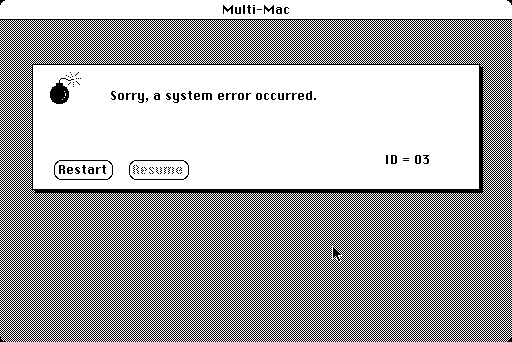
I try to forget those in between years of of System 7 / OS8 / OS9. They all gave me deep scars through countless hours spent troubleshooting extension conflicts. All while seeing the unhelpful, literal bomb icon dozens of times in a row [0]. The windows BSOD was bad, but at least it never mocked you about the OS blowing up.
[0]https://www.versionmuseum.com/images/operating-systems/class...
More details: In theory, extension troubleshooting should have been easy. 1) Boot with them off. If it boots, it's the extensions. 2) Turn half off. If it boots, you know it's the other half. 3) Repeat step #2 with the remaining extensions until you find the offending one.
Except it wasn't always a single one. It could be a problem that only occurred when a combination were active. So you'd go through the much higher # of combinations of turning certain groups on together... the first 5 & third 5 extensions, etc... Sometimes even that wouldn't work, and you'd be stuck opening programs you knew used certain extensions to force them into activity. Eventually, if you were lucky, you'd find the one corrupt extension and reinstall it. But if all else failed, you backed up the data with all extensions disabled, blew out the OS with a clean install and reinstall all the programs & restore the backup.