As far as I can tell, visual artists love the ipad pro. I still have my ipad 3, and it serves it's purpose for reading content and looking at stuff. I've done the same on an Ipad pro, and damn that screen is smooth, but can't think of anything to use it for that would remotely permit me to spend the $$$$$ on it. The software gets in my way and is just bad. Somewhat pathetically, Safari still doesn't support WebGl2 either. The cost approximates a pretty good gear setup for any other more constructive hobby.
The iPad Awkwardly Turns 10
431–440 of 617 posts
Re: The iPad Awkwardly Turns 10
#432The core problem with ipad is it's not going to be able to compete with a laptop + desk setup for productivity. Laptops are complicated machines, and we take for granted the extent to which we are attuned to using a laptop. The speed with which we can fly around a laptop and get things done is staggering. Ipad has too many limitations in UX to really compete. You can in theory accomplish pretty much all the same things, and it might be more fun and more pleasant of an experience. But for complicated work, with a variety of applications, how can an ipad compete with 3 large screens, a full keyboard and trackpad, and a full suite of consistent well supported hotkeys?
Re: The iPad Awkwardly Turns 10
#433The iPad is there for mass consumption as primarily a consumption tool (pun intended). Power users following the aptly named power law already know the tricks to use it as a production tool like split screen and multitasking etc... the masses will not invest the time to learn those tricks because they don’t need it and their willful ignorance is bliss. The good thing that the article points out is that Apple’s histor…
You posted the same comment and I asked you for a comment on your affiliation with saaspass here, but got no reply, any chance you will get to that?
https://news.ycombinator.com/item?id=22173634
It might be good to clear this up.
Re: The iPad Awkwardly Turns 10
#434Earlier quoted context omitted.
> Touching some side of the screen triggers this or that surprising feature Ah this brings back fond memories of Windows 8 :-)
They even did this silly "corner thing" in the server edition, Windows Server 2012 - I remember the first time I RDP'd onto one, and had no clue how to open the start menu (the Windows key didn't work over RDP)! I had to google it, obviously whilst cursing profusely the whole time. Microsoft have a lot of UI/UX people - it boggles the mind that someone thought this was a good idea!
Hot corners.
Re: The iPad Awkwardly Turns 10
#435Earlier quoted context omitted.
Fully agree. I think Gruber’s dead wrong, and folks should try it for a couple months. Leave the Macbook or Win10 laptop at home, and force yourself to rewire your brain into the iPad affordances and apps. Aside from being able to turn his complaint off: To turn Multitasking features on or off, go to Settings > Home Screen & Dock > Multitasking then turn off Allow Multiple Apps if you don't want to use Slide Over or…
folks should try it for a couple months. Leave the Macbook or Win10 laptop at home, and force yourself to rewire your brain into the iPad affordances and apps Stop using other devices and give yourself a few months to learn the basics? This is how I used to encourage people to try desktop Linux in 2001.
That’s also how you get habituals to stop complaining O365 isn’t Blackberry Work, or any other change to a tool that had become ‘second nature’.
You have to unlearn or overwrite the second nature.
Re: The iPad Awkwardly Turns 10
#436Earlier quoted context omitted.
Consider looking into iSH, it let's you access a Linux like environment where you can download and use common packages like vim and python in a terminal. It has to emulate x86 calls, but for my use case of writing notes in vim and compiling and running simple c++ programs, it works. You can see some more information here: https://www.reddit.com/r/ish/ But I completely agree that it's practically a moral crime that th…
This can't be installed like a regular app, can it? Also, I wonder why they emulate x86 – isn't the iPad CPU ARM64? Couldn't this simply use binaries for that architecture?
> This can't be installed like a regular app, can it?
Surprisingly yes, it can, though it remains to be seen if it will be accepted to the App Store.
> Also, I wonder why they emulate x86 – isn't the iPad CPU ARM64? Couldn't this simply use binaries for that architecture?
This is explained on the FAQ: https://github.com/tbodt/ish/wiki/FAQ#q-is-ish-32-bit-or-64-...
Re: The iPad Awkwardly Turns 10
#437Earlier quoted context omitted.
Fully agree. I think Gruber’s dead wrong, and folks should try it for a couple months. Leave the Macbook or Win10 laptop at home, and force yourself to rewire your brain into the iPad affordances and apps. Aside from being able to turn his complaint off: To turn Multitasking features on or off, go to Settings > Home Screen & Dock > Multitasking then turn off Allow Multiple Apps if you don't want to use Slide Over or…
> folks should try it for a couple months. Leave the Macbook or Win10 laptop at home, and force yourself to rewire your brain into the iPad affordances and apps. Hell no. The iPad is a nice PDF reading machine with its retina display and the pencil is a joy to use but the device is barely usable for any text entry and don't support any real programming workflow. However some shortcomings can also be positive, in part…
You seem a little overconfident that it’s unusable for text entry or programming workflow.
I type holes through the rubber keyboard skin in about 6 - 9 months I do so much text entry. Silk screened key caps are mostly gone by month 3.
Re: The iPad Awkwardly Turns 10
#438Earlier quoted context omitted.
They even did this silly "corner thing" in the server edition, Windows Server 2012 - I remember the first time I RDP'd onto one, and had no clue how to open the start menu (the Windows key didn't work over RDP)! I had to google it, obviously whilst cursing profusely the whole time. Microsoft have a lot of UI/UX people - it boggles the mind that someone thought this was a good idea!
I legit had to google how to Shut down / Restart a Windows 8 machine back then! It's insane to think that tech people could not figure out the UI, imagine what the regular people had to go through.
Didn't Vista default to suspend when pressing the power button - in the menu?
Re: The iPad Awkwardly Turns 10
#439Earlier quoted context omitted.
Fully agree. I think Gruber’s dead wrong, and folks should try it for a couple months. Leave the Macbook or Win10 laptop at home, and force yourself to rewire your brain into the iPad affordances and apps. Aside from being able to turn his complaint off: To turn Multitasking features on or off, go to Settings > Home Screen & Dock > Multitasking then turn off Allow Multiple Apps if you don't want to use Slide Over or…
Tried to display a web demo, some custom diagramming, and a PowerPoint on conference room screen from the laptop. Unable to use the enterprise guest WiFi due to their security proxies, and the hotspot was too slow. Popped the same USB-C HDMI adapter in the iPad, and showed all the content over LTE. Seems like a great argument for buying a Windows laptop with built in LTE, and/or pressuring Apple to add LTE to MacBook…
First, it’s a terrible argument for it, main point was none of the Windows machines (employees not on the guest network) could sync with the HDMI screen via their array of HDMI and UBC-C ports? Driver problems, settings problems, screen management challenges ... LTE chip doesn’t solve that. (OK, Mac with LTE would kick ass. Apple need to port “low data mode” over to MacOS.)
Second, how many Windows or Mac laptops angle the screen from the middle of the base thanks to no touchpad, so the whole thing fits on a short airplane keyboard tray, or take no room on a cafe table, and are as easy to carry around as a legal pad in a folio?
https://support.apple.com/library/content/dam/edam/applecare...
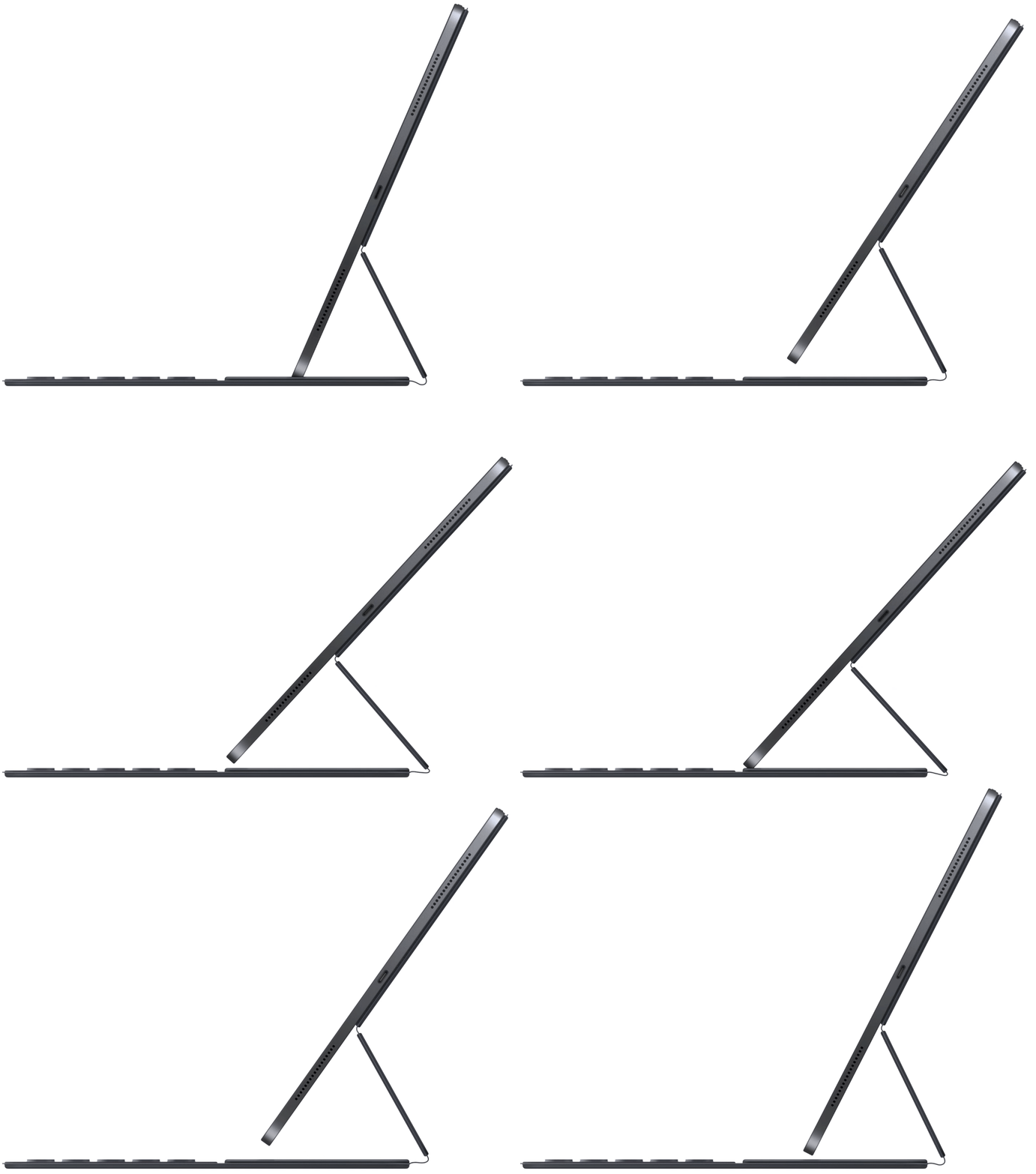
The new generation isn’t ‘origami’, it’s firm on your lap w/o a table as well.
// I also have all the various Surfaces, and other brands’ attempts to achieve similar form factors in Windows. Better than old iPad origami keyboard nonsense, worse than new iPad smart keyboard.
Re: The iPad Awkwardly Turns 10
#440Earlier quoted context omitted.
Fully agree. I think Gruber’s dead wrong, and folks should try it for a couple months. Leave the Macbook or Win10 laptop at home, and force yourself to rewire your brain into the iPad affordances and apps. Aside from being able to turn his complaint off: To turn Multitasking features on or off, go to Settings > Home Screen & Dock > Multitasking then turn off Allow Multiple Apps if you don't want to use Slide Over or…
> Tried to display a web demo, some custom diagramming, and a PowerPoint on conference room screen from the laptop. Unable to use the enterprise guest WiFi due to their security proxies, and the hotspot was too slow. Popped the same USB-C HDMI adapter in the iPad, and showed all the content over LTE. This sounds like more a symptom of wifi's universal awfulness than a failure of the MPB though. I generally use my pho…
Agree, as it happened both competing carriers on my iPhone were having too bad of a day for the higher bandwidth needs of a full laptop vs. a tablet.