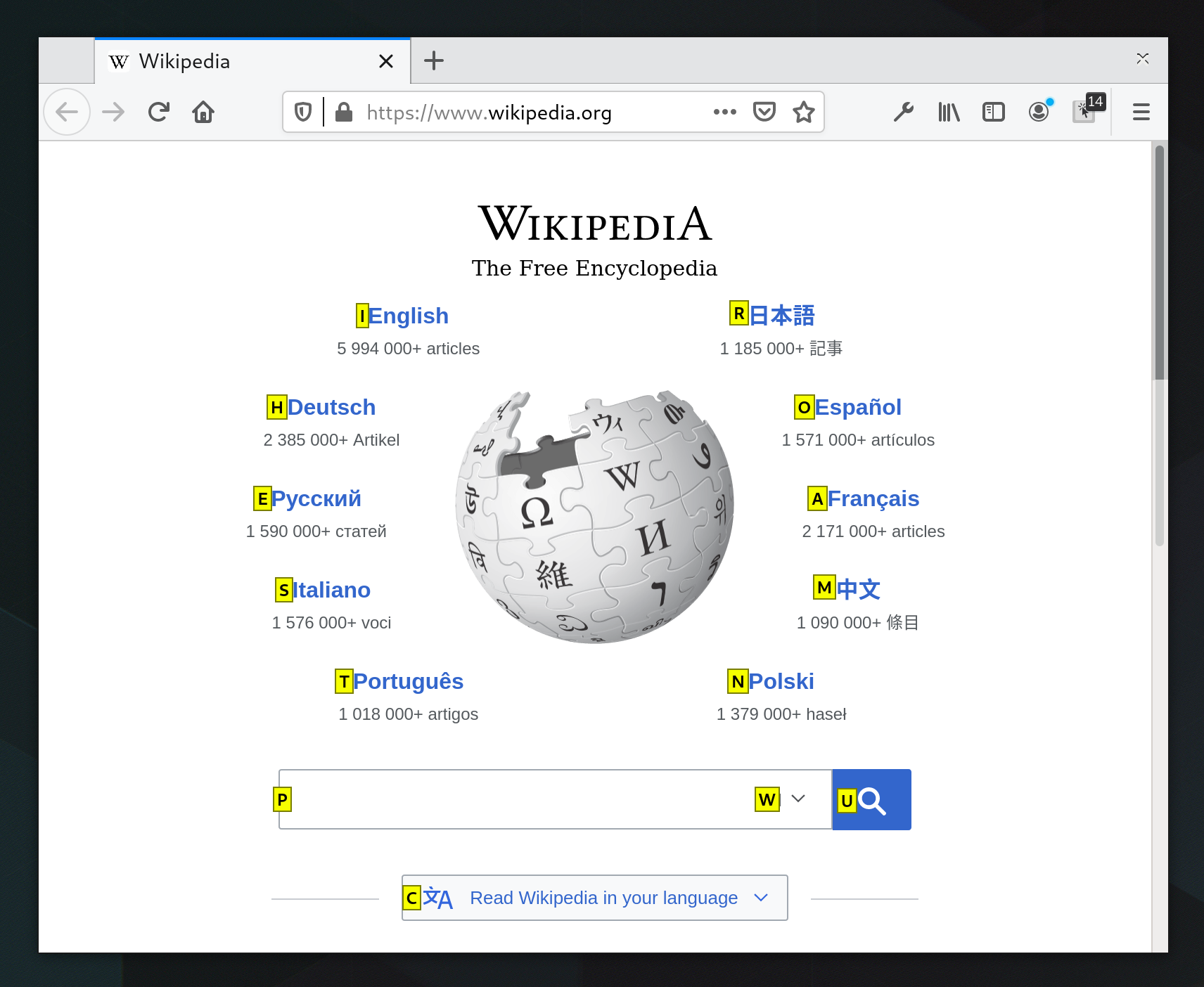
Link Hints, what else !!!!!!
https://addons.mozilla.org/user-media/previews/full/232/2320...
A small change to improve browsers for keyboard navigation
41–50 of 72 posts
Re: A small change to improve browsers for keyboard navigation
#42For people using keyboard a lot, and who HATE to have focus going out of the HTML rendering panel, you can simply Ctrl-F Esc and you are back on focus. Best hint I read on the Internet since 1967 !
Re: A small change to improve browsers for keyboard navigation
#43> Just press ' and start typing.
This doesn't seem to work with English International keyboard.
Re: A small change to improve browsers for keyboard navigation
#44Recently, I had written a post mentioning basics of my fully keyboard oriented workflow on Windows.
https://amun.pl/blog/post/working-on-windows-with-keyboard-o... (Sorry for missing images, I accidentally deleted them when messing with containers backups)
I mention the BrowseCut chromium plugin over there, which made navigating all kinds of pages, a total breeze.
Expecting questions if the BrowseCut extension works with Duolingo. It does not. Although, I have not had issues on any other pages.
Re: A small change to improve browsers for keyboard navigation
#45Earlier quoted context omitted.
i [0] https://tridactyl.xyz/about/ edit: added url
Vimium has better smooth scrolling. I really, really want to use Tridactyl, but I just can't stomach their smooth-scrolling implementation.
Ha! I actually switched from Vimium to Tridactyl partly because I prefer the rough, snappy scrolling. It felt much more like the ctrl+d ctrl+u navigation in VIM.
Re: A small change to improve browsers for keyboard navigation
#46> Just press ' and start typing. This doesn't seem to work with English International keyboard.
If you have dead keys you need two quotes, like everywhere else.
Re: A small change to improve browsers for keyboard navigation
#47What about the fact that almost all websites that I want to search in hijack the quick search key now? https://blog.gpkb.org/posts/lamenting-firefox-quick-find/
Re: A small change to improve browsers for keyboard navigation
#48Re: A small change to improve browsers for keyboard navigation
#49I installed Vimium a few months ago and haven't looked back -> https://vimium.github.io/ Mouseless as well for navigating anywhere on the computer without a mouse -> https://mouseless.click/
For macOS users, I highly recommend ShortCat: https://shortcat.app/ ShortCat uses the accessibility API to put Vimium-style keyboard links on buttons and text fields in any app. I find that Vimium works faster in Firefox than using ShortCat to click around websites, so I use both, but ShortCat technically should do everything (clicking-wise) that Vimium does.
Shortcat has a ~second delay before showing links, homerow (https://www.homerow.app) is faster.
Re: A small change to improve browsers for keyboard navigation
#50I like leopard links for that. cmd+t type "go/" and I get all of the shortcuts I've configured.