As the author states, the purpose of this is for users who work in other editors. But if that’s the case, when would they need this? Assuming they mean when a user is logged into another device where they only have terminal access. But in that case, this wouldn’t be installed by default-one reason to learn vim or emacs. So is the use case that one would just install this on the remote box and that their permissions w…
Modeless Vim
41–50 of 398 posts
Re: Modeless Vim
#42But since I was logging into different machines all the time I soon decided it was better to just use vi the way it came out of the box, modes and all. That philosophy has served me well over the years.
Re: Modeless Vim
#43I’ve always wondered how different Unix/Linux would be today if decades ago a Common User Access (standardized menu system like FILE | EDIT | etc) had been defined for TUI apps (like how it was for Windows & Mac OS).
Imagine VI & EMacs having the same key bindings due to standards.
https://sqlite.org/hctree/doc/hctree/doc/hctree/index.html#s...
Re: Modeless Vim
#44Re: Modeless Vim
#45I have found "micro" to be a really good "modeless" alternative to vim
Re: Modeless Vim
#46Conceptually the reasons the author give for this (syntax highlighting and other features of vim outclass other terminal-based editors) make total sense. That said there's something absolutely defiling about this. It's like installing a V8 in a Tesla, or replacing the pumpkin in pumpkin pie. I love that it will make VIM more accessible for more people, but I hate how they do it. Kudos to the author.
What exactly do you hate?
The site says:
> > Ctrl+S to save, select text using Shift+←/→/↑/↓, and copy/paste using Ctrl+C/V.
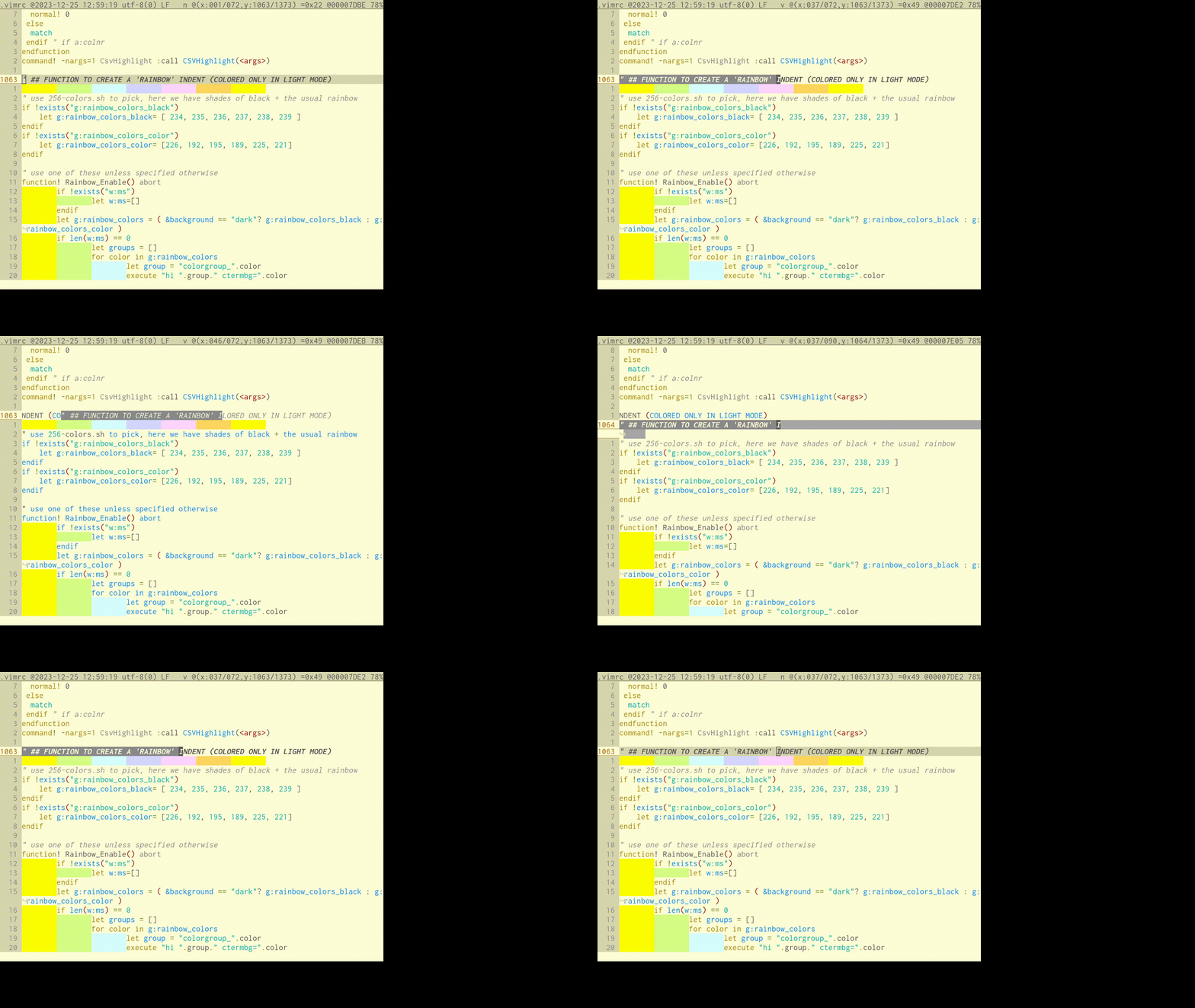
I haven't setup Control-S, but I have very similar bindings: Shift and arrows for selecting, then Alt or Control-Shift for moving the selection around, as shown on https://raw.githubusercontent.com/csdvrx/CuteVim/main/record...
Also, like the author I have a shortcut to change themes (F9) and another to toggle invisible chars (F8), and I try to use the top of the screen as much as possible (I show the offset in hex, the row and column position etc).
I like how vim is modal, but some Windows shortcuts (like Control-C) just make too much sense to given them up on Linux: I have put `stty intr ^X` because using Shift-Control-C to copy from the terminal was way worse.
Having a few chording shortcuts give you the best of both worlds!
BTW, all of the other shortcuts proposed on this site make a lot of sense to me: I do expect Ctrl-F to search, and Ctrl-T to open tabs, I think I will copy a few :)
Re: Modeless Vim
#47Re: Modeless Vim
#48Re: Modeless Vim
#49Conceptually the reasons the author give for this (syntax highlighting and other features of vim outclass other terminal-based editors) make total sense. That said there's something absolutely defiling about this. It's like installing a V8 in a Tesla, or replacing the pumpkin in pumpkin pie. I love that it will make VIM more accessible for more people, but I hate how they do it. Kudos to the author.
> I hate how they do it What exactly do you hate? The site says: > > Ctrl+S to save, select text using Shift+←/→/↑/↓, and copy/paste using Ctrl+C/V. I haven't setup Control-S, but I have very similar bindings: Shift and arrows for selecting, then Alt or Control-Shift for moving the selection around, as shown on https://raw.githubusercontent.com/csdvrx/CuteVim/main/record... Also, like the author I have a shortcut to…
https://unix.stackexchange.com/questions/12107/how-to-unfree...