Live data from Hacker News

Should you add screenshots to documentation?

thisisimportant.net

41–50 of 127 posts

Re: Should you add screenshots to documentation?

#41
I built a macOS commmand line util to take window screenshots or videos https://github.com/xenodium/macosrec Window screenshots are mostly covered by macOS built-in app, but videos are not.

Mostly grew out of a desire to post screenshots in my posts (https://xenodium.com) and projects (ie. https://github.com/xenodium/chatgpt-shell).

I often wish I could see how some projects look before I install them (but they often don't have screenshots). I'm doing my bit with my projects, I hope.
Re: Should you add screenshots to documentation?

#42

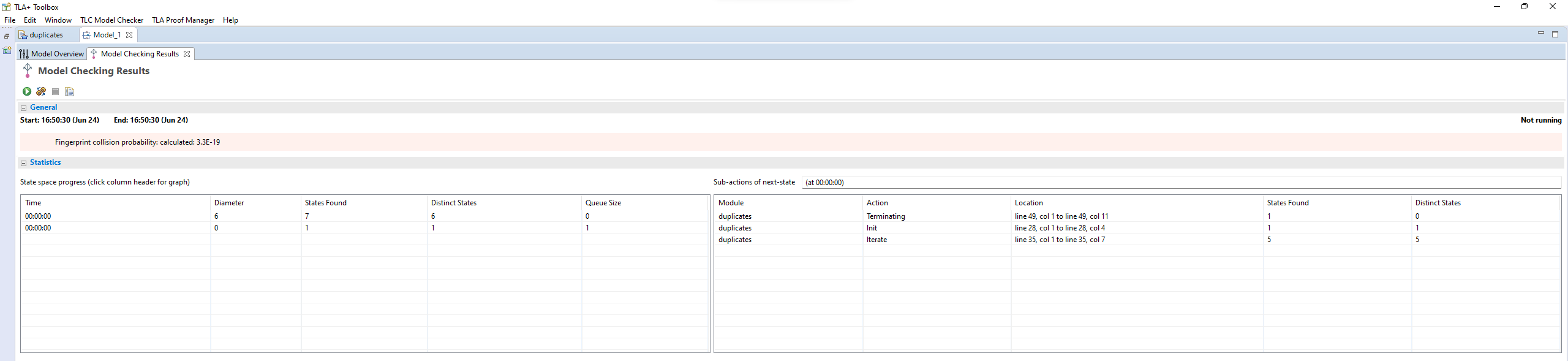
I think documentation MUST have screenshots. I was recently trying to work out TLA+ in TLA Toolbox and there is there is this screenshot in the documentation on this page on PlusCal: https://www.learntla.com/core/pluscal.html The screenshot about going to File menu and clicking "Translate PlusCal Algorithm" was invaluable! Now I can learn that Ctrl+T is the shortcut to run the translation. EDIT: Before this point I w…

> If you didn't have any training in IntelliJ

People get trained to use an IDE?

I gotta say, I've been using IDEA since 2015, and a language-specific IntelliJ based IDE since 2013, and in 10 years of use it's never occurred to me that someone might need training to use it.

Re: Should you add screenshots to documentation?

#43
post #18

> Outdated screenshots can cause customers to lose trust in documentation accuracy. as opposed to outdated documentation without screenshots, where the user has no idea that he's reading stuff from 5 years ago?

If you are writing documentation you should put a date on your content and a version number if it relates to a product.

I've been reading about accordions because I want to refresh a UI, but I read a document about the element and accessibility and didn't realise it was from 2019 until I got to the end and saw the comments were all from that year.

Re: Should you add screenshots to documentation?

#45

I think documentation MUST have screenshots. I was recently trying to work out TLA+ in TLA Toolbox and there is there is this screenshot in the documentation on this page on PlusCal: https://www.learntla.com/core/pluscal.html The screenshot about going to File menu and clicking "Translate PlusCal Algorithm" was invaluable! Now I can learn that Ctrl+T is the shortcut to run the translation. EDIT: Before this point I w…

That’s an excellent example of a bad screenshot, something that should have been conveyed as text:

File → Translate PlusCal Algorithm (Ctrl+T/⌘T)

Later in the page there’s a potentially useful screenshot, https://www.learntla.com/_images/pluscal_run.png. But that first one shouldn’t have been a screenshot: it conveys roughly no value over text (a little value for some people, a negative value for others), and it imposes a distinct maintenance burden.

Re: Should you add screenshots to documentation?

#46

I think documentation MUST have screenshots. I was recently trying to work out TLA+ in TLA Toolbox and there is there is this screenshot in the documentation on this page on PlusCal: https://www.learntla.com/core/pluscal.html The screenshot about going to File menu and clicking "Translate PlusCal Algorithm" was invaluable! Now I can learn that Ctrl+T is the shortcut to run the translation. EDIT: Before this point I w…

> If you didn't have any training in IntelliJ People get trained to use an IDE? I gotta say, I've been using IDEA since 2015, and a language-specific IntelliJ based IDE since 2013, and in 10 years of use it's never occurred to me that someone might need training to use it.

It's a complex tool with lots of hard to discover features. Training can be more efficient than watching youtubers use it since you can ask questions

Re: Should you add screenshots to documentation?

#47

I think documentation MUST have screenshots. I was recently trying to work out TLA+ in TLA Toolbox and there is there is this screenshot in the documentation on this page on PlusCal: https://www.learntla.com/core/pluscal.html The screenshot about going to File menu and clicking "Translate PlusCal Algorithm" was invaluable! Now I can learn that Ctrl+T is the shortcut to run the translation. EDIT: Before this point I w…

> If you didn't have any training in IntelliJ People get trained to use an IDE? I gotta say, I've been using IDEA since 2015, and a language-specific IntelliJ based IDE since 2013, and in 10 years of use it's never occurred to me that someone might need training to use it.

I mean you can poke around and read the manual/watch YouTube videos and discover things, or you could just have an expert in the thing interactively teach you how to use the program and its features. It's not about needing training, it's about optimizing time spent learning an advanced tool and all its features.

Re: Should you add screenshots to documentation?

#48
post #46

Earlier quoted context omitted.

> If you didn't have any training in IntelliJ People get trained to use an IDE? I gotta say, I've been using IDEA since 2015, and a language-specific IntelliJ based IDE since 2013, and in 10 years of use it's never occurred to me that someone might need training to use it.

It's a complex tool with lots of hard to discover features. Training can be more efficient than watching youtubers use it since you can ask questions

> more efficient than watching youtubers

That isn't really saying much. "Watching YouTubers" doesn't really seem like a way to learn how to do something, it seems like a way to waste some time and pretend you're one of the cool kids.

I can't be the only person who remembers when people learnt how to use a program by using it?

Re: Should you add screenshots to documentation?

#49
screen shots, and youtube 'shorts' with fat mouse pointers are assistive, especially if the learner has 2 screens for shadowing. It can also be done with dual windows for single screens. I have dual 34" screens and often have many panels, screens are so cheap these days. Dual phones also work on a smaller scale with secondary connectivity via WiFi and sim, etc

Re: Should you add screenshots to documentation?

#50
post #9

When learning something new, concrete is good, abstract is bad. Abstract thinking is good in the next step, when you already know the topic. Screenshot are very concrete and makes understanding the text so much easier. You know that you are in the right place, your brain gets to connect the text to the program. The same goes for command line programs: provide some concrete examples of how to use the program, not just…

Indeed. I have tried to learn more modern web developement recently and lot of tutorials start with "just put this into console" and I'm stuck with wtf are all these strange tools, give back my good old days of just dropping files through FTP, haha. Screenshotted tutorials help me lots.

This is why I like to watch YouTube tutorials sometimes, especially when I’m new to a certain topic. They show every step clearly. The author can’t forget to mention a piece of information because he’s doing it in real time. Too often with written tutorials there’s one or more steps missing, that are obvious to the author but not necessarily to someone new to the subject.
Post reply on HN