Think of all the webpages that tell people to look for a padlock icon in their browser? All the books, all the training materials, videos, etc. This doesn't seem like a good idea at all.
That advice didn't seem to be a good idea.
An Update on the Lock Icon
41–50 of 169 posts
Re: An Update on the Lock Icon
#42Earlier quoted context omitted.
This is forever the problem with documentation: it checkpoints a description of a system at a point in time. You can make an extremely valid similar argument regarding C++ tutorials written in 1995, but the end-response is the same: "Update your sources, learn the new thing, and most importantly don't assume anything computer-related that is more than 5 years out of date is relevant, especially for something Internet…
Okay but unless other browsers make the same change now you have two sets of information and now users need to know their underlying browser's engine too?
Re: An Update on the Lock Icon
#43If you're using Chrome, right-click the URL bar and check "Always show full URLs", so you can see the https:// prefix like it's 1999. This also fixes a variety of UX problems with editing URLs. By the way, does anyone know of a good alternative to http://neverssl.com ? I had been using this for years, but now it supports SSL for some unfathomable reason.
Re: An Update on the Lock Icon
#44Earlier quoted context omitted.
that appears to also be what neverssl is doing - they support https only for the purposes of redirecting to a non-ssl domain
Nope, when I go to neverssl.com, it ultimately lands on an HTTPS url, e.g. https://shinyquietbrightsong.neverssl.com/online/ Edit: I'm running Chrome OS 113 beta. Maybe they changed something recently, to automatically use HTTPS unless prohibited by the server? This also happens in Guest mode with no extensions.
The http://neverssl.com ends up on an http page, and so does https://neverssl.com. But that final page (the one you posted) does not itself redirect from https to http.
Re: An Update on the Lock Icon
#45http should simply be RED https should not be indicated at all
A curated list, preferably by the gov. should indicate which SSL certificates are allowed to be green.
Re: An Update on the Lock Icon
#46Earlier quoted context omitted.
that appears to also be what neverssl is doing - they support https only for the purposes of redirecting to a non-ssl domain
neverssl seems to be doing some weird thing where it uses Javascript to load a non-https link rather than an actual redirect. I can't for the life of me guess why that would be better than a simple 301 redirect.
The primary goal of NeverSSL is to be useful on networks with captive portals that intercept HTTP and block HTTPS (until you have signed in). The JavaScript redirect is at least browser cacheable, whereas a 301 redirect sent via HTTPS would be useless in that scenario as it would fail to load.
Re: An Update on the Lock Icon
#47I approve of getting rid of the lock icon, showing only a broken lock for HTTP and no lock for HTTPS. It's always been weird to have site permissions settings revealed by clicking that lock. But the replacement icon looks really strange to me. They're calling it a "tune icon," but I've never seen a tune icon like this, with just two circles and two lines. Looks weird. I'm surprised that it fared well in the experimen…
Re: An Update on the Lock Icon
#48If you're using Chrome, right-click the URL bar and check "Always show full URLs", so you can see the https:// prefix like it's 1999. This also fixes a variety of UX problems with editing URLs. By the way, does anyone know of a good alternative to http://neverssl.com ? I had been using this for years, but now it supports SSL for some unfathomable reason.
I used zombo.com for a long time before they finally, sadly, added https
Re: An Update on the Lock Icon
#49If you're using Chrome, right-click the URL bar and check "Always show full URLs", so you can see the https:// prefix like it's 1999. This also fixes a variety of UX problems with editing URLs. By the way, does anyone know of a good alternative to http://neverssl.com ? I had been using this for years, but now it supports SSL for some unfathomable reason.
I use example.org. An explicit http://example.org does the trick when needed.
Re: An Update on the Lock Icon
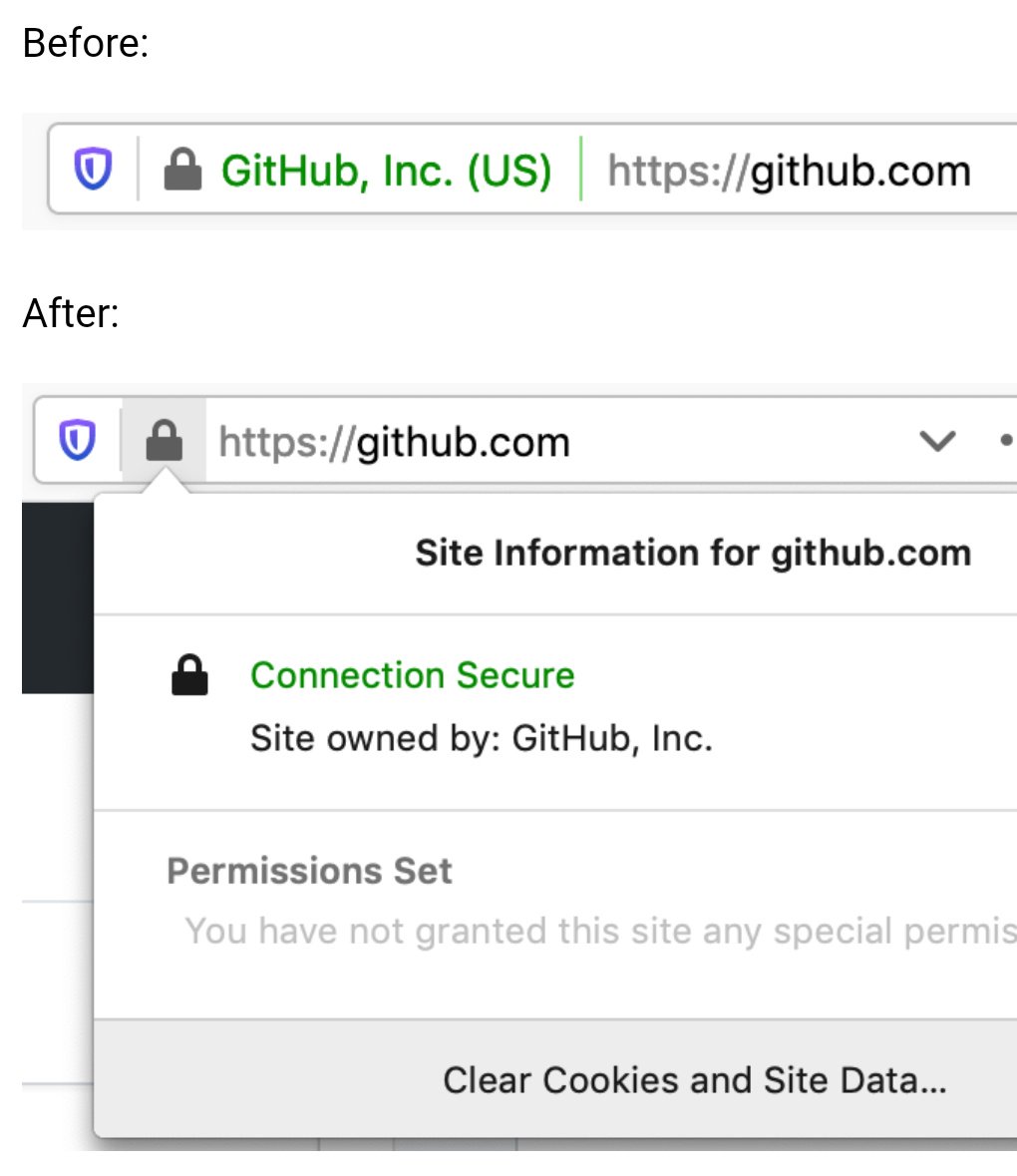
#50Here’s how they used to appear: https://pbs.twimg.com/media/EBxdA7EWsAIQtc0.jpg
While I buy the reasoning that consumers simply ignore them, EV indicators would be really useful in a corporate setting to mitigate phishing attempts against employees. It’s much easier to train employees to “look for your company’s name in the green bar” before they sign into a site, than to understand how domains work and why login.yourcompany.com is OK but login-yourcompany.com isn’t.
Does anyone know if it’s possible to restore EV indicators in Chrome via MDM software or similar? Does anyone work at a company that does this?