I'm sure most people who would benefit from this software have heard of it.
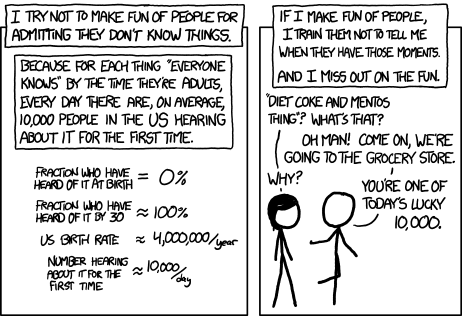
I can guarantee that all of those people at some point in their lives hadn't heard of it. People have to learn about it somewhere, why not here?
OBS – Open Broadcaster Software
41–50 of 249 posts
Re: OBS – Open Broadcaster Software
#42So if I wanted to stream some live coding, can I do the whole thing on my XPS laptop with OBS?
What's the setup look like for someone who has done this?
Re: OBS – Open Broadcaster Software
#43Earlier quoted context omitted.
Do tell? I need to be doing that. Have a million VHS from my parents.
I use a roughly $6 HDMI capture dongle <- a $10 RCA to HDMI adapter <- an old VCR, and OBS is the capture software I use. Comes out pretty well, though you do basically end up watching each tape doing it.
Thanks. I have several high quality older Hauppauge cards, will try those with OBS. Thanks.
Re: OBS – Open Broadcaster Software
#44So if I wanted to stream some live coding, can I do the whole thing on my XPS laptop with OBS? What's the setup look like for someone who has done this?
Open OBS, add a window capture, maybe add your webcam in the corner, go to settings, put in your stream key for Twitch/YouTube/whatever, maybe tinker with the quality settings (bitrate/encoding/etc), click start streaming.
Re: OBS – Open Broadcaster Software
#45Earlier quoted context omitted.
There are plenty of real alternatives. I'm partial to vMix for live-streaming; I ran Demuxed 2020 and 2021 through my vMix deck from the comfort of my office and through 2020-21 ran about sixty high-production fighting game tournaments off of the same. I like vMix because its audio mixing is excellent and WebRTC-integrated chat comes out of the box, plus data-driven lower thirds and good remoting solutions and MIDI c…
As far as I can tell none of the products you mention are free or run on Linux. That does of course not mean that they are not real alternatives if you aren't using Linux, but if we scope OBS to include "free, open and cross-platform", there really aren't a lot of alternatives.
> As far as I can tell none of the products you mention are free or run on Linux.
Linux is a distant outlier in the overall streaming space.
If you’re narrowing scope down to “free and works on Linux” then OBS is your go-to, of course. But Linux streamers are a tiny subset of the streaming target audience and anyone doing this professionally should at least consider some of the paid alternatives.
Re: OBS – Open Broadcaster Software
#46Earlier quoted context omitted.
first time i showed my wife calibre (she had to convert some amazon ebook format to epub), she was scared. so many buttons, so many labels, so many options. nothing makes sense unless you understand the developer that did it.
I'm normally one who vastly prefers function over form and UIs that get out of the way of someone who knows what they're doing instead of catering _strictly_ to the use cases of the lowest common denominator. But even I think the Calibre UI is pretty awful.
This is why we need more design expertise in FOSS. Your form/function dichotomy is incorrect.
You have software domain knowledge and experience working with spaghetti interfaces assembled by developers rather than designed by experts. You find them more functional because it fits your existing mental model of an interface. However, these interfaces are vastly less functional to everyone else.
An interface that only facilitates beginner workflows is poorly designed. I rarely see these in the wild, but the culprits are usually non-designers pantomiming their understanding of ‘designed’.
I do, however, regularly see developers misinterpret interfaces designed to facilitate advanced functionality for non-developers. Focused views with controls and readouts obscured as appropriate, but functionality exposed through key shortcuts or other means are what most people expect, and it’s a whole lot easier for a developer to learn those usage models than for non-developer users to learn how to use a hundred buttons and readouts acting as a thin wrapper around an API.
Re: OBS – Open Broadcaster Software
#47So if I wanted to stream some live coding, can I do the whole thing on my XPS laptop with OBS? What's the setup look like for someone who has done this?
yes. on modern hardware, OBS is relatively lightweight until you add several video sources. for coding you should be fine if your laptop is less than 5+ years old
Re: OBS – Open Broadcaster Software
#48So if I wanted to stream some live coding, can I do the whole thing on my XPS laptop with OBS? What's the setup look like for someone who has done this?
Open OBS, add a window capture, maybe add your webcam in the corner, go to settings, put in your stream key for Twitch/YouTube/whatever, maybe tinker with the quality settings (bitrate/encoding/etc), click start streaming.
Even better, OBS now supports directly logging into Twitch, which then also gives you windows to set stream description and see user chat, all within OBS.
Re: OBS – Open Broadcaster Software
#49So if I wanted to stream some live coding, can I do the whole thing on my XPS laptop with OBS? What's the setup look like for someone who has done this?
LogiTech camera, OBS, 3x monitors. Place OBS on 1st, other tools on 2 and steam 3 (you tell OBS which rectangle of your screen to share, feed camera into OBS, fiddle with broadcast layout and just send it to twitch. I got a Ryzen7300 (or something, I'll edit) and 64G RAM and the video card is NVS510. Works awesome, but I close out all other stuff before streaming. So I don't leak anything on accident.
Re: OBS – Open Broadcaster Software
#50When I was half my age, OBS was unfathomable. I was shooting video on digital 8, editing in Final Cut Pro 4 which was the new hotness, and trying but failing to use DSS on my college network. Actual streaming at scale required a massive server and a massive license from RealNetworks. If I wanted to do anything with animation, it was all $$$$$ software. This all took place in a shared lab at my college with stuff I co…
We've come an incredibly long way since Genlock on the Commodore Amiga!
I use OBS Studio with my Streamdeck, a Logitech Streamcam, NVIDIA Broadcast, a condenser microphone via a Steinberg XLR audio interface along with Elgato Key lights and iHue fill lights for my working from home office Google Meets.
Startup and shut downs of the entire stack including launching into Google Meets are automated with the deck (one button to macro up, one to macro down), and with proper lighting as well as NVIDIA Broadcast, the audio and video quality is just amazing. The amount of tech I'm throwing at how I connect with Meet may seem like overkill, but it really makes a lot of sense to spend some time on what's my primary interface with my colleagues and customers.
If I need to quickly mute my image, a scene in OBS that shows "be right back" is an immediate Streamdeck key press away. Next to it is the audio source mute key. It's great.