Earlier quoted context omitted.
More: - C-u to kill (cut) from current location to beginning of the line - C-k to kill (cut) from current location to end of line - C-w to kill (cut) from current location to beginning of word - C-y to paste (copied / cut) lines - C-l to clear screen (I use the shit out of this) - Ctrl + shift + '-' (holding ctrl, shift, minus at the same time), for undo. That is it. EDIT: Damn it, I didn't realize I was saying a bun…
Just wanted to note: C-u kills from cursor to start of line. C-w kills from cursor to start of previous word. M-d is its friendly forward sibling.
Quick tip for developers who use OS X
361–370 of 406 posts
Re: Quick tip for developers who use OS X
#362Re: Quick tip for developers who use OS X
#363Earlier quoted context omitted.
Same (and to be clear, this is from someone who only "switched" to OS X a few years ago because of the demands of my user community: and for the first year I hated it, as I liked neither the hardware nor OS X 10.5). So, to add some concrete-ness: what fundamentally makes OS X better at this is the way the command key is used; almost everything that has to do with the UI or the system is bound to the command key, whic…
Everyone hates on Terminal, but I've made the changes you mentioned and I tend to prefer it to iTerm. I can't really quantify it. I definitely think TotalTerminal is superior to the equivalent feature in iTerm, and due to the nature of my work I tend to pop in and out of the visor frequently.
Re: Quick tip for developers who use OS X
#364Re: Quick tip for developers who use OS X
#365Bash, running in your terminal, understands both the Emacs and the Vi commands. By default is Emacs, so you can C-a (control-a) for beginning of line, C-p to go back in command line history, or C-r to search it. I prefer the Vi mode, though. Add to your .bashrc set -o vi Then you can press escape to go from input mode to normal mode; there k will take you to the previous line in command line history, j to the next li…
Don't forget Ctrl-[ instead of Esc. I find that more quick, especially with Ctrl in place of CapsLk. :)
Re: Quick tip for developers who use OS X
#366Another really useful command is the open $ open filename.png $ open . $ open -e filename.txt $ open -a Pixen filename.png The first command will open the file with the default application. Open . will open the current directory in finder, which I find very helpful. The -e flag will open the file in textedit. The -a will open the file in the given application name.
open -n is also useful: Allows you to run two instances of the same app at a time.
Re: Quick tip for developers who use OS X
#367Re: Quick tip for developers who use OS X
#368Earlier quoted context omitted.
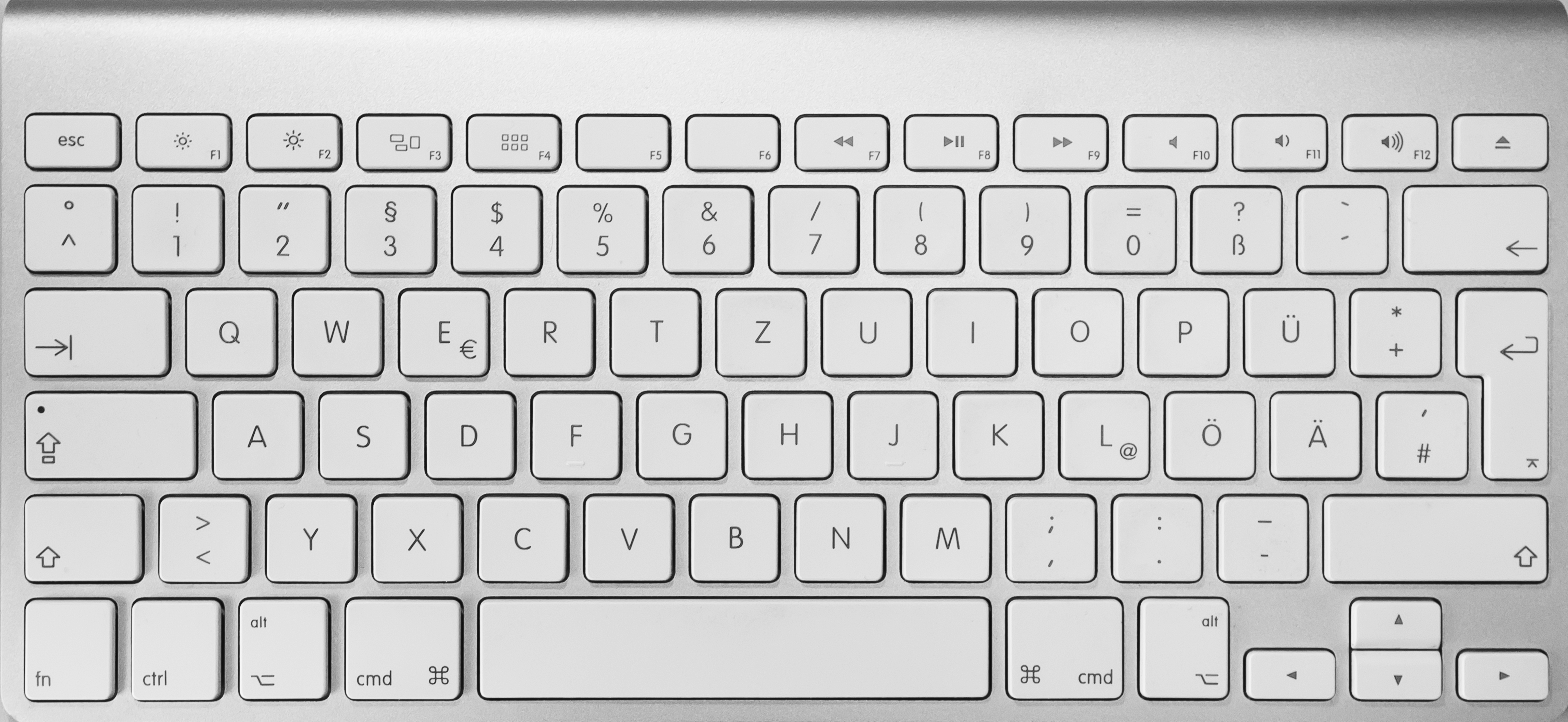
Fn... urgh. I hate these crippled laptop keyboards (and tiny neck pain inducing laptop monitors).
Well, you don't have to follow that glossy mainstream. Just get yourself a new linux desktop with lots of RAM, couple of nice matte monitors, mouse and a good full size keyboard.
Re: Quick tip for developers who use OS X
#369Earlier quoted context omitted.
ctrl-arrow jumps to the next word boundary under Linux. Yes, other systems have other key bindings, but why do common things like jumping to the begin/end of a line need a key combination? And why aren't the characters written onto the keys? Every time I have to type some code on a Mac I have to press all the keys in order to find { } [ ] etc. At leas I learned not to quit the terminal when I want to enter a @ by now…
{ } [ ] are just above the return key...?
In contrast a German PC keyboard: http://www.buypcsupplies.com/images/cat/38568_xlargenss_ndo4...
However, I prefer a Microsoft Comfort Curve keyboard, but I can't find an image of the German version right now.
Re: Quick tip for developers who use OS X
#370Regarding OSX Terminal, I'm an heavy user since Leopard but it's a shame that after upgrading to Mountain Lion (an now Mavericks) I discovered that they broke VIM vertical selection since control-shift does not generate a keycode anymore [1].
Anyone with the same problem? I tried iTerm recently and I don't like it! :-(
[1] https://discussions.apple.com/thread/4694342?start=0&tstart=...