Live data from Hacker News

Using an 8K TV as a Monitor

daniel.lawrence.lu

301–310 of 543 posts

Re: Using an 8K TV as a Monitor

#301
post #43

Earlier quoted context omitted.

My wife asked me how much "huge monitors" cost. I told her 100 bucks on Craigslist. Indeed, we got her an old dumb 1080p LCD and she has been super happy with it. It mostly fills the wall of her little cubby hole in our office. For my money, I have 2x 1080p 24” displays, and a third curved 32" 1080p display which is hooked to a KVM so I can game on it. I like the 3 monitor setup because they are all at angles from ea…

1080p at 32"? Dear god man have some self respect. Not everything on a screen is meant to look exactly like Tetris you know.

The treasure of my retro gaming collection is a 720p 32" CRT. It must be 100lbs.
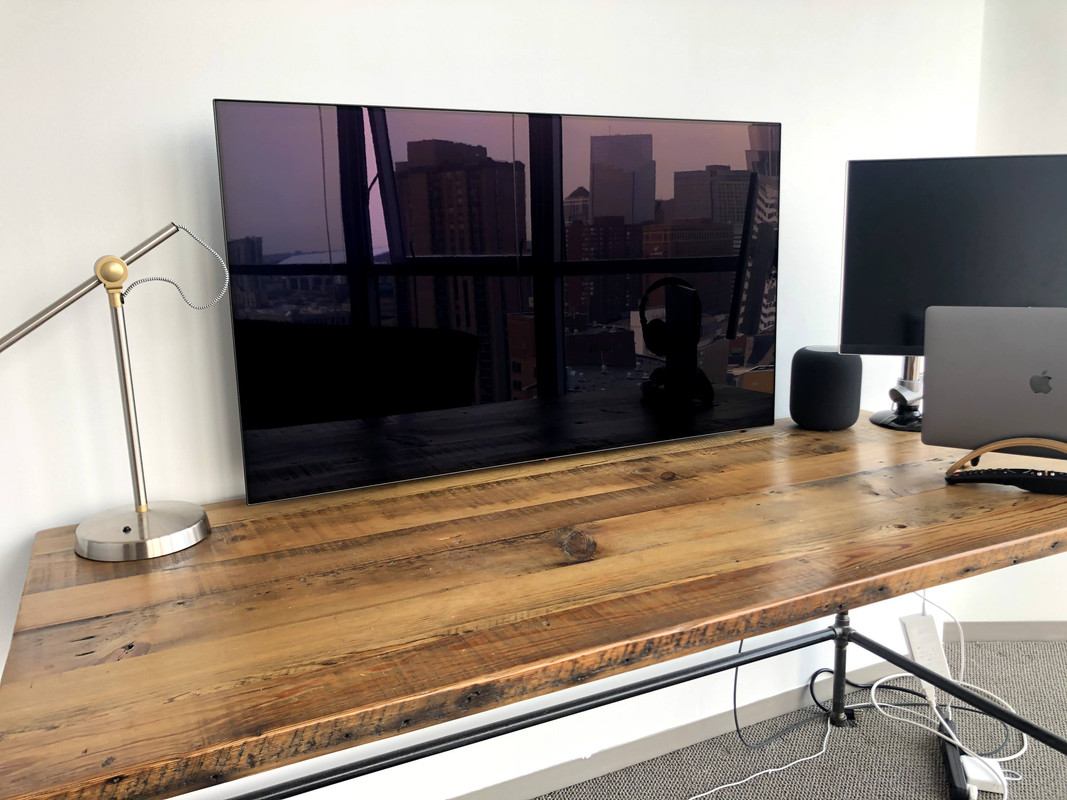
Re: Using an 8K TV as a Monitor

#302
post #181

Earlier quoted context omitted.

What you really need to match is the angular resolution in microradians from your eye. You can make any screen smaller by sitting farther back. That said, I do wish my TV was only 42". I guess if you really want the ppi to be exactly the same as a 27" 5K screen, then 27 * 7680 / 5120 = 40.5".

This is exactly the reason I intend to stick with 4k for now: I don't want a display that large. I currently have a 48" 4k display, and I'd prefer to have a 42" or 36" one. (Good choices are hard to find, though, particularly if you actually want 4k rather than ultrawide, want OLED, and don't want to just use a TV.)

I bought the Philips Evnia which fits perfectly into that category at 42". Despite being a gaming monitor it's not garish and I've grown to love the ambilight.

https://www.philips.co.uk/c-p/42M2N8900_00/evnia-gaming-moni...

Re: Using an 8K TV as a Monitor

#303

Back in my daze at Boeing, I had a full size drafting table in addition to the usual desk. I've always wanted a display that big. In fact, I want my entire desk surface to be such a display! The 8k monitors are progress!

This clearly calls for dual 8k displays! One as the desk (under a solid layer of glass), and one as the monitor.

Re: Using an 8K TV as a Monitor

#304
post #174

Author here, ask me anything! Apart from programming, one of the motivations for getting the 8K display is to look at lidar point clouds. For example the desktop background in my post is a lidar map of Bernal Hill in San Francisco, which I've here downsampled to only 13006 x 7991 px for your convenience [1]. Admittedly, when I bought it at first, I didn't realize there would be so many random issues, as manufacturers…

You COMPLETELY missed the elephant in the room : 8K TVs have really, really massive CPUs that waste a TON of power (150-200w for the CPU, 300-400w for the TV, often!) Think 8 cores of the fastest arm 64-bit processors available plus extra hardware accelerators! They need this extra processing power to handle the 8K television load, such as upscaling and color transforms - which never happen when you are using them as…

That's a facially absurd statement. Just on the numbers:

The US consumes 500 gigawatts on average, or 5000 watts per household.

So if every household bought an 8K TV, turned it on literally 100% of the time, and didn't reduce their use of their old TV, it would represent a 10% increase in power consumption.

The carbon emissions from residential power generation have approximately halved in the past 20 years. So even with the wildest assumptions, it doesn't "throw away all the progress we've made on Global Warming for the past 20 years ...".

Re: Using an 8K TV as a Monitor

#305

Earlier quoted context omitted.

You COMPLETELY missed the elephant in the room : 8K TVs have really, really massive CPUs that waste a TON of power (150-200w for the CPU, 300-400w for the TV, often!) Think 8 cores of the fastest arm 64-bit processors available plus extra hardware accelerators! They need this extra processing power to handle the 8K television load, such as upscaling and color transforms - which never happen when you are using them as…

How does it compare to working from home as opposed to driving to the office? E.g. let's say I drive 10 miles a day to get to the office vs use an 8k TV at home? If I go out of my way to work from home, would I be ethically ok to use 8k monitor? Back of the napkin it seems like 8k monitor would be 10x better than driving to the office?

The parent comment is wrong. The Samsun QN800A uses 139W typical, with a peak around 400W according to reviews https://www.rtings.com/tv/reviews/samsung/qn800a-8k-qled#tes...

To put it in perspective, an electric car might need 350 Watt-hours per mile. A 10-mile drive would use 3.5 kWh. That's equivalent to about 24 hours of using that monitor at normal settings, or about 8 hours at maximum brightness.

The comparison doesn't make sense, though, because if you drove to the office you'd still be using a monitor somewhere. A single 4K monitor might take around 30-40W. Using four of them to equal this 8K display would come in right around the 139W typical power consumption of the 8K 65" monitor.

Re: Using an 8K TV as a Monitor

#306
Have been sporting a 4K LG CX48 OLED since ~Sept, 2020 best monitor decision ever. I've got two HDMI out cables, 1 going to my gaming rig and the other for my Macbook where I do my work as a developer.

I haven't noticed any burn-in or dead pixels. You need to set it up for success, enable all the burn-in prevention settings the monitor provides (static image darkening, pixel shifting&cleaning). It's also a great idea to do other things such as sleeping the monitor after 1min if inactivity, no screensaver (or just black), black desktop background, hide taskbars, etc

edit: to add, i have the monitor mounted to the wall and about 1" above the height of my desk[1] - this puts the center of the screen directly at eye level

[1] - https://i.postimg.cc/nhqvM4Yz/62395566614-66-C9-BCAA-367-C-4...

Re: Using an 8K TV as a Monitor

#307
post #174

Author here, ask me anything! Apart from programming, one of the motivations for getting the 8K display is to look at lidar point clouds. For example the desktop background in my post is a lidar map of Bernal Hill in San Francisco, which I've here downsampled to only 13006 x 7991 px for your convenience [1]. Admittedly, when I bought it at first, I didn't realize there would be so many random issues, as manufacturers…

You COMPLETELY missed the elephant in the room : 8K TVs have really, really massive CPUs that waste a TON of power (150-200w for the CPU, 300-400w for the TV, often!) Think 8 cores of the fastest arm 64-bit processors available plus extra hardware accelerators! They need this extra processing power to handle the 8K television load, such as upscaling and color transforms - which never happen when you are using them as…

This is a bit much.

The average American household uses about 29 kilowatts of power per day (29,000 megawatts).

The difference between using a 4K screen and 8k screen for 8 hours a day is about 100 megawatts difference.

I wouldn't get over excited about something increasing overall energy usage ~2.5%.

Re: Using an 8K TV as a Monitor

#308
post #282

Earlier quoted context omitted.

Anecdotally my house draws 0.4 kW when idle and 0.6-0.7 kW when both my 8K screen and my computer are on. Since my computer draws 0.1-0.2 kW, I surmise that the QN800A doesn't draw 300-400 W total --- maybe 100-200 W. I run my screen on a brightness setting of 21 (out of 50) which is still quite legible during the day next to a window. Also, I have solar panels for my house (which is why I'm able to see the total pow…

RTINGS reviewed the Samsung QN800A as consuming 139W typical, with a 429W maximum: https://www.rtings.com/tv/reviews/samsung/qn800a-8k-qled#tes... The parent comment is completely wrong on nearly every point it makes. I don't know why it's so upvoted right now. It doesn't even pass the common sense test. Does anyone really think TVs have 200W CPUs inside just to move pixels around? That's into the territory of a high…

Surely they'd be using image processing ASICs instead of CPUs anyway, hence why they don't draw that kind of power!

Re: Using an 8K TV as a Monitor

#309
post #307

Earlier quoted context omitted.

You COMPLETELY missed the elephant in the room : 8K TVs have really, really massive CPUs that waste a TON of power (150-200w for the CPU, 300-400w for the TV, often!) Think 8 cores of the fastest arm 64-bit processors available plus extra hardware accelerators! They need this extra processing power to handle the 8K television load, such as upscaling and color transforms - which never happen when you are using them as…

This is a bit much. The average American household uses about 29 kilowatts of power per day (29,000 megawatts). The difference between using a 4K screen and 8k screen for 8 hours a day is about 100 megawatts difference. I wouldn't get over excited about something increasing overall energy usage ~2.5%.

I think you mean 29,000 W (watts), not megawatts (MW), which are 1000 kilowatts (kW).

Re: Using an 8K TV as a Monitor

#310
post #282

Earlier quoted context omitted.

Anecdotally my house draws 0.4 kW when idle and 0.6-0.7 kW when both my 8K screen and my computer are on. Since my computer draws 0.1-0.2 kW, I surmise that the QN800A doesn't draw 300-400 W total --- maybe 100-200 W. I run my screen on a brightness setting of 21 (out of 50) which is still quite legible during the day next to a window. Also, I have solar panels for my house (which is why I'm able to see the total pow…

RTINGS reviewed the Samsung QN800A as consuming 139W typical, with a 429W maximum: https://www.rtings.com/tv/reviews/samsung/qn800a-8k-qled#tes... The parent comment is completely wrong on nearly every point it makes. I don't know why it's so upvoted right now. It doesn't even pass the common sense test. Does anyone really think TVs have 200W CPUs inside just to move pixels around? That's into the territory of a high…

I didn't smell anything. A 200W PSU isn't terribly expensive and being cheaper than more efficient processors seems reasonable. I also only run a single 4k monitor so haven't thought about driving 4x the pixels recently.
Post reply on HN