Earlier quoted context omitted.
Awesome, this is so cool! I remember MacOS 9 with a mix of fondness, hatred, and nostaglia. OS X was definitely a big improvement when it came out (I remember OS 9 having so many crashes), but some of the charm was definitely lost. And these .app domain names you're all using in this space are great and totally apt. I love to see great usages of my work in the wild like this.
> I love to see great usages of my work in the wild like this. Out of curiosity and ignorance--what is the work you're referring to here which is being used for the project / website? The comment makes me feel it's the (dot)app TLD, in which case--fascinating! But also what does it even mean to work on something like that?
Mac OS 9
301–310 of 356 posts
Re: Mac OS 9
#302Earlier quoted context omitted.
Two questions: 1. Are you being serious, or are you being sarcastic? 2. If you're being serious, what about it is terrible?
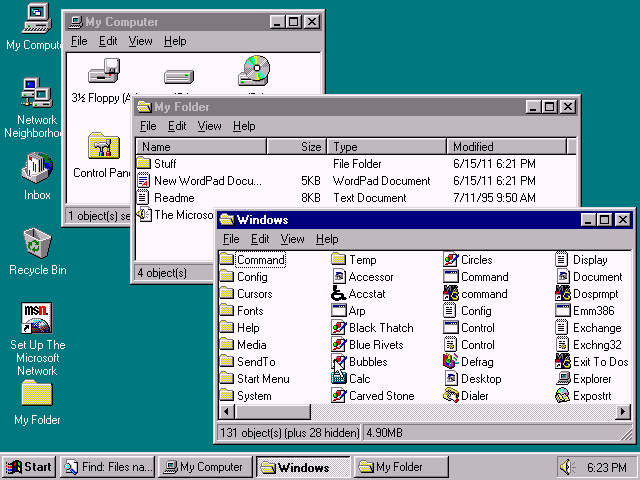
I don't know if they were being serious, but as someone who never used a mac back then, I really struggled with this UI. Why do folders all open in a new window? Why can't I maximize a window by double-clicking the title bar? Why can I only resize windows with the little handle in the bottom corner? What is the point of the settings dock in the bottom left of the screen? Do I really need to change resolution and colo…
Windows 95 was like this too unless the Internet Explorer 4.0 Desktop Update was installed: http://toastytech.com/guis/win95desktop3.png
Re: Mac OS 9
#303Earlier quoted context omitted.
But then how do you easily navigate / launch apps? Dig thru your folder trees each time in Finder? Most apps I’m finding have folder structures with a bunch of aux files. It’s not so seemless as a dock or even a start menu. Back even then I used my desktop heavily too.
> But then how do you easily navigate / launch apps? Dig thru your folder trees each time in Finder? Back in the day, Finder used to remember whether folders were open on the desktop or "put away". It was a direct , one-to-one mapping between your spatial awareness of objects in the real world and the representation of objects in the computer. Meaning that things were left exactly where you put them on-screen, just l…
Re: Mac OS 9
#304Re: Mac OS 9
#305It's a great reminder of how well MacOS 9 UI and UX were designed, and how space efficient the whole OS was on screen. Even the window handle bars were subtly shadowed, the window shadows evolved when they were collapsed. Like Windows 95 at the time, Mac OS 9 was a beautiful work of interaction design.
I was a macOS 9 user before I switched to Windows ... and I have to say: I had a fonder memory of it than what I see in this emulation. All operating systems came a long way since. But hey, it is 20 years, is not it.
Re: Mac OS 9
#306Re: Mac OS 9
#307I'm the creator of the site, thanks for the submission. This is an in-progress port of the SheepShaver emulator to WebAssembly/Emscripten, https://github.com/mihaip/infinite-mac/issues/34 is tracking the remaining work. If you're interested in running older Mac software in the browser, the BasiliskII-based sites at https://system7.app/ and https://macos8.app/ may be better bets. They will boot faster and have fewer c…
Re: Mac OS 9
#308Earlier quoted context omitted.
> How do you live without a simple maximize button? Why would I want a webpage which stops showing additional content after ~1200 pixels wide to take up the entire of my 2560px wide monitor?
Because it removes the clutter of your desktop + other windows. I think many would agree. Sure, there are times you need to see windows side-by-side, and there is affordance for that. But mostly, a person is doing one task at a time.
Re: Mac OS 9
#309KPT Bryce!
but who is Kai
Re: Mac OS 9
#310Earlier quoted context omitted.
>Distinct control/option/command Way too much cognitive load. Just have a single "ctrl". Coupled with shift, that's more than enough for most hotkeys.
The way I remember it, command was used for commands, option was mostly for typing accented characters, and ctrl was only used within terminal windows (which means most Mac users would have never touched it).
https://www.wired.com/2000/10/eek-a-two-button-mac-mouse/
"In recent years, the company has added "contextual menus" to the Macintosh operating system. But to activate them, users must hold down the control key while pressing down the mouse button, which more or less defeats the purpose."
Oct 31, 2000