Live data from Hacker News

Keychron's Nape Pro turns your keyboard into a laptop‑style trackball rig

yankodesign.com

31–40 of 54 posts

Re: Keychron's Nape Pro turns your keyboard into a laptop‑style trackball rig

#31

People have been putting Blackberry trackballs on QMK builds for quite a while. I'm odd - what I want is a stupidly big trackball, like 4 inches across or so. And it should be able to detect rotation about the vertical axis. It infuriates me how optical tracking systems are designed to provide just translation and no rotation when there's a whole other DoF in play.

You think you do. The issue is it's just about impossible to isolate translation from rotation. You would always be doing just a little rotating every time you touched the ball, whether you wanted to or not. And any time you tried 'rotating', you'd also be moving the cursor.

6DOF devices have been done (ie https://en.wikipedia.org/wiki/SpaceOrb_360 or https://www.computinghistory.org.uk/det/12416/Logitech-Cyber...). They're sorta fun to use (at first) in CAD for browsing 3D models, but never caught on as once you get good at the CAD UIs, the extra degrees of freedom get in the way more than they help.
Re: Keychron's Nape Pro turns your keyboard into a laptop‑style trackball rig

#32

I think the trackpoint nub would have been a better choice.

While I do use one daily (when I'm laptop only), I would say that it seems to be made for fingers, not thumbs. It's hard to be accurate with thumbs.

Re thumb vs finger control. RSI researcher once told me "Which could you live without, a finger or your right thumb?"

Re: Keychron's Nape Pro turns your keyboard into a laptop‑style trackball rig

#33

A year ago I went down the rabbit hole of looking into custom trackball-keyboard integrations. Ploopy, Charybdis, Dactyl, CCK-ball, etc. My final boring conclusion is that what I had already been doing for the past 20 years is much cheaper and gets me 99.99% of the way: All you need is a regular ~$50 trackball and a regular ~$100 keyboard without a numpad. (You can have an overlay for that, if you need it.) As someon…

I did build a charybdis, and I daily it. Its been great typing wise. I don't have any wrist issues anymore. The trackball I don't use for any precision actions. Its useful if I want to hit a tab, or move to the other monitor. But trying to hit small links for example is painful. (That being said I am using the stock bearings, which don't seem to work well) It was a significant expense for a keyboard, especially being…

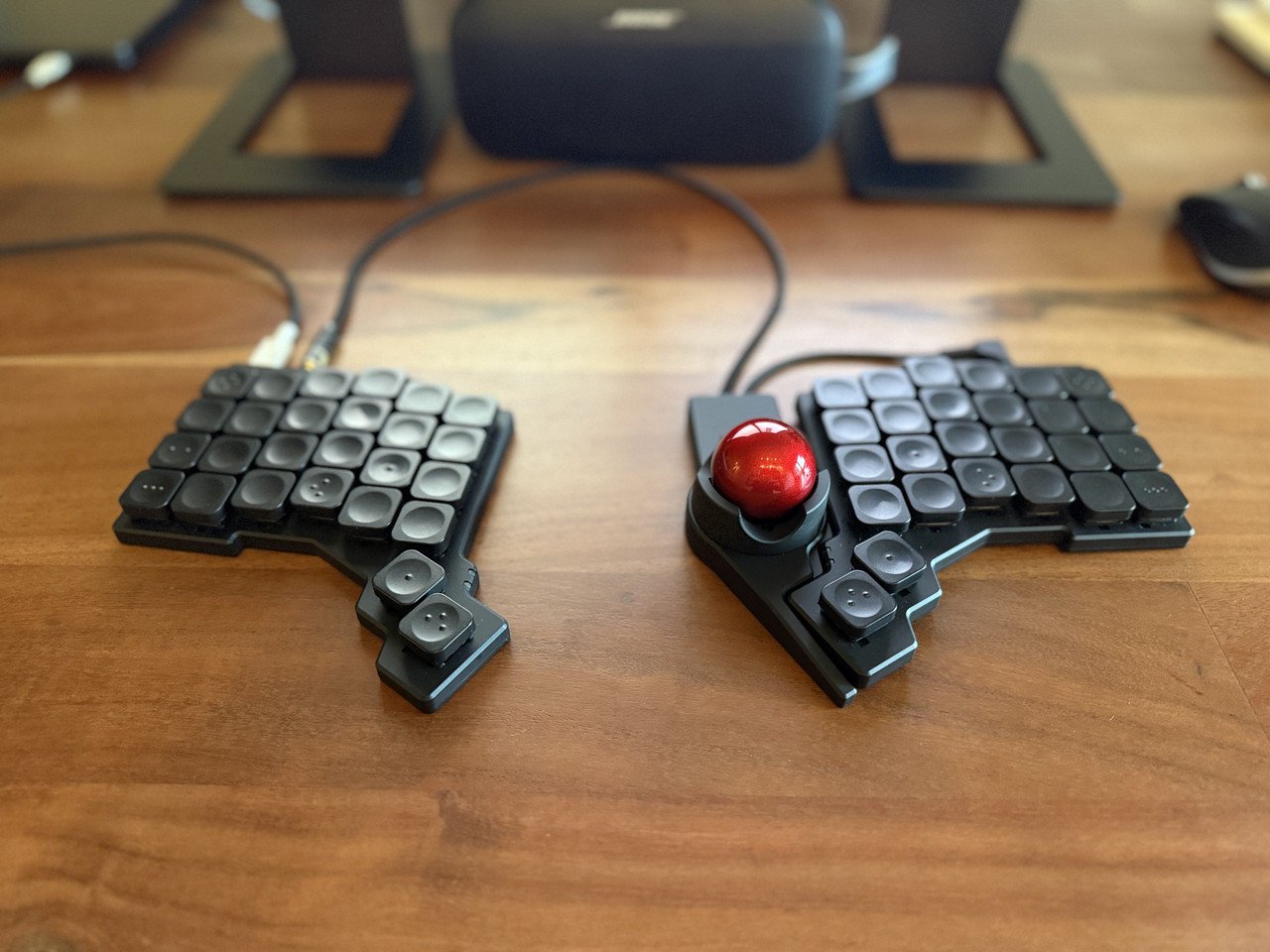
I'm enjoying my ZSA Voyager and Navigator (trackball) combo.

Out of picture, I also have a Magic Trackpad (right) and Logitech MX Anywhere 3 (left). I like to switch up my hand movements.

https://i.postimg.cc/TYMSMCT1/IMG-1528.jpg

Re: Keychron's Nape Pro turns your keyboard into a laptop‑style trackball rig

#34

Earlier quoted context omitted.

I did build a charybdis, and I daily it. Its been great typing wise. I don't have any wrist issues anymore. The trackball I don't use for any precision actions. Its useful if I want to hit a tab, or move to the other monitor. But trying to hit small links for example is painful. (That being said I am using the stock bearings, which don't seem to work well) It was a significant expense for a keyboard, especially being…

I'm enjoying my ZSA Voyager and Navigator (trackball) combo. Out of picture, I also have a Magic Trackpad (right) and Logitech MX Anywhere 3 (left). I like to switch up my hand movements. https://i.postimg.cc/TYMSMCT1/IMG-1528.jpg

Do you find you use the trackball for precise movements? I wonder if a more polished product is any different than the Charybdis.

Re: Keychron's Nape Pro turns your keyboard into a laptop‑style trackball rig

#35

A year ago I went down the rabbit hole of looking into custom trackball-keyboard integrations. Ploopy, Charybdis, Dactyl, CCK-ball, etc. My final boring conclusion is that what I had already been doing for the past 20 years is much cheaper and gets me 99.99% of the way: All you need is a regular ~$50 trackball and a regular ~$100 keyboard without a numpad. (You can have an overlay for that, if you need it.) As someon…

> If this works better for you than a Logitech or Kensington trackball

A few years back, I bought and tried various Logitech/Kensington-type trackballs between two halves of my split keyboard and none of them worked well enough due to being too large for comfortable reach (and also the casing being large enough to force the halves farther apart than I prefer). I even bought a smaller uncased trackball component to try to make something but never got around to it.

I saw a photo of this product a few days ago in some CES round-up and immediately thought "oh, someone finally made the thing I wanted" (narrow, small). Of course, because the exact height, position and angle of these kinds of things tend to matter ergonomically, it may not work for me but it's a lot closer than anything I've yet seen. If it's reasonably priced, I'll probably pick one up to try.

Re: Keychron's Nape Pro turns your keyboard into a laptop‑style trackball rig

#36

A year ago I went down the rabbit hole of looking into custom trackball-keyboard integrations. Ploopy, Charybdis, Dactyl, CCK-ball, etc. My final boring conclusion is that what I had already been doing for the past 20 years is much cheaper and gets me 99.99% of the way: All you need is a regular ~$50 trackball and a regular ~$100 keyboard without a numpad. (You can have an overlay for that, if you need it.) As someon…

[deleted]

Re: Keychron's Nape Pro turns your keyboard into a laptop‑style trackball rig

#37

Earlier quoted context omitted.

> If this works better for you than a Logitech or Kensington trackball, sweet, use it. But so far all the reviews are like "I've never used a trackball, but this looks cool". Most people never saw a trackball, let alone used it. Mainly because either your PC comes with a mouse, or you use a laptop which comes with a touchpad. Your regular ~$50 sucks because it follows the form factor of a mouse even though you don't…

The Form is $199, not $300. So, smaller gamble but it sure looks like a gamble.

Kinesis charges $100 to ship anywhere outside of North America.

Also, it's not a split board, you can't actually separate the two halves.

For a touch over $300 you could have almost any split board/track pad combo you'd want. Such a strange product from Kinesis.

Re: Keychron's Nape Pro turns your keyboard into a laptop‑style trackball rig

#38

Earlier quoted context omitted.

For trackpoint fans Lenovo makes a classic Thinkpad keyboard as a standalone rechargeable wireless keyboard. It works with Bluetooth, it's own USB wireless dongle or even wired USB. Has a switch for Windows or Android/Linux key mapping. I have one and like it (although it's pricey at around $100). https://www.lenovo.com/us/en/p/accessories-and-software/keyb... https://www.amazon.com/Lenovo-Thinkpad-Trackpoint-Keyboar…

This keyboard is one of the staples of my desk. Saying this as someone who also dabbles in all of the exotic stuff. Sometimes you need a reliable, small, and convenient keyboard - that's where these tiny Lenovo trackpoint keyboards fit in every time.

Yep, I have two and am always moving them around between various rooms at home where I only occasionally need a keyboard/mouse. Home theater: setting up a new media streaming stick, Arcade room: tweaking the settings on the PCs in my arcade or virtual pinball cabinet, IT closet: adjusting some pre-boot setting on a Raspberry Pi. It's really perfect because it's small, complete (keyboard and mouse in one device/port), flexible (USB, Bluetooth, RF Dongle) and actually has a good keybed (unlike most small portables). I also like that its auto-shutoff works well, meaning it's usually charged even if I haven't used it in a month.

When I say "There's nothing I don't like about it", it's actually pretty high praise because I'm finicky, demanding and notice the details in stuff I use.

Re: Keychron's Nape Pro turns your keyboard into a laptop‑style trackball rig

#39

A year ago I went down the rabbit hole of looking into custom trackball-keyboard integrations. Ploopy, Charybdis, Dactyl, CCK-ball, etc. My final boring conclusion is that what I had already been doing for the past 20 years is much cheaper and gets me 99.99% of the way: All you need is a regular ~$50 trackball and a regular ~$100 keyboard without a numpad. (You can have an overlay for that, if you need it.) As someon…

I've been using trackballs since the early 1980s (that was a custome-built thing attached to a DG Nova, but still). Can't go back to a regular mouse. But yeah, I don't see what this does that my current trackballs don't do, or at least that I would ever use. And it looks really awkward to use. I also don't really care that much about the half-second it takes to move my hand. I don't touch-type or type nonstop. So practically that means nothing to me.

Re: Keychron's Nape Pro turns your keyboard into a laptop‑style trackball rig

#40

People have been putting Blackberry trackballs on QMK builds for quite a while. I'm odd - what I want is a stupidly big trackball, like 4 inches across or so. And it should be able to detect rotation about the vertical axis. It infuriates me how optical tracking systems are designed to provide just translation and no rotation when there's a whole other DoF in play.

yeah, it drives me a little crazy that the only trackball that supports rotation is the Kensington Slimblade. I'd love to try a ploopy or something else out there, because i don't otherwise particularly like the slimblade (especially the software and the industrial design - ugly!) but i can't give up rotational scrolling. it's so much better than scroll wheels or scroll-mode buttons once you get the hang of it.
Post reply on HN