Earlier quoted context omitted.
In the time since I wrote the above comment I've decided to give Buildroot a shot. See https://news.ycombinator.com/item?id=18093599
Glad you tried it with an open mind.... For background, I'm a softie with over twenty years experience with embedded, desktop and server systems from microcontrollers to multi-core DSPs so I've a fair amount of experience in this area. The last time I tried Yocto was while building a mesh router for an IoT product. When building real products, removing all cruft and only having a minimal system is very important from…
The Yocto build system is sneaky because when it is running it shows the total number of tasks and the number of tasks that have executed, so it feels a bit more comfortable in that way than BuildRoot.
In this respect, BuildRoot vs Yocto feels a bit like running a big compilation of ports on FreeBSD using make directly vs running the compilation with poudriere. The latter has a web user interface that lets you track the progress a little bit. The web interface of poudriere looks like so: https://blog.shatow.net/static/poudriere-31.png
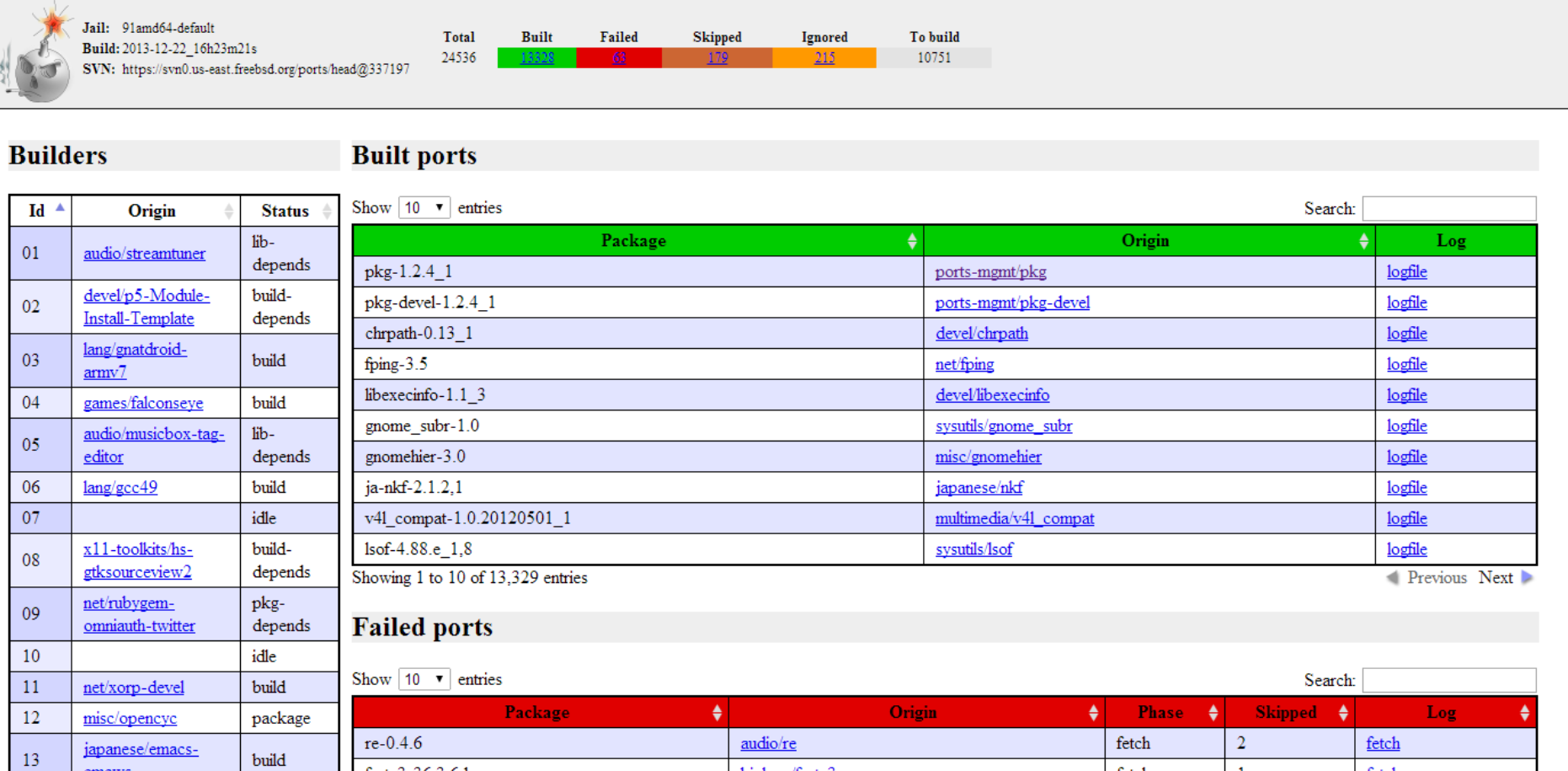
However, like I said, Yocto is sneaky. Because while the above mentioned aspect might seem like a big plus, the end result of using BuildRoot was very impressive.
I based my BuildRoot config on https://jumpnowtek.com/rpi/Raspberry-Pi-Systems-with-Buildro... with some additions and removing some things I didn't need.
I noticed also that there was an option "remount root filesystem read-write during boot" that could be disabled. Having a read-only image is something I was planning on doing already, so I gave it a shot. And it works!
Thanks to BuildRoot, I have a lean 251 MB (lean in the context of what I am doing, I am aware that some Linux images for some routers etc are just a handful of megabytes) that can run with a read-only rootfs and which does everything that Yocto image I had did, and it took much less time to compile because like you said, it was easy to customize it to only have what I needed basically.
My workstation has 32 GB of RAM and an 8 core, 16 threads AMD Ryzen 7 1700 Prosessor. Building the Yocto image took in excess of 3 hours, close to 4 hours I think. Building the BuildRoot image to 80 minutes, because the BuildRoot image, unlike the Yocto image did not have a lot of extra cruft, exactly because like you said, with BuildRoot it is easy to remove what you don't need.
Now one thing I did notice because I had overlooked some of the configuration options for one of the packages was that changing the options of a package does not cause BuildRoot to regard it as necessary to rebuild the package. Apparently this is by design [1]. I think that is a tiny bit disappointing, but whatever. Rebuilding individual packages is quite fast anyway. And hopefully if I need to do full rebuilds of the whole thing then ccache, which I made sure to enable before running the first build, will shave some time off the build. But I don't even think full rebuilds will be necessary all that often.
All in all I am glad that you suggested I try BuildRoot, and I am glad that I listened. I will be sticking with BuildRoot. Thank you :)
[1]: https://github.com/buildroot/buildroot/blob/master/docs/manu...