Live data from Hacker News

Google Docs New Feature: Pageless

support.google.com

211–220 of 233 posts

Re: Google Docs New Feature: Pageless

#211
post #187

> If your document contains elements like footnotes, headers and footers, or watermarks, and it is converted to pageless, those elements will not be visible. Headers and footers are print-oriented, but losing footnotes is not ok. They could have displayed on the side, or highlighted in some way to display on mouse over or click. Whatever, just make them available...

I agree, there's no reason to lose that feature. Just add the footnotes at the bottom of the doc, no matter how long it is and make the number references clickable to toggle between them. I'd even go as far as say Headers and Footers should be preserved but just included once at the very top and very bottom. Unless you toggle back to page mode and then everything just works. No data loss. Seems like an easy improveme…

Have you ever heard the term "analysis paralysis"?
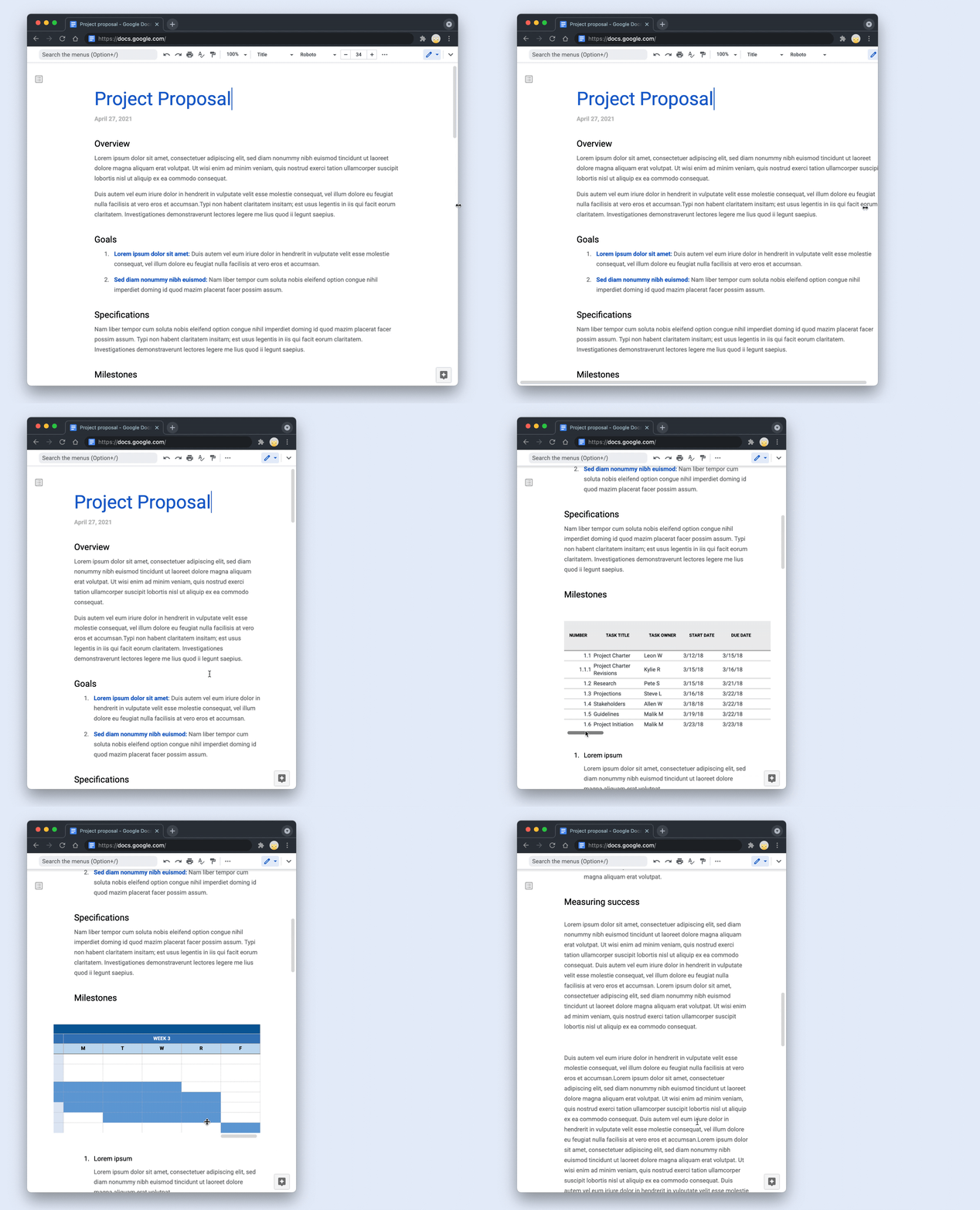
Re: Google Docs New Feature: Pageless

#212

Earlier quoted context omitted.

It's utterly bizarre just how much Google docs seems to have dropped the ball. It really feels like they haven't developed the product in the past 10 years. This is the first significant feature change that I can recall in a very long time other than minor UI tweaks.

I find it incredible that Docs is still unable to number headings. And they're trying to sell it to large organizations...

Also no line numbering! I can't believe they have any lawyers as customers since line numbers are essential for them.

Re: Google Docs New Feature: Pageless

#213
post #133

> If your document contains elements like footnotes, headers and footers, or watermarks, and it is converted to pageless, those elements will not be visible. Headers and footers are print-oriented, but losing footnotes is not ok. They could have displayed on the side, or highlighted in some way to display on mouse over or click. Whatever, just make them available...

(Googler, opinions are my own) I've used the new pageless style for a while and losing footnotes was a little annoying at first, be we adapted. I don't have a perfect solution to it, there are alternatives you can do (glossary or something at the end, with a bookmark on each item, so you can link directly to it). If you make heavy use of footnotes, don't use the new feature (as others have said). It's a tradeoff, and…

Maybe the team behind pageless sees footnotes from a print-oriented perspective.

I would look at them as sort of a content enrichment. Like a comment applied to the text.

Pageless has comments. Why would it be so bad to place footnotes alongside with comments? Or perhaps on the left side, below the headings index?

Re: Google Docs New Feature: Pageless

#214

Earlier quoted context omitted.

But you could have made a similar critique of PDF 30 years ago: it started as a proprietary format vastly more complicated and fragile than plain text documents. Plain text documents had existed for decades and would continue to exist. Nonetheless, the benefits of the then-new PDF format were so great that it was eventually standardized.

There is no "Google Docs" format, though - you have no idea how Google is representing your data, or if there even is any single "blob" that is your file (and even if there is one on the server side, AFAIK you can't get it). I'm not very familiar with Notion, but it seems like it's probably the same way. That means there's no chance of "Google Docs" or "Notion" becoming a standardized format. At least with a propriet…

I agree, that's true currently. But if Google achieves sufficient dominance, it could be in their interest to release such a format.

Re: Google Docs New Feature: Pageless

#215
post #4

I'm in the business of building an online word processor - https://www.zoho.com/writer It's interesting how the documents industry is moving from print oriented legacy softwares (Google Docs, Word) to block based, app-ish, smart canvases (Notion, Coda, etc). Also both Microsoft & Google have adopted completely different strategies to compete in this market. Microsoft launched Loop as an entirely new app while Google…

"Word" Except Word has had a pageless equivalent since Word 97, probably prior.

It doesn't really feel that impressive or new age to include a basic and imo required feature from the competitor so very very late!

Re: Google Docs New Feature: Pageless

#216
post #4

I'm in the business of building an online word processor - https://www.zoho.com/writer It's interesting how the documents industry is moving from print oriented legacy softwares (Google Docs, Word) to block based, app-ish, smart canvases (Notion, Coda, etc). Also both Microsoft & Google have adopted completely different strategies to compete in this market. Microsoft launched Loop as an entirely new app while Google…

I guess I'm old fashioned but I really like being able to print things (even if sometimes not to real paper).

eg. I print / save websites' ToS to PDF all the time. Over the last few years (especially from Chrome) the result looks increasingly garbled, nothing like what's on my screen. God forbid figuring out how to produce them as exhibits for litigation.

Paper-sized, static content also tends to be a convient dimension for reviewing material of substance (eg. think academic papers).

Often during tax season, or when reviewing database models or complex business logic workflows I'll print the spreadsheets / ERM / flowcharts across large 11x17 sheets that get tiled up on the walls or littered across the floor effectively giving me infinite screen space. Humans are built for working spatially like this rather than clicking back and forth endlessly between tabs. (And incidentally, coworkers have been amazed how much more efficient we become being able to crowd around such an exposition together). I'll keep doing that until wall-sized, surround-you-on-four-sides touchscreens become commonplace (or VR ergonomic enough you can't tell you're in it) along with annotation tools that match the intuitiveness of cutouts and sticky tape.

And if I have to read hundreds of pages worth of literature I still prefer to do it on paper and save myself the eyestrain.

Not bashing the new tech, it sounds cool, I just fear it will make rendering to more traditional layouts more difficult.

Re: Google Docs New Feature: Pageless

#217

I'm not a huge google fan but I write a ton and I use google docs extensively, and I have to say I'm crying tears of joy seeing this update. Just yesterday I was complaining to a colleague about how a table he put in a google doc was hard to read because a page-break in one of the rows made it look like two rows when it was only one. Ask and you shall receive! Thank you google docs devs!!!

Except, the article says tables aren't supported, right?

Well, in the Google Workspace post there is a picture of a table. So it probably supports them.

https://cloud.google.com/blog/products/workspace/delivering-...

They also feature a table in a little GIF they have on that page.

https://storage.googleapis.com/gweb-cloudblog-publish/origin...

Re: Google Docs New Feature: Pageless

#218

Does anyone know of a gdocs alternative that uses DOM-based rendering? Google recently transitioned from DOM-based rendering to canvas-based rendering, which prevents extensions like BeeLine Reader [1] from working. This has created problems for people with disabilities, who rely on it. I'm the founder of BeeLine Reader, and we are looking for an alternative platform that we can steer our customers (which include maj…

HedgeDoc is a FLOSS self-hostable collaborative markdown editor in the browser: https://hedgedoc.org/

Re: Google Docs New Feature: Pageless

#219
post #138
post #133

Earlier quoted context omitted.

(Googler, opinions are my own) I've used the new pageless style for a while and losing footnotes was a little annoying at first, be we adapted. I don't have a perfect solution to it, there are alternatives you can do (glossary or something at the end, with a bookmark on each item, so you can link directly to it). If you make heavy use of footnotes, don't use the new feature (as others have said). It's a tradeoff, and…

Just spitballing, doesn't seem like you're on the team, but a possible solution could be a little popup when you hover over a footnote like Wikipedia has. Or maybe an option to put all the footnotes at the bottom of the document, except when printing.

Requiring hover/tap for content context isn't good accessibility. Better to just find an alternative to footnotes.

Re: Google Docs New Feature: Pageless

#220
post #166

Earlier quoted context omitted.

What you're talking about is a failure in the "addressability" section of the digital media rubric. It's not page-based layouts that make this easy. That's entirely orthogonal. (This new Pageless feature of Google Docs, for example, doesn't make it any better or worse at satisfying the use case you're referring to than it was before.)

I’m thinking specifically as using PDFs as an archival format to snapshot the state of a document at a moment in time. PDFs are inherently page-based (well, at least in the way they are commonly used in business, I know they could be any dimension, but that’s still a “page”). It isn’t just the ability to have temporal addressability (if I’m using the word the same way as you). I don’t really care if I can time machin…

All the things you said about PDF are true. You can say other true things, like that it's true that PDF gives these nice archival properties and that at the same time it's true that PDF begins with the letter P. Nevertheless, it doesn't make sense to conclude that what you want from an archive format is for it to begin with the letter P. That PDF simulates physical pages (versus not) is similarly beside the point.
Post reply on HN