Live data from Hacker News

Linux Desktop Setup

hookrace.net

211–220 of 232 posts

Re: Linux Desktop Setup

#211
post #47

Earlier quoted context omitted.

This is why most of people love i3 as tiling wm. Just put it in top of gnome/xfce/whatever, run the first installation wizard and you are done.

>One problem with Vim is that you get so used to its key mappings that you’ll want to use them everywhere. If don't already know about `set -o vi` in `bash`, prepare to be delighted.

I use it but it is slightly annoying actually. It is vi emulation not vim emulation so e.g. diw does not work. Similarly visual mode involve opening the command line in vim. This can be a little jarring.

Re: Linux Desktop Setup

#212

Earlier quoted context omitted.

Which version are you using right now? I have the latest one and it does not allow me to share anything else than a white canvas. Do you launch zoom somehow differently? For me it behaves like a regular XWayland app

zoom-2.7.162522.0121-1.x86_64 which seems to be their latest. With the previous version I had the same thing, only allowed me to share white canvas. Here's the process hierarchy: \_ gdm-session-worker [pam/gdm-password] \_ /usr/libexec/gdm-wayland-session gnome-session \_ /usr/libexec/gnome-session-binary \_ /usr/bin/gnome-shell \_ /usr/bin/zoom \_ sh -c export SSB_HOME=/home/me/.zoom; export QSG_INFO=1; export LD_LI…

Sadly I'm not able to test this since I'm not running Fedora and GNOME. I'm using sway. Interestingly enough, Zoom change log does not seem to mention anything related to Wayland support: https://support.zoom.us/hc/en-us/articles/205759689-New-Upda.... Thank you for your comment, will try this in GNOME some time.

Re: Linux Desktop Setup

#213

Earlier quoted context omitted.

Can you just boot off a live USB? I used to do that on lab computers at my university.

I was doing that for a couple months but the tech guy detected it and told me not to do it...

Your university has a more paranoid or more competent IT department than mine did.

Re: Linux Desktop Setup

#214
post #13

In similar vein but vastly different: Firefox + Tridactyl i3 + i3bar + dmenu + rofi dunst Powershell instead of zsh No desktop manager

I have PowerShell installed on Linux, but I don't ever use it. Is that your main shell? How does that work out for you on Linux?

It's more powerful but lacks a bit in interactive features.

I use zsh for regular getting around and opening stuff but anything that needs logic I do in pwsh.

Re: Linux Desktop Setup

#215
post #199

Great read. Only thing missing was the hardware. I am always interested to see what kind of hardware people are running on.

It says Thinkpad x200

Doh how did I miss that!

Bit older than I was expecting. I had assumed a ThinkPad T series. Maybe a T420 with the 1440x900 resolution.

Re: Linux Desktop Setup

#216
post #163

Earlier quoted context omitted.

Honestly, I don't like scratchpad. If you use it on multiple windows, doing `scratchpad show` multiple times causes one window to appear, then disappear, then next window appear, then disappear... and it does this across workspaces. I don't understand when I'd need something like that. It's a weird feature. Instead, something I really wanted was to be able to toggle the hiding and showing of all floating windows per…

> If you use it on multiple windows, doing `scratchpad show` multiple times causes one window to appear, then disappear, then next window appear, then disappear... and it does this across workspaces. You need to create a keybinding that calls `scratchpad show` using a window class qualifier to target the app you want . That's the key to making the scratchpad useful.

I've been using i3 for years but somehow I missed the scratchpad. It does sound like a time-saver. Thanks for your tips!

Re: Linux Desktop Setup

#217
post #208

Earlier quoted context omitted.

> …and we can sometimes fail to appreciate that. I've never met a Linux user who failed to appreciate that.

Well, for instance, there's this meme that GNOME only removes stuff, and people complaining that "GNOME developers don't let you do anything". To me, my knee-jerk response to that is always: this is Linux! Use something else if you want more customisability, because you can!

There is the notion of "opiniated software" which I am a fan of. Seems to that I probably would be quite happy with GNOME if I would be a Linux user.

More to the point though, doesn't a complain such as you stated imply that the complaining party is aware of high configuratibility as an expected standard?

Re: Linux Desktop Setup

#219
post #46

Earlier quoted context omitted.

Until you switch to sway, which is basically i3, but for Wayland. Good bye X11!

What's the appeal behind Wayland? I've been using X for a while now (linux n00b) and I really enjoy having everything like this, there even are a couple apps I use specifically for X11.

https://theinvisiblethings.blogspot.com/2011/04/linux-securi...

Re: Linux Desktop Setup

#220
post #198

Earlier quoted context omitted.

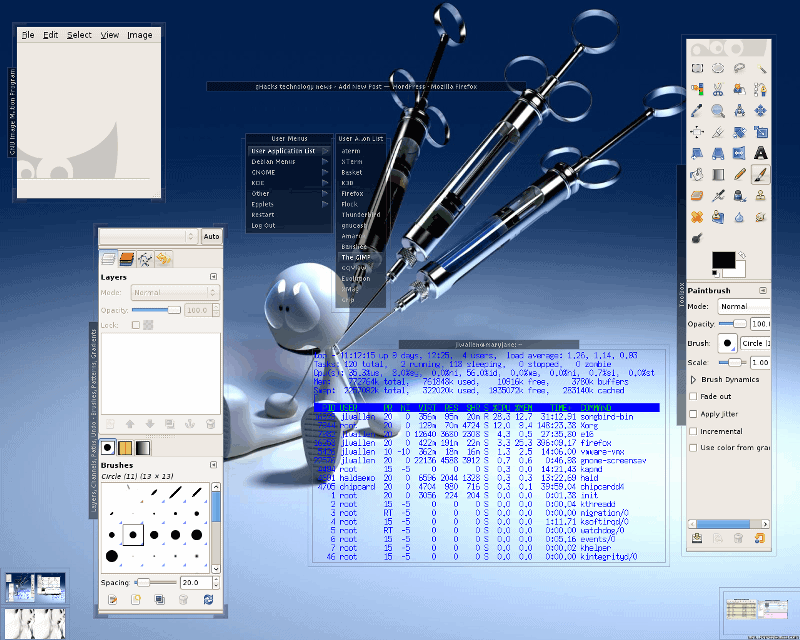
I've had and seen the coolest desktops on Linux and other unicies. If you're knowledgeable, you have available to you some amazing things. Linux did lag in performance, but features like virtual desktops, notifications, transparency, and other things were easily a decade ahead of OSX and Windows. I remember in 2008 in class, playing World of Warcraft via Wine in a window, while also taking notes, tailing logs, stream…

Compositing was (shortly) after OS X.

Yeah, I remember that Quartz was far more advanced than X. My favorite at the time, e16, never supported translucency or transparency very well. But I love that it tried.

It's probably nostalgia talking, but I miss the gnarly desktops that used to be so common.

https://www.ghacks.net/wp-content/uploads/2008/12/e16_screen...

http://nova.polymtl.ca/~coyote/picturesd/linux/enlightenment...

https://joindiaspora.com/uploads/images/scaled_full_803a5625...

https://joindiaspora.s3.amazonaws.com/uploads/images/scaled_...

http://i.imgur.com/SIvEH.jpg

I remember when Hulu came out in 2009, the default reaction from the community was to release python scripts that auto-ripped it and piped the video into mplayer. Today, the reaction is to compromise our OS by supporting Widevine DRM or some other nonsense.

It probably did more to advocate for Linux when we weren't afraid to be different, or break the rules for the user.

Maybe it's egotistical, but this used to be the experience of using a Linux laptop ten years ago: https://xkcd.com/272/

Linux actually felt more capable than Windows in a lot of ways, except maybe some hardware support.

Today, it is: Oh, you're using Linux because you couldn't afford a Windows license, right? Linux is to Windows as OpenOffice is to Microsoft Office?
Post reply on HN