Earlier quoted context omitted.
Depends on what you are doing. If you want to kill a sexp, the keyboard is going to be faster. If you want to kill a random block of text that has no structure, then sure, the mouse is going to be faster. Guess which programmers usually do.
If you're programming Perl, then it's going to be "kill a random block of text that has no structure." Sorry, couldn't resist. :)
Tips for the aspiring Emacs playboy
21–26 of 26 posts
Re: Tips for the aspiring Emacs playboy
#22I can't agree with the `2. Don't use the mouse'. Unless Emacs' mouse support is completely broken (doubtful), mouse is only going to increase productiveness. http://plan9.bell-labs.com/wiki/plan9/Mouse_vs._keyboard/ind...
Re: Tips for the aspiring Emacs playboy
#23I'm going to have to disagree with '6. Keep Your Keybindings Standard.' When I started with emacs, there were some bindings that would make my hands ache after a day of use, usually from the transition between difficult keybindings, not any one key combination in isolation. One of the first things I did was add in the ergoemacs bindings, and I never regretted it. It's not as if doing so made me suddenly forget what t…
More recently I've moved mostly away from the arrow-keys navigation (not just up/down/left/right instead of n/p/b/f but Home End instead of C-a, C-e; C-left, C-right instead of M-b, M-f; C-up, C-down instead of M-{, M-}; C-Home, C-End instead of M-, etc.) to the more central commands. This is less of a win but has nonetheless sped up my editing still further.
Re: Tips for the aspiring Emacs playboy
#24I can't agree with the `2. Don't use the mouse'. Unless Emacs' mouse support is completely broken (doubtful), mouse is only going to increase productiveness. http://plan9.bell-labs.com/wiki/plan9/Mouse_vs._keyboard/ind...
I have an immediate, almost visceral disagreement with the suggestion that a mouse is more efficient, but I may be wrong. For sake of argument: I think the "just pointing vs. using the keyboard and getting more thought involved about structure disrupts the sense of time" argument may have something to it. Still, using a keyboard well counterbalances this by being able to take advantage of greater structure - I very f…
In what way? It's certainly as good as it is in any other editor, with the addition of several very Emacs-esque mouse-driven commands. For example, right click marks the region from point to the click point and saves it in the kill rin (like M-w); double right click kills that region. Using M- does the same, but modifies the secondary selection. Using C- with the mouse pops up several useful context menus. Try playing around with C-h k in various contexts.
Re: Tips for the aspiring Emacs playboy
#25I'm going to have to disagree with '6. Keep Your Keybindings Standard.' When I started with emacs, there were some bindings that would make my hands ache after a day of use, usually from the transition between difficult keybindings, not any one key combination in isolation. One of the first things I did was add in the ergoemacs bindings, and I never regretted it. It's not as if doing so made me suddenly forget what t…
Sure, but if you do it too soon, all tutorials and howtos will be a pain to follow.
Comfort is important. How are you using your F1-F12 keys?
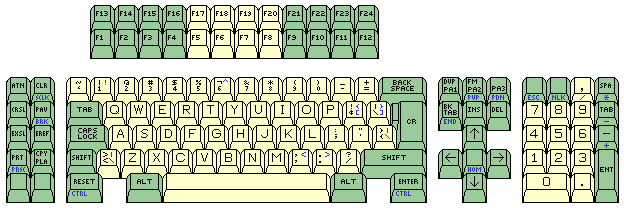
Also, if you have a whole bunch of bindings you may want to use a 24-function-key keyboard for IBM's (like http://www.quadibloc.com/comp/images/122hc.gif or http://www.nlynx.co.uk/products/keyboard.aspx) or a Sun Type-7 Unix lay-out (the one with special keys for your left pinky) may help.